How to Avoid Bankrupting Your UX

- A Few Quick Words
- Classifying UX Debt: An Overview
- Strategies for Spotting UX Debt
- Addressing UX Debt
- Avoiding UX Debt
- UX Efficiency Case Study
Strategies for Spotting UX Debt
Knowing the source of UX debt is an important first step—and you don’t need to schedule a special meeting or phase of the project to begin identifying issues. It’s something you can accomplish in parallel with your normal activities.
To vigilantly detect, isolate, and track UX debt from so many sources, here are a few practices and tips that I highly encourage.
Create and Validate a UX Debt Inventory
Whether you’re at the receiving end of an incoming product acquisition or coming into the team as a new hire, corralling UX debt starts with discovering what you’re up against. And that means conducting an inventory.
Let me walk you through the process.
First, sit down and use the product. You want to do this yourself to highlight anything you find unintuitive or confusing. Keep notes as you go, or ask someone to write down your comments as you use the product—then switch places.
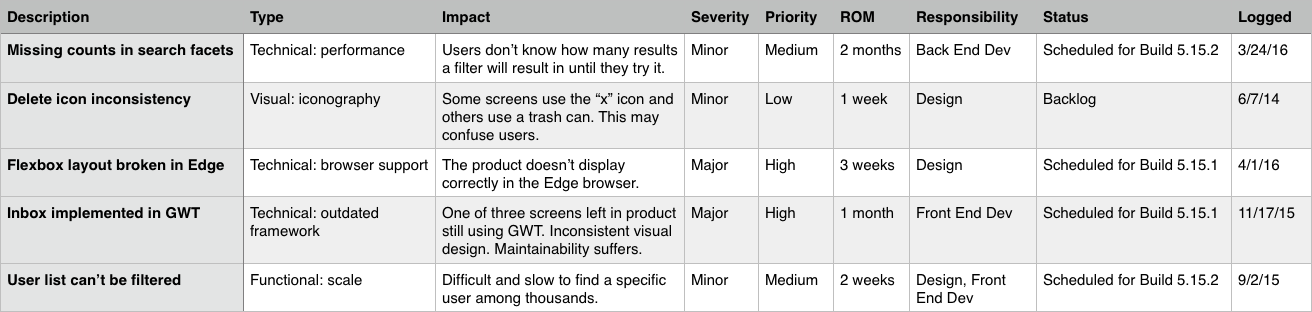
Another collaboration option entails using a spreadsheet (like this one) in your team’s cloud folder while evaluating the heuristics together. As the creators Susan Rector and Kim Dunwoody suggest, review the system based on criteria in the following categories:
- Findability
- Accessibility
- Clarity of Communication
- Usefulness
- Credibility
- Learnability
- Overall Aesthetics
- Persuasive Design
You can create a solid snapshot of UX gaps by involving the whole team. Be sure to block out a manageable timespan (e.g., 1-2 months); completing the evaluation will definitely take more than a week.
Remember that while this exercise is highly informative, at the end of the day, you are not the intended user.
Now that you’ve conducted a UX debt inventory, it’s time to validate your findings by observing and talking with actual users and subject matter experts (read more on that in Rian van der Merwe’s free guide Practical Enterprise User Research).
This will help you better prioritize the work with product managers for the payback sprints or the backlog.
Practice Peripheral Awareness
Anytime you interact with the product, continually scan for issues that may have escaped notice. Do this in your peripheral awareness, meaning focus on the task at hand, but keep your sensors on in the background, just in case something catches your attention.
Also, be ready to jot down notes whenever you observe someone interacting with the product. Then, enter them into your issue tracker as soon as possible (before you forget the details left out of your notes).
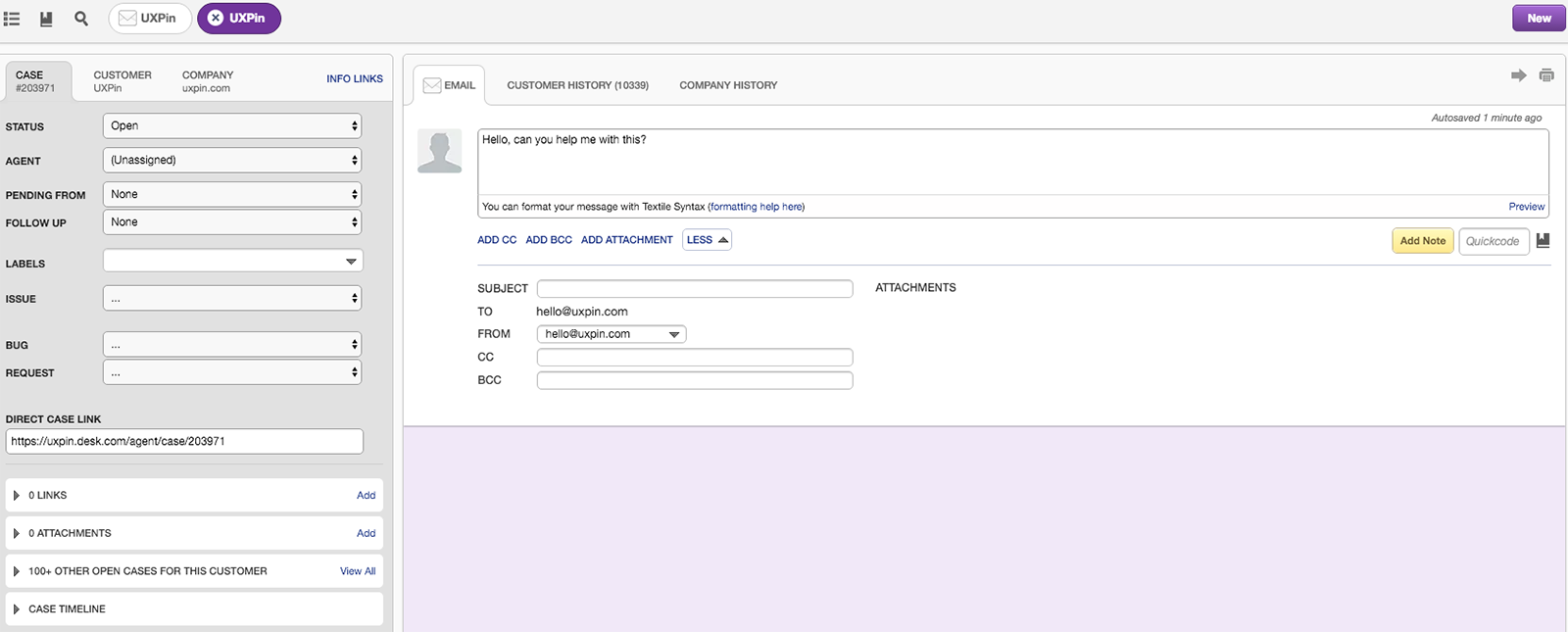
You should also note any bugs—both functional ones and any little details that seem out of whack. Be sure to enter them in your tracking system (like JIRA or Desk) and classify them as UX issues. Classification is important, as it enables you to find them again later, prioritize them, and get them into the schedule to be fixed.
Be Aware of Your Blind Spots
Outside of the product, think about what design practices could create debt.
My team faces a situation that could easily create UX debt. We’re distributed, so we facilitate our critiques online.
In this format, we’re generally only looking at one screen at a time. I happened to look at two screens side-by-side and noticed slightly different formatting being used to represent the same type of information. It was easily noticed when comparing the two, but quite invisible when viewing them in sequence.
If we were colocated, we would all sit in the same room for critiques, and we would have screens printed and stuck on the walls. We would regularly make cross-comparisons. Being aware of this, I can now address the situation and hopefully avoid some unintentional UX debt.
Designer Pro Tip
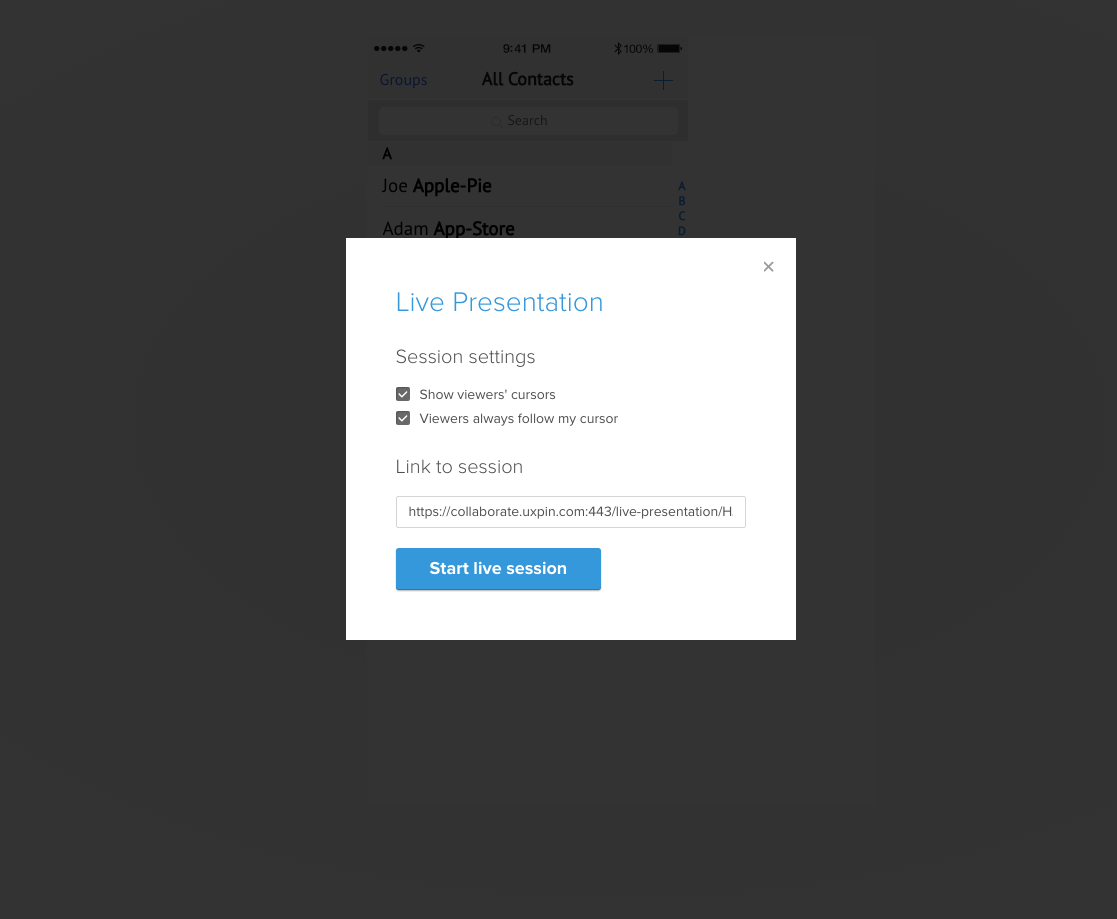
At UXPin, we follow the 10-line rule: if a problem requires more than 10 lines of chat to resolve, we’ll hold a quick Google Hangout to talk through it live. If it relates to a design problem, we’ll share a link of our UXPin project and talk inside the platform through Live Presentation.
Schedule Regular Time With Users
In his article Fast Path to a Great UX - Increased Exposure Hours, Jared Spool explains that the more time your team spends with users, the better your end product. He also says that companies that intentionally include everyone—not just the UX team, but developers, managers, etc.—have better results.
When everyone sees users struggling with the product first-hand, people argue less about what needs to be done. UX debt is the responsibility and concern of everyone working on the product. This even extends to your customer.
Observing your users is also the most effective way to identify UX debt. Instead of only conducting user research in a frontloaded Sprint 0, consider spreading out some of those user exposure hours across all your sprints.
For example, even just 2-3 hours of user interviews and/or usability testing every 3 weeks can help the entire team identify and prioritize critical gaps in the product.
Conclusion
Once you’ve inventoried all of your UX debt, you may feel a bit overwhelmed. “How in the world are we going to get rid of all this debt?!” This is a perfectly normal reaction. It won’t seem nearly as bad once you’ve planned an approach to deal with it.
Don’t panic. Prioritize.