Prototyping just got faster and easier. By combining GPT-5 Mini, Ant Design, and UXPin Merge, you can create production-ready prototypes directly from text prompts. This workflow eliminates the traditional design-to-code gap, saving time and ensuring consistency between design and development. Here’s how it works:
- GPT-5 Mini: Generates layouts based on natural language prompts like “Create a dashboard with a data table, filter bar, and action buttons.”
- Ant Design: Provides a pre-configured library of React components that align with your design system.
- UXPin Merge: Lets you design with real, production-ready components, ensuring your prototypes match the final product.
Teams using this approach report up to 10x faster product development and 8.6x faster coding workflows. Whether you’re a designer, developer, or DesignOps leader, this method streamlines prototyping and ensures design consistency.
Key steps:
- Set up UXPin Merge and connect Ant Design components.
- Use GPT-5 Mini to generate layouts with plain-language prompts.
- Fine-tune designs, add interactions, and test for responsiveness.
- Export production-ready React code directly from the prototype.
This workflow bridges the gap between design and development, helping teams deliver faster, more accurate results.
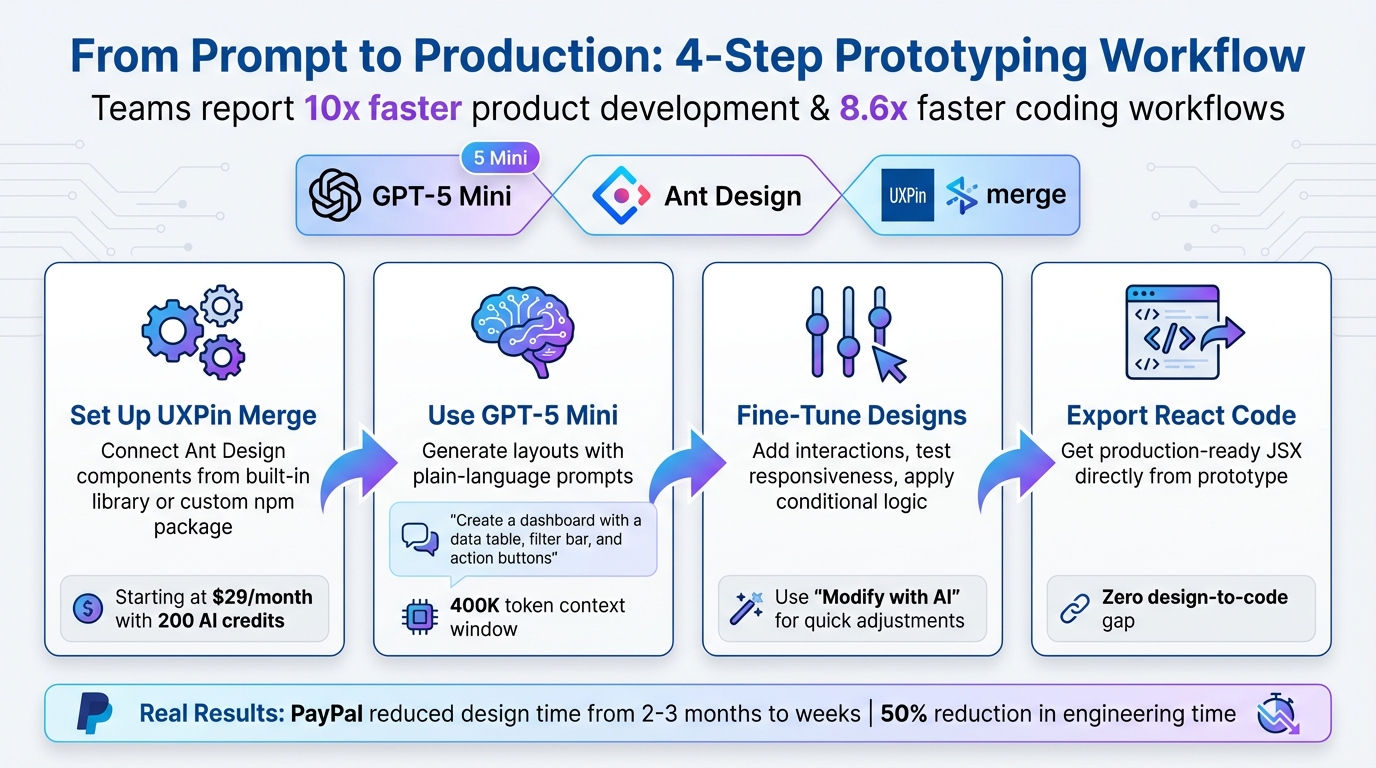
4-Step Workflow for Prototyping with GPT-5 Mini, Ant Design, and UXPin Merge
UXPin Merge AI: Smarter UI Generation That Follows Your Design System
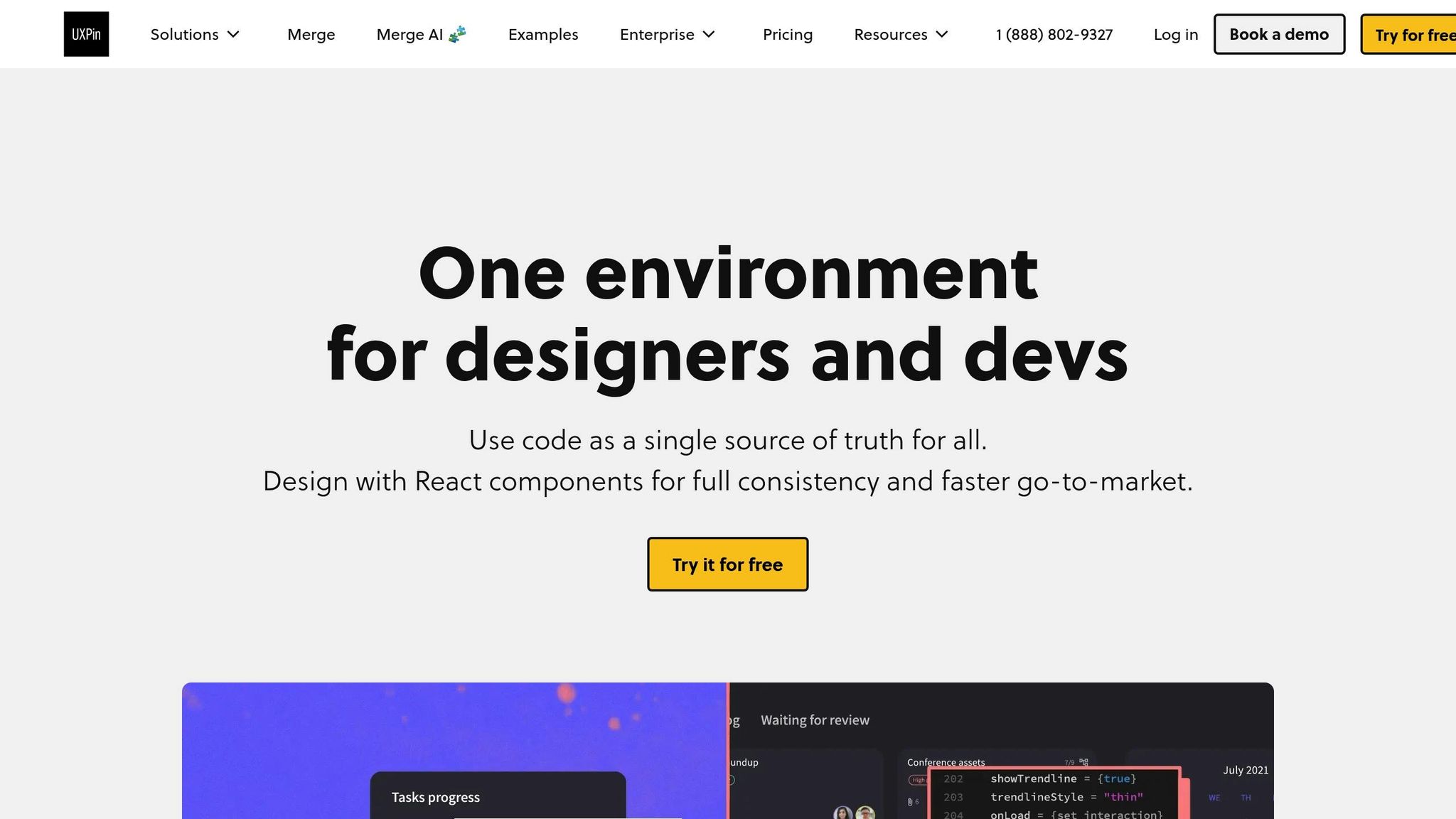
Setting Up UXPin Merge with Ant Design
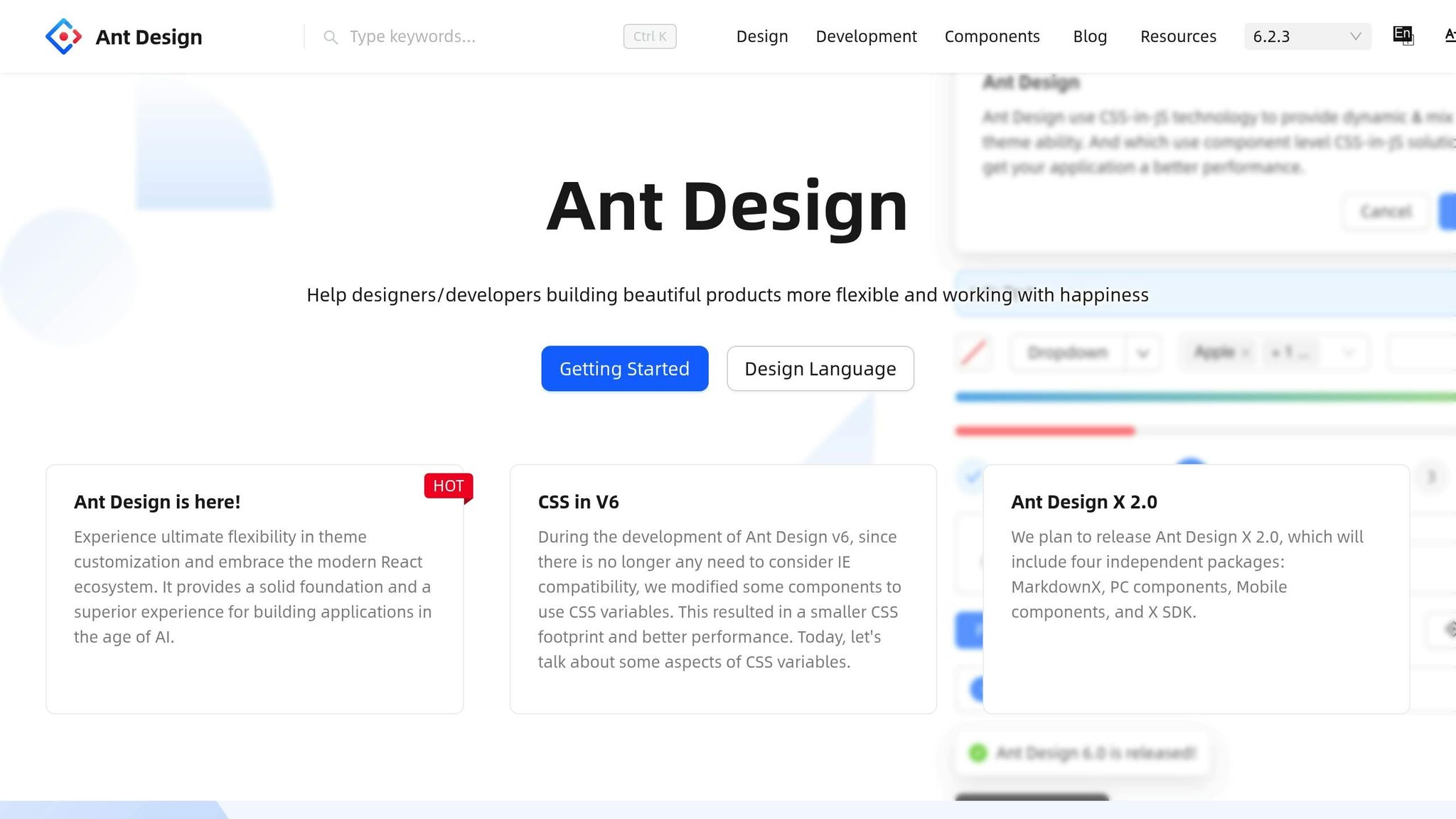
Getting started with UXPin Merge and Ant Design is straightforward. The built-in library offers immediate access to production-ready components, so you can start designing with real React code from the antd npm package in no time.
Activating UXPin Merge and Using Ant Design
UXPin Merge is available with all pricing plans, including the Core plan starting at $29/month. Once logged into your UXPin account, you can access Merge directly. Open the Libraries panel in the UXPin editor and select Ant Design from the built-in options. The full component library will load, giving you access to elements like buttons, forms, tables, and navigation components.
Before diving in, check your AI credit balance under account settings. Core plans come with 200 AI credits per month, while Growth plans include 500 credits. Enterprise users can request custom limits based on their team’s needs. If you’re working on a large-scale project, confirm you have enough credits to avoid interruptions.
The library is pre-configured with all necessary CSS files, ensuring components render properly right from the start. This setup is ideal for teams using standard Ant Design components without needing additional customization.
If your team requires tailored integrations or specific Ant Design versions, move to the Custom Library Integration section below.
Custom Library Integration for Enterprise Teams
For teams that rely on specific Ant Design versions or custom themes, you can integrate your own npm package instead of using the pre-configured library. This approach ensures your prototypes align precisely with the components developers use in production.
To set up a custom library, go to the Merge Component Manager in your UXPin settings. Enter the npm package name (e.g., antd@5.2.1 for a specific version) and specify the CSS file path, typically antd/dist/antd.css. This process gives you complete control over the version and styles you’re working with, creating a seamless connection between design and development. For enterprise teams, proprietary design systems can also be integrated via Git or Storybook, though this requires close collaboration with developers and involves more complex setup.
Here’s a quick comparison of the available integration methods:
| Integration Method | Best For | Setup Complexity |
|---|---|---|
| Built-in Library | Quick prototyping | Low (No setup needed) |
| NPM Integration | Custom versions or specific packages | Medium (Requires package name & CSS path) |
| Git/Storybook | Proprietary libraries or enterprise systems | High (Requires developer collaboration) |
Once your library is connected, use the Properties Panel to map custom design tokens, ensuring that component properties match your codebase. This step is essential for maintaining consistency across large teams and complex projects.
Configuring GPT-5 Mini for Ant Design Prototyping
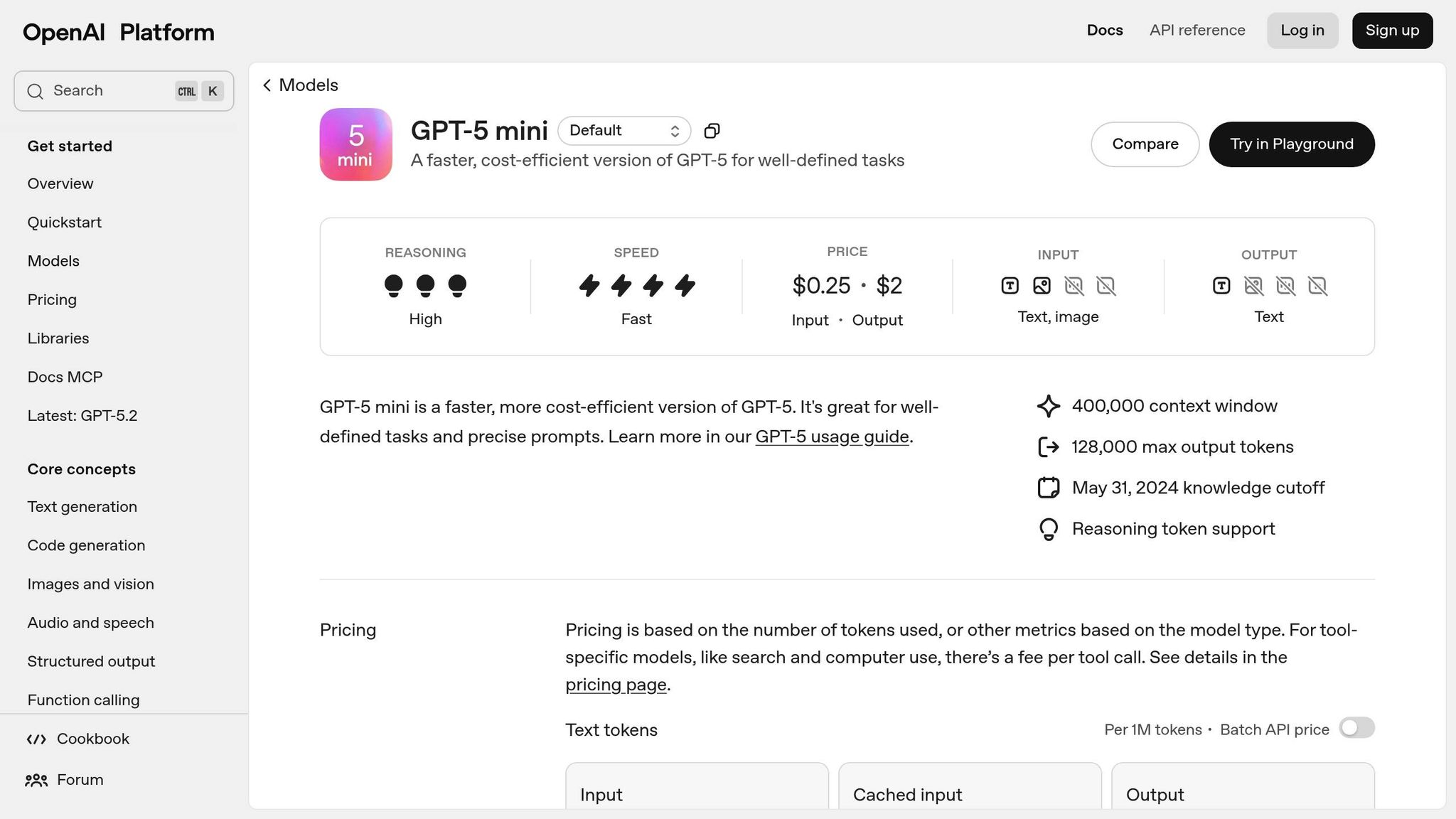
When working with Ant Design, you can set up GPT-5 Mini to generate prototypes seamlessly. This AI model integrates directly into the AI Component Creator, ensuring that the components you use remain consistent with the Ant Design library.
Selecting GPT-5 Mini and Setting Constraints
To get started, open the AI Component Creator from the UXPin editor toolbar. From the dropdown menu of available AI models, choose GPT-5 Mini, which is specifically tuned for quick layout testing.
Before generating any components, link your OpenAI API Key. Navigate to the Settings tab within the AI Component Creator, and paste your key into the ‘OpenAI API Key’ field. This step connects GPT-5 Mini to your workspace.
Once connected, the AI automatically aligns itself with the active Ant Design library. This ensures that every component it generates – whether it’s a Button, Table, or Form – is directly sourced from the antd npm package. This removes the possibility of introducing custom or mismatched elements. Keep in mind that the AI Helper currently supports only built-in React libraries, which includes Ant Design.
Now, let’s explore how to write effective prompts to make the most of GPT-5 Mini.
Writing Effective AI Prompts
The quality of your prompts directly impacts the prototypes you generate. Clear, detailed instructions are key. For example, instead of saying "create a button", provide more specifics: "create a primary Button labeled ‘Submit’ with a loading state." Use CamelCase for component names (e.g., Select, RangePicker) and define properties like type, disabled, or danger.
For more complex user interfaces, break your request into smaller, manageable parts. For instance, instead of asking for an entire dashboard at once, focus on individual sections. Start with a Table for displaying data, add a Form for user input, or create a navigation bar using Menu components. This step-by-step approach improves accuracy and gives you more control over the final design.
When it comes to layouts, be explicit about spacing and structure. For example: "Two-column layout using Grid with 16px padding." While longer prompts might take slightly more time to process, the added detail often leads to better results. After the AI generates your initial design, you can refine it further using the AI Helper (marked by the purple "Modify with AI" icon). This tool allows you to tweak styles, adjust typography, or update text content without needing to start from scratch.
Building Prototypes with GPT-5 Mini and Ant Design
Once your setup is ready, it’s time to dive into creating and fine-tuning prototypes. By outlining your requirements clearly, you can generate complete prototypes efficiently.
Generating Prototypes with AI
Start by opening the AI Component Creator and entering a prompt that describes your desired design. For instance, you might try: "Create a dashboard with a Table showing user data and a Card displaying summary statistics." GPT-5 Mini will then generate Ant Design components that align with your request.
The AI directly integrates components from the antd npm package, ensuring you receive authentic elements like Table, Card, and Button that function just as they would in a production environment. By crafting detailed prompts, you can achieve highly specific component results. To further refine your design, use the "Modify with AI" icon. For example, you could input, "Add three more columns to the table" or "Change the card background to light gray."
Adding Interactions and Conditional Logic
Bring your prototype to life by adding interactive features. Use the Interactions panel to define actions such as click events or state changes. You can also refine these behaviors with the "Modify with AI" tool.
For example, you might configure a Button to open a modal when clicked or set up a Form to validate user input before submission. With UXPin’s support for variables and expressions, you can incorporate conditional logic to simulate real-world application behavior. Prompts like "Make this button show a loading spinner when clicked" or "Update the dropdown to filter the table results" allow the AI Helper to handle these adjustments, saving you from manually tweaking properties.
Once you’ve set up interactions, test them to ensure everything works as expected.
Previewing and Testing Prototypes
Thorough testing is essential before moving forward. Use the Preview feature to test interactive elements in action.
Check for responsiveness by resizing your browser window to see how components adapt to various screen sizes. Ant Design components are designed with responsive behavior in mind, but it’s still important to confirm that your layout functions well across mobile, tablet, and desktop views. If you notice any issues, return to the editor and make the necessary fixes. This step is especially critical for enterprise teams that need prototypes to meet high-quality and compliance standards before advancing to production.
Once your prototype passes testing, you’re ready to export and scale it for production use.
sbb-itb-f6354c6
Exporting and Scaling Prototypes for Production
Once your prototype has been tested, you can export it as production-ready code. UXPin Merge simplifies this process by exporting React code that aligns seamlessly with the Ant Design library. Every component, interaction, and dependency is translated into code that developers can immediately use. Using Spec Mode, you can access JSX, CSS, and design tokens, and even launch directly in StackBlitz for live editing. PayPal adopted this method to ensure their prototypes matched the final product perfectly, establishing code as the single source of truth between design and development.
Scaling with UXPin Merge for Enterprise Teams
With production-ready prototypes, you can scale your workflow to handle the demands of enterprise-level projects. These teams often need tools for governance, version control, and maintaining component consistency.
UXPin Merge integrates with Git and Storybook, enabling teams to import and manage proprietary components. When developers make updates to components in the codebase, those changes are automatically reflected in the design tool, keeping everything synchronized as a single source of truth.
For large-scale operations, you can manage component properties through GitHub using prop-types and TypeScript interfaces. This setup ensures that designers stick to approved styles and configurations, reducing the risk of design inconsistencies across teams.
"We synced our Microsoft Fluent design system with UXPin’s design editor via Merge technology. It was so efficient that our 3 designers were able to support 60 internal products and over 1,000 developers" – Erica Rider, UX Architect at Microsoft.
Strategically manage token consumption: use GPT-5 Mini for high-volume, low-latency tasks, while reserving full GPT-5 for critical analysis. Establish feedback loops to capture failed queries and refine your prompt templates as needed, ensuring your AI-driven workflow becomes more effective as your team scales.
Advanced Tips for Enterprise Prototyping with GPT-5 Mini
Building on earlier discussions about setup and workflows, these advanced strategies can help you get the most out of GPT-5 Mini while ensuring compliance for enterprise-scale projects.
Optimizing AI Performance for Large-Scale Projects
To fine-tune GPT-5 Mini for specific tasks, adjust the reasoning_effort parameter. For straightforward tasks like generating simple Ant Design button layouts, set it to minimal or low to cut down on latency and token consumption. For more complex tasks – like managing intricate state logic or handling multi-step processes – switch it to high for deeper reasoning capabilities.
The verbosity parameter is another useful tool, allowing you to control the length of the AI’s output. Use low for concise responses and high when detailed documentation or explanations are needed.
GPT-5 Mini stands out with its ability to handle a 400,000-token context (equivalent to about 300,000 words per session). It also boasts a reduced likelihood of factual errors, with a hallucination rate of just 4.8%.
"The Responses API is the path forward for new reasoning capabilities. Building here keeps you off legacy APIs when the most powerful features ship." – OpenAI Practical Guide
To further enhance performance, consider metaprompting, where GPT-5 Mini refines its own instructions. Short, clear prompts tend to yield better results than those overloaded with excessive scaffolding. Additionally, using the json_object parameter ensures the extraction of valid JSON for defining component properties.
These optimizations not only improve AI efficiency but also set the stage for robust compliance measures.
Meeting Enterprise Compliance Standards
Once performance is optimized, it’s critical to implement strong compliance measures to meet enterprise requirements.
Using the Responses API with UXPin Merge enables Zero-Data Retention, ensuring that prototype data isn’t stored or used for model training.
To align with regulatory standards, assign specific roles in prompts, such as Senior UX Architect or Compliance Officer. You can also use the allowed_tools parameter to restrict the model to a predefined set of tools, which enhances security and predictability in complex workflows.
For high-stakes tasks, build explicit validation steps into your prompts. For example, you can instruct the model to pause and provide summaries before making significant changes to component libraries or design tokens. Additionally, define "escape hatches" that require user confirmation before executing critical actions like deletions or major refactoring.
GPT-5 Mini is also cost-effective for enterprise use, with pricing set at $0.25 per 1M input tokens and $2.00 per 1M output tokens. You can ensure prototypes follow US formatting standards – like MM/DD/YYYY for dates, imperial units, and dollar signs – by specifying localization requirements in your prompts.
Conclusion
Bringing together GPT-5 Mini, Ant Design, and UXPin Merge is changing how enterprise teams handle prototyping. With production-ready components available right from the start, AI-generated layouts strictly adhere to your design system’s guidelines, ensuring accuracy and consistency through to development. These tools have already made a measurable impact for teams at major companies.
At PayPal, Erica Rider shared how her small team of three designers was able to support 60 internal products and over 1,000 developers using UXPin Merge with Microsoft Fluent. She explained:
"It used to take us two to three months just to do the design. Now, with UXPin Merge, teams can design, test, and deliver products in the same timeframe".
Larry Sawyer, Lead UX Designer, highlighted the efficiency gains:
"When I used UXPin Merge, our engineering time was reduced by around 50%. Imagine how much money that saves across an enterprise-level organization with dozens of designers and hundreds of engineers".
This approach not only speeds up prototyping but also streamlines code integration. UXPin Merge connects directly to your codebase via Git, Storybook, or npm, ensuring that updates sync automatically between design and development. Developers can even pull production-ready JSX code directly from Spec Mode, cutting out manual rebuilds and guaranteeing precise implementation.
Whether you’re overseeing a small design team or coordinating efforts across hundreds of developers, this method scales effortlessly. By combining AI-driven, component-based prototyping with tools like UXPin Merge, teams can stay aligned, deliver faster, and ensure every design is technically sound from the start. Together, these tools create a seamless pipeline from concept to production.
FAQs
How does GPT-5 Mini improve prototyping with UXPin Merge?
GPT-5 Mini makes prototyping in UXPin Merge faster and easier by using AI to create and refine UI components from simple, natural language prompts. Designers can simply explain what they need in plain English, and GPT-5 Mini generates functional, code-backed components in no time – cutting down on manual work and saving valuable time.
Beyond that, it can turn static images into interactive, coded UI elements. It also works seamlessly with libraries like Ant Design, allowing teams to build scalable, production-ready prototypes. This tool helps close the gap between design and development, speeds up iteration cycles, and eliminates repetitive tasks, making workflows more efficient and consistent across projects.
What are the advantages of using Ant Design components with UXPin Merge?
Using Ant Design components in UXPin Merge brings a range of benefits for design and development teams. By utilizing actual, production-ready React components, you can build prototypes that closely resemble the final product. These components come with built-in interactivity and behaviors, which minimizes the chances of errors during handoff and ensures a smoother transition into development.
Ant Design tokens for elements like colors, spacing, and typography help maintain a cohesive and polished visual style across your project. The drag-and-drop functionality for components such as buttons, tables, and date pickers makes the design process quicker and more efficient. Since these components are fully functional, they also allow for more precise testing and validation, ensuring your designs are development-ready with minimal tweaks.
This integration bridges the gap between design and development, boosting efficiency, maintaining consistency, and aligning teams for faster project completion and higher-quality results.
How can I create production-ready prototypes using GPT-5 Mini and Ant Design in UXPin Merge?
To build prototypes that are ready for production, try combining UXPin Merge, GPT-5 Mini, and Ant Design for a streamlined process. UXPin Merge allows you to work with actual React components directly in your prototypes, so they behave just like they will in the final product. This approach eliminates any mismatch between design and development.
With GPT-5 Mini, you can quickly create or tweak UI components using simple natural language prompts. This speeds up the design process and helps reduce manual errors. Meanwhile, Ant Design offers a solid library of components that are consistent, scalable, and come with built-in interactivity and responsiveness. This ensures your prototypes are not only visually accurate but also functional and ready for deployment.
By combining these tools, you can work faster without sacrificing accuracy, ensuring your prototypes align perfectly with production requirements.

