Prototyping tools like GPT-5 Mini, MUI, and UXPin Merge are changing how teams design products. They help you create interactive, production-ready prototypes faster by combining AI-driven layouts, code-backed components, and seamless design-to-development workflows.
Here’s what you’ll learn:
- Set up MUI with UXPin Merge to access 90+ React components that work exactly like in production.
- Use GPT-5 Mini for AI-driven layouts, tweaking designs with simple prompts.
- Bridge design and development by eliminating handoff issues – your prototypes are ready-to-code.
This guide walks you through the setup, tips for writing AI prompts, and how these tools save time while keeping designs consistent across teams. By the end, you’ll know how to cut engineering time by 50% and simplify your workflow.
From Prompt to Interactive Prototype in under 90 Seconds
Setting Up Your Prototyping Environment
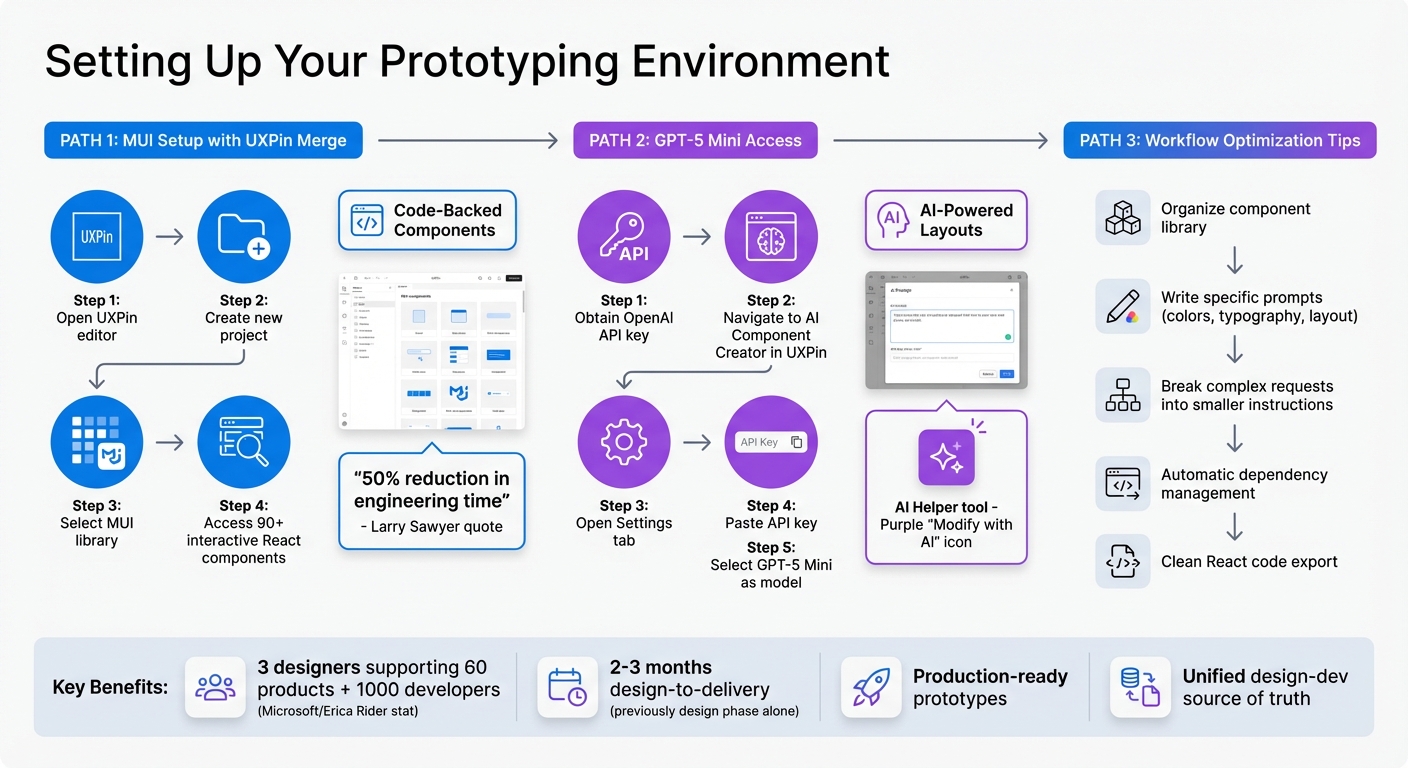
Complete Setup Guide for GPT-5 Mini, MUI, and UXPin Merge Prototyping Workflow
MUI integrates seamlessly with UXPin, and GPT-5 Mini becomes accessible after a straightforward setup. Here’s how you can configure both tools to create a streamlined prototyping workflow.
How to Set Up MUI with UXPin Merge
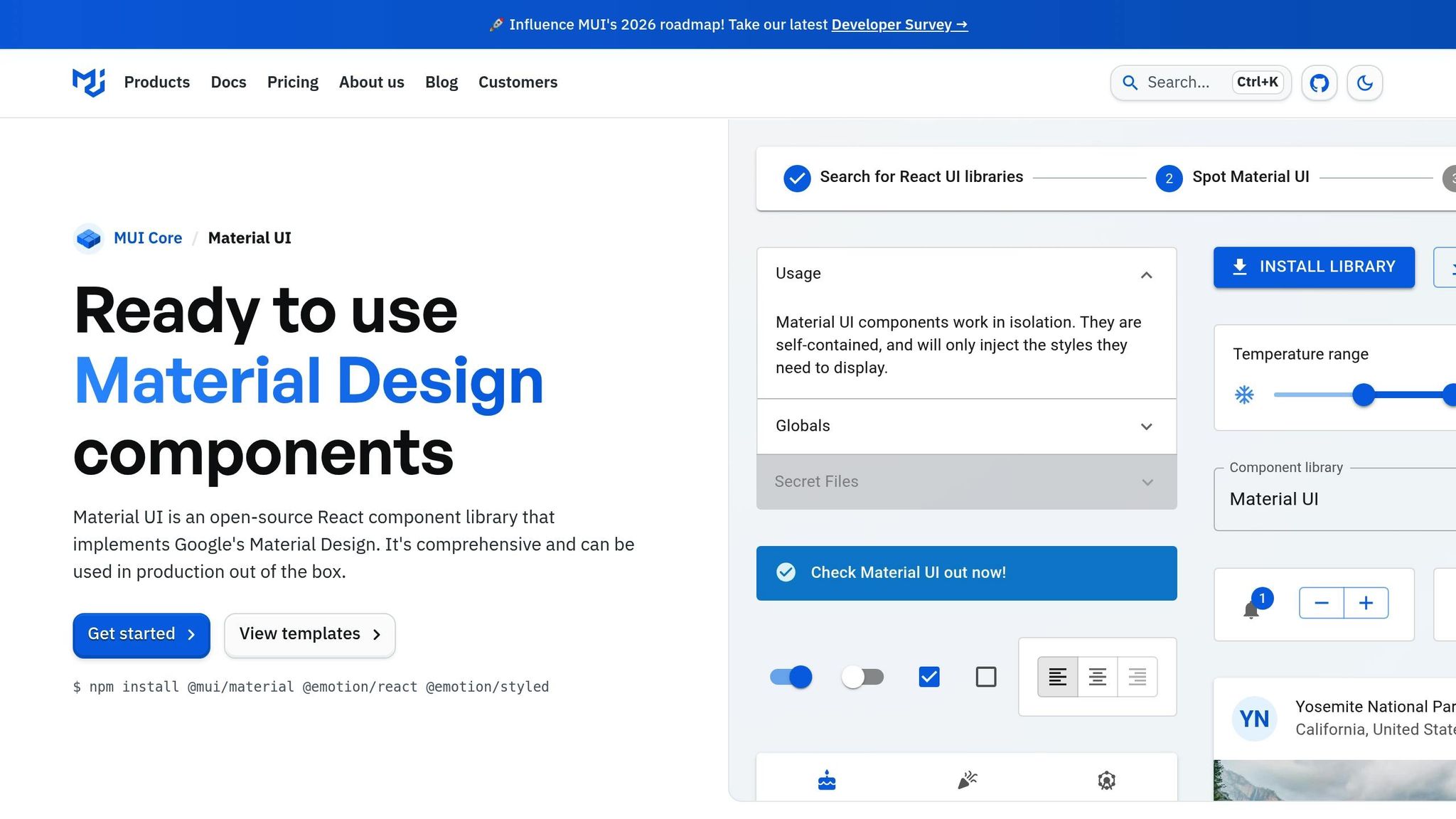
In UXPin, you can access over 90 interactive MUI components directly in the editor. These are fully functional React components that behave exactly as they would in a live environment.
To get started, open the UXPin editor, create a new project, and select the MUI library. This gives you immediate access to components like data grids, date pickers, buttons, and more. Since these components are code-backed, developers can implement your designs without needing to recreate or translate them.
This approach has proven to save significant time. Larry Sawyer, a Lead UX Designer, shared:
"When I used UXPin Merge, our engineering time was reduced by around 50%."
Similarly, Erica Rider, a UX Architect and Design Leader, highlighted the efficiency gained in her organization:
"We synced our Microsoft Fluent design system with UXPin’s design editor via Merge technology. It was so efficient that our 3 designers were able to support 60 internal products and over 1000 developers."
How to Access GPT-5 Mini in UXPin
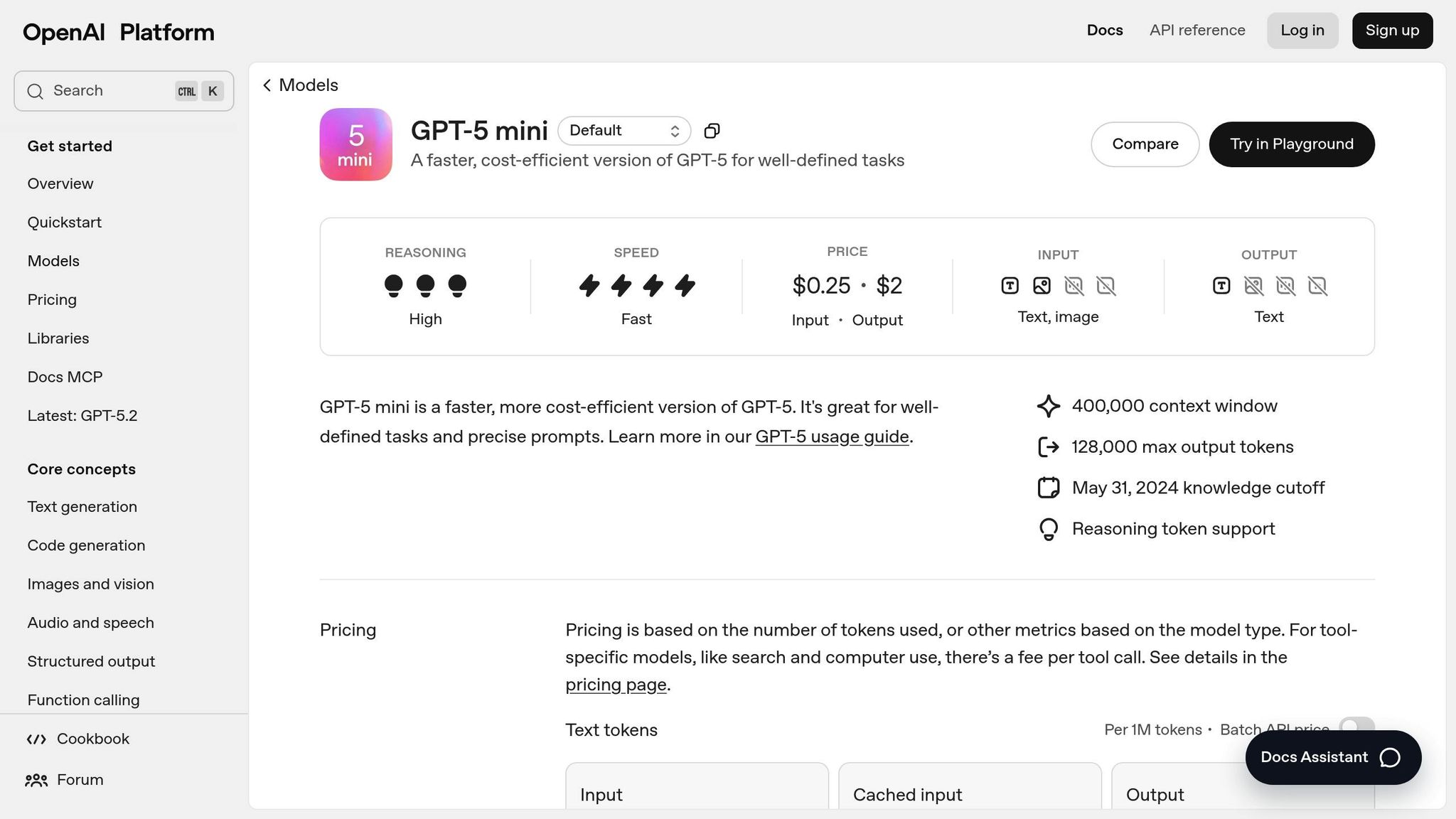
To use GPT-5 Mini, you’ll need an OpenAI API key. Once you have it, go to the AI Component Creator in UXPin, open the Settings tab, and paste your API key. This enables you to generate layouts using natural language prompts.
After setup, select GPT-5 Mini as the model in the AI Component Creator. The AI will generate designs using the MUI components already configured, ensuring everything stays code-backed and ready for production. You can also refine existing components using the AI Helper tool. Just select any MUI element on your canvas, click the purple "Modify with AI" icon, and adjust styles or spacing through conversational prompts.
Setup Tips for a Smooth Workflow
To maximize efficiency, take some time to organize your component library after configuring MUI and GPT-5 Mini. Familiarizing yourself with the available components and their properties will help you write better prompts for GPT-5 Mini.
When crafting prompts for the AI Component Creator, be specific. Mention details like colors, typography, and layout preferences. For complex UI requests, break them into smaller, more manageable instructions to ensure clearer results. The system automatically handles dependencies between components, so you don’t have to worry about managing those relationships manually.
Lastly, all generated designs export as clean React code that matches the MUI library. This ensures developers can implement your designs directly, reducing handoff issues and maintaining a unified source of truth between design and code.
How to Create Prototypes with GPT-5 Mini, MUI, and UXPin Merge
Once your environment is set up, you can combine code-backed components with AI-generated layouts to create production-ready prototypes more efficiently.
Designing with MUI Components
Start by dragging MUI components directly onto your design canvas. With over 90 interactive elements available – like data grids, date pickers, buttons, and text fields – these React components work exactly as they would in production. When you select a component, the properties panel shows all available React props, making it easy to adjust variants, colors, sizes, and states without writing a single line of code. Since these components are sourced from the same library your developers use, there’s no need for additional translation during the handoff process.
Once you’ve placed your MUI components, you can use GPT-5 Mini to generate layouts that complement your design.
Using GPT-5 Mini for AI-Generated Designs
With GPT-5 Mini enabled, open the AI Component Creator and describe your design requirements in detail. For example, you might prompt: "Create a login form with email and password fields, a primary ‘Sign In’ button, and a right-aligned ‘Forgot Password’ link." If you need to tweak the design, simply click the purple "Modify with AI" icon and describe the changes you want.
Adding Interactivity and Logic
To incorporate interactivity, include functional details directly in your GPT-5 Mini prompts. For instance, you could specify: "Input field shows a blue border on focus" or "Disable the submit button until both fields are filled." The AI processes these instructions and generates components with the correct states and logic. Meanwhile, UXPin Merge simplifies managing these component interactions, ensuring everything works seamlessly.
This blend of AI-powered design and production-ready components is changing the game. As Ljupco Stojanovski put it:
"Adding a layer of AI really levels the playing field between design & dev teams."
sbb-itb-f6354c6
Practical Use Cases for Enterprise Teams
GPT-5 Mini, MUI, and UXPin Merge address some of the most common development hurdles faced by enterprise teams. By enhancing workflows and simplifying transitions between design and development, these tools provide practical solutions to streamline processes.
Reducing Handoff Friction Between Design and Development
One of the biggest challenges in enterprise workflows is the gap between design and development. When designers rely on vector-based tools, developers often have to rebuild components from scratch, which can lead to misinterpretations and inconsistencies. UXPin Merge solves this issue by allowing designers and developers to work with the exact same MUI React components, both in design and production.
With code-backed prototypes, the guesswork is eliminated. Developers receive components that are production-ready, complete with accurate props, states, and accessibility features. This ensures that the final product matches the original design intent without unnecessary back-and-forth.
Faster Design Iterations with AI
The GPT-5 Mini tool speeds up the design exploration phase, allowing teams to test multiple layout ideas in minutes instead of hours. Within the AI Component Creator, designers can quickly generate components and experiment with simple UI patterns, making it an ideal solution for early-stage design iterations.
The AI Helper feature takes this a step further by enabling teams to modify existing MUI components with simple text prompts. Whether adjusting spacing, colors, or text, these changes can be made instantly – no need for manual property adjustments. This flexibility is especially helpful when experimenting with different design system structures before committing to a final approach.
What sets this workflow apart is that GPT-5 Mini generates components directly from your MUI library, ensuring that every element aligns with your developers’ existing codebase. This approach allows teams to iterate quickly while maintaining consistency with established design patterns, creating a seamless and efficient process.
Building Scalable Design Systems
For enterprise organizations managing multiple teams and products, maintaining consistency is critical. UXPin Merge simplifies this by syncing your component library directly with the design editor. Any updates made to the repository are automatically reflected in UXPin, ensuring that everyone works with the most up-to-date components.
Using code-backed components ensures scalability. As Erica Rider noted:
"It used to take us two to three months just to do the design. Now, with UXPin Merge, teams can design, test, and deliver products in the same timeframe."
This workflow is built for scale. Designers can access over 90 interactive MUI components to create complex enterprise applications without needing developer assistance. Global themes ensure consistent styling, and React props allow for full customization without additional coding.
For organizations overseeing multiple products, this centralized system ensures that all teams use approved, tested components. By pulling from the same code-based library, design drift is eliminated, and consistency is maintained across every project.
Conclusion
Main Benefits of This Workflow
Using GPT-5 Mini, MUI, and UXPin Merge reshapes the way enterprise teams handle prototyping. By bridging the gap between design and development, teams can work with identical React components from the prototype stage all the way to production.
The results speak for themselves. Larry Sawyer, Lead UX Designer, shared:
"When I used UXPin Merge, our engineering time was reduced by around 50%."
This streamlined process allows teams to design, test, and deliver products in just two to three months – timeframes that previously only covered the design phase.
AI-powered tools like GPT-5 Mini speed up iterations by generating production-ready layouts with real MUI components that align perfectly with your existing codebase. Developers receive fully detailed specifications, complete with JSX code that’s ready for production – no manual translation needed.
The workflow also scales effortlessly. For instance, at Microsoft, a team of just three designers managed to support 60 internal products and over 1,000 developers by syncing their Fluent design system with UXPin Merge. This approach eliminates inconsistencies across teams, ensuring everyone uses pre-approved, thoroughly tested components.
How to Get Started
To take advantage of this workflow, you can begin integrating it right away. This setup not only reduces handoff challenges but also speeds up design iterations.
Start by connecting your component library to UXPin. If you’re working with MUI, you’ll gain immediate access to over 90 interactive components with no additional setup. For teams using custom React libraries, you can integrate them via Git, Storybook, or npm to bring your proprietary components directly into the design environment.
From there, create a prototype using MUI components and experiment with GPT-5 Mini to generate layouts or tweak designs using text-based prompts. Link your components to documentation to maintain a consistent design system that effectively serves both designers and engineers. For more advanced enterprise needs, including custom library integration and AI control, explore pricing options at uxpin.com/pricing or contact sales@uxpin.com to discuss tailored solutions.
FAQs
How does GPT-5 Mini make prototyping with UXPin Merge faster and smarter?
GPT-5 Mini transforms the prototyping process when paired with UXPin Merge. It uses AI to generate and customize UI components based on simple text prompts or even images. This makes it easier and faster to create interactive, code-backed prototypes that stay true to your design system.
By automating repetitive tasks and reducing the need for manual coding, GPT-5 Mini can save teams a significant amount of time – cutting engineering efforts by as much as 50%. This allows for quicker design iterations and smoother collaboration between design and development, helping teams work more effectively.
What are the advantages of using MUI components in UXPin for consistent design?
Using MUI components in UXPin helps ensure design consistency by utilizing pre-built, customizable elements that follow Material Design principles. These components not only create a unified visual style but also enable prototypes that closely match the final product, cutting down on errors and reducing the need for rework during development.
Integrating MUI components allows teams to work from a shared source of truth, making collaboration between designers and developers much smoother. This setup accelerates workflows, ensures a consistent user experience across projects, and simplifies updates with reusable, standardized components. The outcome? Faster iterations, clearer communication, and a more streamlined design-to-development process.
How can I optimize GPT-5 Mini prompts for better design results?
To get better design results from GPT-5 Mini, focus on creating precise and detailed prompts. The clearer your instructions, the less room there is for confusion, which helps ensure the AI delivers accurate and relevant outputs. For example, if you’re aiming to generate UI components, layouts, or production-ready code snippets, your prompts should explicitly reflect those goals.
Another way to enhance results is by specifying the desired output format. Including examples can also guide the AI more effectively. Additionally, using tools like prompt optimization features available in some AI platforms can refine your instructions further. By applying these strategies, you can achieve more reliable and polished design outputs.

