UX and SEO: The Complete Guide for Designers in 2026
UX and SEO are no longer separate disciplines. Google’s ranking algorithms evaluate user experience signals — Core Web Vitals, mobile usability, page speed, and engagement metrics — alongside traditional factors like content relevance and backlinks. For UX designers working on websites and web applications, understanding SEO isn’t optional. It’s part of delivering a complete user experience.
This guide explains how UX design decisions directly impact search rankings, which metrics matter most in 2026, and actionable best practices for aligning UX and SEO to improve both user satisfaction and organic visibility.
Key takeaways:
- Google ranks pages based on user experience signals like Core Web Vitals, mobile-friendliness, and engagement metrics.
- UX decisions — page speed, navigation structure, layout, and content hierarchy — directly affect SEO performance.
- Core Web Vitals (LCP, INP, CLS) are specific, measurable UX metrics that influence search rankings.
- Site architecture and internal linking help both users and search engines understand your content.
- AI-generated search results (AI Overviews) are changing how content needs to be structured for visibility.
- Prototyping responsive, accessible layouts early in the design process prevents SEO problems downstream.
Why UX Designers Need to Understand SEO
Search engines exist to connect people with the information and experiences they’re looking for. To do that effectively, Google evaluates how users interact with web pages — not just what’s written on them.
This means UX design decisions have direct SEO consequences:
- A slow-loading page pushes users away and gets penalized in rankings.
- Confusing navigation increases bounce rate and signals to Google that the content didn’t satisfy the searcher.
- A well-structured page hierarchy helps users find information and helps Google understand what the page is about.
- Mobile-optimized layouts serve the majority of users and satisfy Google’s mobile-first indexing requirements.
The intersection of UX and SEO has become more critical as Google’s algorithms grow more sophisticated at measuring real user experience. UX metrics like page speed, interaction responsiveness, and visual stability are now explicit ranking factors — not just nice-to-haves. Testing these metrics globally often requires a VPN extension to simulate localized user experiences.
Core Web Vitals: The UX Metrics Google Measures
Core Web Vitals are Google’s specific, measurable indicators of page experience. They directly tie UX performance to search rankings. As of 2026, the three metrics are:
Largest Contentful Paint (LCP)
What it measures: How quickly the largest visible element (usually a hero image or heading) loads.
Target: Under 2.5 seconds.
UX impact: LCP measures perceived load speed. A slow LCP means users stare at a blank or partially-loaded page, increasing the likelihood they’ll leave before the content even appears.
How to improve: Optimize image formats (use WebP or AVIF), implement lazy loading for below-the-fold content, minimize render-blocking CSS and JavaScript, use a CDN, and preload critical resources.
Interaction to Next Paint (INP)
What it measures: The responsiveness of the page to user interactions (clicks, taps, key presses) throughout the entire page visit.
Target: Under 200 milliseconds.
UX impact: INP replaced First Input Delay (FID) in 2024. It captures whether the page feels responsive when users interact with it — not just on first load, but across the entire session. Sluggish interactions make a page feel broken.
How to improve: Break up long JavaScript tasks, minimize main-thread blocking, defer non-critical scripts, use web workers for heavy computation, and optimize event handlers.
Cumulative Layout Shift (CLS)
What it measures: How much the page layout shifts unexpectedly during loading.
Target: Under 0.1.
UX impact: Layout shifts are among the most frustrating user experiences. A button that moves just as you’re about to click it, or text that jumps because an ad loaded above it, erodes trust immediately and leads to accidental interactions.
How to improve: Set explicit dimensions for images and embedded content, reserve space for ads and dynamic content, avoid inserting content above existing elements after page load, and use CSS contain properties where appropriate.
How UX Engagement Metrics Affect SEO Rankings
Beyond Core Web Vitals, Google uses behavioral signals to assess content quality and relevance. While not direct ranking factors in the same way CWV are, they strongly correlate with ranking performance:
- Dwell time: How long a user stays on a page before returning to search results. Longer dwell time signals the content satisfied the search intent.
- Bounce rate: The percentage of visitors who leave after viewing only one page. High bounce rates may indicate the content didn’t match what the user expected.
- Pages per session: How many pages a user visits during a session. Strong internal linking and intuitive navigation increase this metric.
- Click-through rate (CTR): The ratio of impressions to clicks in search results. Compelling titles and meta descriptions improve CTR.
The key insight for UX designers: every decision that makes a page more useful, readable, and navigable also helps that page rank better in search results.
8 UX Best Practices That Improve SEO
1. Optimize Page Load Performance
Speed is the first UX principle that Google measures. A slow site increases bounce rate, reduces engagement, and directly penalizes your search rankings.
Actionable steps:
- Use Google PageSpeed Insights or an seo checker to audit your pages regularly
- Compress and properly size images (use modern formats like WebP/AVIF)
- Minimize CSS and JavaScript; defer non-critical resources
- Use a content delivery network (CDN) for global performance
- Implement browser caching, code splitting, and resource preloading
- Monitor real-user performance data in Google Search Console
2. Design Clear, Flat Site Architecture
A well-organized website structure helps both users and Google. The optimal structure for SEO is a flat hierarchy where every important page is reachable within 3-4 clicks from the homepage.
Good site architecture:
- Groups related content into clear, logical categories
- Uses descriptive, keyword-informed URL structures
- Implements breadcrumb navigation so users (and crawlers) understand the page’s position in the hierarchy
- Links related pages through contextual internal links
- Passes link authority efficiently from high-value pages to deeper content
- Provides an XML sitemap for search engine crawlers
3. Prioritize Mobile-First Design
Google uses mobile-first indexing, meaning it primarily evaluates the mobile version of your site for ranking decisions. A desktop-first design that degrades on mobile will hurt both UX and SEO.
Mobile UX essentials for SEO:
- Use responsive design that adapts to all screen sizes
- Ensure touch targets are large enough (minimum 48×48px)
- Eliminate intrusive interstitials and pop-ups
- Keep font sizes readable (minimum 16px for body text)
- Use shorter paragraphs and more whitespace for mobile screens
- Test on real devices, not just browser emulators
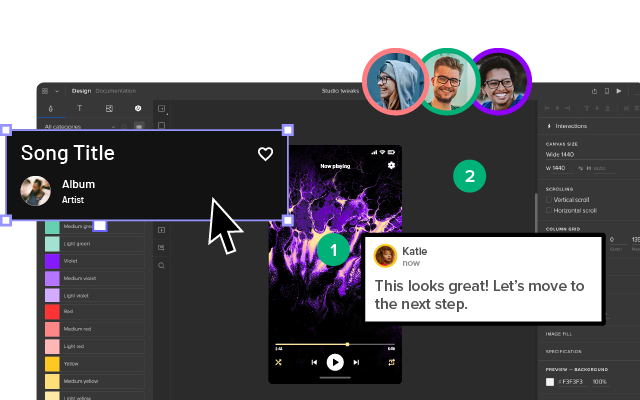
When prototyping responsive layouts, using a tool that supports real component behavior matters. UXPin Merge lets designers work with production React components that have built-in responsive behavior — so what you test in the prototype matches what ships in production.
4. Create User-Friendly Page Layouts
Page layout directly affects both user engagement and how Google evaluates your content. A well-structured layout supports scannability, reduces cognitive load, and keeps users on the page longer.
Layout best practices:
- Place the most important content and CTAs above the fold
- Use clear heading hierarchy (H1 → H2 → H3) that describes content accurately
- Break content into scannable sections with descriptive subheadings
- Use visual elements (images, diagrams, tables) to support and break up text content
- Limit the number of competing visual elements — simplicity improves focus
- Use contrasting colors for CTAs and interactive elements
5. Structure Content for AI Search (AI Overviews)
In 2026, a significant portion of search traffic is influenced by Google’s AI-generated overviews. These AI summaries pull structured, authoritative content from web pages. To be cited in AI Overviews:
- Answer questions directly — Start sections with a clear, concise answer in 1-2 sentences, then expand with detail.
- Use structured formatting — Bullet points, numbered lists, and comparison tables are easier for AI systems to parse and cite.
- Add FAQ sections — Frequently Asked Questions with concise answers are prime sources for AI-generated responses.
- Implement schema markup — Article and FAQPage JSON-LD help search engines understand your content structure.
- Establish authority signals — E-E-A-T (Experience, Expertise, Authoritativeness, Trustworthiness) matters more than ever for AI citation selection.
6. Use Internal Linking Strategically
Internal links serve both UX and SEO purposes. For users, they provide navigation paths to related content. For search engines, they distribute page authority and help crawlers discover and understand your content architecture.
Internal linking best practices:
- Use descriptive anchor text that tells users (and Google) what the linked page is about
- Link from high-authority pages to important but less visible pages
- Create content clusters — a pillar page that links to related supporting articles, with those articles linking back
- Fix broken internal links regularly — they waste crawl budget and frustrate users
- Don’t over-link — 3-5 contextual internal links per 1,000 words is a reasonable guideline
7. Prioritize Accessibility
Accessibility and SEO share significant overlap. Many accessibility best practices — semantic HTML, descriptive alt text, clear heading hierarchy, keyboard navigability, readable font sizes — also help search engines understand and rank your content.
- Use semantic HTML elements (
<nav>,<main>,<article>,<section>) - Write descriptive alt text for all images
- Ensure proper heading hierarchy (one H1 per page, logical nesting)
- Provide sufficient color contrast (WCAG 2.1 AA minimum)
- Make all interactive elements keyboard accessible
- Use ARIA labels where native semantics aren’t sufficient
8. Implement Structured Data (Schema Markup)
Structured data helps search engines understand your content’s meaning and context, which can result in rich results (featured snippets, knowledge panels, FAQ dropdowns) and increased visibility in AI Overviews.
Key schema types for websites:
- Article — For blog posts and editorial content
- FAQPage — For FAQ sections (eligible for FAQ rich results)
- HowTo — For step-by-step guides
- BreadcrumbList — For navigation breadcrumbs
- Organization — For company information
Beyond schema, AI SEO content tools analyze the terms and structure of top-ranking pages so designers can optimize on-page content for both search engines and AI Overviews.
Additionally, you could use JSON-LD format (Google’s recommended approach) and validate your markup with Google’s Rich Results Test.
UX Tools That Support SEO-Friendly Design
The right design tools can help teams build SEO-friendly interfaces from the start — rather than fixing problems after development.
UXPin is an end-to-end design tool that helps teams create responsive, accessible layouts that perform well for both users and search engines. Key capabilities that support UX-SEO alignment:
- Production component prototyping — UXPin Merge lets designers prototype with the same React components developers use in production, ensuring that responsive behavior, accessibility attributes, and interaction patterns are accurate from the first prototype.
- AI-assisted layout generation — UXPin Forge generates responsive layouts from text prompts using real design system components, helping teams rapidly test mobile-first layouts and content hierarchies.
- Responsive breakpoint testing — Preview designs across device sizes to ensure mobile-first experiences before development begins.
- Accessible component defaults — Built-in component libraries include proper ARIA attributes, focus management, and keyboard navigation.
Common UX Mistakes That Hurt SEO
Avoid these frequent UX decisions that negatively impact search performance:
- Hiding content in tabs or accordions — Google may deprioritize content that isn’t visible on page load. If content is important for SEO, display it openly.
- Using JavaScript for critical content rendering — While Google can render JavaScript, server-side rendering (SSR) or static generation is more reliable for indexing.
- Infinite scroll without pagination — Search engines struggle to crawl infinite scroll pages. Implement paginated URLs as a fallback.
- Intrusive interstitials — Full-screen pop-ups that block content on mobile trigger Google’s intrusive interstitial penalty.
- Ignoring image optimization — Uncompressed images slow page loads, hurt LCP scores, and waste bandwidth on mobile connections.
- Neglecting heading structure — Using headings for visual styling rather than content hierarchy confuses both screen readers and search crawlers.
Frequently Asked Questions
How does UX affect SEO?
UX directly affects SEO because Google evaluates user experience signals — Core Web Vitals (LCP, INP, CLS), mobile usability, page speed, and engagement metrics — as ranking factors. A page that loads slowly, has confusing navigation, or shifts layout unexpectedly will rank lower, even if the content is excellent.
What are Core Web Vitals and why do they matter for SEO?
Core Web Vitals are three specific metrics Google uses to measure page experience: Largest Contentful Paint (LCP) measures load speed (target: under 2.5s), Interaction to Next Paint (INP) measures responsiveness (target: under 200ms), and Cumulative Layout Shift (CLS) measures visual stability (target: under 0.1). Pages that meet these thresholds receive a ranking advantage in search results.
What is the best site architecture for SEO?
A flat hierarchy where every important page is reachable within 3-4 clicks from the homepage works best for SEO. Use clear categories, descriptive URLs, breadcrumb navigation, and contextual internal links. This structure helps both users and search engine crawlers understand and navigate your content efficiently.
How do I optimize UX for Google AI Overviews?
Structure content with clear headings, answer questions concisely in the first 1-2 sentences of each section, use bullet points and numbered lists, add FAQ sections, and implement structured data (schema markup). Google’s AI Overviews prioritize well-structured, authoritative content that directly answers search queries.
Does mobile-first design help SEO?
Yes. Google uses mobile-first indexing, meaning it primarily evaluates the mobile version of your site for ranking decisions. A desktop-first design that degrades on mobile will hurt both user experience and search rankings. Ensure responsive layouts, large touch targets (48×48px minimum), readable font sizes, and fast mobile load times.
How can UX designers measure their SEO impact?
UX designers can track Core Web Vitals in Google Search Console, measure engagement metrics (bounce rate, time on page, pages per session) in Google Analytics, audit page speed with PageSpeed Insights, and monitor search performance for key pages. Regular usability testing combined with SEO data reveals which design decisions move rankings.