Google Stitch is Google’s AI-powered design tool built to help UI/UX designers, product teams, and developers generate, prototype, and iterate on user interfaces. Integrated into Google’s broader ecosystem — including Firebase Studio and Gemini AI — Stitch represents a significant bet on generative AI for design workflows.
This article covers Stitch’s current feature set, its latest updates, how it fits into the growing landscape of AI design tools, and what to consider when evaluating alternatives.
Key takeaways:
- Google Stitch is an AI design tool that generates and iterates on UI/UX screens using generative AI powered by Gemini.
- Key features include Annotate (visual feedback that AI implements), Theme management, and Interactive prototyping.
- Stitch integrates with Firebase Studio for design-to-development handoff within Google’s ecosystem.
- For teams that need AI output constrained to their own production design system, alternatives like UXPin Forge generate with real React components.
What Is Google Stitch?
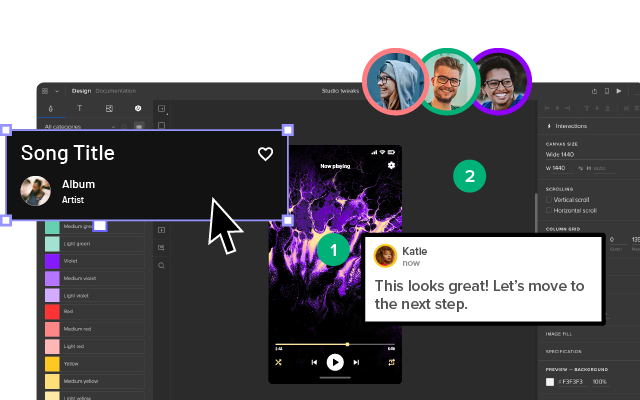
Google Stitch is an AI-first design tool available at stitch.withgoogle.com. It uses Google’s Gemini AI models to generate UI screens from text prompts, refine them conversationally, and export results toward production via Firebase Studio.
Stitch is positioned for designers and product teams who want to move quickly from concept to interactive prototype without manually placing every element.
Google Stitch: Key Features
Annotate — Visual Feedback That AI Implements
The Annotate feature allows users to draw, circle, or write notes directly on generated UI screens. The annotated screenshot is passed to Gemini AI, which interprets the feedback and applies context-aware changes automatically. This creates a fast iteration loop for distributed teams where asynchronous feedback is common.
Theme Management
Stitch’s Theme feature provides a sidebar for managing global design tokens — including light/dark mode toggles, primary color palettes, corner radius settings, and font customization. Changes cascade across the entire interface, making it easier to maintain visual consistency.
Interactive Prototyping
The Interactive mode lets users storyboard UX flows with click targets, input fields, and page transitions. A “Describe” prompt lets designers specify how interactions should behave, and the AI generates the corresponding prototype logic.
Firebase Studio Integration
Stitch includes a Share/Export button that sends designs directly to Firebase Studio — Google’s cloud-based development environment. This creates a path from AI-generated design to deployable code within Google’s ecosystem.
Strengths and Limitations of Google Stitch
Strengths
- Speed — Text-to-UI generation gets teams to a visual concept in seconds.
- Google ecosystem integration — Firebase Studio export creates a clear path to production for Google-native teams.
- Conversational iteration — Annotate and text prompts enable quick refinement without starting over.
- Free to use — As of early 2026, Stitch is available at no cost.
Limitations
- Generic output — Stitch generates UI from its own models, not from your team’s specific component library.
- Limited design tooling — Professional layout controls and pixel-perfect adjustments are minimal.
- Ecosystem lock-in — Firebase Studio export works well within Google’s stack; other targets face friction.
- No component-level control — Designers can’t specify which exact components to use or enforce design system governance rules.
How Google Stitch Compares to Other AI Design Tools
| Capability | Google Stitch | UXPin Forge | Figma AI |
|---|---|---|---|
| AI generation method | Text/image prompt → generic UI | Text/image prompt → real React components from your DS | Text prompt → Figma layers |
| Design system enforcement | Theme-level only | Full — uses production components + DS Guidelines | Variable-level |
| Code output | Firebase Studio export | Production-ready JSX | Dev mode annotations |
| Professional design tools | Minimal | Full (states, variables, auto layout, conditional logic) | Full |
| Component libraries | Built-in only | Your own React/MUI/shadcn + built-in libraries | Community files |
| Iteration model | Annotate + text prompts | Conversational, modifies in place | Text prompts |
The fundamental difference is in what the AI generates from. Stitch creates UI based on generic AI models. UXPin Forge generates using your team’s actual React component library — the same components developers use in production. This means AI output is inherently on-brand and produces exportable JSX.
Who Should Use Google Stitch?
Stitch is a good fit for:
- Individual designers and small teams who want fast AI-generated UI concepts without overhead.
- Google-native teams already using Firebase, GCP, and Material Design.
- Early-stage exploration where speed matters more than design system fidelity.
Teams who need AI output that matches their production design system should also evaluate UXPin Forge and UXPin Merge. Enterprise organizations like PayPal use this approach to support 60+ products with a small UX team.
Try UXPin free to see the difference code-backed AI design makes.
Frequently Asked Questions About Google Stitch
What is Google Stitch?
Google Stitch is an AI-powered design tool that generates and iterates on UI screens using Google’s Gemini AI. It’s designed for UI/UX designers and product teams who want to rapidly prototype interfaces using text prompts, visual annotations, and interactive prototyping capabilities.
Is Google Stitch free?
As of early 2026, Google Stitch is available for free at stitch.withgoogle.com. Google has not announced pricing plans, though the tool is closely tied to the Firebase ecosystem.
How does Google Stitch compare to Figma?
Stitch is AI-first and focused on rapid UI generation, while Figma is a full-featured collaborative design tool. Stitch excels at speed-to-concept; Figma provides deeper design controls and a mature plugin ecosystem.
Can Google Stitch use my design system?
Stitch offers theme-level customization (colors, typography, corner radius, light/dark mode), but it does not use your team’s custom component library. For AI that generates from your actual production components, tools like UXPin Forge take that approach.
Does Google Stitch export code?
Stitch exports to Firebase Studio, Google’s cloud development environment. This provides a path to production within Google’s ecosystem but is not a direct code export like JSX or React code output.
What are the best alternatives to Google Stitch?
Alternatives include UXPin Forge (AI generation using production React components with JSX output), Figma with its AI features, and various AI prototyping tools. The best choice depends on whether you prioritize ecosystem integration, design system fidelity, or professional design tooling.

