Building user interfaces has never been simpler. By combining Claude Haiku 4.5, Bootstrap, and UXPin Merge, you can create functional, production-ready UI components without the usual back-and-forth between design and development. Here’s the process in a nutshell:
- Claude Haiku 4.5: Quickly generates clean, semantic Bootstrap code for UI components.
- Bootstrap: Provides a robust library of pre-built, responsive elements.
- UXPin Merge: Lets designers and developers work directly with production-ready code, eliminating handoffs and inconsistencies.
Key Benefits:
- Faster Workflow: Design and code are unified, cutting down on revisions.
- Real Components: Use actual HTML, CSS, and JavaScript for prototypes.
- Collaboration: Designers and developers share a single source of truth via Git repositories.
How It Works:
- Set Up UXPin Merge: Import Bootstrap or connect your custom Git repository.
- Generate Components with Claude Haiku 4.5: Use detailed prompts to create UI elements.
- Design in UXPin: Drag-and-drop Bootstrap components, customize properties, and test interactions.
- Export for Development: Deliver production-ready code and JSX specs directly to developers.
This approach ensures your designs are functional, consistent, and ready for production from day one. Ready to get started? Dive in with tools like UXPin Merge and Claude Haiku 4.5 to simplify your UI building process.
Prerequisites and Setup
To get started with this streamlined design-to-code workflow, it’s important to set up your environment properly. With UXPin Merge, Bootstrap integration is already built-in, so there’s no need for manual setup. You’ll also need access to Claude Haiku 4.5 for generating component code, but UXPin’s AI assistant, Forge, can handle much of this process without requiring an additional AI subscription.
Here’s what you’ll need to get started:
- A modern browser: Chrome 100+ is recommended.
- Stable internet: A connection of at least 50 Mbps for smooth performance.
- System requirements: At least 8 GB of RAM to ensure smooth canvas rendering.
- UXPin account: While you can start with a free trial, unlocking the full potential of Merge with Bootstrap requires a paid plan starting at $29 per user/month. Visit uxpin.com/pricing for details.
- Claude Haiku 4.5 API access: Anthropic offers a free tier with $5 in credits and 10,000 tokens daily. Access requires signing up through their console.
Setting Up Your UXPin Account
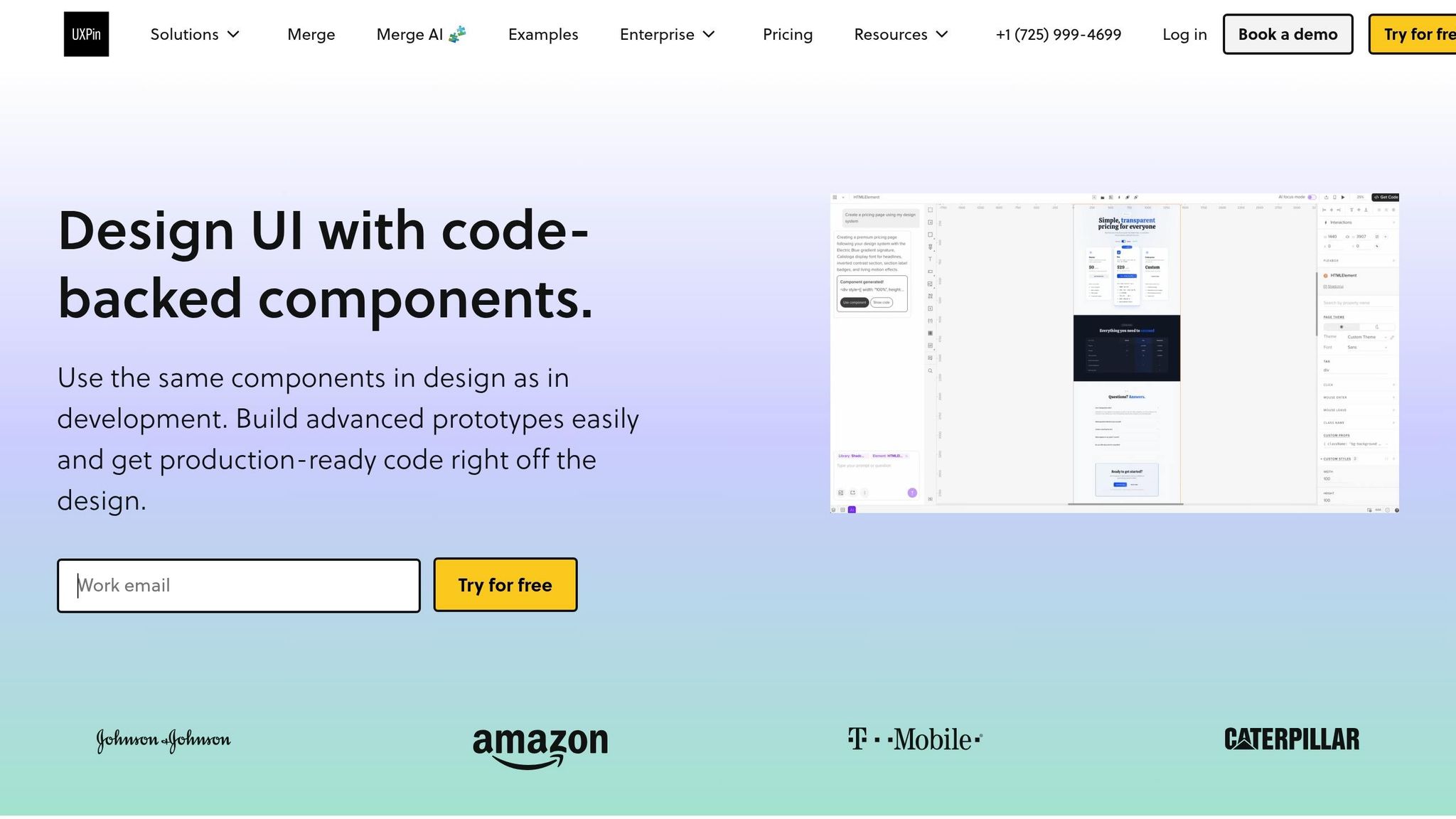
To set up UXPin, head to uxpin.com and click "Start Free Trial" or "Sign Up." Choose your preferred registration method and complete the quick onboarding process to access the Merge dashboard.
Once inside, navigate to the Merge dashboard via the sidebar and enable Merge technology. The official Bootstrap 5 library is preloaded and ready to use. Simply search for "Bootstrap", select the library, and you can immediately start dragging components – like buttons, grids, and navbars – onto your canvas. These aren’t just static designs; they’re real Bootstrap code that developers can use directly in production.
What is Claude Haiku 4.5?
Claude Haiku 4.5, developed by Anthropic, is a fast and lightweight AI model designed to generate front-end UI code. It’s perfect for producing clean, semantic HTML, CSS, and JavaScript that adheres to frameworks like Bootstrap. With its 200,000-token context window, it can handle detailed and complex prompts, producing production-ready snippets in seconds.
Here’s an example: You could prompt Claude with “Generate a Bootstrap 5 card component with an image, title, description, and call-to-action button, optimized for mobile.” The result? Code you can copy and paste directly into UXPin Merge. According to UXPin case studies, this method allows teams to create over 10 components in under 30 minutes. This speed and precision make it a great complement to UXPin Merge’s workflow, ensuring a seamless transition from prototype to production.
If you prefer using Claude directly, sign up at console.anthropic.com, create an account, and generate an API key. New users get $5 in free credits, with pricing set at $0.25 per million input tokens and $1.25 per million output tokens. However, if you’re using UXPin Forge, you won’t need a separate Claude subscription since Forge integrates advanced AI models within your design system.
Preparing Your Design System
Once your UXPin account is ready and you’re familiar with Claude Haiku 4.5, it’s time to configure your design system. A well-structured design system is critical for maintaining consistency in UI development. It standardizes design tokens like colors, typography, and spacing, ensuring a unified look and feel across your project. In UXPin Merge, this design system acts as a single source of truth, allowing components generated by Claude to align automatically with your tokens. This can cut rework time by up to 50%.
If you’re working with a custom Bootstrap-based design system, UXPin Merge makes integration easy. It connects directly to Git repositories like GitHub or GitLab. To set this up, click "New Library", select "Connect Repository", authorize your account, and choose the repository containing your design system files – whether they’re built with Storybook or custom HTML/CSS. Any changes made in Git are reflected in UXPin almost instantly, supporting branch version control and team collaboration.
For efficiency, start small. Prototype a single component to validate the workflow before diving into larger projects. This approach helps avoid common mistakes, like skipping token mapping (which can lead to style mismatches) or using outdated Bootstrap versions. For the best results, stick with Bootstrap 5.3 or later.
sbb-itb-f6354c6
How to Build UIs with Claude Haiku 4.5 and Bootstrap in UXPin Merge
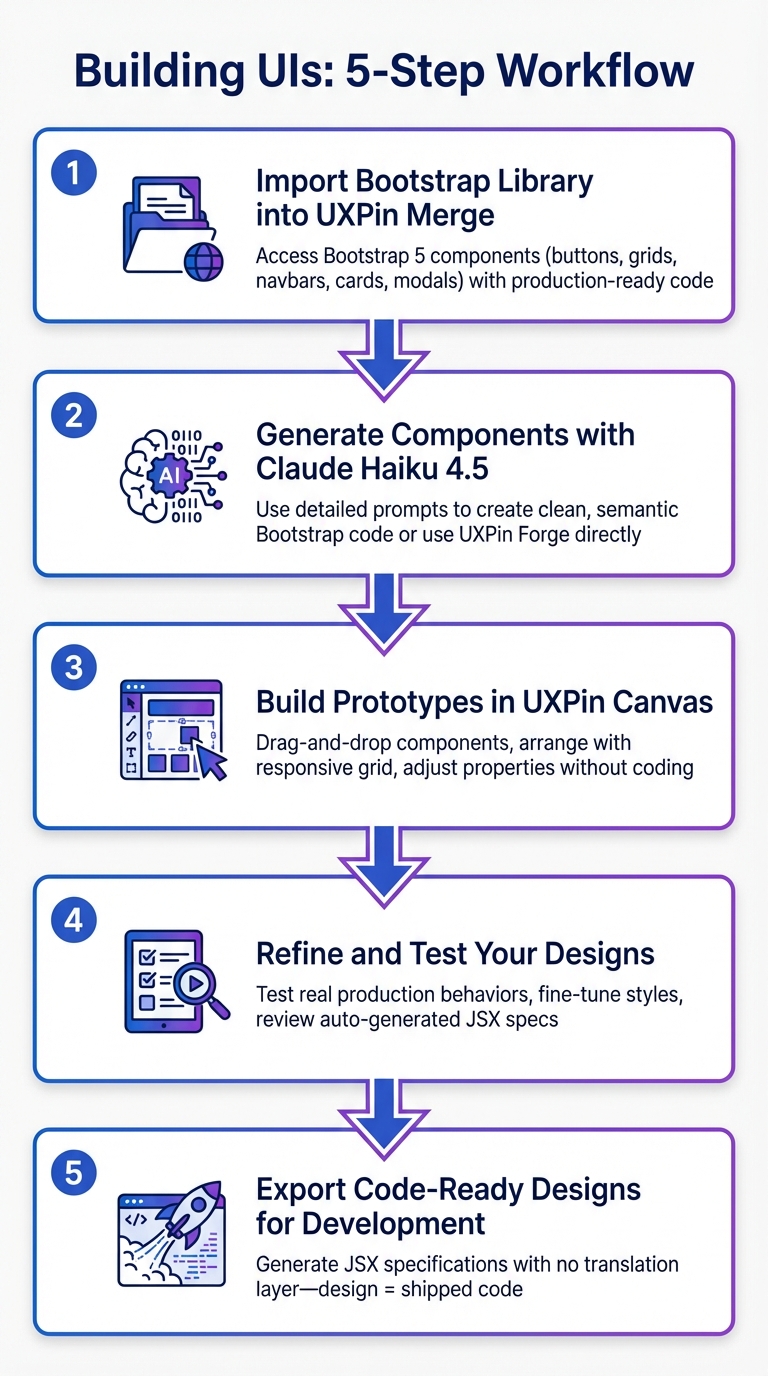
5-Step UI Building Workflow with Claude Haiku 4.5, Bootstrap and UXPin Merge
With your environment set up, it’s time to dive into building your UI. By combining Bootstrap’s responsive components, Claude Haiku 4.5’s code generation, and UXPin Merge’s code-backed canvas, you can create prototypes that behave just like the final product. This approach bridges the gap between design and development, streamlining the entire workflow.
Step 1: Import the Bootstrap Library into UXPin Merge
Start by loading the Bootstrap library in UXPin Merge. Head to your UXPin dashboard, navigate to the Merge section, and search for "Bootstrap" in the component library panel. Once you select the official Bootstrap 5 library, its full catalog – buttons, grids, navbars, cards, and modals – will appear on the left side of your canvas.
These components aren’t just static visuals. They come with production-ready code, meaning that when you drag a button or a card onto your canvas, you’re using the exact code developers will implement in production. UXPin Merge processes your repository data to ensure all components are ready for use.
If you’re working with a custom Bootstrap-based design system, you can sync your Git repository through the "New Library" option. This setup enables automatic updates, branch version control, and seamless team collaboration.
Step 2: Generate Components with Claude Haiku 4.5
Claude Haiku 4.5 is your go-to tool for generating clean, semantic Bootstrap code. Whether you need custom components or variations of existing ones, it’s as simple as providing a detailed prompt. For example, describe a Bootstrap 5 card with an image, title, description, and call-to-action button optimized for mobile, and Claude will generate the code.
Copy the generated code into UXPin Merge to use it immediately. If you’re using UXPin Forge, you can prompt it directly within the editor to generate components without needing additional subscriptions. Forge ensures that all components adhere to your design system, using only approved Bootstrap elements – no guesswork or rework required.
You can also use Claude Haiku 4.5 to create JSX presets, which can be saved and managed in UXPin. These presets make it easier to maintain consistent component states across your design system.
Step 3: Build Prototypes in UXPin Canvas
With your Bootstrap components ready, you can start assembling your UI in the UXPin canvas. Drag and drop components from the library, arrange them using Bootstrap’s responsive grid system, and tweak their properties in the panel on the right. Unlike image-based tools, UXPin Merge works with production-ready code, so your prototypes behave exactly like the final product.
The properties panel allows you to adjust attributes – like button styles or navbar states – without writing any code. These changes are synced with the underlying React code, ensuring a smooth transition from design to development. For components like tables or lists, you can test how they handle different data sets, ensuring the design remains solid.
Bootstrap’s responsive utilities make it easy to test layouts for mobile, tablet, and desktop views. Use the viewport controls at the top of the editor to confirm that your grid system adapts correctly across devices.
Step 4: Refine and Test Your Designs
Now it’s time to test your prototype. Interact with dropdowns, sortable tables, and forms to ensure everything works as expected. Unlike traditional design tools that simulate interactions, UXPin Merge lets you test real production-ready behaviors.
"Designers can test advanced use cases with interactions and data available in production code." – UXPin Merge Documentation
Use the properties panel to fine-tune styles and functionality. Adjust spacing, colors, and typography to align with your design tokens and maintain consistency. Additionally, review the auto-generated JSX specs for each component. These specs provide engineers with a detailed breakdown of how components are configured, creating a shared "single source of truth" for both designers and developers.
Step 5: Export Code-Ready Designs for Development
Once your prototype is finalized, export it for development. UXPin Merge generates JSX specifications for every design, offering developers a detailed blueprint of each component’s structure. This eliminates the need for manual redlining.
Since your prototype is built using Bootstrap code, there’s no translation layer – what you design is exactly what gets shipped. This streamlined process removes the typical friction between design and development, enabling teams to move from prototype to production in a fraction of the time. For teams using Git integration, design ops can manage component versions and releases directly through GitHub, ensuring that designers always work with the latest approved components.
Benefits of Using Claude Haiku 4.5 + Bootstrap with UXPin Merge
This workflow offers clear advantages for design and development teams. By combining Claude Haiku 4.5’s fast code generation, Bootstrap’s dependable framework, and UXPin Merge’s code-backed design canvas, teams can streamline their UI workflows. The result? Faster delivery times while maintaining consistency and control. These improvements not only speed up product launches but also ensure cohesive design across teams.
Faster Time-to-Market
In the world of product launches, speed is everything. Claude Haiku 4.5 operates 4–5 times faster than Sonnet 4.5, making it a top choice for UI building. Its speed aligns perfectly with the seamless integration offered by this workflow, allowing prototypes to move quickly into production. Plus, at just $1 per million input tokens and $5 per million output tokens, it provides high-quality code generation at a fraction of the cost of similar models.
"Claude Haiku 4.5 hit a sweet spot we didn’t think was possible: near-frontier coding quality with blazing speed and cost efficiency." – Anthropic
With UXPin Merge, designing with code-backed components is 8.6× faster than using traditional vector-based tools. Since these prototypes are built directly with production-ready Bootstrap components, what you design is exactly what gets delivered.
Better Collaboration and Consistency
UXPin Merge fosters collaboration by syncing Git repositories directly with the design canvas. This approach ensures that both designers and developers work with the same production-ready code. Auto-generated JSX specifications also provide developers with precise blueprints for each component, removing the need for manual redlining or guesswork.
Scalable Design Systems with Built-In Governance
UXPin Merge enforces design governance by restricting designers to pre-approved components. By managing React component properties through prop-types or TypeScript interfaces, teams can ensure only approved variations are used. This prevents the accidental creation of non-standard UI elements.
"Your design IS code!" – UXPin
When it’s time to grow your design system, Claude Haiku 4.5 can generate new components that align with your established patterns. Using open-source frameworks like Bootstrap ensures you retain full ownership and flexibility of your code, free from vendor lock-in. Git integration further supports team collaboration and version control.
Conclusion
By combining tools like Claude Haiku 4.5, Bootstrap, and UXPin Merge, teams can bridge the gap between design and development with a shared, code-backed source of truth. UXPin Merge eliminates the usual design-to-code hurdles, enabling designers to work directly with production-ready components. This approach simplifies the entire process, from prototyping to production.
With UXPin Merge, design workflows are 8.6 times faster compared to traditional vector-based tools. Engineers benefit from receiving JSX specifications that seamlessly translate designs into production-ready code, removing the need for manual redlining.
Additionally, UXPin Merge integrates with established design systems like Material UI, IBM Carbon, and Salesforce Lightning. It ensures your Git repository stays aligned with the design canvas, so everyone on the team works with the latest, developer-approved UI components. This streamlined process helps teams deliver consistent, high-quality results more efficiently.
Ready to transform your workflow? Visit uxpin.com/pricing to explore plans starting at $29/month, or reach out to sales@uxpin.com for Enterprise solutions, including custom component library integration.
FAQs
Do I need a Claude subscription if I use UXPin Merge?
No, you don’t need a Claude subscription to use UXPin Merge. UXPin Merge manages the integration with tools like Claude Haiku 4.5, allowing you to create prototypes without needing a separate Claude subscription.
How do I connect my Bootstrap design system from Git to UXPin Merge?
To integrate your Bootstrap design system from Git with UXPin Merge, you can use UXPin’s npm integration to directly import your Bootstrap components. First, make sure your components are either published as an npm package or accessible through your Git repository. Once that’s set, configure the npm package within UXPin. This setup allows you to sync your components effortlessly, enabling smooth, component-driven prototyping – no need for manual handoffs.
How do JSX specs help developers ship what I designed?
JSX specs help ensure that the components in your designs align perfectly with those in development. By using UXPin Merge, coded React components are synced directly from GIT repositories. This approach keeps everything consistent – appearance, behavior, and interactions – between your prototypes and the final product. It streamlines the design-to-code process and minimizes any gaps or mismatches during development.

