Want to simplify UI design and development? GPT-5.2, Bootstrap, and UXPin Merge make it possible. Here’s how:
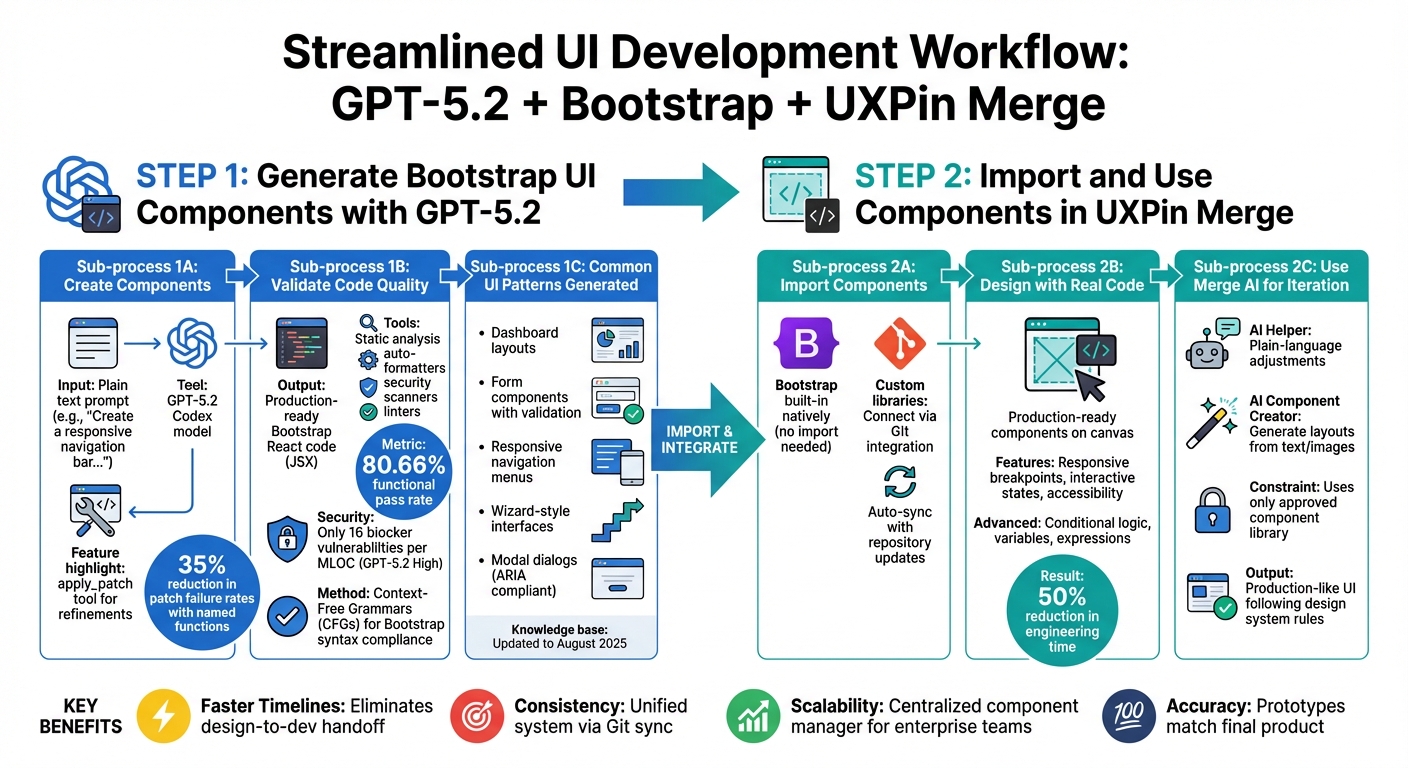
- GPT-5.2: Converts plain text prompts into production-ready Bootstrap React components, saving coding time.
- Bootstrap: Ensures these components are responsive and consistent across devices.
- UXPin Merge: Lets designers work directly with real code components, eliminating design handoffs and ensuring prototypes match the final product.
This workflow speeds up timelines, reduces errors, and keeps teams aligned. Whether you’re building navigation bars, forms, or dashboards, this trio creates a streamlined process for interactive, responsive UI design. Ready to explore how this works? Read on for a step-by-step guide.
GPT-5.2 Bootstrap UXPin Merge UI Development Workflow
Step 1: Generate Bootstrap UI Components with GPT-5.2
Create Bootstrap Components Using GPT-5.2
To get started, simply describe the UI component you need in plain text, and GPT-5.2 will transform your description into production-ready Bootstrap React code. For instance, if you prompt it with something like, "Create a responsive navigation bar with a logo, three menu items, and a call-to-action button", it will generate clean JSX code that aligns perfectly with Bootstrap’s structure.
The gpt-5.2-codex model is designed to adapt its verbosity and reasoning based on the complexity of the component, ensuring the output matches your requirements. Additionally, the model includes an apply_patch tool, which is perfect for refining components. Whether you need updates, refactoring, or even deletions, this tool simplifies iterative design workflows. Notably, patch failure rates have dropped by 35% when using named functions, making it a reliable option for ongoing development. Once generated, these components are ready for seamless integration into tools like UXPin Merge for precise prototyping.
Validate Code Quality and Bootstrap Compatibility
While GPT-5.2 generates high-quality code, thorough validation is essential before integrating it into your project. Use static analysis tools, auto-formatters, and security scanners to catch issues like code smells, design violations, or vulnerabilities (e.g., concurrency problems, resource leaks, or injection flaws). Setting up auto-formatters and linters within your CI pipeline ensures consistent code quality over time.
"GPT-5.2 High achieved the best security posture in the cohort, with only 16 blocker vulnerabilities per MLOC." – Prasenjit Sarkar, Solutions Marketing Manager, Sonar
Adopting a tests-first approach during development can help identify issues early. GPT-5.2 has a functional pass rate of approximately 80.66%. To further ensure compatibility, you can use Context-Free Grammars (CFGs) alongside GPT-5.2’s custom tools. This enforces strict adherence to Bootstrap’s syntax requirements, resulting in cleaner and more reliable code. Once validated, you’re ready to explore a range of UI patterns and see GPT-5.2’s capabilities in action.
Common Use Cases for GPT-5.2 in UI Design
After passing quality checks, GPT-5.2 can quickly assemble a variety of commonly used UI elements for modern interfaces. It excels at creating Bootstrap patterns like:
- Dashboard layouts
- Form components with built-in validation
- Responsive navigation menus with mobile support
- Wizard-style interfaces
- Modal dialogs with ARIA compliance for accessibility
With its knowledge base extending to August 2025, GPT-5.2 is well-equipped to handle modern web frameworks and UI trends. For particularly complex challenges, you can enable the xhigh reasoning effort level to address edge cases with greater precision. This makes it an excellent tool for crafting contemporary, scalable Bootstrap components.
sbb-itb-f6354c6
Step 2: Import and Use Components in UXPin Merge
Import AI-Generated Components into UXPin Merge
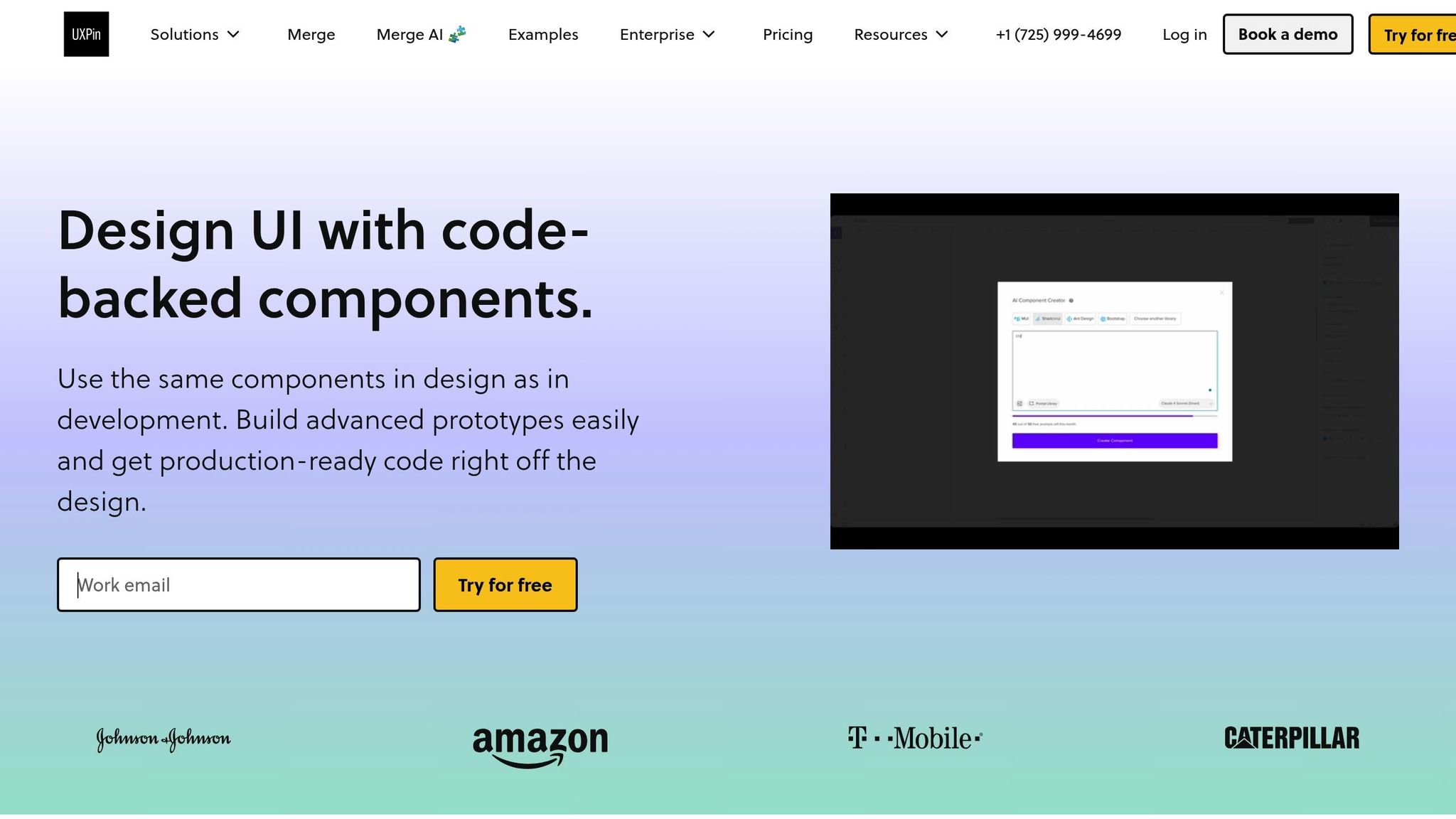
With UXPin Merge, Bootstrap is already built into the platform, so you can dive straight into designing with its components – no need for an import process. Just open the UXPin canvas, navigate to the Bootstrap library in the component panel, and drag the components you need into your workspace. This native setup removes the hassle of preparing files or configuring settings.
If your team uses a customized Bootstrap library with specific branding or modifications, you can connect it through Git integration. This ensures Merge AI adheres to your production code standards rather than default Bootstrap settings. Once linked, your custom components sync automatically, and any updates to your repository appear in your design environment.
With everything in place, you’re ready to build interactive prototypes that closely mimic the final product.
Design with Real Code Components in UXPin Merge
After importing components, UXPin Merge allows you to design with real, production-ready code. This means the elements you place on the canvas behave exactly as they will in the finished application. Responsive breakpoints, interactive states, and accessibility features all function as intended, providing an accurate representation of the end product.
You can also incorporate conditional logic, variables, and expressions directly on the canvas, enabling complex prototypes that simulate real application behavior. To ensure smooth collaboration, password-protected previews let stakeholders test these prototypes before any additional development begins.
"When I used UXPin Merge, our engineering time was reduced by around 50%." – Larry Sawyer, Lead UX Designer
Use Merge AI for Iteration and Automation
Once your real code components are set up and tested, Merge AI steps in to streamline your workflow. The AI Helper allows you to make adjustments using plain-language prompts. For instance, you could say, "Make this navigation sticky and add a search bar", and it will update the design using your approved components and design system.
The AI Component Creator takes automation further by generating complete UI layouts from text prompts or images. Unlike generic AI tools, it works exclusively with components from your connected library, ensuring that every design adheres to your standards.
"AI turns a simple prompt or image into production-like UI that follows your rules and component structure." – UXPin
This system ensures that AI-generated designs are always aligned with your guidelines, tested, and ready for development. No unexpected errors, no wasted time – just prototypes that developers can use immediately.
Benefits of Combining GPT-5.2, Bootstrap, and UXPin Merge
Faster UI Development Timelines
This workflow removes the delays caused by handoffs between teams, speeding up development. With GPT-5.2 generating Bootstrap components, designers can use UXPin Merge to create production-ready prototypes directly, bypassing the need for developers to rebuild designs from scratch. The result? Faster iterations and smoother transitions from prototype to final product.
The time savings are especially evident during iterative design cycles. Instead of waiting for developers to implement changes after each revision, teams can refine and test prototypes on the spot using production-ready components. This allows issues to be identified and resolved early, saving both time and resources.
Additionally, this streamlined process ensures that the finished product closely matches the prototype, reinforcing consistency throughout the project.
Consistent Design and Development
Using real-code Bootstrap components ensures a unified system for both designers and developers. With Git integration, any changes are automatically synced, keeping everyone aligned with approved design standards.
This is particularly effective when teams integrate their custom Bootstrap library through Git. The Merge Component Manager ensures that designers only work with pre-approved UI elements, reducing the risk of deviations from established guidelines.
This approach not only benefits individual projects but also provides a scalable solution for larger teams, maintaining consistency across the board.
Scalability for Enterprise Teams
A centralized component manager plays a key role in enforcing design standards across multiple projects. With UXPin Merge, teams can control which Bootstrap components and properties are accessible, ensuring that every designer adheres to the same rules, even when working on different projects simultaneously.
Bootstrap’s mobile-first framework is well-suited for enterprise needs, making it easier to scale without sacrificing quality. Paired with UXPin Merge’s component-driven prototyping approach, teams can expand their design operations while maintaining uniformity and high standards across all platforms.
UXPin Merge AI: Smarter UI Generation That Follows Your Design System
Conclusion
Bringing together GPT-5.2, Bootstrap, and UXPin Merge creates a powerful workflow that reshapes how teams approach user interface design. With GPT-5.2 generating validated Bootstrap components, UXPin Merge syncing those components, and a drag-and-drop system for building interactive prototypes, the process becomes seamless and efficient.
This method completely eliminates the traditional design-to-development handoff, allowing designers to work directly with live code. The result? Faster iterations, clearer communication, and prototypes that align perfectly with the final product. By cutting out the usual back-and-forth, this workflow ensures design and development stay in perfect harmony.
It’s particularly effective for enterprise teams juggling multiple projects at once. UXPin Merge’s centralized component manager helps maintain consistent design standards across all projects, while Bootstrap’s mobile-first framework ensures scalability without sacrificing quality.
This integrated approach not only speeds up development but also strengthens team collaboration. If you’re aiming to streamline your UI development process while keeping design and development tightly aligned, this workflow offers a practical and efficient solution. Plus, UXPin Merge supports native integrations with Bootstrap, MUI, Ant Design, and ShadCN – so you can start designing with real code components right away, no extra setup required.
Ready to transform your UI design process? Check out UXPin’s pricing at uxpin.com/pricing or reach out to sales@uxpin.com for Enterprise solutions.
FAQs
What prompts work best for generating Bootstrap React components with GPT-5.2?
When crafting prompts to generate Bootstrap React components using GPT-5.2, clarity and detail are your best tools. The more specific your instructions, the better the output will align with your design goals.
For instance, instead of vague requests, use clear and descriptive language. Here are a couple of examples:
- "Create a testimonial section with three cards." This tells GPT-5.2 exactly what type of section you need and how many elements it should include.
- "Generate a Bootstrap dashboard layout." A straightforward way to request a structured UI component for dashboards.
By being precise about the layout, elements, or styling, you can ensure the generated components are functional and ready for production.
How do I keep AI-generated Bootstrap code aligned with my design system in UXPin Merge?
To make sure AI-generated Bootstrap code fits seamlessly with your design system in UXPin Merge, you can use UXPin Merge AI tools. These tools adhere to your design guidelines, creating components that stay consistent and align perfectly with your system.
You can also integrate Bootstrap components using UXPin’s npm or Storybook integration. This approach allows you to incorporate production-ready, standardized elements, ensuring your prototypes remain in sync with your design standards throughout the development process.
What should I validate before using GPT-5.2 components in production?
Before rolling out GPT-5.2 components, it’s crucial to verify their reliability, accuracy, and consistency. Make sure they integrate seamlessly with your design system, perform as expected, and are ready for production. Conduct comprehensive testing in your development environment to ensure they meet the required quality benchmarks. This careful validation process reduces the risk of errors and ensures the components are ready for live use.

