Static mockups don’t cut it anymore. They often fail to match the final product, leading to wasted time, endless revisions, and misaligned outcomes. That’s where code-based prototyping comes in.
This approach uses production-ready code components – the same ones developers use – ensuring prototypes behave like the final product. Tools like UXPin, powered by its Merge technology, let designers sync directly with code repositories like Git or Storybook. The results? Teams report cutting engineering time by 50% and launching products up to 10x faster.
Key Benefits:
- No handoffs: Designers and developers work from a single source of truth.
- Fewer errors: Exact code components eliminate inconsistencies.
- Scalability: Small teams support large organizations seamlessly.
Companies like PayPal have seen massive efficiency gains, with just 3 designers supporting 60 products and over 1,000 developers. Ready to streamline your design process? Code-based prototyping might be your answer.
What Is Code-Based Prototyping?
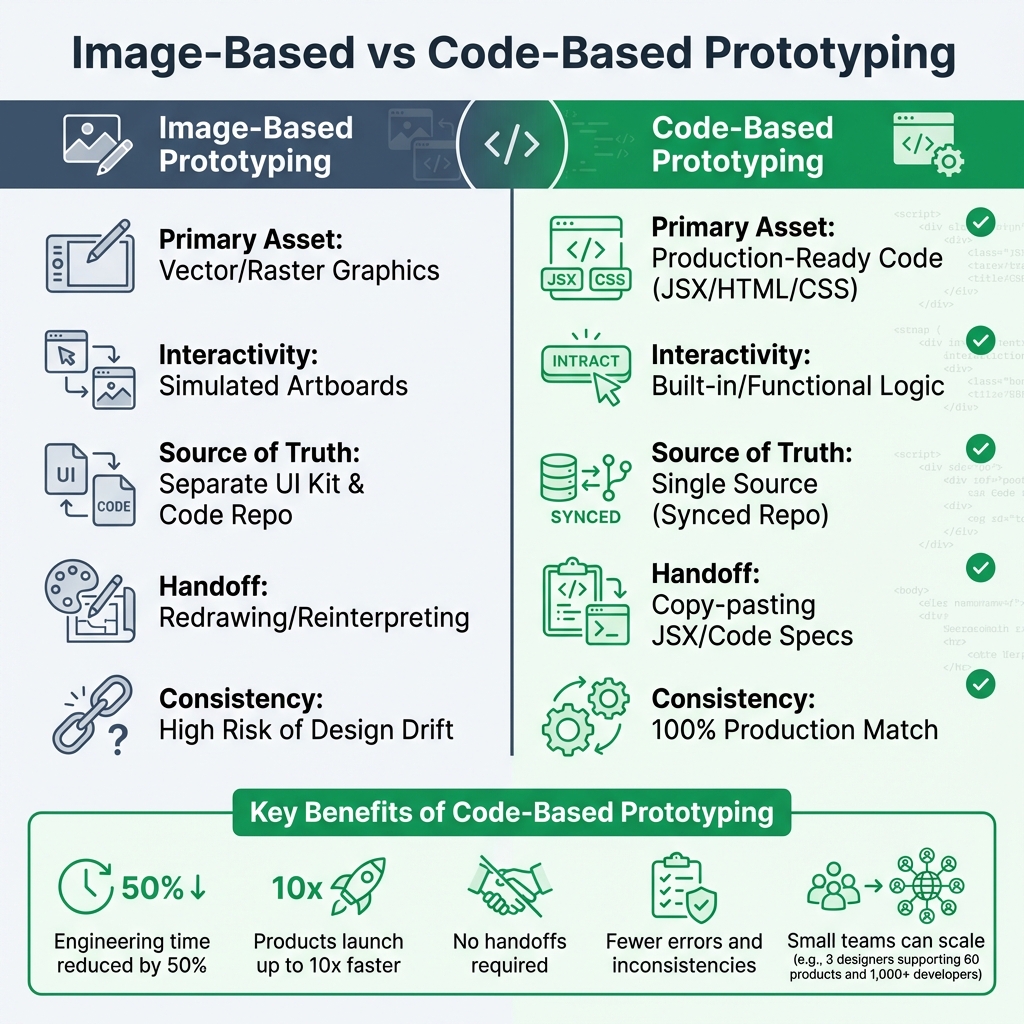
Image-Based vs Code-Based Prototyping: Key Differences and Benefits
Definition and How It Works
Code-based prototyping takes design to a whole new level by using production-ready code components instead of static mockups. These components come straight from Git repositories, Storybook, or npm packages, ensuring they are the exact React, Vue, or Angular elements developers will use in the final product. This approach bridges the gap between design and development, making prototypes not just look like the real thing but act like it too.
In traditional prototyping, designers create visual placeholders – shapes, icons, and buttons – that mimic functionality through linked artboards. Code-based prototyping eliminates this mimicry. For instance, dragging a button into the design brings in the actual coded element, complete with its real behavior and logic. It’s no longer just a visual approximation but a functional piece of the final product.
"Image and vector-based design tools are really too limited for effective product design. With the code-to-design approach, you’re designing with the same UI components your developers use to build the final product." – UXPin
One of the standout features is how updates in the code repository automatically sync with the design environment. This ensures that everyone – designers and developers alike – is working from the same source of truth, reducing errors and aligning the entire team.
Problems Code-Based Prototyping Solves
Code-based prototyping isn’t just about cool tech; it solves some of the biggest headaches in the design-to-development workflow. Traditional methods often suffer from friction at every handoff. Designers create mockups in one tool, and developers then have to interpret those mockups to write code. This back-and-forth can lead to errors, inconsistencies, and endless review cycles.
By using production-ready code, code-based prototyping eliminates this translation layer completely. Developers can copy JSX directly from the prototype or reference specs that perfectly match the codebase. This streamlined process can cut engineering time by about 50%.
Another major win is tackling the design drift problem. In large organizations, design systems often live separately from code repositories, which can lead to inconsistencies over time. Code-based workflows solve this by keeping both teams synced to the same components in real time, ensuring designs and implementations stay perfectly aligned.
Here’s a quick comparison of traditional image-based prototyping versus code-based prototyping:
| Feature | Image-Based Prototyping | Code-Based Prototyping |
|---|---|---|
| Primary Asset | Vector/Raster Graphics | Production-Ready Code (JSX/HTML/CSS) |
| Interactivity | Simulated Artboards | Built-in/Functional Logic |
| Source of Truth | Separate UI Kit & Code Repo | Single Source (Synced Repo) |
| Handoff | Redrawing/Reinterpreting | Copy-pasting JSX/Code Specs |
| Consistency | High Risk of Design Drift | 100% Production Match |
"When I used UXPin Merge, our engineering time was reduced by around 50%. Imagine how much money that saves across an enterprise-level organization with dozens of designers and hundreds of engineers." – Larry Sawyer, Lead UX Designer
sbb-itb-f6354c6
The Business Case for Code-Based Prototyping
Faster Time-to-Market and Better Collaboration
When production-ready components are used, the need for a separate translation phase disappears. This means products can go from concept to launch up to 10x faster. Instead of waiting months to ship, teams can bring designs to life in weeks – or even days. That’s not just speeding things up; it’s reshaping how quickly ideas become reality.
Collaboration also gets a major boost. With everyone working from a shared source of truth, miscommunication becomes far less common. Designers and developers stay in sync, avoiding the endless back-and-forth revisions that often bog down traditional workflows. This streamlined process not only saves time but also cuts costs in a big way.
Cost Savings Through Less Rework
Rebuilding designs from static mockups eats up time and money. Code-based prototyping eliminates this inefficiency by ensuring that the design is the code. Teams using this approach report cutting engineering hours by nearly 50%. For enterprises with large teams, this can mean saving hundreds – or even thousands – of hours.
But the savings don’t stop there. This workflow also reduces technical debt. Designers can’t accidentally create components that break design system accessibility rules or conflict with the existing codebase because they’re working directly with the same components developers will use. That means fewer bugs, fewer rewrites, and no need to maintain separate UI kits or code libraries. The result? Lower costs and a smoother process that scales effortlessly for larger teams.
Scalability and Consistency for Enterprise Teams
For big organizations juggling multiple products and platforms, keeping things consistent can feel like an uphill battle. Code-based prototyping simplifies this by creating a single source of truth that syncs automatically across the organization. When developers update a component in the Git repository, the changes instantly reflect in the design tool – no manual updates needed.
The impact of this approach is huge. Take PayPal, for example. A team of just three designers managed to support 60 internal products and over 1,000 developers using this workflow. With a library of pre-coded, interactive components, even non-designers – like product managers or developers – can quickly build interfaces. This makes it possible for small teams to drive big results across an enterprise.
Why Teams Are Moving to UXPin
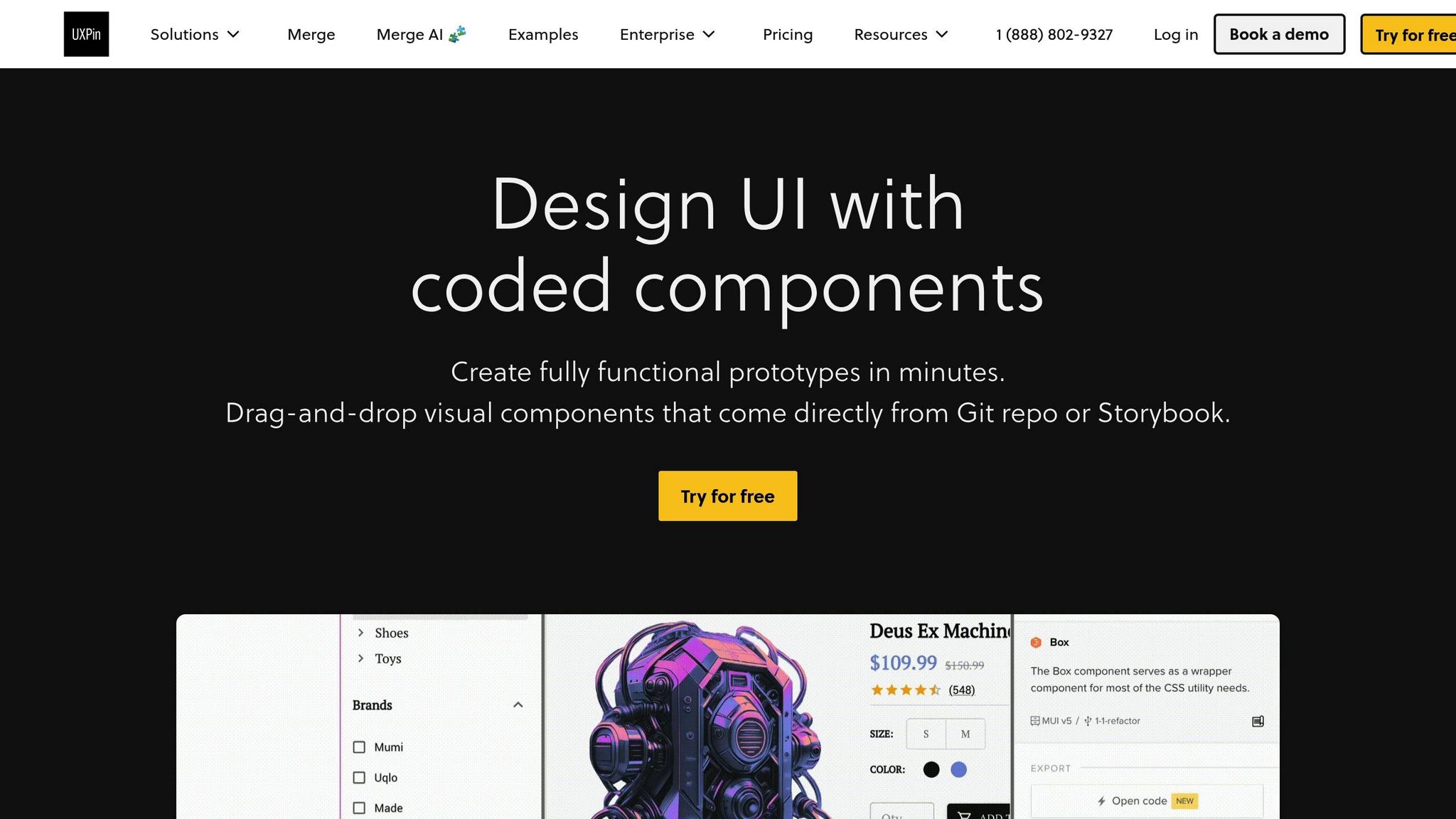
UXPin takes design-to-development workflows to a whole new level, offering tools that ensure precision and efficiency for teams.
Design With Real, Production-Ready Code Components
Unlike traditional design tools that rely on shapes and static elements, UXPin lets teams design with production-ready code components. Thanks to its Merge technology, UXPin allows seamless syncing of React.js components directly from Git repositories, Storybook, or npm packages. This ensures designs always align with the actual production environment – a single source of truth that eliminates inconsistencies.
UXPin also comes preloaded with libraries like MUI, Ant Design, Bootstrap, and ShadCN, ready to use right out of the box. For teams with custom design systems, UXPin makes it simple to connect their own libraries, enabling designers to work with the exact interactive components that will be used in production.
Merge AI: AI Built for Enterprise Teams
UXPin’s Merge AI stands apart from generic AI design tools. Instead of generating layouts with random components, it works exclusively within your approved design system. This means the AI uses only pre-tested, accessible, and production-ready components, ensuring every design meets your standards.
Merge AI integrates effortlessly with built-in libraries like MUI and Ant Design or adapts to custom systems, delivering layouts that fit seamlessly into your workflow. This eliminates the common bottlenecks of traditional design-to-development processes and tools.
No Handoff Required and Faster Time-to-Production
One of the biggest challenges in traditional workflows is the handoff phase, where developers recreate static mockups – often leading to delays and errors. With UXPin, this step becomes unnecessary. Code-backed prototypes ensure designs are ready for production without the need for translation, saving both time and effort.
"When I used UXPin Merge, our engineering time was reduced by around 50%. Imagine how much money that saves across an enterprise-level organization with dozens of designers and hundreds of engineers."
- Larry Sawyer, Lead UX Designer
The results speak for themselves. Teams using code-backed components report development cycles that are 8.6x faster. Allison Barkley, Director of Operations at Baremetrics, highlights the benefit:
"Being able to jump straight from design to having code ready to be a huge time-saver for our team".
How to Implement Code-Based Prototyping in Your Organization
Making the move to code-based prototyping requires careful planning, proper integration, and tracking results. Here’s how to ensure the process runs smoothly.
Assessing Team Readiness
Before diving into UXPin, it’s important to check if your team is equipped with the right tools and knowledge. Designers and developers need access to Git repositories or Storybook instances to sync components with the UXPin Editor. Designers should be familiar with code components, while developers need to understand version control for design. UXPin’s Merge technology helps by keeping design system versions synced through GitHub.
If your design system is missing pieces, UXPin’s AI component creator can fill the gaps by generating Tailwind CSS components in no time. Once your team is prepared, the next step is integrating these tools into your workflow.
Integrating UXPin With Your Existing Design Systems
UXPin offers flexible integration options tailored to your tech stack. For custom internal design systems built in React, Git Integration is ideal. If your team uses React, Vue, Angular, Web Components, or Ember and maintains Storybook documentation, Storybook Integration is the way to go. For open-source libraries like MUI or Ant Design, npm Integration allows you to import them without needing developer input.
A smart strategy is starting with a pilot project. Test the integration with one product team, collect feedback, and fine-tune the process before rolling it out across your organization. Once integrated, the focus shifts to evaluating the long-term impact.
Measuring ROI and Long-Term Impact
To understand the return on investment, track metrics like prototyping speed, engineering efficiency, and design drift. Prototyping speed measures how quickly high-fidelity prototypes are created compared to traditional tools. Engineering efficiency reflects reductions in front-end development time – some teams have reported building prototypes up to 10 times faster. Design drift tracking helps identify usability issues or inconsistencies between design and code during QA, both before and after implementation.
Additionally, code-based workflows can change how resources are allocated. For instance, when routine UI tasks can be handled by product managers or engineers, senior designers are freed up to focus on broader UX strategy. Over time, this shift adds even more value to your team’s efforts.
Advanced Workflows: Scaling With Code-Based Design Systems
Scaling code-based prototyping across teams and products requires balancing consistency with oversight. UXPin makes this possible by ensuring design consistency and maintaining governance as systems grow. This is achieved through efficient component reuse and centralized management of design tokens.
Component Reusability and Design Tokens
UXPin’s approach to reusing components begins with direct synchronization between your code repository and the design editor. By connecting UXPin Merge to your Git repository, Storybook, or npm packages, designers work with the exact production-ready components used by developers. This eliminates the need for manual recreation, ensuring complete alignment between design and code.
The platform supports atomic design principles, allowing teams to build from the smallest elements – such as buttons and inputs – up to larger, more complex structures like templates. By syncing components directly from your codebase and managing design tokens (like colors, typography, and spacing) from a central location, teams maintain a seamless connection between design and production.
UXPin also includes version control for design systems, enabling teams to manage multiple branches or themes. This allows for testing experimental versions or maintaining variations across products without disrupting established workflows. By reinforcing a single source of truth, all teams stay aligned and consistent.
Governance and Auditability for Complex Ecosystems
As systems scale, governance becomes increasingly important. For enterprise organizations, controlling who can modify design system components is critical. UXPin addresses this with granular roles that regulate access to design system libraries. Design Ops teams can also enforce governance by defining and restricting React properties (using tools like prop-types or TypeScript interfaces). This ensures designers stay within approved configurations, reducing the risk of design drift – the gradual misalignment between design and development.
Security features like Single Sign-On (SSO) and password-protected previews ensure that prototypes remain accessible only to authorized stakeholders. Additionally, team-specific comments provide a documented trail of decisions, which is especially valuable in complex organizations.
"When I used UXPin Merge, our engineering time was reduced by around 50%. Imagine how much money that saves across an enterprise-level organization with dozens of designers and hundreds of engineers."
- Larry Sawyer, Lead UX Designer
UXPin also streamlines documentation by automatically generating guidance for design system libraries. This includes usage tips and code examples in JSX, CSS, and HTML, ensuring the documentation is always current and actionable.
Conclusion
Code-based prototyping is changing the way enterprise teams tackle product design. By using production-ready components instead of static mockups, teams bridge the often frustrating gap between design and development. This approach not only cuts down on delays but also reduces costs by streamlining workflows.
The advantages go beyond just speed. Some teams have reported building products up to 10 times faster by using shared components for both design and development. This rapid pace doesn’t come at the expense of quality. Features like granular permissions, version control, and automated documentation ensure that teams can iterate quickly while maintaining consistency and compliance.
Platforms like UXPin take these benefits even further by creating a seamless connection between design and development. Whether you’re just starting to integrate a design system or managing a complex suite of products, UXPin provides the tools to scale efficiently. It supports both immediate productivity boosts and a longer-term alignment between design and development efforts.
Adopting code-based prototyping goes beyond just picking up new tools – it’s about removing the barriers that keep design ideas from becoming polished, shippable products.
FAQs
Do designers need to know how to code?
Designers don’t need to know how to code to work with code-based prototyping tools like UXPin. With features like drag-and-drop components and Merge technology, these tools make it simple to build interactive prototypes without touching a single line of code. This approach simplifies the workflow, letting teams concentrate on design and functionality rather than technical details.
How do we connect UXPin to our Git or Storybook?
You can use Merge technology in UXPin to integrate with Git or Storybook for a seamless design-to-development workflow.
- Git Integration: Pull React or Web Components directly from repositories like GitHub, Bitbucket, or GitLab. This allows you to design with the exact components your developers use.
- Storybook Integration: Connect your existing Storybook library to maintain consistency by designing with the same components already in use.
Both options help you create high-fidelity prototypes that align perfectly with your codebase, saving time and reducing errors.
What should we measure to prove ROI?
To show the ROI of using UXPin, focus on tracking a few important metrics: how much time you save from design to development, the improvement in design consistency, and how accurate your prototypes are. These metrics emphasize increased efficiency, stronger team alignment, and more dependable results in your processes.

