React Hooks: Complete Guide to All 17 Built-in Hooks With Practical Examples (2026)

A React Hook is a special function that lets you use state, lifecycle features, and other React capabilities inside functional components — no class syntax required. Hooks transformed how developers write React applications when introduced in React 16.8, and they remain the standard, recommended approach in React 19 (the latest stable release as of 2026).
This guide covers every built-in React Hook with practical examples, explains when to use each one, and shares best practices for writing clean, maintainable hook-based code. We also cover custom hooks, the React Compiler, and how hooks interact with modern design workflows.
Key takeaways:
- React Hooks let you add state, side effects, and other React features to functional components.
- React 19 includes 17 built-in hooks, plus newer APIs like
useActionStateanduseOptimistic. - The most-used hooks are
useState,useEffect,useContext, anduseRef. - Custom hooks let you extract and reuse stateful logic across components.
- The React Compiler (React Forget) is reducing the need for manual
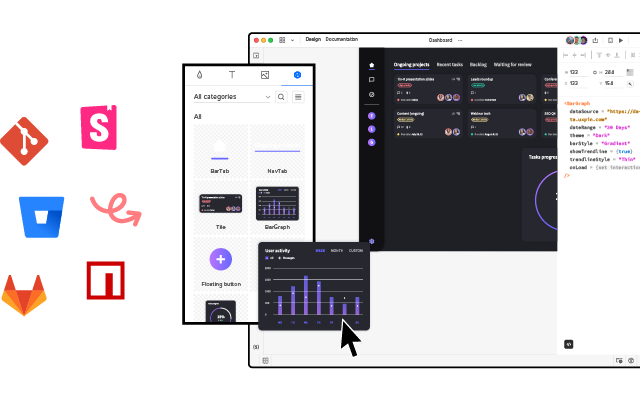
useMemoanduseCallbackoptimization. - Building a React UI? UXPin Merge lets designers prototype with your team’s actual React components — hooks and all — so what gets designed is what ships to production.
What Is a React Hook?
A React Hook is a JavaScript function provided by the React library that allows you to “hook into” React’s internal mechanisms — state management, component lifecycle, context, and more — from within a functional component.
Before hooks, these capabilities were only available in class components. Hooks eliminated that limitation, making functional components the default approach for all modern React development.
What Does a Hook Do?
Each hook serves a specific purpose:
- State hooks (
useState,useReducer) — Manage component-level data that triggers re-renders when updated. - Effect hooks (
useEffect,useLayoutEffect) — Run side effects like API calls, subscriptions, or DOM manipulation. - Context hooks (
useContext) — Access shared state without prop drilling. - Ref hooks (
useRef,useImperativeHandle) — Reference DOM elements or persist values across renders. - Performance hooks (
useMemo,useCallback,useTransition,useDeferredValue) — Optimize rendering performance. - Action hooks (
useActionState,useOptimistic) — Handle form actions and optimistic UI updates (React 19).
Why Were Hooks Introduced?
Hooks were introduced in React 16.8 to solve several key problems:
- Class component complexity — Classes required boilerplate (
thisbinding, lifecycle methods) that made code harder to read and maintain. - Reusing stateful logic — Before hooks, sharing logic required render props and HOCs, creating deeply nested component trees.
- Scattered related logic — In class components, setup and cleanup logic lived in different lifecycle methods. Hooks colocate related logic in a single function.
Hooks are backwards-compatible — you can adopt them incrementally without rewriting class components.
All 17 Built-in React Hooks (React 19)
1. useState
useState is the most fundamental hook. It declares a state variable and a function to update it.
import { useState } from 'react';

function Counter() {
  const [count, setCount] = useState(0);
  return (
    <div>
      <p>Count: {count}</p>
      <button onClick={() => setCount(count + 1)}>Increment</button>
    </div>
  );
}
When to use: Any time a component needs to track and update data — form inputs, toggles, counters, selected items, visibility flags.
2. useEffect
useEffect runs side effects after render. It replaces componentDidMount, componentDidUpdate, and componentWillUnmount.
import { useState, useEffect } from 'react';

function UserProfile({ userId }) {
  const [user, setUser] = useState(null);

  useEffect(() => {
    fetch(`/api/users/${userId}`)
      .then(res => res.json())
      .then(data => setUser(data));
  }, [userId]);

  return user ? <h1>{user.name}</h1> : <p>Loading...</p>;
}
When to use: Data fetching, subscriptions, timers, DOM manipulation, and any side effect after render.
3. useContext
useContext reads a value from a React context without prop drilling.
import { useContext, createContext } from 'react';

const ThemeContext = createContext('light');

function ThemedButton() {
  const theme = useContext(ThemeContext);
  return <button className={theme}>Styled Button</button>;
}
When to use: Theme data, authenticated user info, locale settings, or any data shared across many components.
4. useReducer
useReducer manages complex state logic with a reducer function, similar to Redux patterns.
import { useReducer } from 'react';

function reducer(state, action) {
  switch (action.type) {
    case 'increment': return { count: state.count + 1 };
    case 'decrement': return { count: state.count - 1 };
    default: throw new Error();
  }
}

function Counter() {
  const [state, dispatch] = useReducer(reducer, { count: 0 });
  return (
    <div>
      <p>Count: {state.count}</p>
      <button onClick={() => dispatch({ type: 'increment' })}>+</button>
      <button onClick={() => dispatch({ type: 'decrement' })}>-</button>
    </div>
  );
}
When to use: Complex state transitions, multiple related sub-values updated together, or when you want predictable and testable state management.
5. useMemo
useMemo caches the result of an expensive computation, recalculating only when dependencies change.
import { useMemo } from 'react';

function ExpensiveList({ items, filter }) {
  const filtered = useMemo(
    () => items.filter(item => item.includes(filter)),
    [items, filter]
  );
  return <ul>{filtered.map(i => <li key={i}>{i}</li>)}</ul>;
}
When to use: Expensive calculations, large list filtering, or derived data that shouldn’t recompute on every render. Note: The React Compiler may automate this in the future (see below).
6. useRef
useRef returns a mutable ref object that persists across renders without triggering re-renders.
import { useRef } from 'react';

function TextInput() {
  const inputRef = useRef(null);
  const focusInput = () => inputRef.current.focus();
  return (
    <div>
      <input ref={inputRef} type="text" />
      <button onClick={focusInput}>Focus Input</button>
    </div>
  );
}
When to use: DOM element access, storing previous values, interval IDs, or mutable values that shouldn’t cause re-renders.
7. useCallback
useCallback returns a memoized callback function, preventing unnecessary child component re-renders.
import { useCallback, useState } from 'react';

function Parent() {
  const [count, setCount] = useState(0);
  const handleClick = useCallback(() => {
    setCount(c => c + 1);
  }, []);
  return <Child onClick={handleClick} />;
}
When to use: When passing callbacks to optimized child components wrapped in React.memo.
8. useId
useId generates a unique ID that’s stable across server and client renders — critical for accessibility.
import { useId } from 'react';

function FormField() {
  const id = useId();
  return (
    <div>
      <label htmlFor={id}>Email</label>
      <input id={id} type="email" />
    </div>
  );
}
When to use: Generating accessible IDs for form elements and ARIA attributes, especially in server-rendered apps.
9. useTransition
useTransition marks state updates as non-urgent, keeping the UI responsive during expensive re-renders.
import { useState, useTransition } from 'react';

function SearchResults() {
  const [query, setQuery] = useState('');
  const [isPending, startTransition] = useTransition();

  const handleChange = (e) => {
    startTransition(() => setQuery(e.target.value));
  };

  return (
    <div>
      <input onChange={handleChange} />
      {isPending ? <p>Updating...</p> : <Results query={query} />}
    </div>
  );
}
When to use: Search-as-you-type, tab switching, or any update where maintaining UI responsiveness matters more than immediate results.
10. useDeferredValue
useDeferredValue defers updating a value until the browser has time, similar to debouncing but integrated into React’s rendering pipeline.
import { useState, useDeferredValue } from 'react';

function Search() {
  const [input, setInput] = useState('');
  const deferredInput = useDeferredValue(input);
  return (
    <div>
      <input value={input} onChange={e => setInput(e.target.value)} />
      <HeavyList filter={deferredInput} />
    </div>
  );
}
When to use: When a child component does expensive rendering based on frequently changing input.
11. useLayoutEffect
useLayoutEffect fires synchronously after DOM mutations but before browser paint. Use it for layout measurements.
import { useLayoutEffect, useRef } from 'react';

function Tooltip({ children }) {
  const ref = useRef();
  useLayoutEffect(() => {
    const { height } = ref.current.getBoundingClientRect();
    // Adjust position based on measured height
  });
  return <div ref={ref}>{children}</div>;
}
When to use: Measuring DOM elements, scroll position calculations, or preventing visual flicker from layout shifts.
12. useImperativeHandle
useImperativeHandle customizes the value exposed to parent components via ref with forwardRef.
import { useImperativeHandle, forwardRef, useRef } from 'react';

const CustomInput = forwardRef((props, ref) => {
  const inputRef = useRef();
  useImperativeHandle(ref, () => ({
    focus: () => inputRef.current.focus(),
    clear: () => { inputRef.current.value = ''; }
  }));
  return <input ref={inputRef} />;
});
When to use: Building reusable component libraries that need to expose a controlled, limited API to parent components.
13. useDebugValue
useDebugValue displays a label for custom hooks in React DevTools.
import { useDebugValue, useState } from 'react';

function useOnlineStatus() {
  const [isOnline, setIsOnline] = useState(true);
  useDebugValue(isOnline ? 'Online' : 'Offline');
  return isOnline;
}
When to use: Shared custom hooks where DevTools visibility aids debugging across teams.
14. useInsertionEffect
useInsertionEffect fires before DOM mutations — designed specifically for CSS-in-JS libraries to inject styles before layout calculations.
When to use: Almost never in application code. This is a specialized hook for CSS-in-JS library authors (styled-components, Emotion, etc.).
15. useSyncExternalStore
useSyncExternalStore subscribes to external data stores in a way compatible with React’s concurrent features.
import { useSyncExternalStore } from 'react';

function useWindowWidth() {
  return useSyncExternalStore(
    (callback) => {
      window.addEventListener('resize', callback);
      return () => window.removeEventListener('resize', callback);
    },
    () => window.innerWidth
  );
}
When to use: Integrating with external state management libraries (Redux, Zustand) or browser APIs that live outside React’s state model.
16 & 17. React 19 Additions: useActionState and useOptimistic
React 19 introduced two new hooks focused on async operations and modern form handling:
useActionState— Manages the state of form actions, providing pending state and the last returned result. Integrates deeply with frameworks like Next.js for server actions and progressive enhancement.useOptimistic— Shows optimistic UI state during async operations, automatically reverting if the operation fails. Essential for building responsive interfaces that feel instant even when the server hasn’t responded yet.
These hooks reflect React’s evolution toward better handling of async operations, server-side rendering, and progressive enhancement patterns.
Custom Hooks: Extracting and Reusing Stateful Logic
Custom hooks extract component logic into reusable functions. Any function starting with use that calls other hooks is a custom hook.
import { useState, useEffect } from 'react';

function useFetch(url) {
  const [data, setData] = useState(null);
  const [loading, setLoading] = useState(true);
  const [error, setError] = useState(null);

  useEffect(() => {
    setLoading(true);
    fetch(url)
      .then(res => res.json())
      .then(setData)
      .catch(setError)
      .finally(() => setLoading(false));
  }, [url]);

  return { data, loading, error };
}
Custom hooks are the primary mechanism for sharing logic between components without altering the component tree. Common patterns include useFetch, useLocalStorage, useDebounce, useMediaQuery, and useIntersectionObserver.
React Hooks Best Practices
- Call hooks at the top level — Never inside loops, conditions, or nested functions. React relies on call order to track hook state.
- Only call hooks from React functions — Use them in functional components or custom hooks, never in regular JavaScript functions.
- Keep effects focused — One
useEffectper concern. Don’t bundle unrelated side effects together. - Specify complete dependency arrays — Use the
react-hooks/exhaustive-depsESLint rule to catch missing dependencies. - Don’t over-optimize — Use
useMemoanduseCallbackonly when you’ve identified a real performance problem. Premature memoization adds complexity without benefit. - Extract custom hooks early — If a component has complex hook logic, extract it into a named custom hook for readability and reuse.
- Clean up side effects — Always return a cleanup function from
useEffectfor subscriptions, timers, or event listeners to prevent memory leaks.
React Hooks and Modern Design Workflows
Hooks shape how components behave — and that behavior matters for design. When designers prototype with static mockups, the interactive logic developers add with hooks (state transitions, loading states, validation feedback) is invisible until development.
UXPin Merge closes this gap by letting designers work with real React components — hooks and all. A button that uses useState to manage its active state behaves exactly the same on the design canvas as it does in production. A dropdown that uses useEffect to fetch options dynamically shows real data, not placeholder items.
Teams using Merge report up to 50% reduction in engineering time compared to static-to-code handoff workflows. You can bring your team’s own React components via the Merge CLI tool, or connect popular libraries like MUI, shadcn/ui, or Bootstrap.
For even faster iteration, UXPin Forge generates interactive layouts from text prompts using your production components. Describe a screen, get a working prototype — complete with all the hook-driven behavior your components include. The output is production-ready JSX, so design-to-development cycles are 8.6x faster.
React Hooks in 2026: What’s New
React’s hook ecosystem continues to mature. Here’s what’s notable in 2026:
- React Compiler (React Forget) — The React Compiler can auto-memoize components and values, reducing the need for manual
useMemoanduseCallbackcalls. As adoption grows, performance hooks become less of a manual burden — the compiler handles optimization automatically. - Server Components + Hooks — Server Components don’t use hooks (they run on the server), but client components still rely on hooks for interactivity. Understanding which components need client-side hooks is now a key architectural decision in React applications.
- useActionState adoption — Frameworks like Next.js have integrated deeply with
useActionStatefor form handling and server actions, making it a practical hook for full-stack React development. - Custom hook ecosystem — Libraries like usehooks-ts provide battle-tested custom hooks for common patterns (debounce, intersection observer, local storage), reducing boilerplate in application code.
When prototyping React UIs, these hooks define component behavior. UXPin Merge lets designers work with your actual React components — hooks included — so what’s designed and tested is exactly what ships. Try it free.
Frequently Asked Questions About React Hooks
What are React Hooks?
React Hooks are special functions that let you use state, side effects, context, and other React features inside functional components. They were introduced in React 16.8 and remain the standard, recommended approach for writing React components in React 19.
How many built-in hooks does React have?
React 19 provides 17 built-in hooks: useState, useEffect, useContext, useReducer, useMemo, useRef, useCallback, useId, useTransition, useDeferredValue, useLayoutEffect, useImperativeHandle, useDebugValue, useInsertionEffect, useSyncExternalStore, useActionState, and useOptimistic.
What is the difference between useState and useReducer?
useState is simpler and ideal for independent pieces of state (toggles, counters, form inputs). useReducer is better for complex state logic where the next state depends on the previous state, or when multiple sub-values are updated together.
When should I use useMemo vs useCallback?
useMemo caches the result of a computation (a value). useCallback caches the function itself (a reference). Use useMemo for expensive derived data; use useCallback for stable callback references passed to optimized child components.
Can I create my own custom React Hooks?
Yes. Custom hooks are regular JavaScript functions that start with “use” and call other hooks. They’re the primary mechanism for extracting and sharing stateful logic between components without changing the component tree.
What are the rules of React Hooks?
Two main rules: (1) Only call hooks at the top level of a component or custom hook — never inside loops, conditions, or nested functions. (2) Only call hooks from React functional components or custom hooks, never from regular JavaScript functions.