9 UX Design Frameworks Every Product Team Should Know (2026)
A UX design framework gives your team a repeatable, structured approach to creating user-centered digital products. Rather than prescribing exactly what to do, these frameworks provide a shared mental model — a common language that aligns designers, developers, and stakeholders around the same goals.
In 2026, with AI-assisted design accelerating the pace of product development, frameworks are more important than ever. They ensure that speed doesn’t come at the cost of quality or consistency.
Key takeaways:
- A UX design framework is a structured approach designers follow to create consistent, user-friendly digital products.
- Frameworks guide decision-making, improve collaboration, and accelerate project delivery.
- Process-oriented frameworks (like Lean UX or Double Diamond) guide how your team works. Behavioral frameworks (like the Fogg Behavior Model or Hooked Model) shape specific feature outcomes.
- Modern tools like UXPin Forge let teams prototype with production components, making frameworks easier to implement at speed.
Apply these frameworks in practice using UXPin — the code-based design and prototyping tool trusted by enterprise product teams. Start a free trial to explore all features.
What Is a Design Framework?
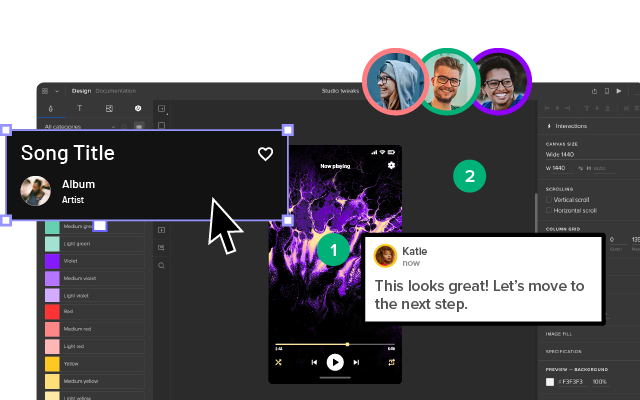
A design framework is a set of tools, workflows, protocols, and processes that guide how a team approaches design projects. It provides a systematic method for solving problems and delivering work.
Frameworks are especially valuable for:
- Onboarding — New team members understand where they are in the process and what comes next.
- Scale — In large organizations with multiple cross-functional teams, a framework ensures consistency across products.
- Alignment — Designers, developers, and product managers share a common process vocabulary.
Design frameworks guide teams rather than dictating every decision. They provide a systematic path to finding solutions while leaving room for creativity and context-specific judgment.
Why Do Teams Need Design Frameworks?
The core benefits of adopting a design framework include:
- Consistency — Ensures a uniform, recognizable design across different parts of a product.
- Efficiency — Saves time by providing established patterns and reducing ambiguity.
- User-Centricity — Keeps the needs of real users at the forefront of every design decision.
- Collaboration — Facilitates clearer communication between design, development, and business stakeholders.
- Productivity — Teams deliver projects methodically and predictably.
9 UX Design Frameworks Worth Knowing
The right framework depends on your project’s goals — whether you’re optimizing a delivery process, driving user engagement, or tackling a completely new problem space. Here are nine frameworks that cover the full spectrum.
1. User-Centered Design (UCD)
User-Centered Design places end-users at the center of every decision. The process begins with deep user research and cycles through ideation, prototyping, and testing — repeatedly — until the solution meets real user needs.
Key principles of UCD:
- Empathy for users — Research comes first. Designers study user behaviors, goals, and pain points before proposing solutions.
- Focus on usability — Products should be easy to learn, efficient to use, and minimize errors.
- Prototyping and testing — Create prototypes early, test with real users, and iterate before handoff.
- Continuous improvement — UCD is never truly “done.” Post-launch feedback loops drive ongoing refinement.
When to use UCD: Ideal when you have direct access to users and time for iterative research cycles. Works well for B2C consumer products, healthcare applications, and accessibility-critical projects.
2. Double Diamond
Developed by the UK Design Council, the Double Diamond framework splits the design process into four phases across two diamonds:
- Discover — Explore the problem space broadly through research.
- Define — Narrow down to a specific, well-articulated problem statement.
- Develop — Generate and prototype a range of possible solutions.
- Deliver — Converge on the best solution, test it, and ship.
The power of Double Diamond lies in its alternation between divergent thinking (expanding possibilities) and convergent thinking (narrowing focus). This prevents teams from jumping to solutions before fully understanding the problem.
When to use Double Diamond: Excellent for complex, ambiguous challenges where the problem isn’t yet well-defined — common in enterprise product design and service design.
3. Lean UX
Lean UX borrows from lean startup methodology and emphasizes rapid experimentation over extensive upfront documentation. The cycle is: Think → Make → Check.
Core practices:
- State assumptions as hypotheses (“We believe that [change] will result in [outcome] for [user segment]”).
- Build the smallest viable prototype to test each hypothesis.
- Measure outcomes, learn, and iterate quickly.
Lean UX works naturally with agile development. Teams that use tools like UXPin Merge can prototype with production-ready components directly, so there’s no fidelity gap between what the designer validates and what gets built.
When to use Lean UX: Best for agile teams, startups, and any environment where speed-to-learning matters more than polished deliverables.
4. Design Thinking
Popularized by Stanford’s d.school, Design Thinking is a human-centered approach with five stages:
- Empathize — Understand users through observation and interviews.
- Define — Synthesize research into a clear problem statement.
- Ideate — Brainstorm solutions without judgment.
- Prototype — Build low-fidelity representations of ideas.
- Test — Validate with real users and refine.
Design Thinking encourages non-linear exploration. Teams can circle back to earlier stages as new insights emerge.
When to use Design Thinking: Versatile enough for almost any project, but particularly powerful when tackling problems that require creative, non-obvious solutions.
5. Fogg Behavior Model
BJ Fogg’s behavior model states that behavior change happens when three elements converge: Motivation, Ability, and a Prompt.
- Motivation — Does the user want to take this action?
- Ability — Is the action easy enough to complete?
- Prompt — Is there a clear trigger at the right moment?
When a product feature isn’t driving the desired behavior, the Fogg Model helps diagnose whether the problem is motivation, friction, or timing.
When to use the Fogg Model: Ideal for conversion optimization, onboarding flows, and any feature where you need users to take a specific action.
6. Hooked Model
Nir Eyal’s Hooked Model is a four-step framework for building habit-forming products:
- Trigger — An external or internal cue that initiates a behavior.
- Action — The simplest behavior in anticipation of a reward.
- Variable Reward — A payoff that satisfies the user’s need but leaves them wanting more.
- Investment — The user puts something into the product that increases future value.
When to use the Hooked Model: Best for consumer apps, social platforms, and subscription products where retention and daily engagement are critical metrics.
7. Jobs to Be Done (JTBD)
The Jobs to Be Done framework reframes product design around the “job” a user is trying to accomplish, rather than demographic profiles or feature lists.
The core insight: people don’t buy products — they hire them to get a job done. A JTBD statement follows this format: “When [situation], I want to [motivation], so I can [expected outcome].”
When to use JTBD: Powerful for product strategy, prioritization, and positioning. Use it when you need to understand why users choose your product over alternatives.
8. Agile UX
Agile UX integrates UX design directly into agile development sprints. Rather than completing all design work upfront, designers work one to two sprints ahead of developers.
Key practices:
- Design spikes that run parallel to development sprints.
- Shared backlogs that include UX tasks alongside engineering work.
- Regular design reviews within sprint ceremonies.
Agile UX is easier to execute when designers and developers work from the same component library. With UXPin Merge, designers prototype using the team’s actual React, MUI, or other code-backed components — so what gets designed is exactly what gets built.
When to use Agile UX: Essential for product teams working in sprints who need to ship continuously without sacrificing design quality.
9. Design Sprints
Google Ventures’ Design Sprint compresses months of work into five days:
- Monday — Map the problem and choose a target.
- Tuesday — Sketch competing solutions.
- Wednesday — Decide on the best approach.
- Thursday — Build a realistic prototype.
- Friday — Test with real users.
Modern AI design tools make Thursday’s prototyping phase dramatically faster — UXPin Forge, for instance, can generate functional UI layouts from text prompts using your production components.
When to use Design Sprints: Perfect for validating new product ideas, resolving strategic disagreements, or kick-starting a project with high uncertainty.
How to Choose the Right Design Framework
No single framework fits every situation. Consider these factors when choosing:
| Factor | Recommended Framework |
|---|---|
| Ambiguous problem, need deep user research | User-Centered Design, Double Diamond |
| Fast-paced agile team, need to ship quickly | Lean UX, Agile UX |
| Need creative, breakthrough solution | Design Thinking, Design Sprints |
| Optimizing engagement or conversion | Fogg Behavior Model, Hooked Model |
| Product strategy and positioning | Jobs to Be Done |
Many mature product teams combine frameworks — for example, using JTBD for strategic discovery, Double Diamond for problem definition, and Lean UX for iterative validation within sprints.
Applying Design Frameworks with the Right Tools
A framework is only as effective as the tools that support it. Rapid prototyping and testing are central to virtually every framework listed above.
UXPin supports framework-driven workflows by letting teams prototype with production-fidelity components. With Merge, drag and drop your team’s actual React, MUI, or shadcn/ui components. With Forge, generate entire layouts from a text prompt — constrained to your production design system.
Try UXPin free and see how code-backed design accelerates any framework.
Frequently Asked Questions About UX Design Frameworks
What is a UX design framework?
A UX design framework is a structured, repeatable approach that guides how design teams research, ideate, prototype, and test digital products. It provides shared language and processes to ensure consistency, collaboration, and user-centered outcomes.
What is the difference between a design framework and a design methodology?
The terms are often used interchangeably. In practice, a methodology describes the overall philosophy (e.g., human-centered design), while a framework provides a more specific, step-by-step structure (e.g., Double Diamond’s four phases).
Which UX design framework is best for agile teams?
Lean UX and Agile UX are designed specifically for sprint-based workflows. Both prioritize rapid experimentation, hypothesis-driven design, and close collaboration between designers and developers.
Can I combine multiple UX design frameworks?
Yes — and most mature teams do. For example, you might use Jobs to Be Done for strategic discovery, Double Diamond for problem definition, and Lean UX for iterative validation within sprints.
How do design frameworks improve team collaboration?
Frameworks provide a shared process vocabulary that aligns designers, developers, product managers, and stakeholders. Everyone understands what phase the project is in and what outputs are expected, reducing miscommunication and rework.
What role does prototyping play in design frameworks?
Prototyping is central to nearly every framework. It allows teams to externalize ideas, test with real users, and gather feedback before committing to development. Higher-fidelity prototypes built with production components yield more reliable test results.