Design Strategy: A Practical Framework for UX Leaders (2026)

A design strategy is the bridge between what the business needs and what users deserve. Without one, design teams risk producing beautiful work that doesn’t move the needle — or worse, solving problems that don’t align with where the company is heading.
In 2026, design strategy has become even more critical. AI tools are accelerating design output, design systems are scaling across larger product portfolios, and cross-functional alignment is more complex than ever. A clear strategy keeps all of this on track.
This guide explains what a design strategy is, what it includes, how it connects to business strategy, and provides a 5-step framework for building one that your organisation will actually use.
Key takeaways:
- A design strategy defines how design will achieve business and user goals — it’s a plan, not a style guide.
- It includes business objectives, user research, design principles, an implementation roadmap, and success metrics.
- The best design strategies are living documents that evolve with the business, not shelf-ware created once and forgotten.
- Design systems and AI tools are the execution layer — they make strategy implementation faster and more consistent.
Execute your design strategy with a single tool that connects design to production code. Discover UXPin Merge to see how code-backed prototyping accelerates strategic design initiatives across teams.
What Is a Design Strategy?
A design strategy is a comprehensive plan that defines how design will help achieve business goals while meeting user needs. It’s not a style guide, a mood board, or a design system (though it informs all of those). It’s the decision-making framework that tells your design team what to prioritise, why, and how to measure success.
Think of it as the layer between business strategy (“grow enterprise revenue by 40%”) and design execution (“redesign the onboarding flow for enterprise users”). The design strategy connects those two statements with principles, priorities, research, and metrics.
What’s Included in a Design Strategy?
A complete design strategy document covers these components:
| Component | What It Answers |
|---|---|
| Business alignment | How does design support the company’s strategic objectives? |
| User research summary | Who are our users, what do they need, and what are their biggest pain points? |
| Competitive analysis | How do competitors serve similar users, and where are the gaps? |
| Design principles | What beliefs guide our design decisions when trade-offs are necessary? |
| Initiative roadmap | What design projects will we pursue, in what order, and why? |
| Resource plan | What team structure, skills, and tools do we need? |
| Success metrics | How do we measure whether design is delivering on the strategy? |
| Governance | How are design decisions made, reviewed, and escalated? |
Each component should be specific enough to guide daily decisions, but flexible enough to adapt as the business evolves.
How Business Strategy and Design Strategy Work Together
A design strategy doesn’t exist in isolation. It translates business objectives into design-specific actions:
- Business goal: “Increase self-service adoption by 30%.” → Design initiative: “Redesign the help centre with better search, contextual guidance, and in-app support patterns.”
- Business goal: “Reduce customer acquisition cost.” → Design initiative: “Optimise the sign-up funnel, reduce form friction, and improve first-run experience.”
- Business goal: “Launch in 3 new markets.” → Design initiative: “Establish localisation guidelines, audit cultural assumptions in the UI, and create region-specific patterns.”
The design strategy should be developed in conversation with product, engineering, and business leadership — not in a design silo. When design strategy is aligned with business strategy, design teams get more resources, more trust, and more impact.
5-Step Framework for Building a Design Strategy
Step 1: Align on Business Context
Before designing anything, understand the business landscape. Interview executives, review the company’s strategic plan, and identify the 3–5 business objectives where design can have the biggest impact.
Key questions to answer:
- What are the company’s top priorities for the next 12–18 months?
- Which user segments are most strategically important?
- What does success look like for the business — revenue growth, market share, retention, efficiency?
- Where is design currently adding value, and where is it falling short?
Step 2: Understand Users Deeply
Ground your strategy in research, not assumptions. Combine desk research with primary user research to build a clear picture of who your users are, what they need, and where current experiences fall short.
Deliverables from this step:
- Updated personas or user profiles based on current data.
- Journey maps highlighting key pain points and opportunities.
- A prioritised list of user needs aligned with business objectives.
Step 3: Analyse the Competitive Landscape
Conduct a structured competitive analysis to understand what users already expect. Identify:
- Table-stakes features (must-have to compete).
- Differentiators (where you can stand out).
- Unserved needs (opportunities competitors are missing).
Don’t limit this to direct competitors. Study adjacent products and industries where similar user patterns exist.
Step 4: Define Design Principles, Goals, and Initiatives
With business context, user insights, and competitive intelligence in hand, define:
- Design principles (3–5 beliefs that guide decisions): e.g., “Clarity over cleverness,” “Design for the 80% use case first,” “Accessibility is not optional.”
- Design goals (measurable outcomes): e.g., “Reduce task completion time by 25%,” “Achieve WCAG AA compliance across all products.”
- Design initiatives (projects that achieve the goals): e.g., “Redesign the checkout flow,” “Build a shared component library,” “Establish a user research program.”
Prioritise initiatives using an impact-effort matrix. Focus on high-impact, achievable work first to build momentum and stakeholder confidence.
Step 5: Plan Execution and Measurement
A strategy without execution is just a document. Build an implementation plan that includes:
- Quarterly roadmap of design initiatives, aligned with product and engineering roadmaps.
- Resource allocation — who works on what, and what skills need to be hired or developed.
- Tool and process decisions — including design system tooling, prototyping platforms, and handoff workflows.
- KPI dashboard with user metrics (task completion, NPS), business metrics (conversion, retention), and operational metrics (cycle time, design system adoption).
Review and adjust the strategy quarterly. The best strategies evolve with the business — they’re not fixed plans.
The Role of Design Systems in Design Strategy
A design system is the primary execution tool for your design strategy. It encodes your design principles into reusable components, patterns, and guidelines that ensure consistency at scale.
The connection between strategy and system works both ways:
- Strategy informs the system: Your design principles define how components should look, feel, and behave. Your priorities determine which patterns to build first.
- The system enables the strategy: A mature design system accelerates execution by eliminating redundant design work. Teams spend time solving new problems, not recreating buttons.
When the design system is code-backed — built with real React, Angular, or Vue components — the alignment between strategy and execution gets even tighter. With UXPin Merge, designers prototype with the same components developers ship. There’s no translation layer, no “that’s not how the component actually works” conversations, and no wasted engineering time rebuilding what designers already designed.
This is how enterprise teams like PayPal scale design strategy across large product portfolios. PayPal’s 5-person UX team supports 60+ products and 1,000+ developers by designing with production components — ensuring that strategic decisions made at the design system level cascade automatically to every product.
How AI Accelerates Design Strategy Execution
AI design tools are changing how fast teams can execute on a design strategy — though the strategy itself still requires human judgment.
Here’s where AI makes the biggest impact:
- Rapid concept exploration: Forge, UXPin’s AI assistant, generates layout options from text prompts, uploaded images, or URLs — using components from your actual design system. Teams can explore five strategic directions in the time it previously took to mock up one.
- Design system enforcement: AI generation that’s constrained to your component library means strategic decisions (brand guidelines, accessibility standards, interaction patterns) are automatically enforced in every output. UXPin’s Design System Guidelines ensure Forge always stays on-brand.
- Faster iteration: Conversational AI refinement (“make the sidebar narrower,” “swap cards for a data table”) means designers iterate on strategic concepts without starting over. Teams report 8.6x faster design-to-prototype cycles with Forge + Merge.
- Production-ready output: Because Forge generates with real components, its output is exportable as production-ready JSX. Strategic design concepts go from idea to shippable code faster than ever.
The key is that AI accelerates execution within a strategy. Without clear principles, goals, and priorities, AI just helps you produce unfocused work faster.
Common Challenges in Design Strategy
Even well-crafted design strategies face obstacles. Here are the most common challenges and how to address them:
1. Lack of Executive Buy-In
Solution: Frame design strategy in business terms. Don’t present “design improvements” — present the revenue impact, cost savings, and competitive advantage that design initiatives will deliver. Use data from desk research and competitive analysis to make the case.
2. Misalignment With Product and Engineering
Solution: Develop the strategy collaboratively. Include product managers and engineering leads in the process. Use a shared tool like UXPin Merge where design and development share the same component library — this creates natural alignment at the execution level.
3. Strategy Becomes Shelf-Ware
Solution: Make the strategy actionable with quarterly reviews, a visible initiative roadmap, and clear ownership for each initiative. Tie design KPIs to team OKRs so the strategy is embedded in daily work.
4. Scaling Strategy Across Multiple Products
Solution: Invest in a code-backed design system that serves as the strategic execution layer across all products. When every product team uses the same components and patterns, strategic consistency happens automatically.
5. Measuring Design’s Business Impact
Solution: Define measurable KPIs upfront (Step 5 of the framework). Track operational metrics (cycle time, component reuse) alongside user and business metrics. Enterprise design platforms like UXPin provide analytics on design system adoption and prototype testing.
Execute Your Design Strategy With UXPin
A design strategy is only as good as your ability to execute it consistently across teams, products, and over time. UXPin provides the tooling that makes strategy execution practical:
- UXPin Merge connects your production component library to the design process, ensuring every prototype uses the components your strategy defines.
- Forge accelerates concept exploration with AI that’s constrained to your design system — strategic guardrails are built into every generated layout.
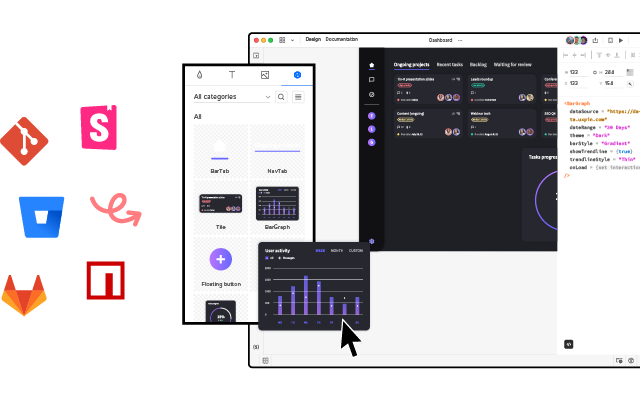
- Git integration keeps design and development in sync automatically, so strategic changes to the component library propagate everywhere.
- Production JSX output means design strategy goes from concept to shippable code without a handoff gap.
Whether you’re defining a design strategy for the first time or scaling an existing one across a larger product portfolio, the right tools make the difference between strategy as aspiration and strategy as reality. Try UXPin for free or explore pricing.
Frequently Asked Questions About Design Strategy
What is a design strategy?
A design strategy is a plan that defines how UX and UI design will help achieve business goals while meeting user needs. It integrates business objectives with design principles, providing a decision-making framework for priorities, resource allocation, and success measurement.
What’s the difference between a design strategy and a business strategy?
A business strategy focuses on market positioning, competitive advantage, and financial goals. A design strategy focuses on how design helps achieve those business goals through better user experiences. They’re complementary — the design strategy translates business objectives into design actions.
What should a design strategy document include?
A design strategy document includes: business objectives and how design supports them, user needs based on research, competitive landscape analysis, design principles, an implementation roadmap with priorities, resource requirements, success metrics (KPIs), and governance structure for design decisions.
Who is responsible for creating a design strategy?
Typically the Head of Design, VP of Design, or DesignOps lead owns the design strategy. It should be developed collaboratively with product management, engineering leadership, and business stakeholders to ensure cross-functional alignment.
How does a design system relate to a design strategy?
A design system is a tactical tool that supports the design strategy. The strategy defines what to achieve and why; the design system provides the standardised components, patterns, and guidelines for consistent execution. Tools like UXPin Merge connect design systems directly to the design process, ensuring strategy implementation stays consistent.
How do you measure the success of a design strategy?
Measure through user metrics (task completion rate, NPS, usability scores), business metrics (conversion rate, revenue per user, retention), and operational metrics (design-to-development cycle time, design system adoption, component reuse). Track KPIs quarterly and adjust the strategy based on results.