16 Best UX Portfolio Examples That Stand Out to Recruiters (2026)
Your UX design portfolio is the single most important asset in your career toolkit. It’s the first thing recruiters and hiring managers evaluate — and it often determines whether you get an interview before anyone reads your resume.
But what actually makes a UX portfolio stand out in 2026? With AI tools reshaping the design workflow and an increasingly competitive job market, the bar keeps rising. Recruiters want to see more than polished screens — they want evidence of how you think, research, iterate, and deliver measurable outcomes.
In this guide, you’ll find 16 real UX portfolio examples from designers who’ve worked at Google, LinkedIn, PayPal, and other top companies. For each one, we break down what works and give you a concrete takeaway you can apply to your own portfolio.
Key takeaways:
- The best UX portfolios tell stories about process and impact — not just showcase final screens.
- Quantified outcomes (“reduced checkout abandonment by 18%”) are dramatically more persuasive than vague descriptions.
- Your portfolio is a UX project. Apply the same principles you’d use for any product: clear navigation, mobile responsiveness, fast performance, and accessible design.
- AI-era portfolios should demonstrate how you work with modern tools — showing adaptability alongside foundational UX skills.
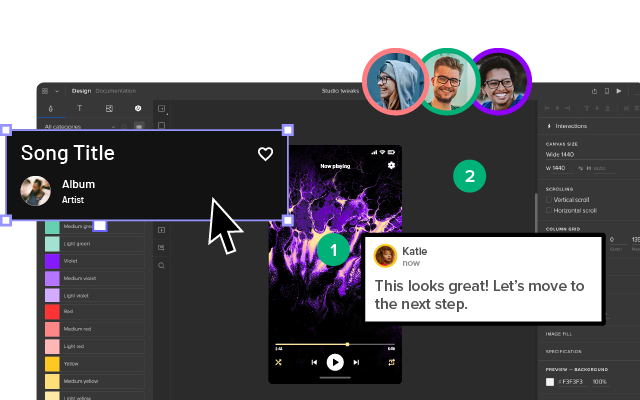
Want to prototype your portfolio before building it? Use UXPin to create a fully interactive mockup with clickable navigation, form states, and responsive layouts. Test it with peers before you commit to code. Or use Forge, UXPin’s AI assistant, to generate layout ideas from a text prompt. Try UXPin for free.
What Is a UX Portfolio?
A UX portfolio is a curated presentation of a designer’s professional work — typically hosted as a personal website — that showcases your ability to research user problems, design solutions, and deliver measurable outcomes.
Unlike a visual design portfolio that focuses on aesthetics, a UX portfolio emphasises process: how you identified the problem, what research methods you used, how you iterated on solutions, and what impact your work had on real users and business metrics.
A strong portfolio typically includes:
- 3–5 detailed case studies with problem, process, and outcome.
- A brief professional bio that communicates your focus areas and design philosophy.
- Tools and skills — design tools, research methods, prototyping capabilities.
- Contact information that’s easy to find.
- Measurable results — conversion lifts, task-completion improvements, NPS gains, or efficiency metrics.
What Makes a UX Portfolio Great in 2026?
The bar keeps rising. Here are the qualities that separate portfolios that land interviews from those that get passed over:
- Storytelling over screenshots — Recruiters want to see how you think, not just what you shipped. Walk through the why behind every decision.
- Quantified outcomes — “Reduced checkout abandonment by 18%” is infinitely more compelling than “redesigned the checkout flow.”
- Mobile-first design — Many hiring managers review portfolios on their phones. If yours breaks on mobile, you’ve already lost.
- Ensure Linkedin Profile is accurate and up to date. Alongside a polished portfolio, following Linkedin profile tips can help recruiters gain a more complete picture of your professional experience and design expertise.
- Speed and accessibility — Slow load times and poor contrast ratios signal a designer who doesn’t practice what they preach.
- AI-era awareness — Showing how you work with AI tools for rapid prototyping, iteration, or design system enforcement signals that you’re current with modern workflows.
- Cross-functional collaboration — Demonstrating how you work with developers, PMs, and stakeholders shows you can operate in real product teams.
16 UX Designer Portfolios Worth Studying
1. Alex Lakas
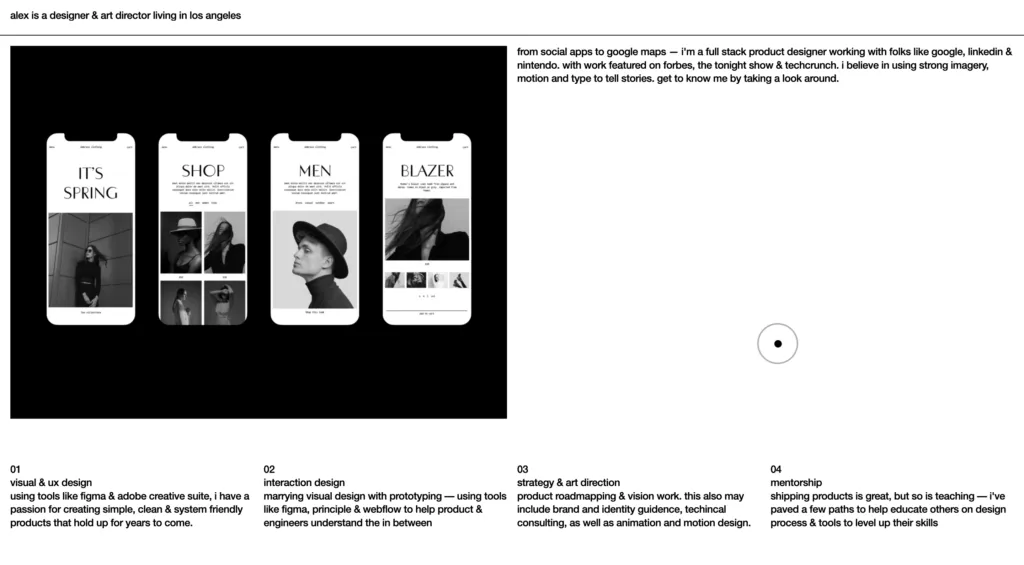
Alex Lakas brings over a decade of product design experience at companies like LinkedIn and Google Maps. His portfolio leads with a confident one-line bio, followed by a client list of household names — an effective hook that earns immediate credibility.
Why it works: Lakas transitions quickly from credentials to detailed case studies that reveal the reasoning behind major product decisions. The clean visual design mirrors his systematic approach to UX, and every section feels purposeful.
Key takeaway: If you have big-name experience, lead with it — then immediately prove the substance behind the brand names through well-structured case studies.
2. Olivia Truong
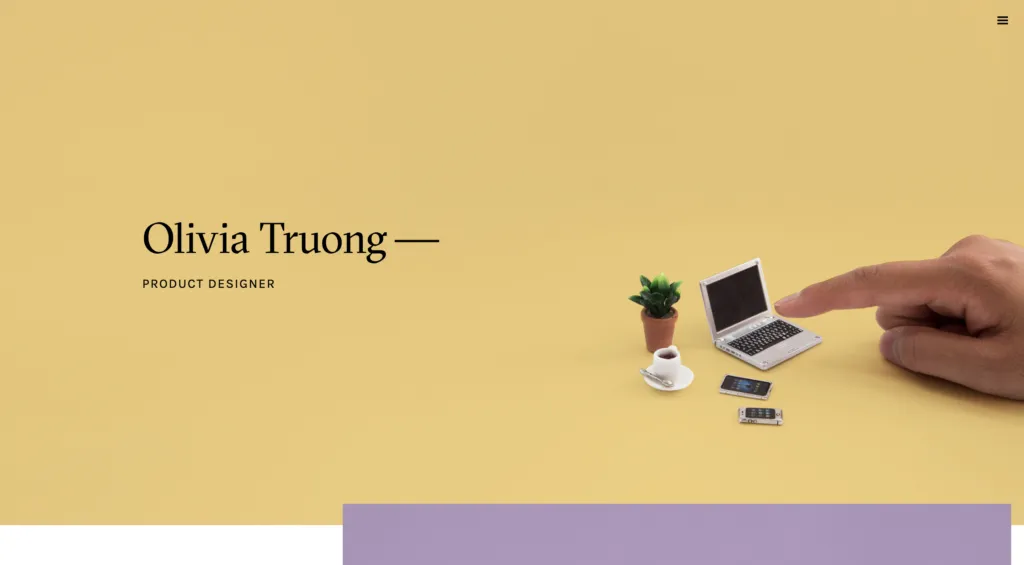
Olivia Truong is a product designer whose portfolio shows the depth and breadth of her work at companies like Facebook and Lyft. The homepage immediately sets the tone with a minimalist, content-first layout.
Why it works: Each project page combines clear visuals with narrative-style writeups that make the design process easy to follow. She balances brevity with depth — enough detail to satisfy curious hiring managers without overwhelming the casual browser.
Key takeaway: Minimalism works when every element earns its place. Remove anything that doesn’t help tell the story of your process and impact.
3. Simon Pan

Simon Pan is a design leader and former Googler whose portfolio exemplifies how to present complex systems design work. His UberEATS case study is considered one of the best-written portfolio pieces in the industry.
Why it works: Pan structures each case study as a narrative arc — context, challenge, exploration, solution, impact. This makes even dense enterprise work accessible to non-design stakeholders.
Key takeaway: Great case studies read like stories with clear beginnings, middles, and ends. Structure your work around the journey, not just the final screens.
4. Matt Murphy

Matt Murphy is a product designer who specializes in consumer-facing applications. His portfolio uses a card-based layout that lets visitors quickly browse projects before diving into detail.
Why it works: The portfolio balances visual appeal with functional clarity. Each project card provides enough context (client, role, outcome) to help visitors decide what to explore further, reducing friction in the browsing experience.
Key takeaway: Think of your portfolio homepage as a product itself. Apply the same information architecture principles you’d use for an app — progressive disclosure, clear hierarchy, and low-effort navigation.
5. Cofolios (Curated Collection)

Cofolios is a directory of portfolios from designers at top tech companies. While not a single portfolio, it’s an invaluable research tool — you can filter by company (Google, Meta, Apple, etc.) to see what successful designers at your target employer are presenting.
Why it works: Cofolios removes the guesswork from portfolio research by aggregating real examples from hired designers. It’s a benchmark tool for understanding company-specific expectations.
Key takeaway: Before tailoring your portfolio for a specific company, research what successful candidates at that company have done. Cofolios makes this easy.
6. Tony Dinh

Tony Dinh has built a portfolio that demonstrates his skill as both a designer and a builder. His site foregrounds product thinking — each project is framed around problems solved and outcomes achieved.
Why it works: Tony uses concise project summaries with prominent metrics, making the impact of his work immediately scannable. The overall site architecture is simple and fast-loading.
Key takeaway: If you build products outside your day job, show them. Side projects demonstrate initiative and end-to-end thinking that pure case studies can’t always convey.
7. Arin Bhowmick

Arin Bhowmick is the VP of Design at IBM, and his portfolio reflects the scale of enterprise design leadership. Rather than detailed UI walkthroughs, Arin’s portfolio focuses on strategic impact — team building, design culture, and cross-organizational influence.
Why it works: For senior and leadership-level designers, hiring decisions center on influence and vision, not pixel craft. Arin’s portfolio speaks directly to this audience.
Key takeaway: As you advance in your career, shift your portfolio from “what I designed” to “what I made possible.” Show team scale, organizational impact, and strategic outcomes.
8. Rachel Chen

Rachel Chen is a product designer whose portfolio demonstrates deep expertise in mobile and consumer product design. Her case studies follow a tight problem–process–outcome structure that’s easy to follow.
Why it works: Rachel’s portfolio balances visual richness with clear narrative flow. Each case study includes enough context for the reader to understand constraints and trade-offs, which is exactly what hiring managers are evaluating.
Key takeaway: Show your constraints. Explaining what you couldn’t do (and why) is often more revealing than showcasing what you did.
9. Priyanka Gupta

Priyanka Gupta is a UX designer whose portfolio reflects a clean, research-driven design philosophy. Her projects emphasize the discovery and research phase, making her portfolio a standout for research-focused roles.
Why it works: Research-oriented case studies with clear methodology sections show hiring managers that this designer doesn’t just make things look good — she validates ideas before committing to solutions.
Key takeaway: If user research is your superpower, lean into it. Detailed research narratives differentiate you from designers who skip straight to wireframes.
10. Lola Jiang

Lola Jiang is a product designer who has worked on large-scale design systems and enterprise products. Her portfolio stands out for the way it communicates complex design system work in an accessible, visually engaging way.
Why it works: Design systems work is notoriously hard to present in a portfolio because the output is often invisible to end users. Lola overcomes this by focusing on the impact — consistency improvements, developer adoption rates, and team efficiency gains.
Key takeaway: If you work on design systems, frame your case studies around organizational impact, not component specs.
11. Raul Frangella

Raul Frangella is a senior product designer whose portfolio uses bold typography and generous whitespace to create a strong visual impression. Each project is presented with a clear summary, making it easy to decide what to explore further.
Why it works: The bold visual identity is consistent across every page, reinforcing Raul’s personal brand. The portfolio itself demonstrates the designer’s ability to create cohesive visual systems.
Key takeaway: Your portfolio’s visual design is itself a case study. Make sure it demonstrates the same principles you apply to client work — consistency, hierarchy, and intentional use of space.
12. Jillian Ada Fisher

Jillian Ada Fisher is a designer, speaker, and educator whose portfolio communicates her multifaceted career clearly. The site balances case studies with writing, talks, and mentorship — reflecting a well-rounded design professional.
Why it works: For designers who also teach, write, or speak, Jillian’s portfolio shows how to present diverse activities without creating a cluttered experience. Clear navigation separates case studies from thought leadership.
Key takeaway: If you contribute to the design community beyond client work, make those contributions visible. They signal leadership and thought partnership.
13. Ryan Oliver

Ryan Oliver is a product designer with a portfolio that emphasizes interaction design and motion. His projects include animated transitions and embedded prototypes that bring the case studies to life.
Why it works: Showing interactions in context — not just static screens — demonstrates a deeper understanding of user experience. It also gives hiring managers a more accurate sense of the final product’s quality.
Key takeaway: If interaction design is central to your work, embed prototypes or videos directly in your case studies. Static images can’t capture the nuances of motion and timing.
14. Daniel Abayomi

Daniel Abayomi is a UX/UI designer whose portfolio demonstrates clarity and intentionality. Every element has a purpose, and the browsing experience mirrors the precision of his design work.
Why it works: The clean layout and logical flow make it easy for recruiters to quickly assess Daniel’s skills and range. Project thumbnails provide just enough visual context to hook the visitor.
Key takeaway: Treat your portfolio’s information architecture with the same rigor you’d apply to a product. Every click should feel intentional and rewarding.
15. Stefan Ostermann

Stefan Ostermann is a product and interaction designer whose portfolio makes excellent use of visual storytelling. Large images and embedded video walk visitors through complex projects in an engaging way.
Why it works: Stefan understands that portfolio visitors are often skimming. Large visuals and short, punchy text blocks make his work accessible even to time-pressed recruiters.
Key takeaway: Optimize for skimmers. Use large visuals, bold headings, and short paragraphs to communicate value quickly — then provide depth for those who want to go deeper.
16. Sharon Lee

Sharon Lee is a UX designer whose portfolio demonstrates how to present enterprise and B2B design work in an approachable way. Her case studies break down complex workflows into digestible narratives with clear before-and-after comparisons.
Why it works: B2B and enterprise design work can be difficult to showcase publicly due to NDAs and complexity. Sharon solves this by abstracting the essential story while still conveying meaningful detail about her process and impact.
Key takeaway: If your work is under NDA, focus on process and impact rather than final deliverables. You can anonymize specifics while still telling a compelling story.
Essential Elements of a Strong UX Portfolio
Based on the examples above, here are the non-negotiable elements every UX portfolio should include:
| Element | Why It Matters | How to Execute |
|---|---|---|
| Case study structure | Shows your thinking process | Problem → Research → Ideation → Solution → Impact for each project |
| Quantified outcomes | Proves business value | Include specific metrics: conversion rates, efficiency gains, user satisfaction scores |
| Visual hierarchy | Demonstrates UX skills in practice | Clean typography, clear headings, progressive disclosure of detail |
| Mobile responsiveness | Recruiters browse on phones | Test on multiple devices; use responsive layouts and appropriate image sizes |
| Fast load times | First impression of your technical skill | Optimise images, use lazy loading, minimise third-party scripts |
| Easy navigation | Reduces friction for busy reviewers | Clear menu, project filtering, prominent CTAs to case studies |
| Contact accessibility | Enables the next step | Email, LinkedIn, and calendar link prominently placed |
Actionable Tips for Building Your UX Portfolio
1. Lead With Your Strongest Case Study
Recruiters spend 30–60 seconds on an initial portfolio scan. Put your most impressive project first — the one with the clearest problem statement, the most rigorous process, and the strongest outcomes.
2. Write for Skimmers and Deep Readers
Use a clear visual hierarchy: bold key takeaways, use pull quotes for metrics, and structure each case study so someone can get the gist from headings alone — but reward those who read the full narrative.
3. Show Your Research Process
Include artifacts like user interview insights, affinity maps, journey maps, and competitive analysis results. This differentiates you from visual designers who focus only on the final UI.
4. Include Before and After
Where possible, show the original state alongside your redesign. The contrast makes your impact immediately visible and tangible.
5. Demonstrate Tool Proficiency
Mention the design tools you used — and show how your tool choices improved outcomes. Highlighting experience with modern tools like UXPin for code-backed prototyping or AI-assisted design tools shows you’re staying current.
6. Get Feedback Before Launching
Treat your portfolio like a product: prototype it, test it with peers and mentors, iterate based on feedback, then launch. This meta-application of UX process is itself a signal of your skills.
Prototype Your Portfolio With UXPin
Before investing hours in building your portfolio site, prototype it first. UXPin lets you create interactive mockups that look and feel like a real website — complete with:
- Clickable navigation between portfolio sections and case studies.
- Responsive layouts that you can test at different screen sizes.
- Form interactions like contact forms with validation states.
- Realistic content — add your actual text and images to see how the portfolio feels with real content, not lorem ipsum.
Forge, UXPin’s AI design assistant, can generate layout options from a text prompt — describe the portfolio structure you want and get a starting point using real React components. Iterate conversationally (“make the project cards larger,” “add a sticky header”) until the layout feels right.
When you’re satisfied with the prototype, you can export production-ready JSX and use it as the foundation for your actual portfolio build. Or share the prototype directly for feedback before committing to development.
Try UXPin for free — no credit card required.
Frequently Asked Questions About UX Portfolios
What should a UX design portfolio include?
A strong UX portfolio should include 3–5 detailed case studies showing your design process (research, ideation, testing, iteration), a brief professional bio, your core skills and tools, clear contact information, and measurable outcomes from your projects. Focus on storytelling and process over pixel-perfect mockups.
How many projects should I put in my UX portfolio?
Quality beats quantity. Include 3 to 5 of your strongest case studies that demonstrate a range of skills — user research, interaction design, prototyping, and final UI. Each project should walk through the problem, your process, and the measurable impact.
Should I use a website builder or code my own UX portfolio?
Either works. Website builders like Webflow, Squarespace, or WordPress let you launch fast without coding. A custom-coded site demonstrates technical skill. The most important thing is that the portfolio demonstrates strong UX principles — clear navigation, fast load times, mobile responsiveness, and accessible design.
What makes a UX portfolio stand out to recruiters?
Recruiters look for clear problem statements, evidence of user research, your unique design process, collaboration with developers and stakeholders, and real business outcomes. Quantified results like “increased conversion by 22%” or “reduced support tickets by 35%” make case studies significantly more compelling.
Can I create a UX portfolio without professional experience?
Yes. Include redesign concepts for existing products, personal projects, hackathon work, volunteer UX audits, or course projects. What matters is demonstrating your thought process — how you identified a problem, researched users, iterated on solutions, and validated your designs through testing.
How can I prototype my UX portfolio before building it?
Use a prototyping tool like UXPin to build an interactive mockup of your portfolio with clickable navigation, form validation, and realistic interactions. Test it with peers before committing to a final build. Forge, UXPin’s AI assistant, can generate layout options from a text prompt using production-ready React components — getting you from idea to testable prototype in minutes.