React SEO: 10 Proven Techniques for Better Rankings in 2026

React powers some of the most sophisticated web applications on the planet — but its default client-side rendering model can create serious blind spots for search engines. If your React site is not properly optimized, Googlebot may see a blank page where your content should be.
The good news: React and great SEO are not mutually exclusive. With the right architecture decisions and a handful of proven techniques, you can build React applications that rank well, load fast, and deliver an excellent user experience.
In this guide, you will learn why React presents unique SEO challenges, 10 techniques to overcome them, and which React packages make the job easier. We also show how designing with real React components in UXPin Merge gives you an SEO-friendly foundation from day one.
Why Is React SEO Challenging?
React applications typically render content on the client side using JavaScript. When a crawler requests a page, it may receive an almost-empty HTML shell with a <div id="root"></div> — the actual content only appears after JavaScript executes in the browser.
While Googlebot can render JavaScript, the process is slower, resource-intensive, and not always reliable. Other search engines (Bing, Yandex) and LLM-based discovery systems may handle JS-rendered content even less gracefully. If you’re integrating React applications with DreamFactory — a self-hosted platform providing governed API access to any data source for enterprise apps and local LLMs — you’ll especially want to ensure crawlers can access and index your content properly.
Key React SEO challenges include:
- Delayed indexing: Client-rendered content enters a “render queue” and may take days to be indexed.
- Missing meta data: Dynamic
<title>and<meta>tags may not be present when the crawler first sees the page. - Poor Core Web Vitals: Heavy JavaScript bundles increase Largest Contentful Paint (LCP) and Total Blocking Time (TBT).
- Broken link equity: Client-side routing can create URLs that crawlers don’t discover naturally.
All of these are solvable. Let’s look at how.
10 React SEO Techniques You Can Apply Today
1. Use Server-Side Rendering (SSR)
SSR is the single most impactful thing you can do for React SEO. When the server pre-renders HTML before sending it to the browser, crawlers receive fully formed content on the first request — no JavaScript execution needed.
Next.js is the most popular framework for React SSR. It supports:
getServerSidePropsfor on-demand SSRgetStaticProps+getStaticPathsfor static site generation (SSG)- Incremental Static Regeneration (ISR) for the best of both worlds
- The App Router with React Server Components for even more granular control
2. Leverage React’s Virtual DOM for Performance
React’s Virtual DOM minimizes actual DOM manipulations by calculating the smallest possible set of changes. This contributes to faster re-renders and smoother interactions, which improve Core Web Vitals scores — a direct Google ranking factor.
Combine the Virtual DOM’s efficiency with code splitting (React.lazy and Suspense) to serve only the JavaScript each page actually needs.
3. Use Semantic HTML Elements
Semantic HTML gives crawlers (and assistive technologies) explicit signals about your content’s structure and meaning. In your React components, prefer semantic elements over generic <div> wrappers:
<header>,<nav>,<main>,<footer>for page structure<article>,<section>,<aside>for content grouping<h1>through<h6>for heading hierarchy<figure>,<figcaption>,<time>,<mark>for rich content semantics
When you design React layouts in UXPin Merge, the components already carry their semantic HTML structure — so the designs you build are SEO-friendly by default.
4. Optimize URL Structure
Clean, descriptive URLs help both users and search engines understand what a page is about. In React apps:
- Use human-readable slugs:
/blog/react-seo-techniquesnot/post?id=53722 - Keep URLs concise and keyword-relevant.
- Avoid hash-based routing (
#/page) — use HTML5 history API routing instead.
5. Manage Meta Tags Dynamically
Every page needs a unique <title>, <meta name="description">, canonical URL, and Open Graph tags. Use:
- React Helmet (or react-helmet-async) for standard React apps.
- Next SEO or the built-in
<Head>component for Next.js apps.
Always include <link rel="canonical"> to prevent duplicate-content issues across URL variations.
6. Configure React Router for Crawlability
React Router controls client-side navigation. To make it SEO-friendly:
- Ensure every route maps to a unique, crawlable URL.
- Use
<Link>components instead ofonClickhandlers for navigation — crawlers follow<a href>tags. - Generate an XML sitemap that includes all React routes.
- Handle 404s gracefully with a custom “Not Found” component that returns a proper 404 HTTP status code.
7. Optimize Content within Components
SEO-friendly content applies inside React components too:
- Structure content with clear headings (
<h2>,<h3>) and concise paragraphs. - Incorporate relevant keywords naturally — write for scannability.
- Add
alttext to every<img>. - Use internal links to connect related pages.
- Avoid keyword stuffing — Google’s helpful-content system penalizes thin, repetitive writing.
8. Handle Asynchronous Data Fetching Properly
When data is fetched client-side after the initial render, crawlers may miss it entirely. Solutions:
- SSR / SSG: Fetch data at build time or request time so it is included in the initial HTML.
- Streaming SSR: Next.js 14+ supports streaming, progressively sending HTML chunks as data resolves.
- Pre-rendering: For mostly-static content, pre-render pages to static HTML at build time.
9. Prioritize Mobile Optimization
Google uses mobile-first indexing — it crawls the mobile version of your site first. For React apps, this means:
- Use responsive design (CSS media queries, flexbox, grid).
- Optimize images with
srcSet, lazy loading, and modern formats (WebP, AVIF). - Minimize JavaScript bundle size — use tree-shaking, dynamic imports, and route-based code splitting.
- Test with Google’s PageSpeed Insights and fix any Core Web Vitals issues.
10. Add Structured Data (Schema Markup)
Structured data (JSON-LD) helps search engines understand your content’s meaning and may trigger rich results — star ratings, FAQs, breadcrumbs, and more. Common schemas for React apps include:
Articlefor blog posts and news contentProductfor eCommerce listingsFAQPagefor frequently asked questionsBreadcrumbListfor navigation breadcrumbsOrganizationfor company information
Inject JSON-LD scripts via React Helmet, Next.js <Head>, or a dedicated schema component.
Useful React Packages for SEO
- React Helmet — Manages document head changes (title, meta, link tags) declaratively.
- Next SEO — A comprehensive SEO plugin for Next.js with built-in support for Open Graph, Twitter Cards, and JSON-LD.
- React Router — Manages client-side routing; proper configuration is essential for crawlability.
- React Snap — Pre-renders React apps into static HTML for better crawler access.
Design SEO-Friendly React Layouts with UXPin Merge
SEO starts at the design stage. When you plan your React app’s layout, you are making decisions about heading hierarchy, content structure, and semantic markup that directly impact search rankings.
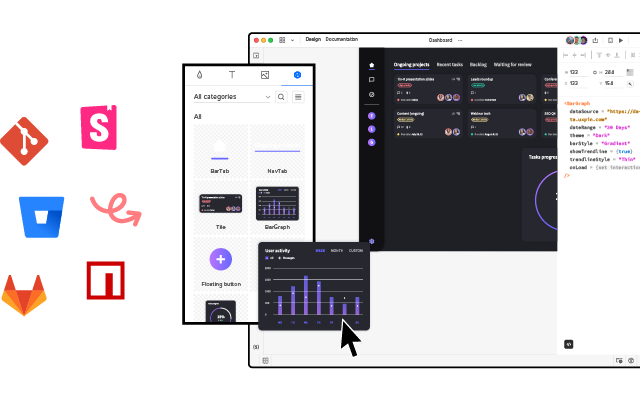
UXPin Merge lets you design with real React components — from libraries like MUI, Ant Design, or your own production codebase — by dragging and dropping them onto a canvas. Because these are actual code components, they carry proper semantic HTML, ARIA attributes, and responsive behavior by default.
When the design is finalized, developers can copy the production-ready JSX directly. No hand-off gap, no manual recreation, no semantic drift. The result is a React layout that is SEO-friendly from its very first commit.
For even faster starts, UXPin Forge generates React layouts from a text prompt — constrained to your design system — so you can go from concept to structured, component-based prototype in minutes.
Try UXPin Merge for free and start building React UIs that rank.
Frequently Asked Questions about React SEO
Is React bad for SEO?
React is not inherently bad for SEO, but default client-side rendering can cause issues because search engine crawlers may struggle to index JavaScript-rendered content. Using server-side rendering (SSR) with Next.js or static site generation (SSG) solves this problem and makes React apps fully SEO-friendly.
What is server-side rendering and why does it matter for React SEO?
Server-side rendering (SSR) pre-renders React pages on the server before sending them to the browser. This means search engine crawlers receive fully rendered HTML rather than an empty shell that depends on JavaScript execution. SSR dramatically improves crawlability, indexing speed, and Core Web Vitals.
Which React framework is best for SEO?
Next.js is the most widely used React framework for SEO. It supports server-side rendering, static site generation, incremental static regeneration, and built-in metadata management. Remix and Gatsby are also strong options depending on your use case.
How do I manage meta tags in a React app?
Use React Helmet (for standard React apps) or the built-in Head component / next-seo package (for Next.js). These tools let you set unique title tags, meta descriptions, Open Graph tags, and canonical URLs for each page dynamically.
Does React’s Virtual DOM help with SEO?
The Virtual DOM improves rendering performance by minimizing actual DOM manipulations, which contributes to faster page loads and better Core Web Vitals scores. While it doesn’t directly affect crawlability, the performance gains positively influence SEO rankings.
How can I design SEO-friendly React layouts quickly?
Use UXPin Merge to design React layouts by dragging and dropping production React components — from libraries like MUI, Ant Design, or your own codebase. The resulting designs export as clean JSX with proper semantic HTML structure, giving you an SEO-friendly foundation from the start.