Prototyping with Claude Sonnet 4.5, Ant Design, and UXPin Merge simplifies the design-to-development handoff process. These tools let you create interactive prototypes with production-ready React components, eliminating the gap between design and code. Released in September 2025, Claude Sonnet 4.5 uses AI to generate layouts and refine designs based on your text prompts, all while staying aligned with Ant Design’s component library.
Key Takeaways:
- Claude Sonnet 4.5: Converts text prompts or mockups into React-based prototypes.
- Ant Design: Provides a library of pre-built, production-ready components.
- UXPin Merge: Integrates these tools, enabling real-time prototyping with actual code.
Steps to Get Started:
- Subscribe to UXPin for access to Ant Design and AI tools.
- Enable Claude Sonnet 4.5 by linking your API key.
- Use text prompts to create layouts and refine them with Ant Design components.
- Add interactions and test your prototype instantly.
- Export clean React code for seamless developer handoff.
Why It Works: By using actual code components instead of static mockups, teams reduce engineering time by up to 50% and speed up product development by over 8x. This workflow ensures consistency, minimizes handoff issues, and keeps designs aligned with development standards.
Pro Tip: Write clear, specific prompts for better AI results, and use Ant Design to maintain design consistency across projects.
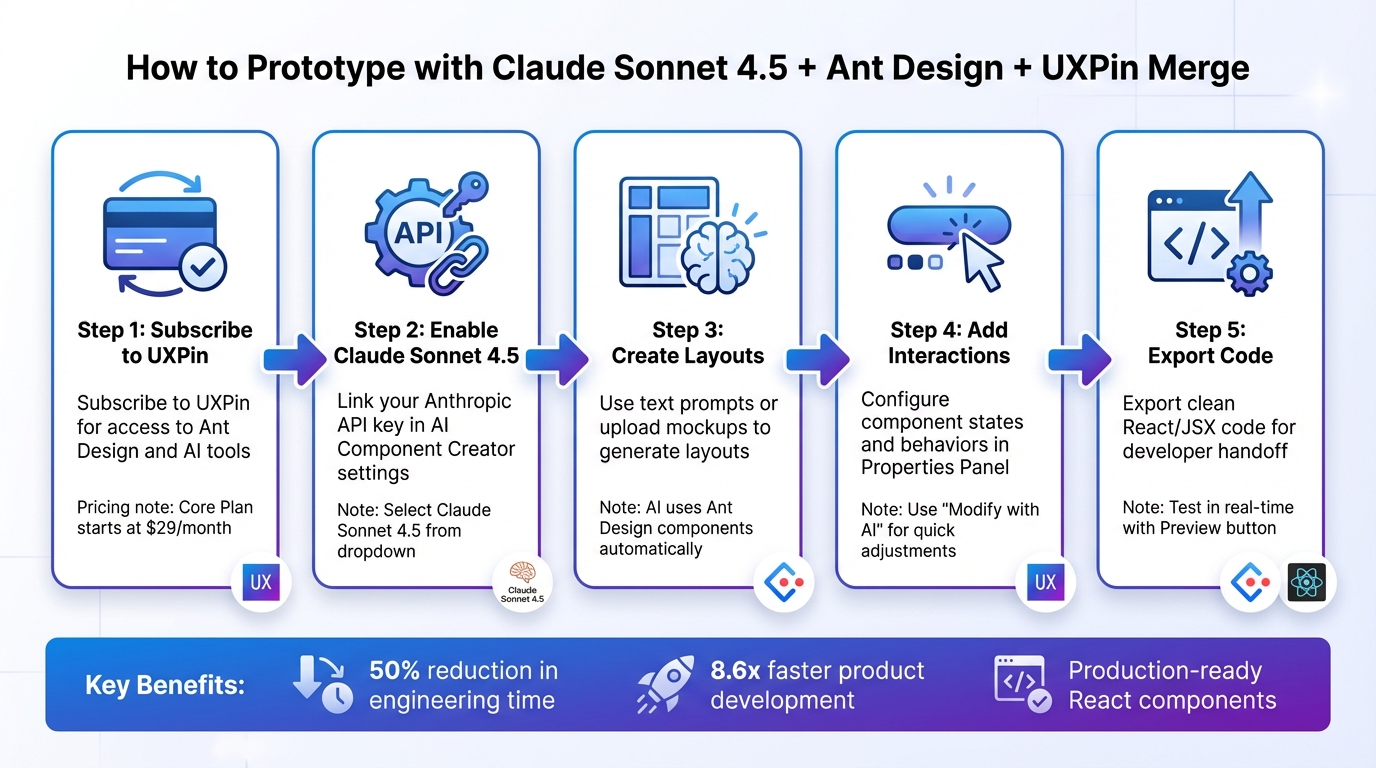
5-Step Process to Prototype with Claude Sonnet 4.5, Ant Design, and UXPin Merge
UXPin Merge Tutorial: Intro (1/5)
sbb-itb-f6354c6
Setting Up Your Workspace
Before diving into prototyping, make sure your UXPin account is ready and AI tools are enabled. With UXPin Merge, Ant Design is already integrated – no need to download or import anything. This means you can start designing with production-ready React components right away. Follow these steps to get your workspace set up and tools activated.
Getting Access to UXPin and Ant Design
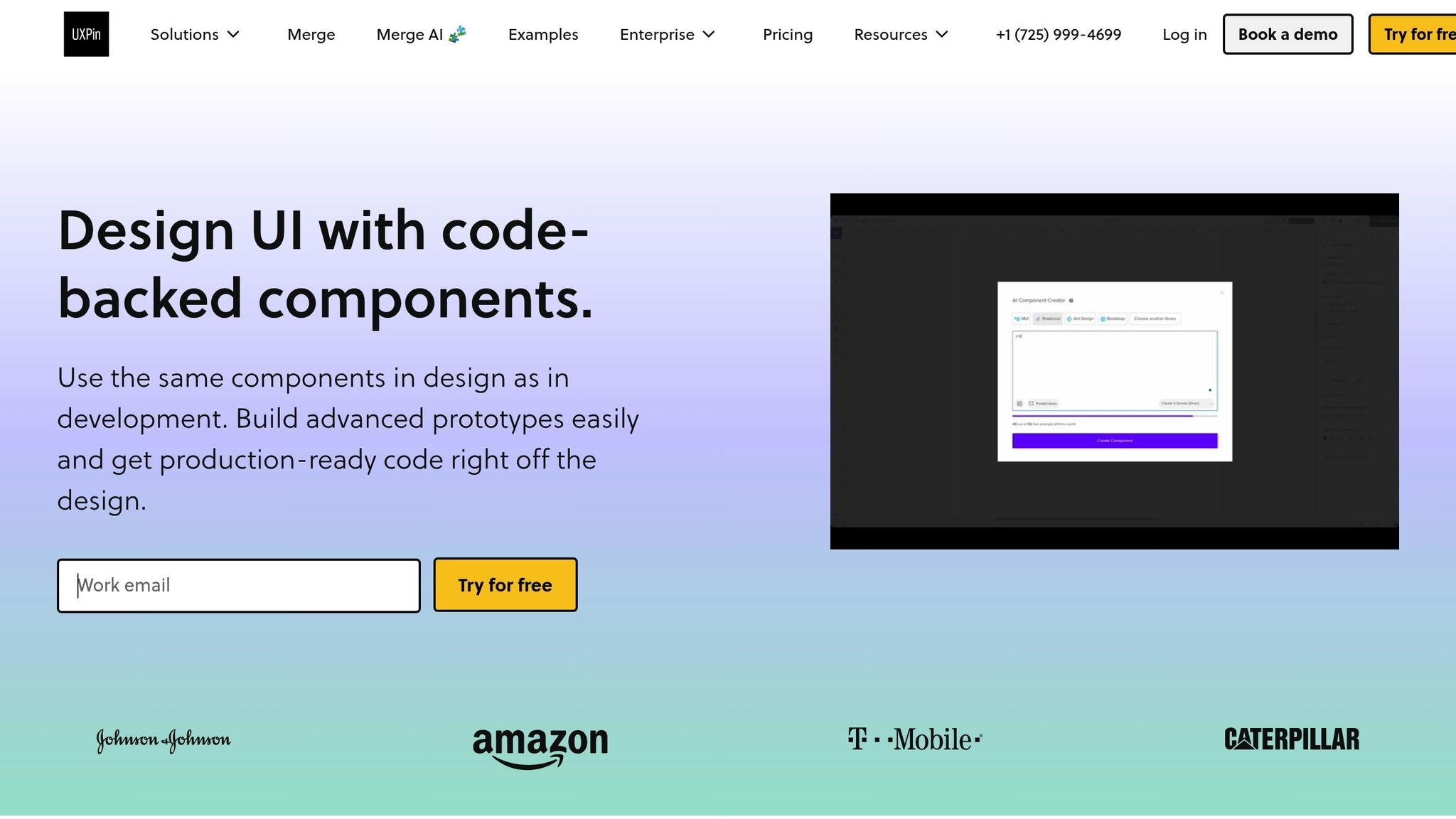
To unlock UXPin Merge’s full capabilities – including the AI Component Creator and Patterns – you’ll need a subscription. Here’s a quick breakdown:
- Core Plan: Starts at $29/month. Includes basic AI models with 200 AI credits per month.
- Growth Plan: Priced at $40/month. Offers advanced AI models and 500 credits monthly.
- Enterprise Teams: For unlimited AI credits and custom component libraries, reach out to sales@uxpin.com for tailored pricing.
Once you’ve signed up, create a new project to access the built-in Ant Design library. This library includes a full suite of components – like buttons, forms, tables, and navigation elements – all ready to use. Just drag them onto your canvas, no extra setup needed.
Enabling Claude Sonnet 4.5 in UXPin Merge
To use Claude Sonnet 4.5, open the AI Component Creator in the Quick Tools panel. Head to the Settings tab and paste your API key from Anthropic. After setup, simply select "Claude Sonnet 4.5" from the dropdown menu of AI models.
This version produces smoother, more consistent designs, making it perfect for enterprise teams that require reliable, on-brand results. You’ll notice a purple "Modify with AI" icon in the component info section when you select an Ant Design component. With this feature, you can tweak styles, layouts, or content using straightforward text prompts.
This tool has been shown to cut engineering time by nearly 50%.
Connecting Custom Component Libraries (Optional)
If your team uses a custom design system or a modified version of Ant Design, you can sync it through Git repositories, Storybook, or npm integration. Once connected via npm, click "Publish Library Changes" and refresh your browser to ensure everything updates correctly. Custom components will function just like the built-in libraries, including full AI Helper support for text-prompt modifications.
How to Build a Prototype with Claude Sonnet 4.5 and Ant Design
Once your workspace is set up, you’re ready to create prototypes that closely mimic production behavior. The process is simple: use Claude Sonnet 4.5 to generate layouts, refine them with Ant Design components, add interactions, and test them in real time. By designing with React components that are ready for production, you can skip the usual design-to-code gap.
Creating Layouts with Claude Sonnet 4.5
Start by generating layouts that feel production-ready. Open the AI Component Creator from the Quick Tools panel and select Claude Sonnet 4.5. You can create layouts by providing text prompts or uploading wireframes and mockups. The AI will automatically structure these layouts using Ant Design components.
Be specific with your prompts. For example, instead of saying, "create a dashboard", try something like:
"Create a dashboard with a left sidebar for navigation, a top header with a search bar, and a main content area displaying a data table of user activity."
Breaking down complex user interfaces into smaller sections – such as creating the sidebar first, followed by the header, and then the table – leads to more precise and detailed results.
If you already have a sketch or mockup, you can paste it directly into the AI Component Creator. Claude Sonnet 4.5 will analyze the image and generate the structure using Ant Design components like buttons, forms, tables, and navigation elements. Once the layout appears on your canvas, you can drag and drop additional components from the library to fine-tune it.
Editing Components and Adding Interactions
After your layout is ready, you can tweak any Ant Design component. Select a component and click the purple "Modify with AI" icon in the component info section. Use plain language to make adjustments, such as:
- "Change the button to ghost style with 12px padding."
- "Make the label text 16px and bold."
For interactions, the Properties Panel lets you configure component states and behaviors. Ant Design components come with built-in props, accessible through the Merge Component Manager, making it easy to set button types (e.g., primary, ghost, dashed), add modals, configure dropdowns, and even apply conditional logic. You can also use variables and expressions to make your prototype dynamic – for example, triggering a modal when a button is clicked or filtering table data based on a dropdown selection.
Testing Your Prototype
Your prototype is interactive right out of the box. Use the Preview button to test user flows in real time. Since you’re working with components aligned to production standards, features like form submissions, navigation, and state changes behave just as they would in the final product.
For a final review, export your prototype to StackBlitz or check the clean JSX/React code to ensure it meets technical specifications. According to UXPin, using coded components and AI-driven prototyping can make product development up to 8.6 times faster compared to traditional workflows.
"AI turns a simple prompt or image into production-like UI that follows your rules and component structure. Every idea starts closer to production, so your first drafts already look and behave like real product UI." – UXPin
Tips for Working with Claude Sonnet 4.5 and Ant Design
Writing Better Prompts for AI
Getting the most out of Claude Sonnet 4.5 starts with crafting clear and detailed prompts. The more specific you are, the better the AI can deliver. For example, instead of saying, "Create a form", provide a detailed description like: "Design a login form with a username field, a password field that includes a visibility toggle, a primary button labeled ‘Sign In,’ and a text link below for password recovery."
Want to refine the design further? Include exact details such as hex color codes, font sizes (e.g., 16px bold), or padding values (e.g., 12px). When working on complex layouts, break them into smaller sections. For instance, start with the navigation bar, then move to the content area, and finish with the footer. This step-by-step approach helps the AI focus on each part, ensuring accurate results.
For visual references, high-fidelity mockups can be particularly helpful since they allow the AI to interpret typography and spacing automatically. On the other hand, low-fidelity sketches can work well too – just make sure to pair them with detailed written instructions for clarity.
Keeping Your Design System Consistent
Using Ant Design components ensures your prototypes stay aligned with production standards. Every element – be it buttons, form fields, or tables – follows the same design system that developers rely on. This eliminates "design drift", where prototypes might otherwise stray from what’s actually built.
To make adjustments without disrupting consistency, take advantage of the AI Helper. Instead of tweaking properties manually, simply describe the changes you need in plain language. This method ensures that updates stay within Ant Design’s structure, maintaining a cohesive look and feel across all your prototypes and the final product.
"When I used UXPin Merge, our engineering time was reduced by around 50%. Imagine how much money that saves across an enterprise-level organization with dozens of designers and hundreds of engineers." – Larry Sawyer, Lead UX Designer
Scaling Prototyping Across Teams
For enterprise teams, consistency across projects is key. By connecting UXPin Merge directly to Ant Design, all designers can work from the same component library. This means prototypes are instantly familiar to developers, serving as a reliable spec for implementation.
Managing multiple projects? Use detailed, step-by-step instructions to keep quality high. Breaking down complex interfaces into smaller tasks allows Claude Sonnet 4.5 to generate components more accurately. When updates are needed across several prototypes, the AI Helper can apply changes in bulk – whether it’s adjusting styles or spacing – saving time and keeping everything uniform.
Conclusion
Claude Sonnet 4.5, Ant Design, and UXPin Merge are reshaping the prototyping process by combining AI-driven efficiency with production-ready consistency. Every prototype incorporates real Ant Design components, making the handoff from design to development seamless.
With AI-assisted prototyping and ready-to-use components, UXPin Merge users have reported cutting engineering time by 50% and accelerating product development by up to 8.6 times. At Microsoft, just three designers managed to support 60 internal products and over 1,000 developers by using Merge to maintain a single, code-based source of truth.
Claude Sonnet 4.5 takes this a step further by automating complex tasks. It transforms text prompts or images into structured layouts using Ant Design components, while the AI Helper allows quick iterations through natural language commands. This ensures your design system stays intact while enabling rapid adjustments.
For enterprise teams, this approach bridges the gap between design and development entirely. Developers receive prototypes as clean, production-ready JSX code, complete with dependencies and interactions. When your design workflow produces governed API access to the data they need, teams can seamlessly connect prototypes to real backend systems. As Allison Barkley, Director of Operations at Baremetrics, explains:
"Jumping straight from design to ready-to-use code is a huge time-saver for our team."
This integrated workflow equips teams to work faster and with precision, ensuring consistent design systems and perfect alignment between designers and developers. The result? Streamlined processes and more efficient collaboration.
FAQs
What do I need before I can use Claude Sonnet 4.5 in UXPin Merge?
To use Claude Sonnet 4.5 in UXPin Merge, you’ll need the following:
- A UXPin Merge plan
- An Anthropic API key specifically for Claude Opus 4.5
Once you’ve got these, you can connect Claude Opus 4.5 to UXPin Merge. This integration allows you to sync your design system, create AI-powered components, and develop prototypes that align seamlessly with production code.
How do I keep AI-generated screens consistent with Ant Design rules?
To keep AI-generated screens consistent with Ant Design principles, integrate Ant Design components into UXPin Merge. These components are actual, production-ready React elements that stick to Ant Design’s design tokens, functionality, and behavior. When using Claude Opus 4.5 to generate components, make sure to guide the AI with prompts that reflect your design system standards. This method guarantees uniformity and alignment with Ant Design during prototyping.
Can developers use the exported React code as-is from my prototype?
Yes, developers can use the exported React code from your prototype without any extra steps. UXPin Merge creates production-ready JSX code that matches the final codebase, making implementation straightforward. This process connects design and development by generating real HTML, CSS, and JavaScript that work just like the final product. It simplifies workflows while ensuring everything stays consistent.

