
How to build UX using Claude Opus 4.5 + MUI – Use UXPin Merge!
Design with production-ready MUI components using Claude Opus 4.5 and UXPin Merge; prototype, sync via Git, and export React code.
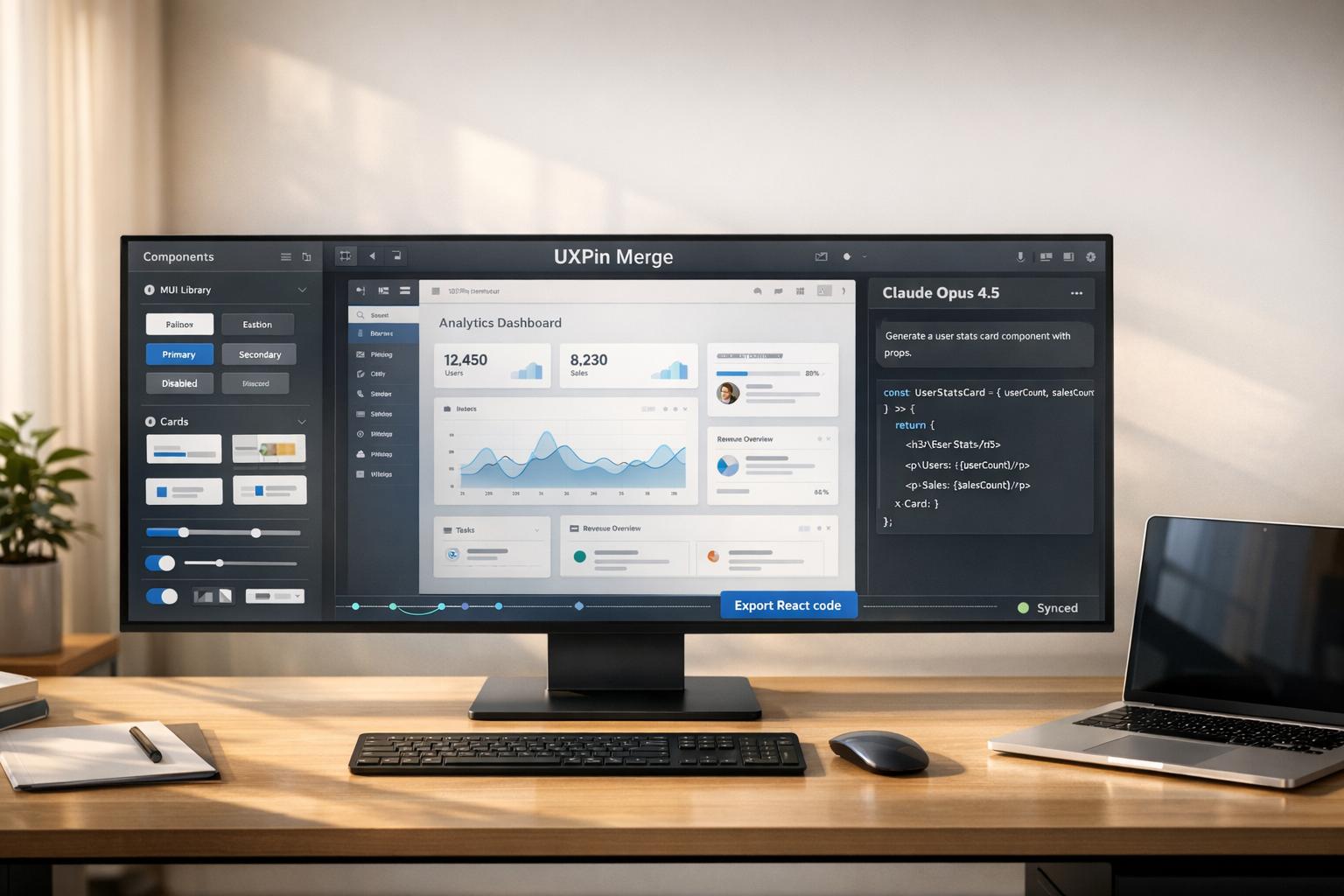
Want to simplify your UX design process? Combining Claude Opus 4.5, MUI, and UXPin Merge lets you skip traditional handoffs by working directly with production-ready components. Here’s how it works:
- Claude Opus 4.5: Automates coding tasks, updates multi-file projects, and aligns design with development seamlessly.
- MUI: Provides React-based components that integrate directly into your design system.
- UXPin Merge: Allows designers to prototype using real components, ensuring designs are ready for production from the start.
This approach eliminates inconsistencies, reduces development time, and ensures design and development teams work in sync.
Key Steps:
- Set up Claude Opus 4.5 for coding and design system management.
- Use MUI components to create a consistent React design system.
- Connect MUI to UXPin Merge for real-time design-to-production workflows.
- Prototype with UXPin Forge using only validated components.
- Export production-ready code directly from UXPin Merge.
Why it matters: This workflow removes redundant steps, saves hours weekly, and ensures your designs are built with the exact components used in production. No more mismatched mockups or coding delays.
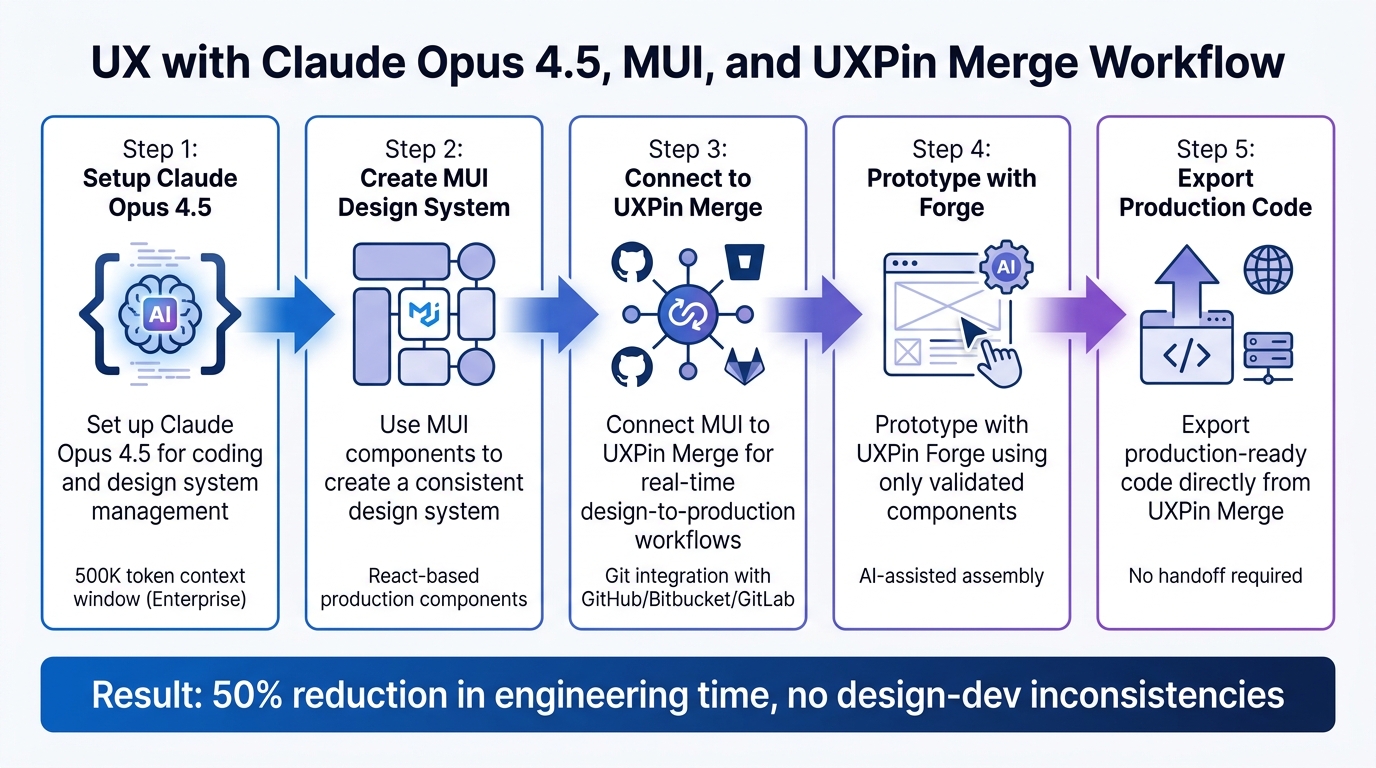
5-Step Workflow for Building UX with Claude Opus 4.5, MUI, and UXPin Merge
Setting Up Claude Opus 4.5 and MUI
Installing and Configuring Claude Opus 4.5
Enterprise teams can access Claude Opus 4.5 through various platforms, including the Claude API (claude-opus-4-5-20251101), the desktop app, Code CLI, or cloud providers like AWS Bedrock and Google Vertex AI. For organizations needing HIPAA compliance or VPC isolation, deployment via AWS Bedrock or Google Vertex AI is the best option.
If you’re planning a large-scale MUI refactor using the Claude Code CLI, you’ll need to install Node.js first. Then, run the following command:
npm install -g @anthropic-ai/claude-code For teams focused on daily UI/UX feature development, the Cursor IDE offers a more visual and intuitive interface. Simply enter your Anthropic API key in the Cursor IDE settings to get started.
Claude Enterprise provides features like SSO, SCIM, audit logs, and role-based permissions. Pricing starts at $4,800 per 20 seats annually, which breaks down to about $20 per seat per month. Enterprise users also enjoy an expanded 500K token context window, compared to the 200K available with non-enterprise plans.
Anthropic explains, "Claude Enterprise gives every employee access to Claude Chat, Claude Code, and Cowork… with enterprise-grade security, controls, and data privacy by default."
To save time and maintain consistency across sessions, create a .claude/memory/ directory in your project. This is where you can store MUI coding standards, design tokens, and project architecture. Doing this can help cut down on repetitive context-setting, potentially saving 3–4 hours each week. Additionally, using prompt caching for your design system documentation can reduce token usage by up to 90% for repeated context.
Once this setup is complete, you can integrate your MUI design system with Claude to further streamline your workflow.
Creating MUI Design Systems with Claude
With your setup ready, Claude Opus 4.5 can analyze your existing React codebase and brand assets to automatically extract key elements like colors, typography, and reusable MUI components. During onboarding, Claude reviews your team’s codebase to ensure that every generated project incorporates your specific MUI components and design tokens.
When working on complex MUI components, set the effort level to ‘high’ or ‘xhigh’ to ensure detailed reasoning and higher-quality results for intricate UI patterns. For quicker prototypes, ‘medium’ effort strikes a balance between speed and cost. To handle more complex tasks, set a large max output token budget – starting at 64K – to allow for multi-step reasoning and tool calls.
To refine your designs, you can provide feedback through natural language conversations or inline comments. Uploading full landing pages or marketing sites, rather than just color palettes, helps Claude better capture your brand’s overall aesthetic. Once your design system is tailored to your needs, Claude can package it into a handoff bundle for use with Claude Code, simplifying the transition to production-ready MUI code.
For teams using UXPin Merge, the process becomes even more seamless. UXPin supports native MUI integration, allowing you to design directly with real MUI components on the canvas. Plus, UXPin Merge’s built-in Forge AI assistant lets you work with tested, production-ready components right within the design tool.
sbb-itb-f6354c6
UXPin Merge Tutorial: Generating Code From the Design (5/5)
Connecting MUI Components to UXPin Merge
After setting up Claude Opus 4.5 and defining your MUI design system, the next step is connecting those components to UXPin Merge. This connection ensures that the components you design match the ones used in production, eliminating any disconnect between design mockups and actual code. From here, you can also take advantage of UXPin’s built-in MUI library for rapid prototyping.
Using Built-In MUI Libraries in UXPin
UXPin comes with a pre-integrated MUI library that’s ready to use right away. All you need to do is select the MUI library from the editor’s library list, and you’ll have access to production-ready React components directly on your canvas. These components include interactivity, state management, logic, and accessibility features. You can assemble prototypes that are exportable as fully functional React code, complete with all dependencies.
"When I used UXPin Merge, our engineering time was reduced by around 50%."
- Larry Sawyer, Lead UX Designer
If your project requires a custom design system, you can take it a step further by importing your own MUI components.
Importing Custom MUI Components with UXPin Merge
For teams working with custom design systems, UXPin Merge allows you to sync components directly from your Git repository. Start by forking the official MUI-Merge boilerplate from GitHub. After that, run yarn install, log in through the CLI, and execute yarn run start (or use npx uxpin-merge) to launch the Merge environment. You can even test components locally in experimental mode with yarn run uxpin:test before completing the sync.
"We synced our Microsoft Fluent design system with UXPin’s design editor via Merge technology. It was so efficient that our 3 designers were able to support 60 internal products and over 1,000 developers."
- Erica Rider, UX Architect and Design Leader
This Git integration works seamlessly with platforms like GitHub, Bitbucket, and GitLab, giving teams the ability to manage library updates using branches and tags.
| Feature | Built-in MUI Library | Custom MUI via Merge |
|---|---|---|
| Setup Speed | Instant (Pre-integrated) | Requires Git sync/CLI setup |
| Customization | Limited to MUI standard props | Fully customizable via your own code |
| Source | UXPin maintained | Your Git repository |
| Best For | Rapid prototyping | Maintaining a custom design system |
Using AI with Claude and UXPin Forge for Prototyping
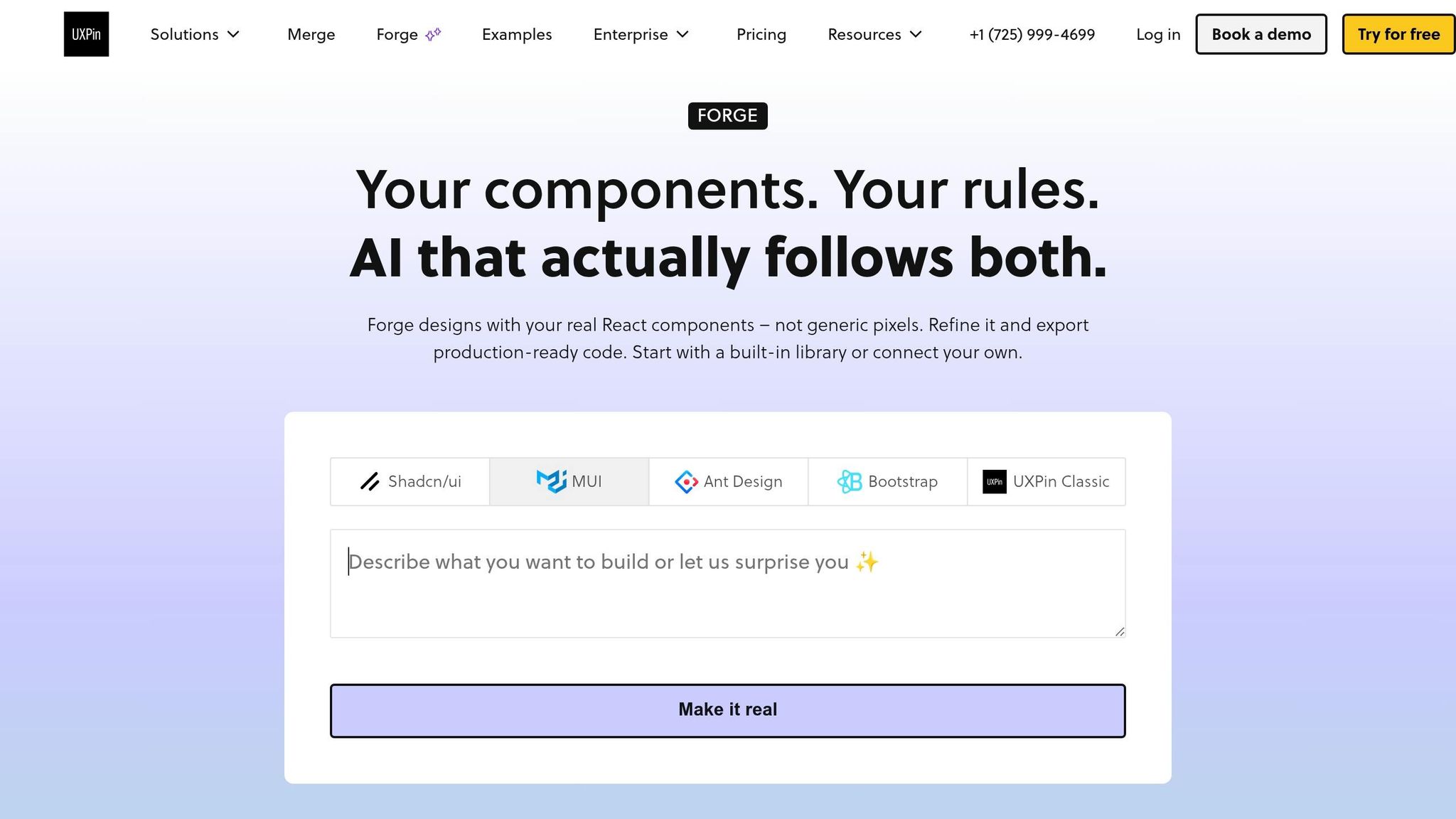
By combining the connected MUI components from UXPin Merge with the AI capabilities of Claude Opus 4.5, you can streamline your prototyping process. This setup ensures that all components align with your UI design system, avoiding generic mockups or non-functional code.
Getting MUI Component Suggestions from Claude
Claude Opus 4.5 is highly effective at generating MUI component recommendations tailored to enterprise needs. Its 80.9% score on SWE‐bench Verified reflects its ability to produce production-ready code.
To get the most out of Claude, make sure your Memory Tool setup is in place. This ensures that Claude remembers your preferences across sessions, eliminating the need for repetitive context-setting.
When requesting component suggestions, leverage the Effort Parameter to control the depth of reasoning. For most MUI component tasks, the "Medium" setting is sufficient, handling 92% of requests while cutting costs by 50%. Use the "High" effort setting only for more complex tasks, like architectural decisions or accessibility reviews.
"Claude Opus 4.7 is our most capable generally available model, with particular strengths in long-horizon agentic work, knowledge work, vision, and memory tasks." – Claude API Docs
Claude’s agentic workflows can independently iterate on component code, typically reaching optimal results within 4 iterations. These iterations include testing and self-correction, ensuring cleaner and more reliable output. Allow Claude to complete this process before importing components into UXPin Forge for the best results.
For more intricate prompts, structure your requests using XML tags like <instructions>, <mui_components>, and <prototype_constraints>. Additionally, override Claude’s default aesthetic preferences (e.g., cream backgrounds, serif fonts) by explicitly specifying MUI’s Material Design standards in your prompts.
Once you’ve refined your component suggestions, you can move forward with building production-ready prototypes in Forge AI.
Building Prototypes with Forge AI
UXPin Forge focuses on creating prototypes exclusively with components from your design system. Whether you’re using the built-in MUI integration or custom components synced through Merge, Forge ensures that no off-spec components are generated. This means every layout it produces is immediately ready for development, eliminating the need for additional adjustments to match your codebase.
To maximize the effectiveness of Forge, be clear and specific in your prompts. Instead of a broad request like "create a dashboard", detail the user flow, data structure, and interaction patterns you’re envisioning. Forge will then assemble MUI components – such as buttons, cards, data grids, and navigation elements – with proper props, state management, and accessibility features integrated.
By using Claude for refining components and Forge for assembling them into prototypes, you can achieve a seamless workflow. Claude handles variations and architectural refinement, while Forge ensures that the prototypes adhere to your design system’s constraints. Together, these tools provide both creative flexibility and system consistency.
| Tool | Primary Use | Output Type | Best For |
|---|---|---|---|
| Claude Opus 4.5 | Component logic, code refinement, architectural decisions | Raw code, suggestions | Deep MUI customization, complex patterns |
| UXPin Forge | Rapid prototype assembly | Complete prototypes with real components | Fast iteration within design system constraints |
Moving UXPin Merge Prototypes to Production
Once you’ve polished your prototypes using real MUI components and Forge’s AI assembly, the next step is moving them into production. With UXPin Merge, the traditional handoff process becomes obsolete – designers and developers work with the exact same production-ready components.
Exporting Production-Ready Code from Prototypes
UXPin Merge allows you to extract production-ready React code directly from your prototypes. After assembling your interface with MUI components, use the "Spec" or "Get Code" feature in UXPin to access the underlying code. From there, you have three export options:
- Copy the code directly.
- Open it in StackBlitz for testing.
- Export it to your local project for further development.
This approach gives developers the ability to test and validate component behavior before integrating it into the main codebase.
Mark Figueiredo, Sr. UX Team Lead at T.RowePrice, shared:
"What used to take days to gather feedback now takes hours. Add in the time we’ve saved from not emailing back-and-forth and manually redlining, and we’ve probably shaved months off timelines."
To keep your workflow efficient, the next step involves syncing your design system with Git for continuous updates.
Managing Design Systems with Git Integration
For teams managing MUI-based design systems across multiple products, Git integration ensures designers and developers are always on the same page. By syncing your custom React component library via Git, any updates made by developers automatically appear in the design tool.
You can choose an integration model that aligns with your repository’s structure:
- Clean Integration: Ideal for repositories that adhere to strict Merge standards, such as using one component per directory and
export defaultsyntax. This method minimizes maintenance and avoids extra code. - Wrapped Integration: Offers greater flexibility for repositories that don’t meet strict standards but requires additional maintenance through Higher-Order Components (HOCs).
To automate synchronization, use CI/CD tools like CircleCI, GitLab, or Bitbucket. These tools detect changes in your Git repository and push updates to the UXPin Design Editor automatically. Additionally, configure the uxpin.config.js file at the root of your directory to define component categories and file paths – this step is essential for successful compilation.
Erica Rider, UX Architect and Design Leader, highlighted the efficiency of this approach:
"We synced our Microsoft Fluent design system with UXPin’s design editor via Merge technology. It was so efficient that our 3 designers were able to support 60 internal products and over 1,000 developers."
Before rolling out updates across the Design Editor, use the Merge CLI and Dev Environment Editor to verify that components and their properties render as expected. This testing step is crucial to avoid rendering errors and ensures a smooth deployment process, maintaining design consistency across your organization’s workflow.
Conclusion
Bringing together Claude Opus 4.5, MUI, and UXPin Merge reshapes how enterprise teams approach user experience design by removing the usual design-to-development handoff. By working with production-ready components directly synced from your Git repository, what you create in the design tool is exactly what users will see. There’s no need for translation, rebuilding, or worrying about design inconsistencies.
This workflow ensures precise alignment – components imported via Merge are exact replicas of production elements. Prototypes go beyond being simple visual concepts; they’re crafted using the same components as your production code, enabling seamless integration.
With Claude Opus 4.5, the process becomes even faster, as it suggests components and layouts that align with your system. Meanwhile, UXPin Forge ensures prototypes are built using only validated components. This eliminates the need for rework, as AI-generated designs already conform to your established design system.
The integration of design and development reflects the article’s central strategy. For teams managing scalable design systems, this approach creates a unified source of truth. Git integration keeps everything in sync automatically, and testing with uxpin:test ensures components function as intended before deployment. The result? Shorter time-to-market and consistent designs. Using these tools, enterprise teams can confidently maintain design precision from concept to code.
FAQs
Do I need Claude Enterprise to use this workflow?
No, you don’t need Claude Enterprise for this. All you need is a UXPin Merge plan and an API key for Claude Opus 4.5. With this setup, you can seamlessly integrate AI features into MUI components, making prototyping smoother and ensuring consistent design.
Should I use UXPin’s built-in MUI library or sync my own components with Merge?
For most enterprise UX workflows, UXPin’s built-in MUI library is the go-to solution. It offers production-ready React components designed with Material Design principles, which ensures a consistent user experience. Plus, it can significantly speed up prototyping by keeping design and development perfectly aligned.
If your project involves custom components or has specific design requirements, you might consider syncing your own components using Merge. However, for most cases, the built-in library remains the quickest and most efficient option.
How do I keep my MUI components in UXPin Merge updated with Git?
To ensure your MUI components in UXPin Merge are always up to date, make it a habit to sync your Git repository with the platform regularly. Start by updating the components in your Git repository and pulling the latest changes into your development environment. Once that’s done, re-import or sync these updates in UXPin Merge. This process keeps your components aligned with the latest changes. For more detailed instructions, check UXPin’s documentation or follow the workflow practices established by your team.