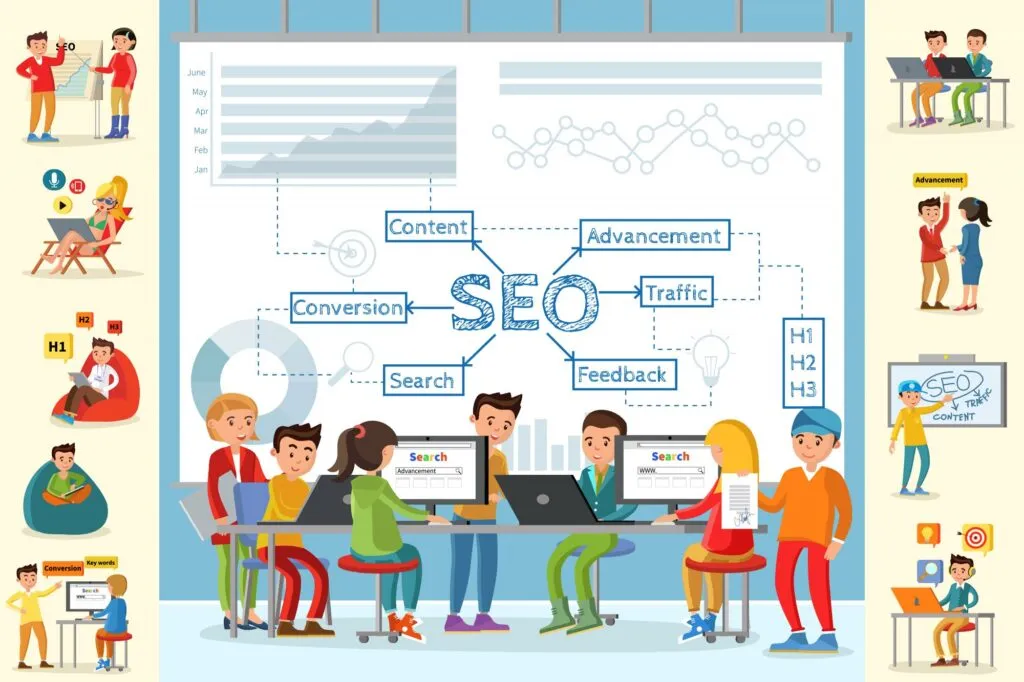
Web design and SEO are two sides of the same coin. Every design decision you make — from site architecture and page layout to image optimization, navigation, and front-end performance — directly influences how search engines crawl, index, and rank your pages. When design and SEO work together, the result is a site that performs well for both users and Google. When they are treated as separate workstreams, you end up with a beautiful site that nobody can find.
In 2026, this connection is tighter than ever. Google’s Core Web Vitals (LCP, CLS, INP) are confirmed ranking signals, and all three are determined primarily by design and front-end engineering choices. Mobile-first indexing means the mobile version of your site is what Google evaluates. Semantic HTML, structured data, and accessibility practices give search engines the signals they need to understand and surface your content.
This guide covers the 10 key design principles that directly affect search rankings, the most common design mistakes that silently hurt SEO, and a practical audit checklist for aligning your design process with search visibility.
Key takeaways:
- Core Web Vitals (LCP, CLS, INP) are direct Google ranking signals — and all three are shaped primarily by design and front-end engineering decisions.
- Mobile-first indexing means Google evaluates the mobile version of your site for ranking. Responsive design is a baseline SEO requirement.
- Site architecture, internal linking, and URL structure determine whether Google can discover and understand your content.
- Accessibility best practices (semantic HTML, alt text, heading hierarchy) directly improve search engine comprehension.
- Design systems enforce SEO-friendly patterns (semantic markup, optimized images, consistent heading structure) automatically across every page.
- Tools like UXPin Merge ensure that production components carry correct semantic markup and accessibility attributes from the start, making SEO compliance automatic at the component level.
Why Design Decisions Directly Impact Search Rankings
Google evaluates hundreds of signals when ranking pages. Many of the most important ones are shaped — or determined entirely — by design choices:
- Core Web Vitals — LCP (loading speed), CLS (visual stability), and INP (interactivity) are confirmed ranking signals. These metrics measure how fast your page loads, how stable the layout is during loading, and how quickly the page responds to user input. All three are direct consequences of how your site is designed and built.
- Mobile-first indexing — Google primarily uses the mobile version of your site to determine rankings. A layout that works on desktop but breaks on mobile will underperform regardless of content quality.
- Crawlability and site architecture — Your website structure determines whether Google can discover and index your content. Poor navigation, orphaned pages, and excessive client-side rendering can block search engines entirely.
- User engagement signals — Bounce rate, pogo-sticking (returning to search results immediately), and time on page are influenced by how easy your site is to navigate and whether users find what they need.
10 Design Principles for Better Search Rankings
1. Build a Flat, Logical Site Architecture
Site architecture is where web design and SEO meet most directly. A well-structured site helps both users and search engine crawlers find content efficiently.
Best practices:
- Flat hierarchy: Every important page should be reachable within 2–3 clicks from the homepage.
- Clean URL structure: Use descriptive, keyword-relevant URLs (
/blog/web-design-seo-principles/) rather than parameter-heavy URLs. - URL Structure Optimization. Ensure absolute URLs instead of relative ones for improved navigation and indexability (crawlability), and buy backlink packages utilizing a combination of a few links for best results.
- Breadcrumb navigation: Breadcrumbs reinforce hierarchy and can appear as rich snippets in search results.
- Internal linking strategy: Link related pages with descriptive anchor text. Internal links distribute page authority and help crawlers discover content.
- XML sitemap and robots.txt: Maintain an up-to-date sitemap and ensure robots.txt doesn’t accidentally block important pages.
2. Design Mobile-First, Always
With Google’s mobile-first indexing, the mobile version of your site is the primary version Google evaluates for rankings. Responsive design that adapts fluidly to any screen size is a baseline SEO requirement.
Key considerations:
- Use fluid grids, flexible images, and CSS media queries to create layouts that work across all devices.
- Test on real devices — browser emulators miss rendering issues that affect real-world mobile performance.
- Ensure tap targets are at least 44×44px with adequate spacing.
- Prioritize content hierarchy on mobile — smaller screens demand that the most important information comes first.
For detailed responsive techniques, see our guide to responsive design best practices.
3. Optimize for Core Web Vitals
Google’s Core Web Vitals — LCP, CLS, and INP — quantify the performance dimensions that matter most for both ranking and user experience.
Design decisions that impact Core Web Vitals:
- Image optimization: Use modern formats (WebP, AVIF), serve appropriately sized images via
srcset, and always include explicitwidthandheightattributes to prevent layout shift (CLS). - Minimize render-blocking resources: Defer non-critical CSS and JavaScript. Inline critical above-the-fold styles to speed up LCP.
- Lazy loading: Defer loading of below-the-fold images and media using the native
loading="lazy"attribute. - Font loading: Use
font-display: swapto prevent invisible text during font loading. Limit font weights and families. - Layout stability: Reserve explicit dimensions for all dynamic content (ads, images, embeds, iframes) to prevent CLS.
4. Use Semantic HTML and Proper Heading Structure
Semantic HTML gives search engines explicit signals about your content’s structure and meaning. It is one of the simplest — and most often neglected — SEO optimizations.
Beyond these front-end optimizations, the underlying hosting environment also affects website performance. Performance-focused Linux hosting — with sufficient server resources, effective caching, and infrastructure located close to users—can reduce server response times and maintain consistent performance as traffic fluctuates.
Essential semantic elements:
- Use
<header>,<nav>,<main>,<article>,<section>, and<footer>to define page regions. - Maintain a strict heading hierarchy: one
<h1>per page, followed by<h2>for major sections,<h3>for subsections. Never skip levels. - Use
<ul>,<ol>, and<table>for their intended purposes. - Implement structured data (JSON-LD schema) for articles, FAQs, products, and breadcrumbs to enable rich search results.
5. Write Descriptive Alt Text for Every Image
Alt text serves two audiences: screen reader users and search engine crawlers. Both rely on it to understand what an image conveys.
Alt text guidelines:
- Describe what the image shows, not what it is. “Dashboard showing monthly revenue chart” beats “screenshot.png”.
- Include relevant keywords naturally — never keyword-stuff.
- Keep alt text under 125 characters.
- Use empty alt attributes (
alt="") for purely decorative images.
6. Implement Structured Data and Schema Markup
Structured data (JSON-LD schema) helps search engines understand your content beyond the visible text. It enables rich results — FAQ dropdowns, star ratings, breadcrumb trails, how-to steps — that increase your SERP visibility and click-through rate.
High-impact schema types:
- Article: For blog posts and news content.
- FAQPage: For pages with question-and-answer content.
- BreadcrumbList: For site hierarchy display in search results.
- HowTo: For step-by-step tutorial content.
- Organization: For brand knowledge panels.
7. Design Navigation for Humans and Crawlers
Navigation is the bridge between site architecture (which search engines crawl) and user experience (which visitors interact with). Effective navigation serves both audiences simultaneously.
Navigation best practices:
- Use HTML-based navigation that search engines can follow. JavaScript-rendered menus that only appear on hover may not be crawlable.
- Include descriptive link text — “UX Design Principles” is better for SEO than “Learn More.”
- Limit primary navigation to 5–7 items. Use mega menus or dropdowns for secondary items.
- Include a footer with links to important pages not in the primary navigation.
8. Eliminate Content That Blocks Crawling
Several common design decisions can prevent search engines from accessing your content:
- Client-side rendering only: SPAs that render via JavaScript may not be fully indexed. Use SSR or static generation for SEO-critical pages.
- Content behind tabs or accordions: Google may discount content hidden in collapsed UI elements. If important for SEO, ensure it’s visible on page load.
- Infinite scroll without pagination: Search engines need crawlable page links. Implement paginated URLs alongside infinite scroll.
- Login-gated content: Search engines can’t log in. Publicly accessible content is required for indexing.
9. Design for Accessibility — It Benefits SEO Too
Many accessibility best practices directly improve search engine comprehension. This overlap makes accessibility one of the highest-ROI investments in web design.
- Semantic HTML gives crawlers explicit structural signals.
- Alt text enables image understanding for both screen readers and search engines.
- Heading hierarchy creates a logical content outline.
- Keyboard navigation and ARIA labels improve overall interface clarity.
- Color contrast (WCAG 4.5:1 for body text) makes content more readable, reducing bounce rates.
See our complete web accessibility checklist for a comprehensive guide.
10. Use a Design System to Enforce SEO Patterns at Scale
The most reliable way to maintain SEO-friendly design across every page is to codify best practices into a design system. When your components are built with proper heading structures, semantic HTML, accessible markup, responsive breakpoints, and optimized media — every new page automatically inherits those SEO properties.
UXPin Merge makes this particularly effective by letting designers build pages using the same production components that ship to users. Because the components already contain the correct semantic markup, ARIA attributes, and responsive behavior, SEO best practices are enforced at the component level — not the page level.
For teams using AI-assisted design, UXPin Forge generates layouts from your component library, and the Design System Guidelines ensure that every AI-generated page follows your established SEO and accessibility patterns.
Common Web Design Mistakes That Hurt SEO
Even experienced teams make design decisions that silently damage search performance:
Prioritizing Visual Impact Over Performance
Hero videos, uncompressed images, and heavy custom fonts create visually impressive pages that load slowly. Every additional second of load time correlates with increased bounce rates and lower search rankings. Optimize visual assets aggressively — fast loading always outweighs a slightly higher-resolution image.
Building Navigation in JavaScript Only
Navigation rendered entirely via JavaScript may not be visible to crawlers, creating orphaned pages that never get indexed. Always provide HTML-based fallback navigation or use server-side rendering for critical navigation elements.
Ignoring Heading Hierarchy
Using heading tags for visual styling rather than content structure confuses search engines. A page with three <h1> tags or headings that skip from <h2> to <h5> provides a broken content outline. Use CSS classes for visual styling; use heading tags for semantic structure.
Hiding Critical Content in Tabs and Accordions
Content hidden by default may receive reduced weight in Google’s evaluation. If content is important enough to rank for, ensure it is visible on page load or accessible via a direct URL.
Neglecting Internal Linking
Pages without internal links are effectively invisible to search engines. Build contextual internal links into every page.
Forgetting Mobile Optimization
In 2026, this should be obvious, but many sites still have mobile issues: text too small to read, horizontal scrolling required, interactive elements too close together. Google’s mobile-first indexing means every mobile issue is a ranking issue.
Checklist: Auditing Your Site for Design-SEO Alignment
Use this checklist to evaluate whether your current design supports your SEO goals:
- ☐ Every important page is reachable within 3 clicks from the homepage
- ☐ URLs are descriptive, short, and keyword-relevant
- ☐ Breadcrumbs are present on all pages below the homepage level
- ☐ All pages have a single
<h1>and a logical heading hierarchy - ☐ All images have descriptive alt text
- ☐ Navigation is HTML-based and crawlable (not JavaScript-only)
- ☐ The site is fully responsive and passes Google’s mobile-friendly test
- ☐ Core Web Vitals (LCP, CLS, INP) are within “Good” thresholds
- ☐ No critical content is hidden in tabs, accordions, or behind login gates
- ☐ Structured data (JSON-LD) is implemented for articles, FAQs, and breadcrumbs
- ☐ XML sitemap is current and submitted to Google Search Console
- ☐ Internal links connect related content with descriptive anchor text
- ☐ WCAG 2.2 AA contrast ratios are met across all text and interactive elements
- ☐ Font loading uses
font-display: swapand limits weights/families - ☐ Images use modern formats (WebP/AVIF) with explicit width and height attributes
FAQs: Web Design and SEO
How does web design affect SEO?
Web design directly affects SEO through site architecture (which determines crawlability), page speed (Core Web Vitals are ranking signals), mobile responsiveness (Google uses mobile-first indexing), semantic HTML and heading structure (which help search engines understand content), image optimization and alt text, and user experience signals like bounce rate and time on page.
What are Core Web Vitals and why should designers care?
Core Web Vitals are Google’s performance metrics: LCP (Largest Contentful Paint) measures loading speed, CLS (Cumulative Layout Shift) measures visual stability, and INP (Interaction to Next Paint) measures responsiveness. They are direct ranking signals. Design decisions — image sizes, font loading, layout stability, JavaScript usage — directly determine these scores.
What is mobile-first indexing?
Mobile-first indexing means Google primarily uses the mobile version of your site to determine search rankings. If your site has broken layouts, poor performance, or missing content on mobile, your rankings will suffer across all devices. Responsive design that serves the same content and functionality across all screen sizes is the recommended approach.
How does site architecture affect search rankings?
Site architecture determines how search engine crawlers discover and index your pages. A flat, logical hierarchy with clear categories, internal linking, breadcrumbs, and clean URLs helps crawlers understand your content and its relationships. Poor architecture can prevent important pages from being indexed entirely, regardless of content quality.
Does accessibility improve SEO?
Yes. Many accessibility practices directly benefit SEO: alt text helps search engines understand images, semantic HTML provides clear structural signals, proper heading hierarchy creates a logical content outline, and accessible sites generally produce better engagement metrics — all of which contribute to improved rankings.
How do design systems help with SEO?
Design systems enforce SEO-friendly patterns at the component level. When every component is built with proper heading structures, semantic HTML, accessible markup, responsive behavior, and optimized media, SEO best practices become automatic across every page. Tools like UXPin Merge ensure designers use production components that already contain these properties.

