Want to build production-ready UIs faster? Combine Claude Opus 4.5, Ant Design, and UXPin Merge for a streamlined design-to-development workflow. Here’s how it works:
- Claude Opus 4.5: An AI tool that generates accurate, production-ready UI code, reduces coding errors, and understands design constraints.
- Ant Design: A React component library with robust TypeScript support, perfect for enterprise-level UI components.
- UXPin Merge: Lets designers work directly with production-ready components from your Git repository, ensuring perfect alignment with developers.
Key Benefits:
- No more design-to-code handoff issues: Designers and developers use the same codebase.
- Faster deployment: Build UIs with pre-built, functional components.
- Error reduction: AI-powered suggestions minimize coding mistakes.
- Scalable systems: Easily manage and maintain design systems for large teams.
How it works: Claude Opus 4.5 suggests layouts and component logic using Ant Design. These suggestions integrate into UXPin Merge, where designers refine them with real React components. The result? Fully interactive, production-ready designs.
This workflow eliminates inefficiencies, improves collaboration, and ensures what you design is exactly what users see in production.
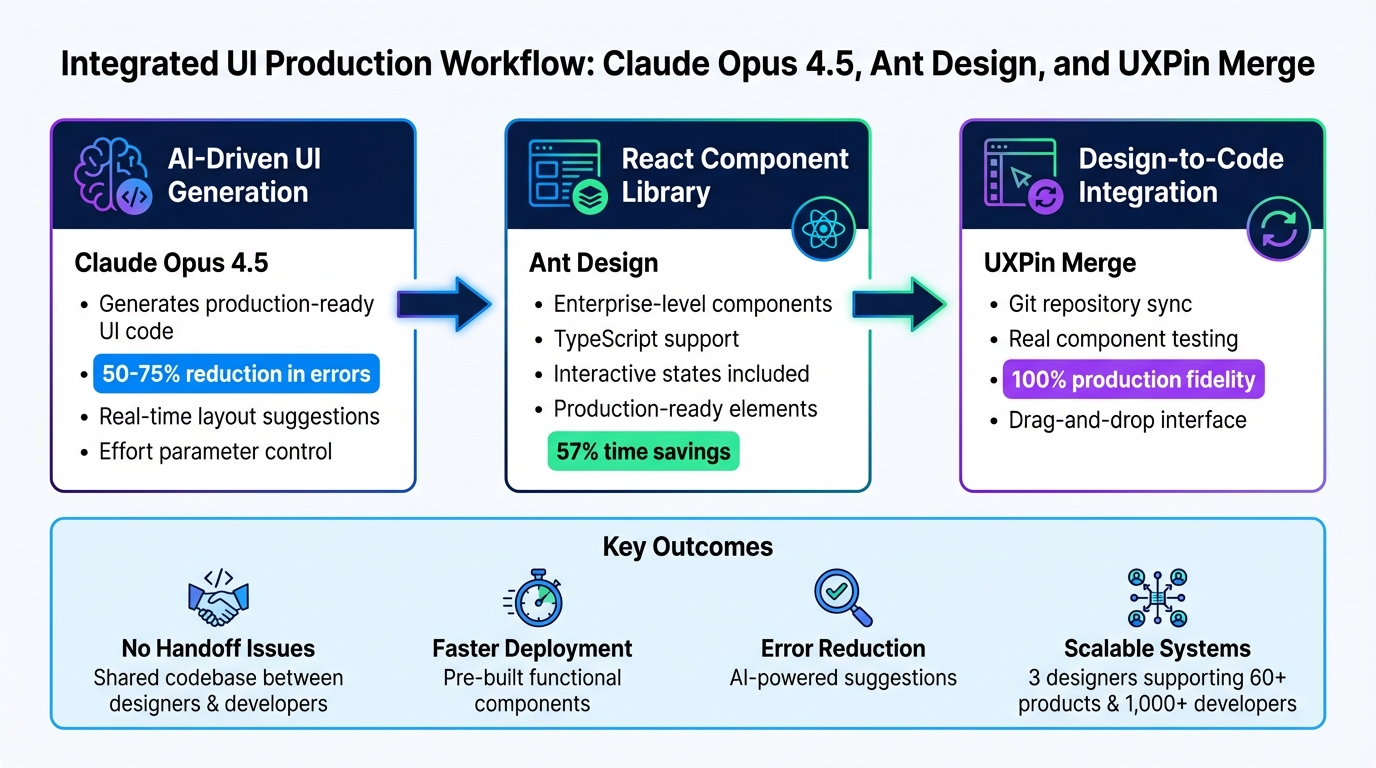
Claude Opus 4.5 + Ant Design + UXPin Merge Workflow for Production-Ready UI Development
Setting Up Your Environment
To get started, you’ll need to tackle three main tasks: accessing Claude Opus 4.5, integrating Ant Design components, and connecting UXPin Merge to your repository. The good news? UXPin has already integrated both Ant Design and Claude Opus 4.5 into its platform, so most users can bypass any tedious manual installations. Let’s break down how to configure everything for a smooth workflow from design to production.
Installing and Configuring Claude Opus 4.5
If you’re on UXPin’s Growth or Enterprise plans, you’ll enjoy seamless, in-canvas access to Claude Opus 4.5 without needing an additional API key or subscription. Growth plan users get 500 AI credits each month, while Enterprise customers can negotiate custom credit limits based on their team’s needs. This integration keeps everything centralized, eliminating the hassle of design-to-code handoffs by keeping AI suggestions right where your designers work.
For teams that need to use Claude Opus 4.5 outside of UXPin, there’s an option to configure it via Anthropic’s API. This involves setting up an account with Anthropic, generating an API key, and integrating it into your development tools. However, most workflows within UXPin Merge won’t require this extra step, thanks to the built-in AI capabilities.
Integrating Ant Design Components
With UXPin Merge, Ant Design is built right in, allowing you to drag and drop fully functional React components directly into your canvas. Simply open the UXPin editor, select Ant Design, and start placing components. These aren’t just placeholders – they’re real React components complete with TypeScript support, interactive states, and functional data handling. This ensures that the components you design with are the exact ones used in production.
If your team has customized Ant Design components, UXPin Merge makes it easy to integrate them. By connecting your Git repository, UXPin analyzes and serializes your components, uses your webpack configuration to build them, and adds them to your design systems library. This guarantees that your custom components in UXPin are identical to those deployed in production.
Connecting UXPin Merge to Your Component Library
For teams working with custom component libraries, UXPin Merge allows you to import React.js components straight from your Git repository. By providing a webpack configuration, UXPin builds your components and renders them within the design editor. This setup ensures that all interactions, visual properties, and TypeScript interfaces are preserved, creating a seamless alignment between your design and development environments.
sbb-itb-f6354c6
Building UIs with Claude Opus 4.5 and Ant Design in UXPin Merge
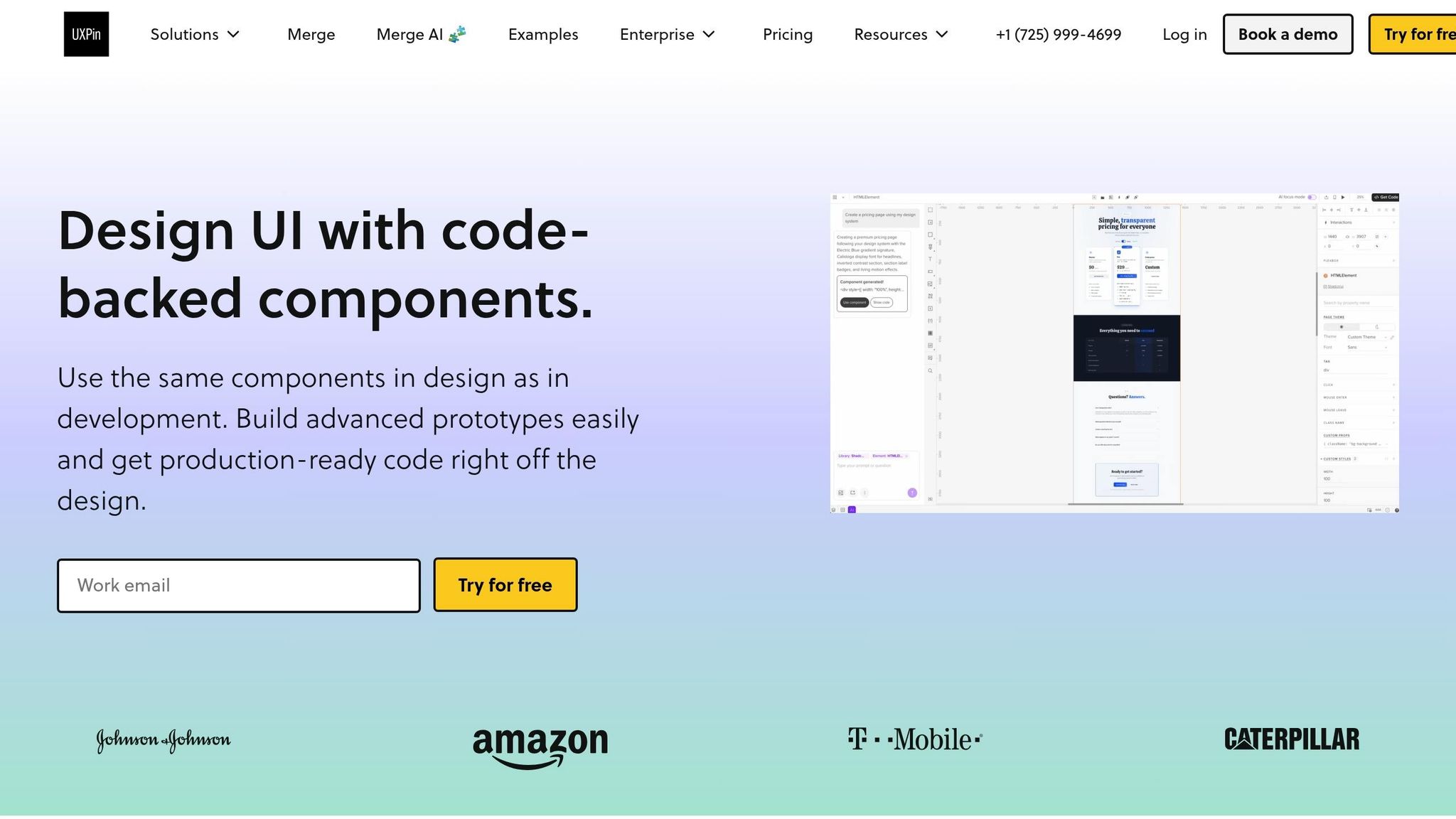
With the right setup, these tools can help you turn AI-driven ideas into fully interactive, production-ready user interfaces.
Using Claude Opus 4.5 for AI-Driven UI Suggestions
Claude Opus 4.5 brings advanced coding capabilities directly into your workflow. Start by creating a plan.md file to map out your component hierarchy before diving into development. This step helps you visualize how Ant Design components will fit into your design, ensuring a well-thought-out structure from the start.
The standout feature of Claude Opus 4.5 is its real-time UI generation. Through conversational prompts, you can quickly experiment with Ant Design layouts. For example, you might ask it to "Create a dashboard layout using Ant Design’s Table and DatePicker components", and it will instantly generate a React preview. Once you’re satisfied, you can seamlessly map those components into UXPin Merge.
"Claude Opus 4.5 excels at interpreting what users actually want, producing shareable content on the first try." – Anthropic
Claude also lets you control iteration speed using its effort parameter. Use "low effort" for brainstorming simple layouts, or switch to "high effort" for tackling complex UI logic and state management. Teams using Opus 4.5 for intricate projects have reported a 50% to 75% drop in tool calling and build/lint errors. For larger applications, you can even assign subagents to handle specific tasks like navigation, data visualization, or form validation.
Once your layout is ready, move to UXPin Merge to refine and implement the code-based design visually.
Designing with Ant Design Components in UXPin Merge
After Claude provides a layout, UXPin Merge lets you bring it to life. Open the UXPin editor, and you’ll see Ant Design components preloaded in your library. Drag and drop the recommended components directly onto your canvas.
These components aren’t just static placeholders. They retain their original interactivity, properties, and states – dropdown menus work, date pickers display calendars, and forms validate inputs just as they would in a live application.
You can tweak these components further using the properties panel, adjusting their behavior and appearance based on the original Ant Design code. Want to switch to a different theme? UXPin Merge supports seamless theme changes and responsive design, ensuring a smooth design-to-development handoff. Developers can work directly with the same components you used, eliminating inconsistencies.
Customizing and Testing Your UI
Testing in UXPin Merge brings a new level of certainty to your designs. The Preview mode allows you to test responsiveness, navigation flows, and functional elements without needing to manually link frames or states. You can interact with hover states, input data, and navigate through flows that mimic the final user experience.
"With code to design, you move from design inconsistencies and compromised usability tests based on flawed prototypes to a better, more real user experience across designs you create and products you build." – UXPin
For example, Erica Rider, a UX Architect and Design Leader, integrated the Microsoft Fluent design system with UXPin Merge, enabling her team of 3 designers to support 60 internal products and over 1,000 developers. This was possible because they used production-ready components, eliminating the need for constant rewrites and ensuring perfect alignment between prototypes and final products.
With this workflow, you can replicate production behavior during testing. Claude handles the initial structure, UXPin Merge supplies the Ant Design components, and you test with real interactivity. No placeholder interactions, no separate design systems – just complete consistency between your design and the deployed product.
Best Practices for Enterprise Teams
Maintaining Design and Development Alignment
For enterprise teams, one major hurdle is ensuring that designs and deployed code stay in sync. The release of Claude Opus 4.5 on November 24, 2025, introduced automated auditing to tackle this issue head-on. These auditing agents help confirm that UI suggestions align with Ant Design’s rules and your team’s governance standards.
"Our current best overall assessment for how aligned models are is automated auditing."
- Jan Leike, AI Researcher
Claude Code simplifies coding tasks by seamlessly translating design requirements into functional code. For more intricate design decisions, where added nuance is needed, generating multiple variations and testing them against your design system’s rubric can help refine the output.
The trick is to start with production-ready components. This approach eliminates the usual translation issues that lead to misalignment. Once this alignment is established, scaling your design systems ensures efficiency across even the largest teams.
Scaling Design Systems with UXPin Merge
After achieving alignment between design and development, the next step is to scale your design system effectively. Even small teams can support vast organizations by using governed component libraries. For instance, in November 2022, Erica Rider, a UX Lead at PayPal, showed how a small group of designers successfully supported 1,000 developers across 100 products.
"No matter how many people you add to a team, the workflow remains efficient because the design system solves problems at the source."
- UXPin
By embedding design decisions directly into pre-approved Ant Design components, designers can quickly adapt to product needs and iterate based on user feedback. Centralized design guidelines also minimize unnecessary back-and-forth communication, speeding up workflows.
System Governance and Auditability
Consistency depends on strong governance. Effective governance ensures that design and production code integrate smoothly across enterprise projects. Between 2022 and 2023, Delivery Hero’s product team created "Marshmallow", a design system that grew to include over 30 components after a design audit revealed inconsistencies in areas like CTAs and typography. One notable improvement was a reusable "No Results" screen, which reduced development time by 57% – from 7.5 hours to just 3.25 hours – while avoiding design debt.
"Our design language was all over the place. This was a big moment of realization."
- Amber, Product Team at Delivery Hero
To maintain consistency, document all guidelines on a dedicated design system website and use centralized communication channels. Regularly compare design handoffs with production screenshots to catch inconsistencies early. Tools like UXPin Merge, integrated with your component library and repository, provide full auditability. This means you can track which components were used, when they were modified, and whether they align with production code. Such governance is essential for enterprise teams managing compliance, security reviews, and portfolios with multiple products.
Conclusion
Bringing together Claude Opus 4.5, Ant Design, and UXPin Merge forms a seamless workflow for enterprise teams creating deployment-ready UIs. This strategy eliminates the traditional design-to-development handoff by using a shared code base, allowing designers and developers to collaborate directly with coded components stored in Git. By aligning these processes, teams can avoid the expensive rework and miscommunication often found in conventional workflows. The outcome? 100% production fidelity, where components in UXPin Merge precisely reflect the final user experience.
"Merge is a revolutionary technology that lets users import and keep in sync coded React.js components from GIT repositories to the UXPin Editor."
- UXPin
This integration bridges the gap between design and development, significantly boosting efficiency. Instead of redrawing static elements, teams can build UIs using pre-existing components, speeding up the agile design process and avoiding the delays of a traditional waterfall approach. On top of that, Claude Opus 4.5’s AI-powered features enhance productivity by generating UI ideas and component logic that can be tested instantly within UXPin. These efficiencies are especially valuable in fast-paced enterprise settings.
For teams overseeing multiple products or navigating complex compliance needs, this workflow offers the control and scalability required. Design Ops teams can manage component properties using prop-types or TypeScript, handle version control via GitHub, and ensure every design decision aligns with production standards. Whether you’re managing 100 products or scaling a design system across thousands of developers, UXPin Merge provides the tools to maintain consistency without compromising speed. Together, these technologies reinforce the integrated approach to design and development outlined here.
Looking to streamline your UI development process? Discover how UXPin Merge can help your enterprise team achieve faster deployments while ensuring perfect alignment between design and development. Visit uxpin.com/pricing to find the right plan for your team.
FAQs
Do I need an Anthropic API key to use Claude in UXPin?
To enable Claude’s AI capabilities in UXPin, you’ll need to link an API key. However, it must specifically be an Anthropic API key. The integration process highlights connecting your API key for either Claude Opus 4.5 or Sonnet 4.5, confirming that an Anthropic API key is essential for this configuration.
Can I use my customized Ant Design components in UXPin Merge?
You can use your customized Ant Design components within UXPin Merge. By importing and syncing these components, you’re able to build prototypes using production-ready, tailored elements straight from your design system. This setup not only ensures consistency across your designs but also simplifies the handoff to development, all while taking full advantage of your unique design components.
How do I keep my Git-based components in sync with designs over time?
UXPin Merge bridges the gap between design and development by syncing your Git-based React.js components with your design prototypes. It allows you to import coded components directly from Git repositories, ensuring that any updates made in the codebase are reflected in your designs with little to no manual effort. This keeps everything consistent across teams. Plus, Merge supports npm and other code sources, making it simple to manage component versions and keep designs and development aligned as your project evolves.

