
How to build UX using Claude Sonnet 4.5 + Ant Design – Use UXPin Merge!
Use AI-generated UX specs with Ant Design and UXPin Merge to build production-ready, consistent, US-localized enterprise interfaces.
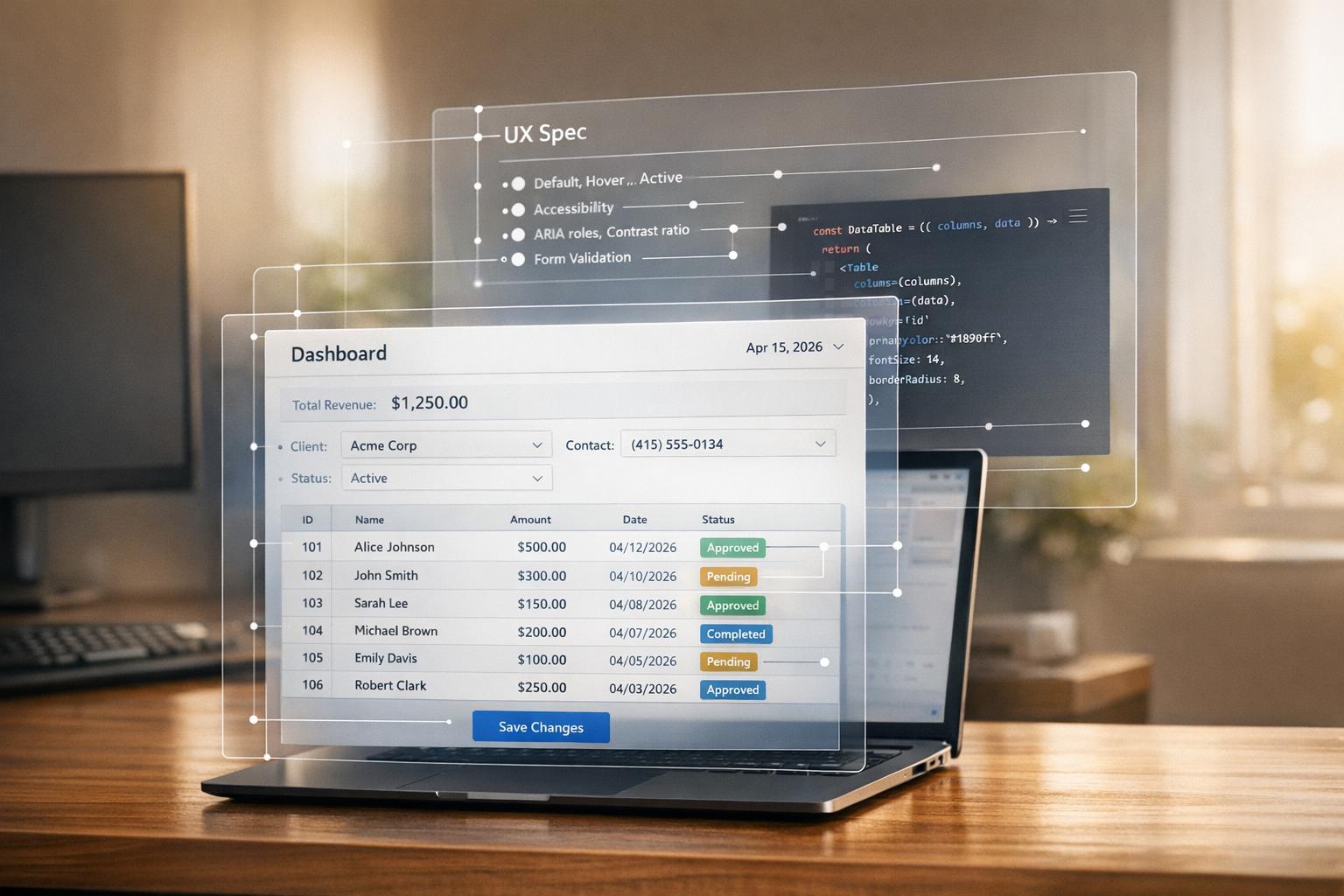
Creating consistent designs for enterprise applications can be challenging when designers and developers work in silos. This article explains how to use Claude Sonnet 4.5, Ant Design, and UXPin Merge to streamline the design-to-code process. Here’s a quick overview:
- Claude Sonnet 4.5: An AI tool that generates detailed UX specs aligned with your design system.
- Ant Design: A React-based UI library for scalable, standardized components.
- UXPin Merge: A design tool that lets you use production-ready Ant Design components directly in your mockups.
This workflow eliminates the gap between design and development by ensuring designers and developers work with the same components from start to finish. You’ll learn how to set up these tools, generate precise UX specs, and design interactive screens that align perfectly with your codebase.
Key Steps:
- Use Claude Sonnet 4.5 to generate Ant Design-based UX specs.
- Configure Ant Design in your codebase for customization.
- Integrate UXPin Merge to design with real Ant Design components.
- Apply US localization standards for dates, currencies, and accessibility.
This process reduces rework, ensures consistency, and speeds up delivery. Let’s dive into the details.
UXPin Merge AI: Smarter UI Generation That Follows Your Design System
sbb-itb-f6354c6
Setting Up the Tools: Prerequisites and Preparation
To ensure your AI-generated specifications seamlessly convert into production-ready designs, it’s crucial to set up the right tools from the start. Properly configuring Claude Sonnet 4.5, Ant Design, and UXPin Merge will save you from potential headaches later on.
Accessing Claude Sonnet 4.5 and Understanding Requirements
You can access Claude Sonnet 4.5 through Anthropic‘s platform, either via the Claude.ai web interface or the Anthropic API. For enterprise teams, the API option is especially useful – it allows you to integrate the tool directly into your internal workflows and automate the generation of specifications.
Setting Up Ant Design in Your Codebase
If you haven’t already installed Ant Design in your React project, you can do so by running the following commands in your project directory:
npm install antdyarn add antd
Once installed, import the global stylesheet by adding this line to your application’s entry point:
import 'antd/dist/reset.css'; To customize Ant Design for your branding needs, use the ConfigProvider component. This allows you to define core design tokens like:
colorPrimaryborderRadiusfontFamilyfontSize
With Ant Design integrated and tailored to your project, you’re ready to set up UXPin Merge for a smooth design-to-code workflow.
Configuring UXPin Merge for Ant Design
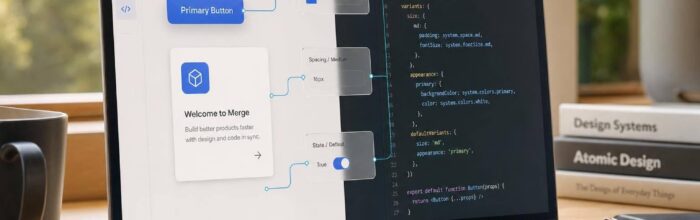
After integrating Ant Design, the next step is configuring UXPin Merge to align with your setup. UXPin Merge lets designers work directly with production-ready code by integrating Ant Design components.
For teams using a customized version of Ant Design – such as a forked version with proprietary themes or extended components – you’ll need to connect your repository. Start by creating a uxpin.config.js file in your project’s root directory. This file defines:
- Component categories
- Custom styles
- Exposed props
Next, use a webpack.config.js file to bundle your components and assets for Merge. To ensure consistency between design and production, make sure the Ant Design version in your Merge repository’s package.json matches the version in your production codebase. This prevents any potential design inconsistencies.
With everything set up, your tools will be ready to support a streamlined, efficient design-to-code process.
Using Claude Sonnet 4.5 to Generate UX Specifications
Once your tools are set up and Ant Design is integrated with UXPin Merge, it’s time to put Claude Sonnet 4.5 to work. This step transforms a product brief into a detailed, component-level UX specification in just minutes, ensuring your AI-generated specs align precisely with production-ready components.
Prompting Claude Sonnet for Ant Design Ready Outputs
The quality of the specifications you get depends heavily on how well you craft your prompt. A poorly written prompt will lead to subpar results, so it’s crucial to include these four elements: the tooling context, the design system constraints, the desired output format, and localization and accessibility rules.
Here’s an example prompt tailored for a Subscription Billing Dashboard in a US-based SaaS product:
"You are an enterprise UX architect designing a ‘Subscription Billing Dashboard’ for a US-based SaaS platform. Constraints: – Tech stack: React + Ant Design + UXPin Merge. Use only Ant Design components, referenced by their exact names from the official documentation (e.g.,
Table,Form,DatePicker,Modal). – Output: For each screen, provide: user goal, primary Ant Design layout components, form fields with component types, validation rules, interaction flows (including loading and error states), accessibility notes, and US localization rules. – Localization: Dates in MM/DD/YYYY format (e.g., 04/15/2026). Currency as USD with the $ symbol immediately before amounts, using commas as thousands separators and periods as decimals (e.g., $12,345.67). Time in 12-hour format with AM/PM. – Accessibility: All interactive elements must have accessible names. Modals must trap focus and includearia-labelledbyandaria-describedby. Forms must expose validation errors to screen readers. Generate UX specifications for: 1) Billing overview screen, 2) Invoice list screen, 3) Invoice details + payment screen."
Precise prompts like this lead to implementation-ready results. You can even ask Claude to deliver the output in a structured Markdown table or JSON format. This makes it easier to map the generated specs directly to UXPin Merge components, with fields like screen_name, components, props, interactions, and error_states.
Iterating on Designs with Claude Sonnet
Claude Sonnet 4.5 excels at maintaining context over extended conversations, which is especially useful for refining your UX specifications. Stick to a single chat thread per project so that Claude can reference earlier inputs as you refine your designs.
Start by defining a screen inventory and outlining user goals. Once you have an initial flow, use feedback from stakeholders to refine your designs. For example, if a stakeholder mentions that the invoice table feels too cluttered, avoid vague prompts like "fix it." Instead, be specific: "Stakeholders say the Table is too dense. Propose an alternate component map using Tabs + Table + Tag for status. Suggest Table props for pagination, fixed columns, and sorting optimized for readability."
For enterprise systems with role-based access, you can ask Claude to generate variant specifications for different user roles, such as Admins and Analysts. This way, you can adjust visible actions and default filters while sticking to the same Ant Design components. This approach ensures your component library remains efficient while accommodating access control needs.
As you refine the designs, make sure to consistently enforce US localization standards for a polished and cohesive result.
Applying US Localization Standards in Your Designs
Localization issues in enterprise UX can be easy to miss but costly to fix later. Treat US formatting rules as strict constraints and include them in every prompt from the start.
Add this block to your system message or at the beginning of each new conversation:
"Assume en-US locale throughout. Use MM/DD/YYYY for numeric dates, 12-hour time with AM/PM for all user-facing timestamps, and immediately before amounts use commas as thousands separators with two decimal places (e.g.,
$1,234.56), applying imperial units (miles, pounds, °F) for any user-facing measurements."
Enforcing these rules ensures consistency across all outputs. Additionally, ask Claude to write error messages and validation copy in clear, user-friendly language that aligns with WCAG 2.1 AA guidelines. For instance, use messages like "Enter a valid date (MM/DD/YYYY)" instead of technical phrases like "Invalid input."
With these refined specifications in hand, you’re ready to create interactive screens using Ant Design components in UXPin Merge.
Designing Code-Backed UX in UXPin Merge
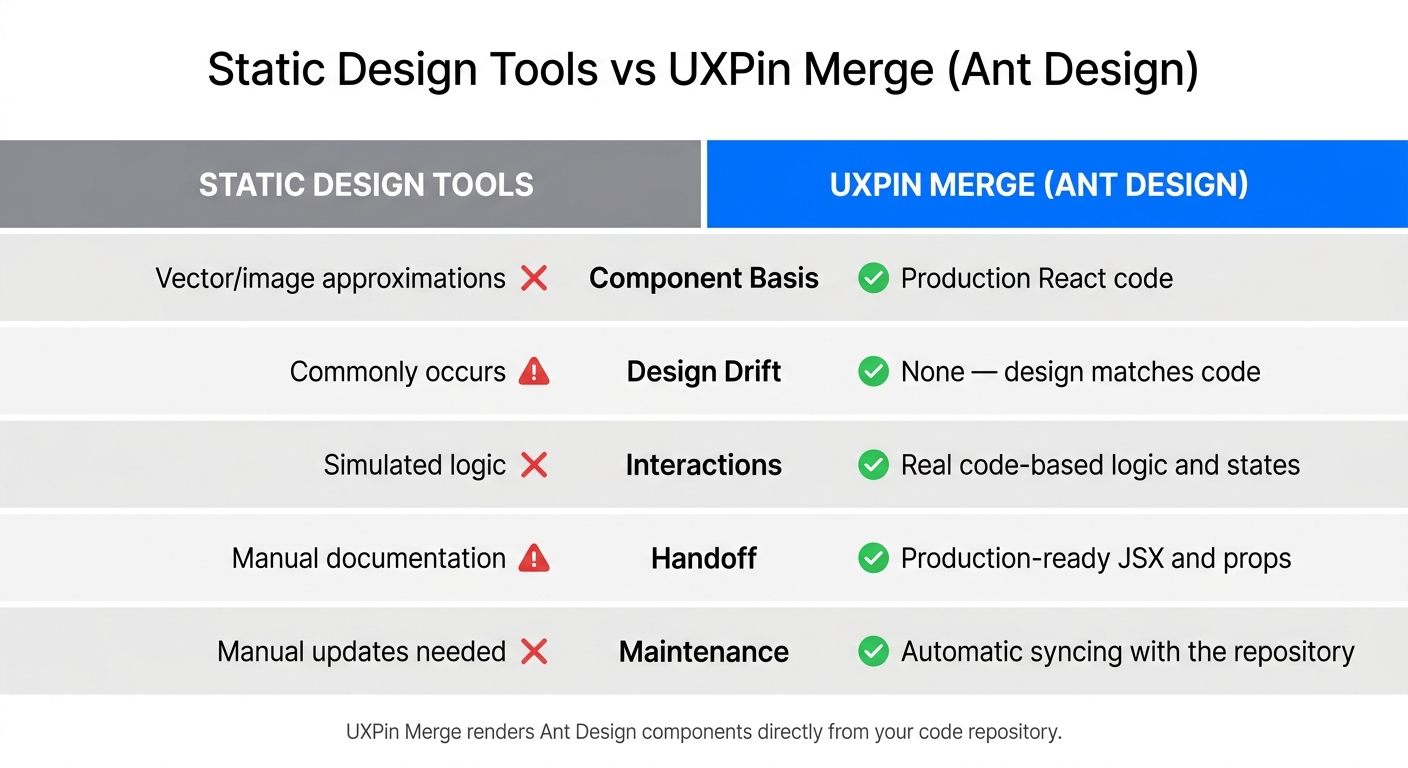
Static Design Tools vs UXPin Merge with Ant Design: Feature Comparison
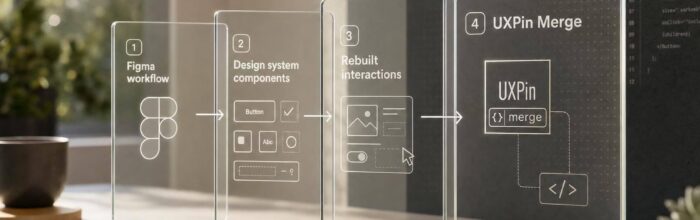
Using the precise specifications from Claude Sonnet 4.5 and the earlier tool configuration, this section dives into how to turn those specs into interactive screens with UXPin Merge. Here’s where the workflow shines: instead of building components from scratch, you’re working directly with Ant Design code – the same code that will go into production.
Building Screens with Ant Design Components
UXPin Merge connects directly to a Git repository housing your Ant Design component library. A uxpin.config.js file determines which components and properties (like IconPosition and renderItem) are available to designers, along with settings for pagination and status tags. Once in the UXPin editor, you can simply drag a component, such as a Table, onto the canvas and adjust its properties – no coding required. The component you place is actual React code ready for production.
For instance, if your design calls for a layout using Tabs, Table, and Tag components, you just assemble them and configure the necessary props. This approach ensures the final design matches what will be built, maintaining consistency.
Keeping Designs Consistent and Avoiding Design Drift
One of the biggest challenges in enterprise UX is design drift – when designs slowly diverge from the final build. UXPin Merge tackles this issue by rendering Ant Design components directly from your code repository. Any updates made to the codebase automatically sync, keeping your designs perfectly aligned with production.
Here’s a quick comparison:
| Feature | Static Design Tools | UXPin Merge (Ant Design) |
|---|---|---|
| Component basis | Vector/image approximations | Production React code |
| Design drift | Commonly occurs | None – design matches code |
| Interactions | Simulated logic | Real code-based logic and states |
| Handoff | Manual documentation | Production-ready JSX and props |
| Maintenance | Manual updates needed | Automatic syncing with the repository |
The configuration file also enforces consistency by controlling which properties are editable. This ensures designers stay within the boundaries of the established design system.
Testing and Validating Interactions
With UXPin Merge, you can test live component logic for interactions, form validation, and pagination directly in the design phase. This reduces back-and-forth revisions and speeds up deployment timelines. By bridging the gap between design and development, UXPin Merge enables efficient, enterprise-level UX workflows.
Conclusion: Faster Enterprise UX with AI and Code-First Design
By combining Claude Sonnet 4.5, Ant Design, and UXPin Merge, you can simplify every step of the design process – from writing specs to validating interactions – while staying connected to real, production-ready code. Claude Sonnet 4.5 translates natural-language requirements into actionable UX specifications and component guidance. Ant Design delivers an enterprise-level UI framework that standardizes your design language. And UXPin Merge ties it all together by integrating design and production code. This workflow not only smooths out processes but also delivers measurable results.
Key Benefits of Combining These Tools
One of the biggest advantages is cutting down on rework. Traditional workflows often require developers to rebuild UI elements after design sign-off because static mockups fail to capture how components behave. With this integrated stack, designers and developers use the same Ant Design components from the start – complete with pre-set states, validation rules, and constraints, ensuring alignment from day one.
Take, for example, a US-based fintech team. They could use plain-language requirements to create precise specs that align with Ant Design components tailored for US standards. Designers would then assemble user flows in UXPin Merge, allowing developers to implement components with minimal adjustments. The result? Release cycles that take weeks instead of months.
Another benefit is improved consistency. Ant Design’s system and token rules, enforced directly in UXPin Merge, ensure that teams working on multiple products stay aligned. This is especially valuable for large US enterprises managing several internal tools simultaneously.
Next Steps for Your Team
With the combined power of Claude Sonnet 4.5, Ant Design, and UXPin Merge, your team is ready to transform enterprise UX. Here’s how to get started:
- Begin with a pilot project – something manageable like a settings page, an admin report, or a sign-up funnel.
- Define three to five core user stories, then use Claude Sonnet 4.5 to generate UX specs with US-localized details, such as dates, currency formats, and tone.
- Rebuild the flow in UXPin Merge using Ant Design components.
- Conduct a collaborative review session within UXPin Merge, involving your designer, developer, and product owner, to validate interactions and constraints.
To measure the success of this workflow, track a few key metrics: the time it takes to go from requirements to a clickable prototype, the number of design/development review cycles before development kicks off, and the rate of UI-related defects after release. Compare these metrics after several iterations to evaluate improvements.
For more detailed instructions, check out UXPin’s Merge setup documentation and explore Ant Design starter resources on the UXPin website. This approach can help your team accelerate delivery and build more consistent, efficient enterprise UX.
FAQs
How do I make Claude output exact Ant Design components?
To get accurate Ant Design components from Claude, start by opening the AI Component Creator in UXPin and choosing Ant Design as your library. Use specific prompts, such as "responsive dashboard layout with Ant Design components." For more intricate layouts, structure your prompts using XML tags and provide 3–5 examples of Ant Design implementations for reference. Additionally, you can upload wireframes or mockups for Claude to analyze and convert into components.
What do I need to set up UXPin Merge with my Ant Design repo?
Setting up UXPin Merge with Ant Design is straightforward for the standard library since it’s already integrated into the platform. Just log into your UXPin account, start a project, and choose Ant Design from the Design System Libraries.
For custom or modified versions of Ant Design, you’ll need to take an extra step. Use the UXPin Merge CLI to connect your repository or import it directly through the library manager.
How do I enforce en-US dates, currency, and accessibility in specs?
To align with en-US standards, leverage Ant Design’s internationalization tools to adjust components like DatePicker and Select for regional formats. In UXPin, configure styling and data formats directly in the Properties Panel for precision. When it’s time for handoff, developers can retrieve token-based values – such as spacing and colors – through Spec Mode. For consistent typography and formatting across your project, implement a Global Wrapper Component to apply custom CSS or themes seamlessly.