How to Build an MVP: A Step-by-Step Guide to Minimum Viable Product Development (2026)
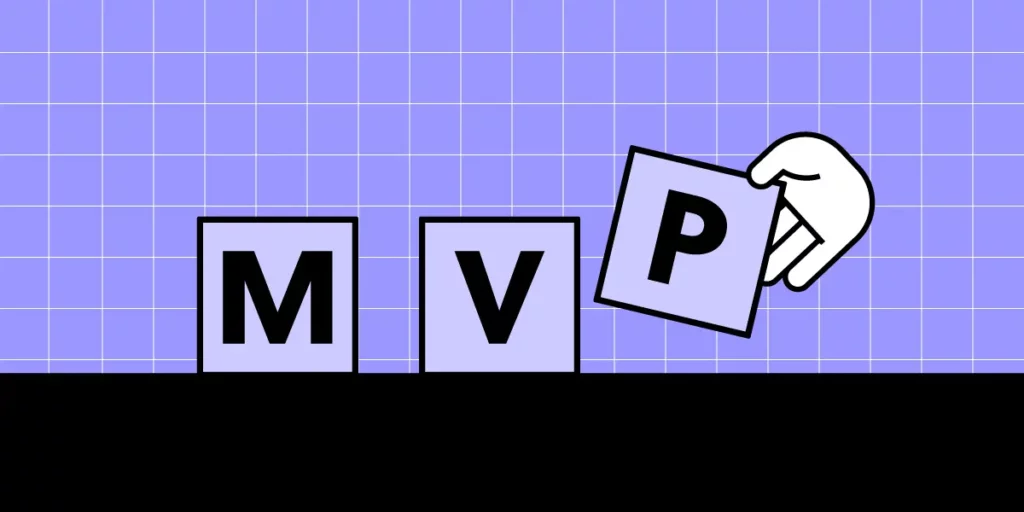
A Minimum Viable Product (MVP) is the simplest version of your product that delivers enough value to attract early users and generate real-world feedback. The goal is not perfection — it is validated learning. You ship the smallest thing that solves a genuine problem, measure how people respond, and iterate from there.
This guide covers every stage of MVP software development in 2026: validating your idea, choosing the right approach, designing user-centered flows, selecting a tech stack, building, testing, and launching. Whether you are a founder validating a new concept or a product team exploring a new feature, the steps below will help you move from idea to working software quickly and with confidence.
Key takeaways:
- An MVP is a deliberately scoped product that tests your riskiest assumption with real users.
- Not every MVP requires code — prototypes, landing pages, and concierge approaches can validate demand first.
- Prototyping core flows before development saves significant time and reduces rework.
- Most successful MVPs ship with 3–5 core features, not 30.
- Define success metrics before launch so you know what to measure.
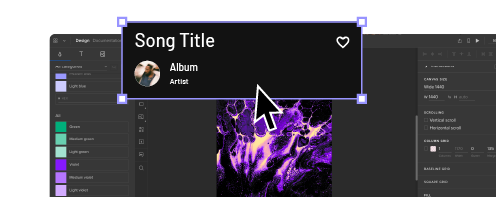
Need to prototype your MVP before writing code? UXPin Forge lets you describe a screen in plain language and get a working prototype built from real React components — ready for user testing in minutes, not weeks. Try UXPin for free.
What Is an MVP in Software Development?
An MVP (Minimum Viable Product) is a release strategy where you launch the smallest feature set that solves a core user problem. The term was popularized by Eric Ries in The Lean Startup and remains the dominant approach for validating product ideas with minimal risk in 2026.
An MVP is not a buggy or half-finished product. It is a deliberately scoped product that:
- Solves one clearly defined problem for a specific audience
- Delivers enough value that early adopters will actually use it
- Provides measurable data to inform the next iteration
Think of it as the fastest path from hypothesis to evidence. If users engage, you have a signal to invest more. If they don’t, you’ve saved months of development on something nobody wanted.
Why Build an MVP First?
Building a full product on assumptions is expensive and risky. An MVP flips that equation:
- Validate demand before you scale. Real user behavior tells you more than any survey or stakeholder opinion.
- Reduce time-to-market. A focused feature set means fewer decisions, faster development, and earlier revenue or feedback.
- Lower financial risk. You invest the minimum needed to test your riskiest assumption — usually whether people will use (and pay for) the product at all.
- Attract investors with evidence. Traction data from real users is far more persuasive than a pitch deck full of projections.
- Build a feedback loop early. Every user interaction is a data point that shapes your roadmap and priorities.
Types of MVPs: Choosing the Right Approach
Not every MVP needs code. The approach you choose depends on what you need to learn and how quickly you need to learn it.
Prototype MVP
A high-fidelity prototype can function as the MVP itself — especially when you need to validate complex workflows, test usability, or get stakeholder buy-in before committing engineering resources.
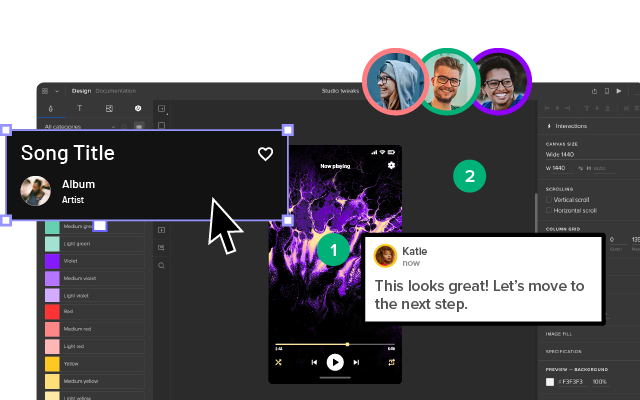
UXPin Merge lets you build fully interactive prototypes using production-grade React components — so what users test looks and behaves like the real product. With Forge, you can describe screens in plain language and get a working prototype built from real components in minutes. This approach is especially powerful for enterprise teams where UX validation needs to happen before development budgets are approved.
Landing Page MVP
A landing page that describes your value proposition and includes a sign-up form or waitlist. If people sign up, you have demand evidence. If they don’t, you’ve saved months of development. This approach validates market interest with minimal investment.
Concierge / Wizard-of-Oz MVP
In a concierge MVP, you manually deliver the service your product will eventually automate. This requires zero code and lets you learn exactly what users need before building anything. Zappos famously started by photographing shoes from local stores and fulfilling orders by hand.
Lean Startup (Build-Measure-Learn)
The Build-Measure-Learn loop is the foundation of lean thinking. You form a hypothesis (“users will pay for X”), build the smallest thing that tests it, measure the result, and decide whether to pivot or persevere. Speed of iteration matters more than polish.
Agile MVP
Agile works well when you already have reasonable confidence in the problem space and need to ship working software incrementally. Two-week sprints, daily standups, and regular retrospectives keep the team focused and the product evolving based on real feedback.
How to Build an MVP: Step by Step
Step 1: Identify and Validate the Core Problem
Every successful MVP starts with a single, specific problem. Resist the urge to address multiple pain points simultaneously.
- Interview 10–15 prospective users to understand their pain points
- Study support tickets, forum posts, and competitor reviews for patterns
- Write a problem statement: “Freelance designers waste 3+ hours per week converting design mockups into developer-ready specs.”
- Validate that the problem is painful enough that people will pay for (or switch to) a solution
Step 2: Define Core Features (Ruthlessly)
List every feature you can imagine, then ruthlessly cut. A useful framework:
- Must-have: Without this, the product doesn’t solve the core problem.
- Should-have: Improves the experience but isn’t essential for v1.
- Nice-to-have: Cut these entirely for the MVP.
Most successful MVPs ship with 3–5 core features, not 30. Every additional feature increases development time, testing surface, and the risk of losing focus on what matters.
Step 3: Prototype Before You Build
Before writing production code, prototype the core user flows. This lets you test information architecture, navigation, and interaction patterns with real users at a fraction of the development cost.
With UXPin Forge, you can describe what you need — “a dashboard with a sidebar, data table, and filter bar” — and get a working prototype built from real components. Because Forge uses your actual design system components, the prototype is already production-aligned. You can iterate conversationally: “make the sidebar collapsible” or “add a date range picker to the filters.”
Prototyping catches UX problems before they become code problems — which is dramatically cheaper and faster to fix.
Step 4: Focus on User Experience
“Minimum” does not mean “bad UX.” Your MVP should feel intentional, even if it’s narrow in scope. Prioritize:
- Clear onboarding — Users should understand what the product does within 30 seconds.
- Fast task completion for the primary use case
- Meaningful error states and empty states
- Mobile responsiveness (if relevant to your audience)
- Consistent visual design — Even a simple UI should look intentional, not thrown together.
For practical guidance on interface consistency, see our guide on designing profile page UIs as one example of consistent component-level thinking.
Step 5: Choose the Right Technology Stack
Pick the right technology stack that lsst your team move fast without creating technical debt you’ll regret:
- Frontend: React, Next.js, or Vue — large ecosystems, strong hiring pools, and excellent component library support.
- Backend: Node.js, Python (Django/FastAPI), or Go — depending on team expertise and performance requirements.
- Database: PostgreSQL for relational data, MongoDB for flexible schemas.
- Hosting: Vercel, AWS, or Railway for fast deployment with scalability headroom.
If your team uses React, consider starting with a pre-built component library like MUI or shadcn/ui. Both integrate with UXPin Merge, which means designers can prototype with the exact same components developers use in production — eliminating the handoff gap entirely.
Step 6: Build in Short Sprints
Ship the must-have features first and get them in front of users as soon as possible:
- Sprint 1–2: Core infrastructure and the primary user flow (sign-up through the main value-delivering action).
- Sprint 3–4: Secondary flows, edge case handling, and basic analytics integration.
- Sprint 5–6: Polish, performance optimization, and preparation for launch.
Keep sprints short (1–2 weeks) and end each with something testable. Internal testing after every sprint catches issues before they compound.
Step 7: Test With Real Users
Combine automated testing (unit, integration) with real user testing:
- Usability testing on prototypes catches UX issues before they become code problems.
- Beta testing with real users validates that the product works in real-world conditions.
- Analytics instrumentation tells you what users actually do (not just what they say they’ll do).
Aim for 5–8 users per round of usability testing. Research shows this catches roughly 85 % of usability issues.
Step 8: Launch, Measure, and Iterate
Define success metrics before launch so you know what to measure:
- Activation rate: What percentage of sign-ups complete the core action?
- Retention: Do users come back after the first session?
- Task completion rate: Can users accomplish the primary use case?
- NPS / satisfaction: Would users recommend the product?
- Revenue / conversion: If monetized, are people willing to pay?
Release to a small cohort first, monitor your metrics, collect qualitative feedback, and iterate. The first version is a starting point, not a finished product.
How Long Does It Take to Build an MVP?
There is no universal answer, but here are realistic ranges based on complexity:
- Simple MVP (landing page + core feature): 4–6 weeks
- Moderate MVP (web app with auth, database, and 3–5 features): 2–3 months
- Complex MVP (multi-platform with integrations and compliance): 3–5 months
These timelines assume a small, focused team (2–5 people) working full-time. Prototyping your core flows with UXPin Forge before development can compress timelines further by eliminating UX rework during the build phase.
How Much Does an MVP Cost in 2026?
MVP costs vary significantly based on team, technology, and scope. Rough ranges for 2026:
- No-code / low-code MVP: $5,000–$15,000
- Simple custom-built MVP: $15,000–$50,000
- Moderate MVP (web app with backend): $50,000–$150,000
- Complex MVP (multi-platform, integrations, compliance): $150,000+
The biggest cost-saving lever is scope. Every feature you cut from v1 saves money and reduces risk. Validating your concept with a prototype before development is the single most cost-effective investment you can make.
Common MVP Mistakes to Avoid
- Building too many features. The #1 MVP killer. More features = more time, more cost, more complexity, and diluted focus on the core value proposition.
- Skipping user research. Building on assumptions without talking to users first. Even 10 interviews can prevent months of wasted development.
- Treating “minimum” as “low quality.” A narrow scope doesn’t excuse bad UX, broken flows, or sloppy visual design. Users judge quality regardless of how many features you have.
- Not defining success metrics. If you don’t know what success looks like before launch, you can’t evaluate whether the MVP validated your hypothesis.
- Choosing unfamiliar technology. The MVP phase is not the time to learn a new framework. Use what your team already knows.
- Skipping prototyping. Going straight from requirements to code. Prototyping catches usability issues 10× cheaper than fixing them in production.
- Not iterating after launch. Launching and moving on. The MVP is the beginning of a feedback loop, not the end of a project.
MVP Examples: Learning From Real Products
Some of the most successful products started as remarkably simple MVPs:
- Dropbox: Started with a 3-minute video demonstrating the concept before writing any code. The waitlist went from 5,000 to 75,000 overnight — validating demand with zero product development.
- Zappos: The founder photographed shoes at local stores and listed them online. When someone ordered, he bought the shoes at retail and shipped them. This validated that people would buy shoes online before investing in inventory or logistics.
- Airbnb: The founders rented out air mattresses in their own apartment during a conference to test whether strangers would pay to stay in someone’s home.
- Buffer: Started as a two-page landing page describing the product concept. When visitors clicked “Plans and Pricing,” they saw a page explaining the product wasn’t ready yet and asking for an email. Enough people signed up to validate the idea.
In each case, the founders tested their riskiest assumption with the least possible investment before committing to full development.
Frequently Asked Questions About MVP Development
What is an MVP in software development?
An MVP (Minimum Viable Product) is the simplest version of a product that delivers enough value to attract early users and generate real-world feedback. The goal is validated learning — you ship the smallest thing that solves a genuine problem, measure how people respond, and iterate based on evidence rather than assumptions.
How long does it take to build an MVP?
Timelines vary by complexity: a simple MVP (landing page + core feature) takes 4–6 weeks, a moderate MVP (web app with auth, database, and 3–5 features) takes 2–3 months, and a complex MVP (multi-platform with integrations) takes 3–5 months. Prototyping with tools like UXPin Forge can validate concepts in days before committing to development.
How much does it cost to build an MVP in 2026?
MVP costs range from $5,000–$15,000 for a no-code or low-code MVP, $15,000–$50,000 for a simple custom-built MVP, $50,000–$150,000 for a moderate MVP with backend complexity, and $150,000+ for complex MVPs with integrations and compliance requirements. Costs vary significantly based on team location, technology choices, and feature scope.
What is the difference between an MVP and a prototype?
A prototype is a simulation used to test ideas and gather feedback — it doesn’t require a working backend or real data processing. An MVP is a real, functional product (even if minimal) that users can actually use to accomplish a task. Prototypes help you validate design and usability before building the MVP, saving development time and money.
What are the most common MVP mistakes?
The most common MVP mistakes include: building too many features (scope creep), skipping user research, ignoring UX quality (“minimum” doesn’t mean “bad”), choosing unfamiliar technology, not defining success metrics before launch, and treating the MVP as the final product instead of a learning tool.
Should I prototype before building an MVP?
Yes. Prototyping before development lets you test information architecture, navigation, and core user flows at a fraction of the cost of building them in code. Tools like UXPin Forge generate working prototypes from text descriptions using real React components, so you can validate ideas with users in hours instead of weeks.