What Is a CRUD App? Definition, Examples & How to Build One (2026)
A CRUD app is an application that performs four fundamental data operations: Create, Read, Update, and Delete. These four actions form the backbone of nearly every data-driven application — from content management systems and e-commerce platforms to CRM tools and task managers.
This guide explains what each CRUD operation does, shows real-world examples of CRUD applications, covers the design considerations for CRUD interfaces, and walks through the steps of building a CRUD app from prototype to deployment.
Key takeaways:
- CRUD stands for Create, Read, Update, and Delete — the four basic operations for managing persistent data.
- CRUD operations map directly to HTTP methods (
POST,GET,PUT/PATCH,DELETE) and SQL statements (INSERT,SELECT,UPDATE,DELETE). - Nearly every SaaS product, admin panel, and internal tool is fundamentally a CRUD application.
- Good CRUD UI design focuses on discoverability, inline editing, error prevention, and safe delete patterns.
- Prototyping CRUD interfaces before development prevents costly rework and ensures usability.
Prototype CRUD interfaces in minutes
UXPin Merge lets you build interactive CRUD prototypes with real React components — tables, forms, modals, and all. No coding required.
What Is a CRUD App?
A CRUD application is a software application designed to perform four fundamental operations on persistent data:
- Create — Add new records to the database (e.g., creating a new user account, adding a product to inventory, writing a blog post).
- Read — Retrieve and display existing data (e.g., viewing a list of orders, reading a customer profile, browsing a product catalog).
- Update — Modify existing records (e.g., editing a user’s email address, changing a product price, updating a task’s status).
- Delete — Remove records from the system (e.g., deleting an obsolete product, removing a user account, archiving a completed task).
These four operations cover the vast majority of user interactions with data. Any application where users can add, view, edit, and remove information is, at its core, a CRUD app.
The 4 CRUD Operations Explained
Understanding each operation in detail helps both designers and developers build better interfaces and APIs.
Create
The Create operation adds new data to the system. In a REST API, this maps to the POST method. In SQL, it corresponds to INSERT INTO. From a UI perspective, Create typically involves a form, a modal dialog, or an inline “add” action. Design best practices include clear entry points (prominent “+” or “New” buttons), field validation to prevent bad data, and autosave to prevent accidental data loss.
Read
The Read operation retrieves and displays data. It maps to GET in REST and SELECT in SQL. Read is the most frequent operation in most applications — users spend far more time viewing data than creating or editing it. Effective Read interfaces include sortable and filterable tables or lists, preview panels, search functionality, and pagination or infinite scroll for large datasets.
Update
The Update operation modifies existing records. It maps to PUT or PATCH in REST and UPDATE in SQL. Good Update UIs make editing feel natural: inline editing for simple fields, modal forms for complex changes, clear “Save” and “Cancel” actions, and undo/redo support to protect against mistakes.
Delete
The Delete operation removes data. It maps to DELETE in REST and DELETE FROM in SQL. Because deletion is often irreversible, careful UI design is essential: confirmation dialogs for destructive actions, “Recently Deleted” or trash sections for recovery, undo options for soft deletes, and clear visual distinction between archive and permanent delete.
CRUD Operations Mapping
| CRUD Operation | HTTP Method | SQL Statement | UI Pattern |
|---|---|---|---|
| Create | POST | INSERT INTO | Form, modal, inline add |
| Read | GET | SELECT | Table, list, detail view |
| Update | PUT / PATCH | UPDATE | Inline edit, edit form |
| Delete | DELETE | DELETE FROM | Confirmation dialog, soft delete |
Real-World Examples of CRUD Applications
Most applications you use daily are CRUD apps at their core. Here are five well-known examples:
WordPress (Content Management)
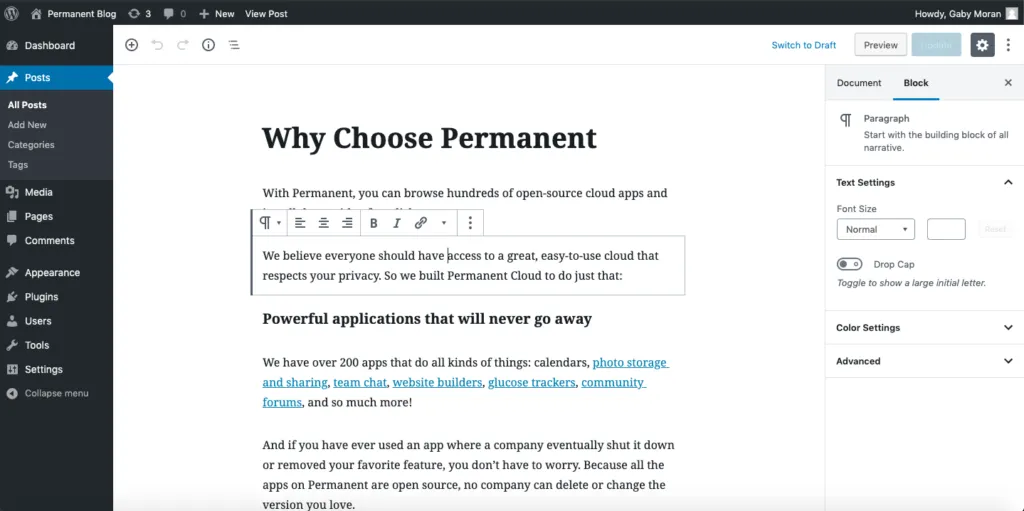
- Create: Authors create new blog posts, pages, and media.
- Read: Visitors read published content; editors browse drafts.
- Update: Authors edit and update existing posts and pages.
- Delete: Outdated content can be trashed or permanently deleted.
Salesforce (CRM)
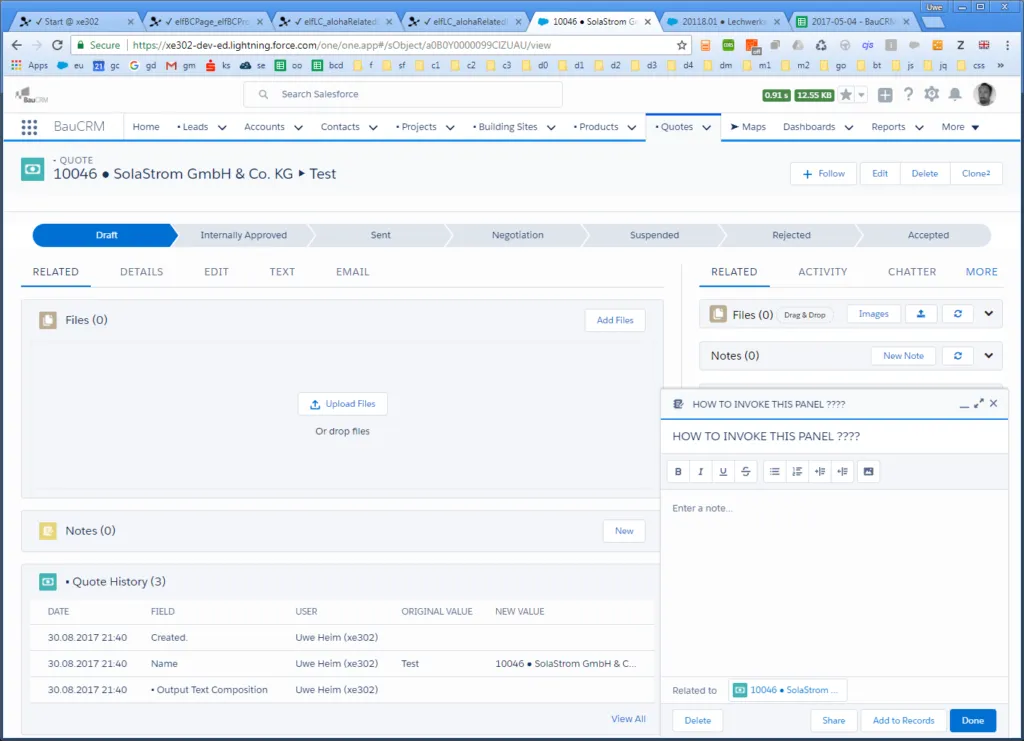
- Create: Sales reps create new customer and opportunity records.
- Read: Users view customer profiles, deal pipelines, and interaction history.
- Update: Teams update deal stages, contact details, and account information.
- Delete: Obsolete leads and duplicate records are removed.
Shopify (E-Commerce)
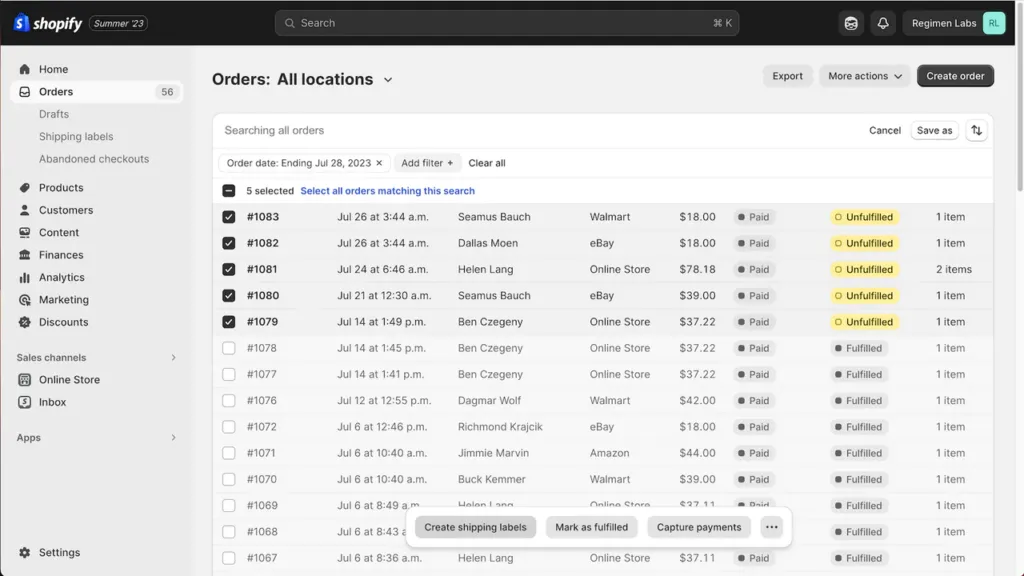
- Create: Merchants add new products to inventory.
- Read: Shoppers browse product listings; merchants view order dashboards.
- Update: Merchants update prices, descriptions, and stock levels.
- Delete: Discontinued products are removed from the catalog.
Facebook / Meta (Social Media)
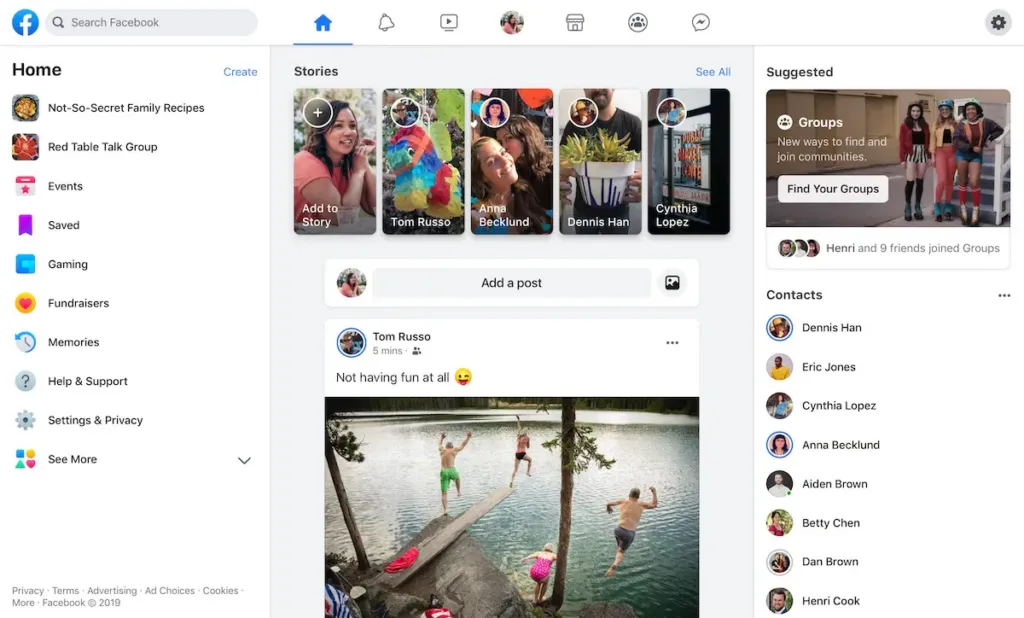
- Create: Users create posts, upload photos, and add comments.
- Read: Users view their feed, friends’ profiles, and group content.
- Update: Users edit posts and update profile information.
- Delete: Users delete posts, comments, or their entire account.
Trello (Task Management)
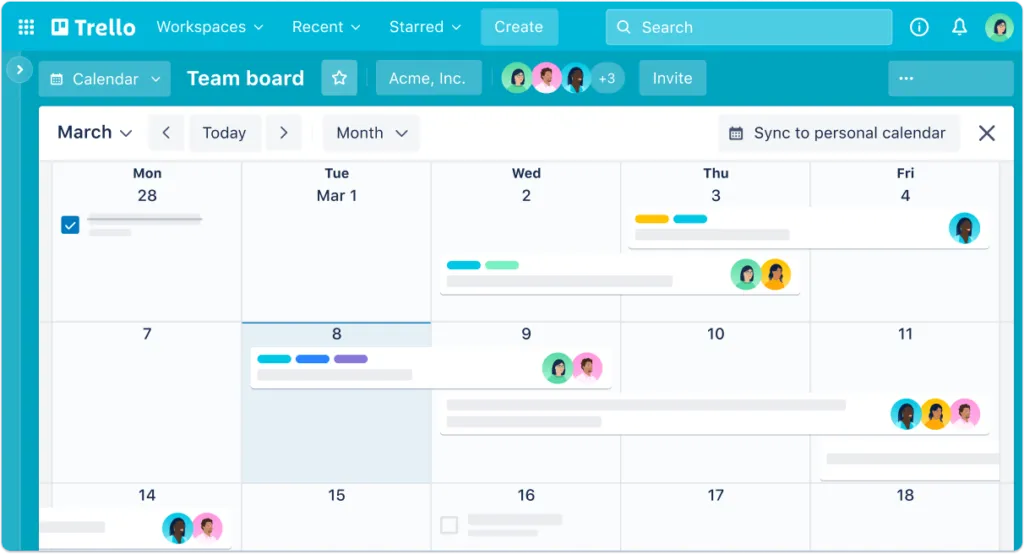
- Create: Users create boards, lists, and cards for tasks.
- Read: Team members view boards, track progress, and read card details.
- Update: Users edit card details, reassign tasks, and update due dates.
- Delete: Completed or irrelevant cards and boards are archived or deleted.
CRUD Equivalents Across Technologies
The CRUD concept applies across all database systems and API styles, with different naming conventions:
| Technology | Create | Read | Update | Delete |
|---|---|---|---|---|
| REST API | POST | GET | PUT / PATCH | DELETE |
| SQL | INSERT INTO | SELECT | UPDATE | DELETE FROM |
| MongoDB | insertOne() | find() | updateOne() | deleteOne() |
| GraphQL | mutation (create) | query | mutation (update) | mutation (delete) |
Designing a Great CRUD Interface
CRUD operations may be simple in concept, but the UI design determines whether users find them intuitive or frustrating. Here are the design principles for each operation:
Create: Make Entry Points Obvious
Place “New” or “+” buttons where users expect them — typically in the top-right corner of a list view or as a floating action button on mobile. Use forms with clear labels, inline validation, and logical field grouping. Autosave or draft functionality prevents data loss.
Read: Prioritize Scannability
Design data tables and lists with sortable columns, filtering options, and search. Use preview panels or expandable rows to show detail without navigating away from the list. Support pagination or virtual scrolling for large datasets.
Update: Make Editing Natural
Inline editing (click to edit directly in a table cell) works well for simple fields. For complex edits, use a modal or slide-over panel that preserves context. Always provide clear “Save” and “Cancel” actions, and consider undo/redo for safety.
Delete: Protect Against Mistakes
Require confirmation before destructive actions. Implement soft delete (move to trash) rather than immediate permanent deletion. Provide “Recently Deleted” sections where users can recover data within a grace period.
How to Build a CRUD App: Step by Step
1. Gather Requirements
Define the data model, user roles, and the specific CRUD operations each role needs. Run a design thinking workshop to align on user journeys, business objectives, and technical constraints. Translate requirements into desirability, feasibility, and viability criteria.
2. Prototype the Interface
Before writing backend code, prototype the CRUD interface. With UXPin Merge, you can drag and drop real React components — data tables, form inputs, modals, buttons — to build an interactive prototype that behaves like the final product. Test this prototype with users to validate the information architecture and interaction patterns before committing engineering resources.
For an even faster start, UXPin Forge can generate a full CRUD interface from a text prompt (e.g., “Create an admin panel with a user management table, add-user form, and delete confirmation modal”). Forge uses your production component library, so the output matches your design system out of the box.
3. Set Up the Database
Choose and configure a database that fits your data model. Relational databases (PostgreSQL, MySQL) work well for structured data with relationships. Document databases (MongoDB) offer flexibility for evolving schemas. Define your tables or collections, set up indexes, and establish data validation rules.
4. Build API Endpoints
Create RESTful or GraphQL API endpoints for each CRUD operation. Implement proper validation, authentication, authorization, and error handling. Follow consistent naming conventions and return meaningful HTTP status codes.
5. Connect the UI to the API
Build the front-end based on your validated prototype and connect the interface to API endpoints. If you prototyped with UXPin Merge, the production components are already the same ones your developers use — reducing the gap between prototype and shipped product.
6. Test Thoroughly
Validate each CRUD operation with unit tests, integration tests, and end-to-end tests. Test edge cases: What happens when a user tries to delete a record referenced by another? What if two users update the same record simultaneously? Ensure data integrity, error handling, and user-friendliness under all conditions.
7. Deploy
Deploy to a cloud platform (AWS, Vercel, Railway, etc.) with proper monitoring, logging, and backup strategies. Set up CI/CD pipelines so future CRUD feature additions are tested and deployed automatically.
Build CRUD interfaces with real components
Drag and drop production React components — tables, forms, modals — to prototype CRUD apps that behave like the real thing.
Frequently Asked Questions
What does CRUD stand for?
CRUD stands for Create, Read, Update, and Delete. These are the four fundamental operations that most applications perform on persistent data. They map to HTTP methods (POST, GET, PUT/PATCH, DELETE) and SQL statements (INSERT, SELECT, UPDATE, DELETE).
What is an example of a CRUD application?
WordPress is a classic CRUD app: authors create blog posts, readers read published content, editors update existing posts, and admins delete outdated content. Other examples include Salesforce (CRM), Shopify (e-commerce), Trello (task management), and virtually every admin panel or internal tool.
What is the difference between CRUD and REST?
CRUD describes the four data operations (Create, Read, Update, Delete). REST is an architectural style for APIs that uses HTTP methods to implement those operations: POST for Create, GET for Read, PUT/PATCH for Update, DELETE for Delete. CRUD is the concept; REST is one way to implement it.
Do I need to know coding to prototype a CRUD app?
No. Tools like UXPin Merge let designers build fully interactive CRUD prototypes by dragging and dropping real React components — data tables, forms, modals, and buttons — without writing code. UXPin Forge can even generate a complete CRUD interface from a text prompt.
What database should I use for a CRUD app?
It depends on your data model. Relational databases like PostgreSQL or MySQL are ideal for structured data with relationships. Document databases like MongoDB offer flexibility for evolving schemas. For most straightforward CRUD apps, PostgreSQL is a reliable default choice.
Why should I prototype a CRUD app before building it?
Prototyping lets you test the information architecture, navigation patterns, and interaction flows with real users before investing engineering time. Catching usability issues in a prototype is far cheaper than fixing them in production code. With code-backed prototyping tools like UXPin Merge, the prototype uses the same components as the final product, so what you test is what you ship.

