
UXPin vs Adobe XD: Which Prototyping Tool is Best?
Pick a code-backed prototyping platform for tightly aligned design and development, or a vector-focused tool for fast visual screen flows.
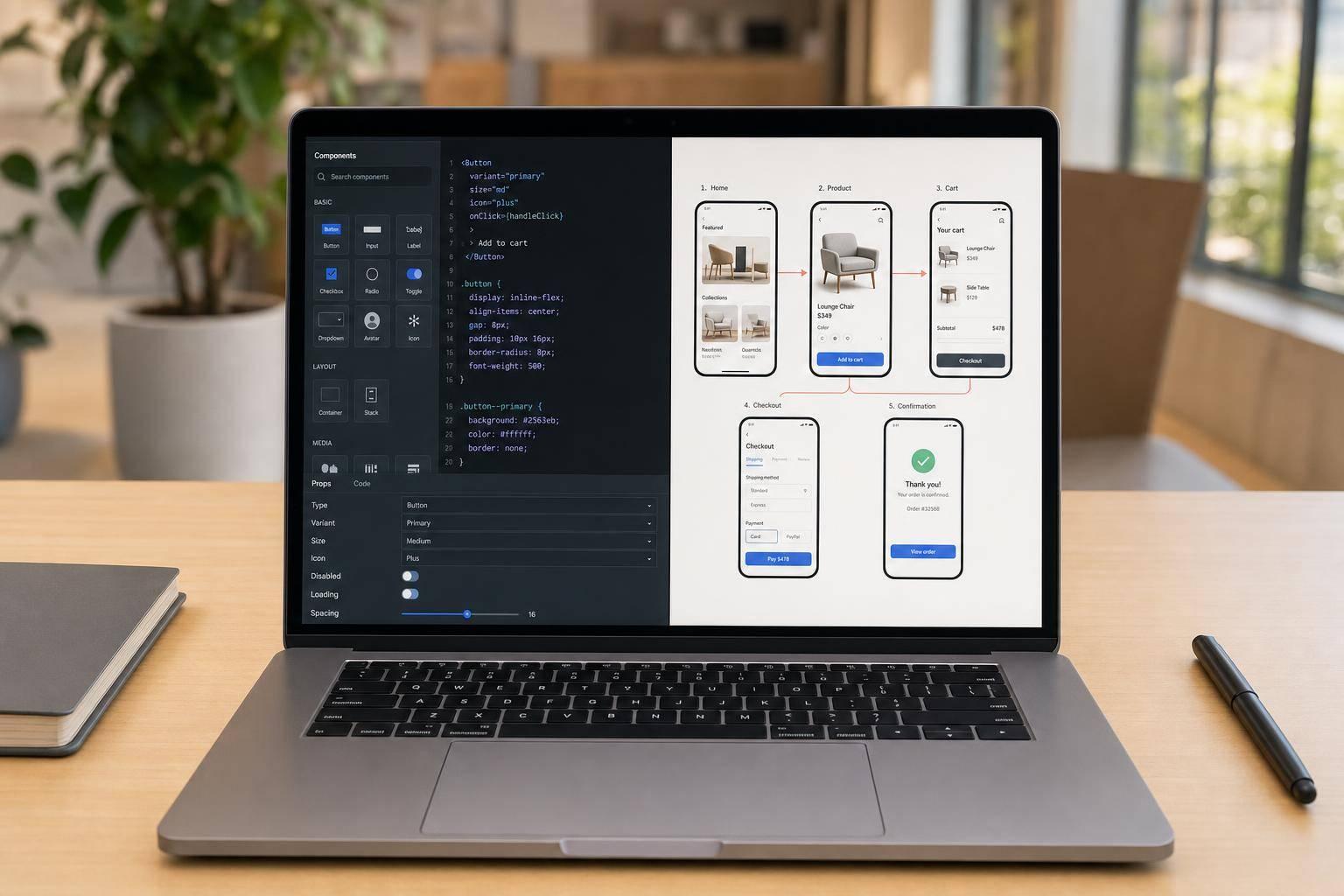
If you need design work to stay close to shipped code, I’d pick UXPin. If you just need screen-to-screen mockups, Adobe XD is the simpler pick.
Here’s the short version: UXPin uses code-based components, supports logic, variables, and stronger handoff to developers. Adobe XD focuses on vector design, click-through flows, and Adobe app connections. And as of August 3, 2026, Adobe XD is in maintenance mode, with bug fixes and security updates only.
What I’d look at first:
- Prototype fidelity: UXPin handles states, variables, and branching; XD is better for linear flows
- Design systems: UXPin can use shared code components; XD uses design-side libraries
- Developer handoff: UXPin gives teams JSX, CSS, and component details; XD relies more on visual specs
- Collaboration: both support coediting, but UXPin is more tied to Git, Storybook, and dev workflows
- Long-term fit: UXPin is still being developed; XD is not getting major product updates
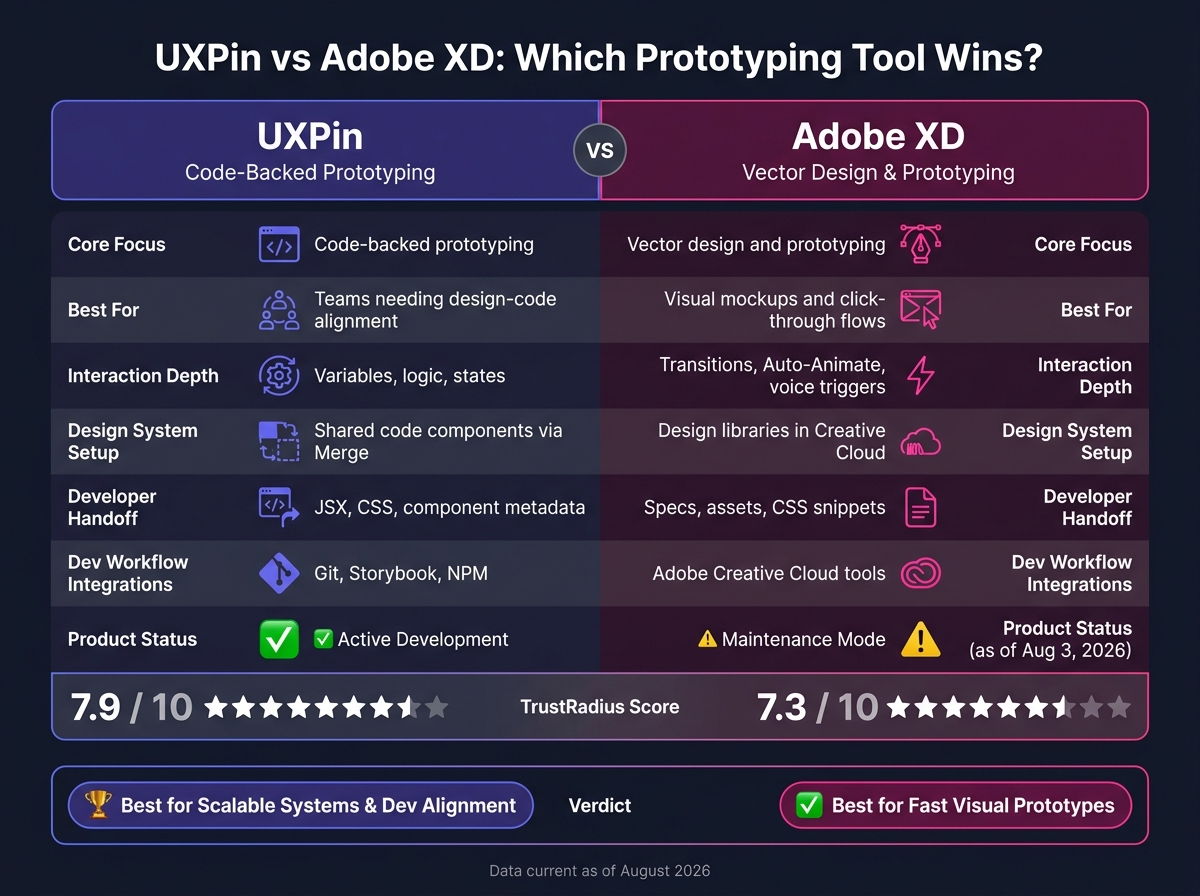
One data point worth noting: UXPin has a 7.9/10 TrustRadius score, while Adobe XD has 7.3/10.
Quick Comparison
UXPin vs Adobe XD: Side-by-Side Comparison
| Criteria | UXPin | Adobe XD |
|---|---|---|
| Core focus | Code-backed prototyping | Vector design and prototyping |
| Best for | Teams that want design and code to stay close | Teams that want visual mockups and click-through flows |
| Interaction depth | Variables, logic, states | Transitions, Auto-Animate, voice triggers |
| Design system setup | Shared code components via Merge | Design libraries in Creative Cloud |
| Handoff | JSX, CSS, component metadata | Specs, assets, CSS snippets |
| Dev workflow | Git, Storybook, NPM | Adobe Creative Cloud tools |
| Product status | Active development | Maintenance mode |
In other words: UXPin is the better fit for system-driven product teams, while Adobe XD still works for lighter visual prototyping.
sbb-itb-f6354c6
UXPin and Adobe XD: Core Product Differences
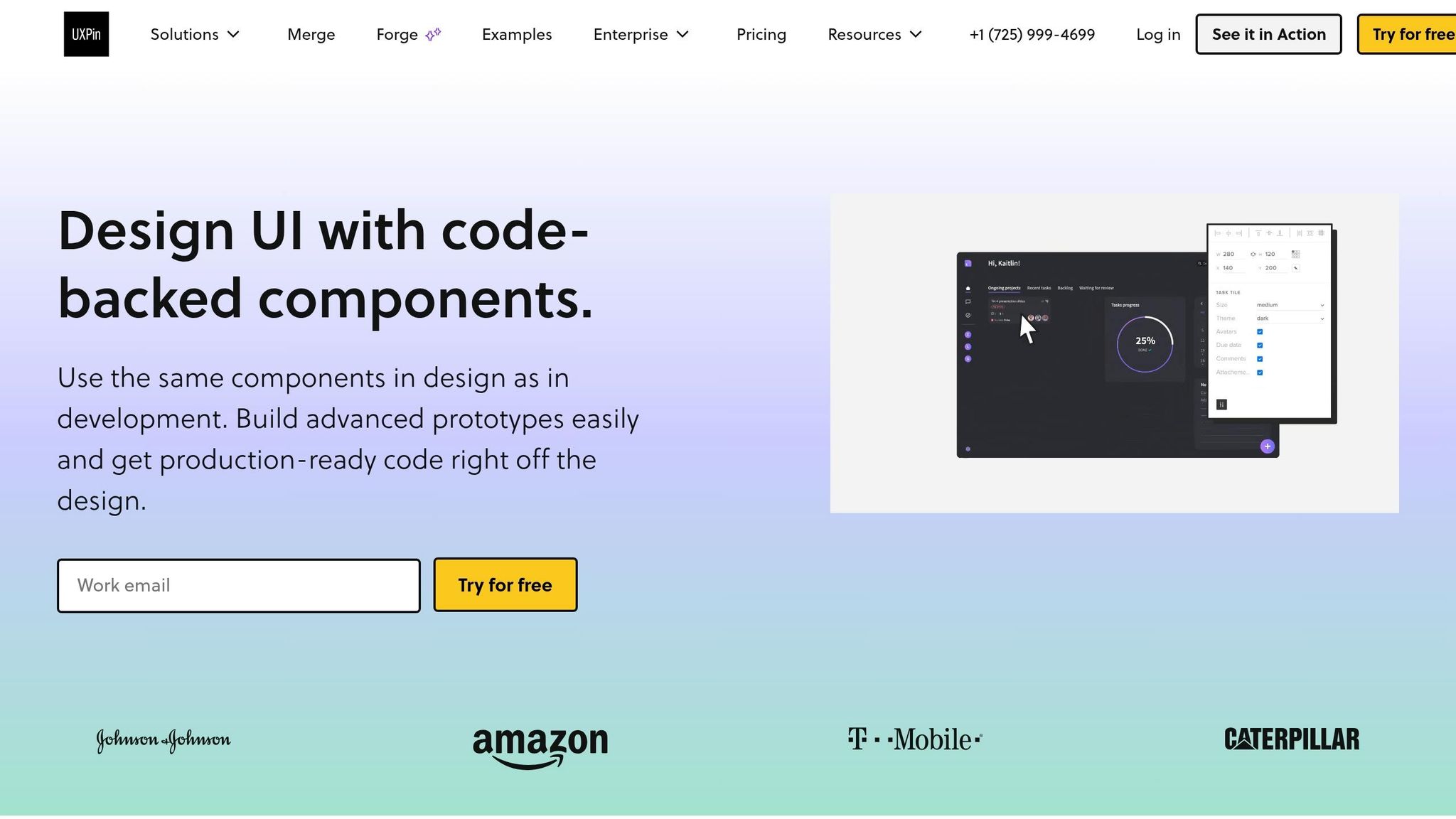
UXPin renders actual HTML and JavaScript. That means components on the canvas act more like a live product UI, not just a visual mockup. Adobe XD works from a vector layer system, with artboards connected by transitions. That one split affects prototype fidelity, interactivity, and handoff. It shows up most when you look at fidelity, system reuse, and handoff.
UXPin: Code-Backed Prototyping With Merge and Forge
UXPin’s main edge is simple: teams can build prototypes from production-ready components instead of visual stand-ins. Merge lets teams pull real component libraries like MUI or Ant Design straight into the canvas, and it can connect custom code libraries too. When design and development use the same components, the gap between the two gets smaller.
UXPin also supports variables, conditional logic, and interactive states on a single prototype page. So instead of stitching together a long chain of separate screens, teams can model interactions that feel much closer to how a product actually works.
Forge, UXPin’s in-canvas AI, helps speed up layout generation while staying inside the system. It builds layouts using only components that are already approved in the design system. In plain English, AI output stays consistent with the system from day one.
Adobe XD: Vector Design and Screen-to-Screen Prototypes
Adobe XD takes a different path. It stays focused on visual screen design and simple prototype flows. Designers create screens, then connect them with transitions, gestures, triggers, and features like Auto-Animate. That workflow feels familiar and easy to pick up, especially for teams already working inside Adobe Creative Cloud.
For handoff, XD leans on shared specs and exports that developers review manually. Features like coediting and shared libraries help teams work together, but the component setup stays on the design side instead of tying straight into a code repository.
| UXPin | Adobe XD | |
|---|---|---|
| Rendering model | HTML/JS code rendering | Vector artboards |
| Interactivity | Variables, logic, states | Transitions, Auto-Animate, voice |
| Component source | Production code components | Design-side libraries |
| Developer tooling | Git, Storybook, NPM | Adobe Creative Cloud |
| Development status | Active development | Maintenance mode |
The tradeoffs become easiest to spot when teams compare fidelity, design system reuse, and how design work moves into development.
Feature Comparison: Prototyping, Systems, and Handoff
Prototype Fidelity and Interaction Depth
UXPin supports stateful, data-aware prototypes. Adobe XD works better for linear screen flows.
Here’s the core gap: UXPin can keep state across screens and react to what a user does. Its conditional logic and branching make prototypes behave much more like a working product. Adobe XD handles transitions, gestures, voice triggers, and Auto-Animate well, but it doesn’t support branching logic or data handling.
| Capability | UXPin | Adobe XD |
|---|---|---|
| Conditional logic | If-then/else rules | Not supported |
| Variables & expressions | Full support | Not supported |
| Element states | Multiple states per component | Limited component states |
| Data-driven interactions | Dynamic, user-driven | Static representations |
For teams testing complex workflows, UXPin has a clear edge here. If the goal is to review a simpler sequence of screens, Adobe XD fits better for linear transitions and visual micro-interactions.
That difference shows up again when you look at reusable components and system scale.
Design Systems, Components, and Code Alignment
For teams running a design system, the big question is simple: do components stay as visuals, or do they stay connected to code as part of a comprehensive design system?
Adobe XD uses vector-based symbols and shared Creative Cloud libraries. That helps designers reuse components and keep visual consistency. But those components live only in the design file, so developers still have to rebuild them in code.
UXPin Merge connects right to a Git repository or Storybook. That means designers can work with production-ready components directly on the canvas. When a developer updates a component in the repo, designers can sync that same version inside UXPin. Both sides are working from the same source.
| Feature | UXPin (with Merge) | Adobe XD |
|---|---|---|
| Component source | Production code (React, Vue, Angular, etc.) | Vector symbols and graphics |
| Code alignment | Full – uses the same repo as developers | Low – requires manual translation |
| Token support | Integrated via code props | Manual via shared libraries |
| Library management | Auto-sync with Git or Storybook | Manual updates in Creative Cloud |
| Governance | Version control and approval flows | Shared library permissions |
| Scalability | High – reduces rebuilds through code reuse | Moderate – visual consistency only |
At scale, this gap gets bigger. With Adobe XD, component changes still have to be translated into code as a separate step. With Merge, one repo update can flow into both design and development.
Developer Handoff, Collaboration, and Integrations
Handoff is where the gap between design-only specs and code-backed prototypes becomes the most obvious.
UXPin exposes JSX, CSS, and component metadata in Spec mode. Adobe XD provides visual specs and CSS snippets, but developers still need to rebuild those designs in code. That extra step is where drift starts to creep in.
| Feature | UXPin | Adobe XD |
|---|---|---|
| Handoff artifacts | JSX, CSS, and component metadata | Visual specs, asset downloads, CSS snippets |
| Source of truth | Single repo shared with dev | Design libraries, manually synced to code |
| Real-time collaboration | Built-in co-editing and comments | Co-editing via Creative Cloud |
| Version control | Built-in versioning and branching | Basic version history |
| Integrations | Storybook, Git, Jira, Slack, IFTTT | Photoshop, Illustrator, Creative Cloud |
| Enterprise controls | SSO, advanced permissions | Adobe Admin Console |
UXPin cuts down the back-and-forth between design and development. Adobe XD still leans on manual rebuilds. Adobe XD’s strong point, though, is its tie-in with the rest of Creative Cloud, which can be a good fit for teams already deep in Photoshop or Illustrator.
Which Tool Fits Your Team
Pick UXPin when design and code need to match closely. Pick Adobe XD when your team wants fast visual prototypes.
It comes down to one thing: do you need code-backed systems or fast visual prototypes?
Choose UXPin for Scalable Systems and Design-Development Alignment
If your team runs a production component library, UXPin is the better fit. With Merge, designers work with the same production-ready components that developers ship. That cuts down on translation, rebuilds, and design drift. The result is better fidelity, stronger system consistency, and more accurate handoff across the full design-to-development cycle.
UXPin scores 7.9/10 on TrustRadius, compared with Adobe XD’s 7.3/10. Reviewers point to its ability to cut handoff errors with interactive, code-aligned prototypes.
Choose Adobe XD for Visual Design Workflows and Click-Through Prototypes
Adobe XD works well when the main goal is visual exploration and click-through prototypes for stakeholder reviews. It also makes sense for teams already using Adobe Creative Cloud.
If code alignment is not a priority, Adobe XD is the lighter option. Adobe XD is in maintenance mode, so it makes more sense for short-term prototyping than as a long-term platform investment.
Conclusion: UXPin vs Adobe XD – Decision Summary
After looking at fidelity, systems, and handoff, the choice is pretty simple: it comes down to workflow.
If your team wants code-backed prototypes that keep design and development close together, UXPin is the stronger pick. If you mostly need vector-first screen flows for fast visual review, Adobe XD still fits that use case.
UXPin stands out as the better long-term option for scalable systems and tighter design-development alignment. That makes it a better fit for teams that need a prototyping platform they can keep building on over time. Adobe XD is centered on vector-based design and screen-to-screen prototyping, but it’s now in maintenance mode.
For teams that care most about a faster path from design to deployment – and want more system consistency – UXPin is the clearer choice.
FAQs
How hard is it to switch from Adobe XD to UXPin?
Switching from Adobe XD to UXPin is usually pretty manageable, especially if you already work with component libraries and layered design tools. UXPin feels familiar in a lot of the right ways: libraries sit on the left, properties live on the right, and the layout tends to make sense fast.
The parts that may take longer are the more advanced features, such as variables and code-based interactions. That’s where the learning curve gets steeper.
A smoother move usually comes down to a few practical steps: map your current design systems, standardize SVG exports, and train the team on logic-based prototyping.
Does UXPin work if my team already has a design system?
Yes. UXPin is built to work with existing design systems.
With UXPin Merge, teams can sync production components from React, Vue, or Angular into the design editor through Git repositories, Storybook, or npm packages. That means designers and developers use the same components instead of rebuilding them by hand.
The result is a single source of truth and less manual re-creation during handoff.
Can UXPin help reduce design-to-development rework?
Yes. UXPin cuts design-to-development rework with code-based design and Merge.
It does that by syncing production-ready component libraries into the design editor. So designers work with the same components developers already use.
The result is pretty simple: prototypes behave much more like the final product. That leads to smoother handoff, fewer rebuilds, and fewer rounds of revision.