Want to create better UX faster? Combine Claude Haiku 4.5, Ant Design, and UXPin Merge for a streamlined workflow that aligns design and development from start to finish. Here’s how it works:
- Claude Haiku 4.5: Analyze user data and get actionable UX recommendations, user flows, and draft copy.
- Ant Design: Use a React-based library with pre-built, production-ready UI components.
- UXPin Merge: Design with live Ant Design components to ensure prototypes match final production.
Key benefits:
- Faster UI implementation (up to 50–75% improvement).
- Fewer inconsistencies between design and code.
- Live syncing between design and development tools.
This process simplifies UX creation by turning insights into production-ready designs with minimal effort. Start with a pilot project to see how it works.
UXPin Merge AI: Smarter UI Generation That Follows Your Design System
sbb-itb-f6354c6
Understanding the Tools: Claude Haiku 4.5, Ant Design, and UXPin Merge
Let’s break down how each of these tools contributes to improving your UX workflow.
Claude Haiku 4.5: AI-Driven Design Insights
Claude Haiku 4.5, developed by Anthropic, is a language model designed to streamline UX iterations. It processes raw user data – like support tickets, NPS feedback, or funnel analytics – and delivers clear, actionable UX recommendations. For instance, if your checkout funnel data shows mobile users dropping off, it might suggest highlighting shipping costs in U.S. dollars earlier in the flow. Beyond recommendations, it can produce structured outputs such as component lists, user flows, and error message copy, all aligned with your design system. These insights help you make informed decisions when selecting components in Ant Design.
Ant Design: Scalable UI Components
Ant Design is a React-based library offering enterprise-grade UI components. It includes a wide range of ready-to-use elements like layouts, tables, forms, and modals. Its consistent design language ensures uniformity across teams by standardizing elements like spacing, typography, and color tokens. Ant Design also includes built-in accessibility features – such as ARIA attributes and keyboard focus – making it easier for U.S.-based teams to meet accessibility requirements without additional customization.
UXPin Merge: Designing with Real Code Components
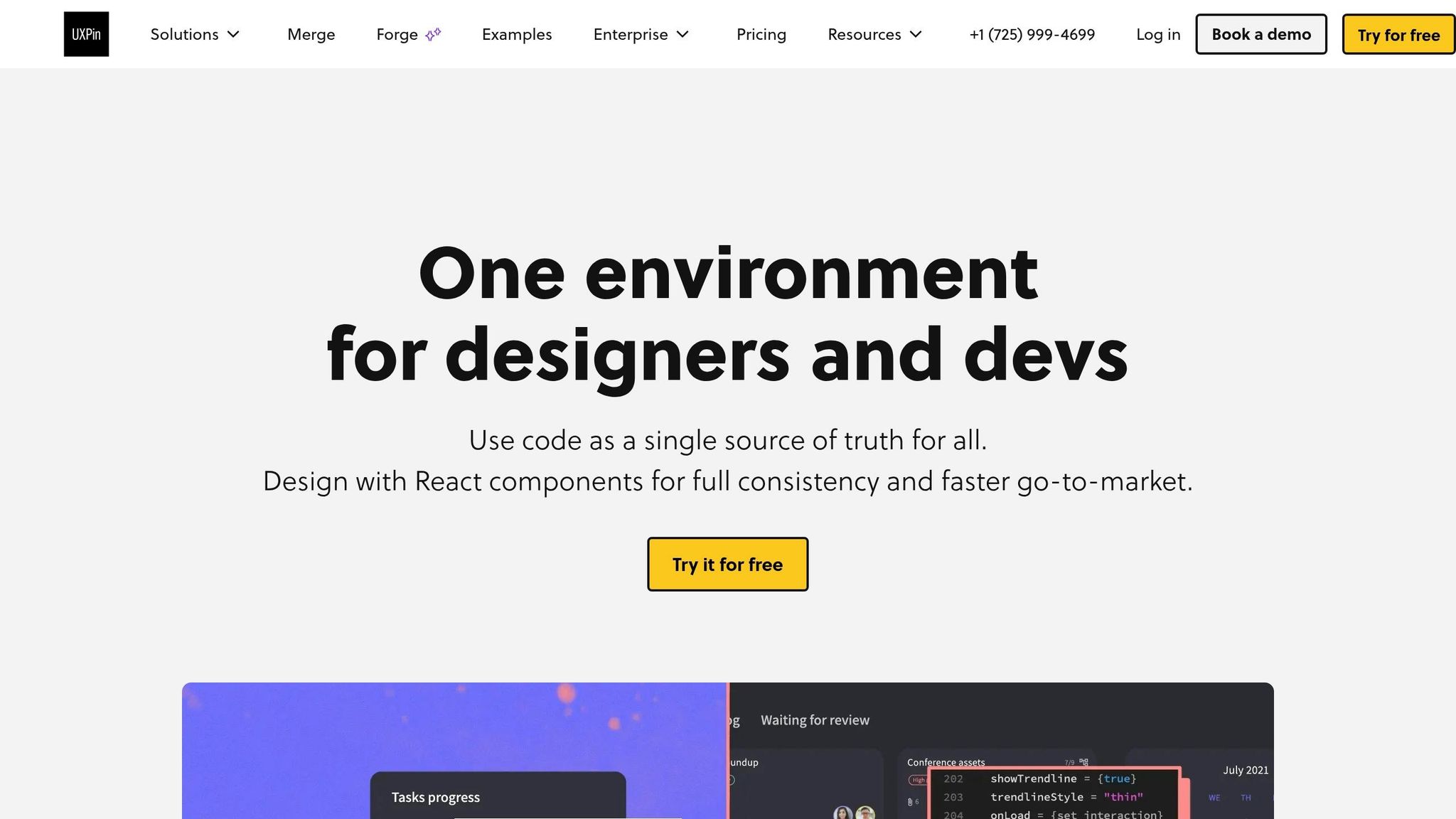
UXPin Merge bridges the gap between design and development by letting designers work directly with production-ready React components. When paired with Ant Design, designers can drag and drop components like Forms, Tables, and Modals onto the canvas and configure them using a properties panel that matches the component’s API. This approach combines interaction setup and state management in one place, ensuring prototypes are as close to the final product as possible. Plus, since the components are tied to live code, any updates made by engineers are instantly reflected in UXPin, maintaining a single source of truth.
Ant Design is fully integrated into UXPin, so teams can access the entire component library directly from the design canvas without importing files or managing separate accounts.
With these tools outlined, the next step is to explore the workflow for building UX effectively.
Step-by-Step Workflow: Building UX with Claude Haiku 4.5, Ant Design, and UXPin Merge
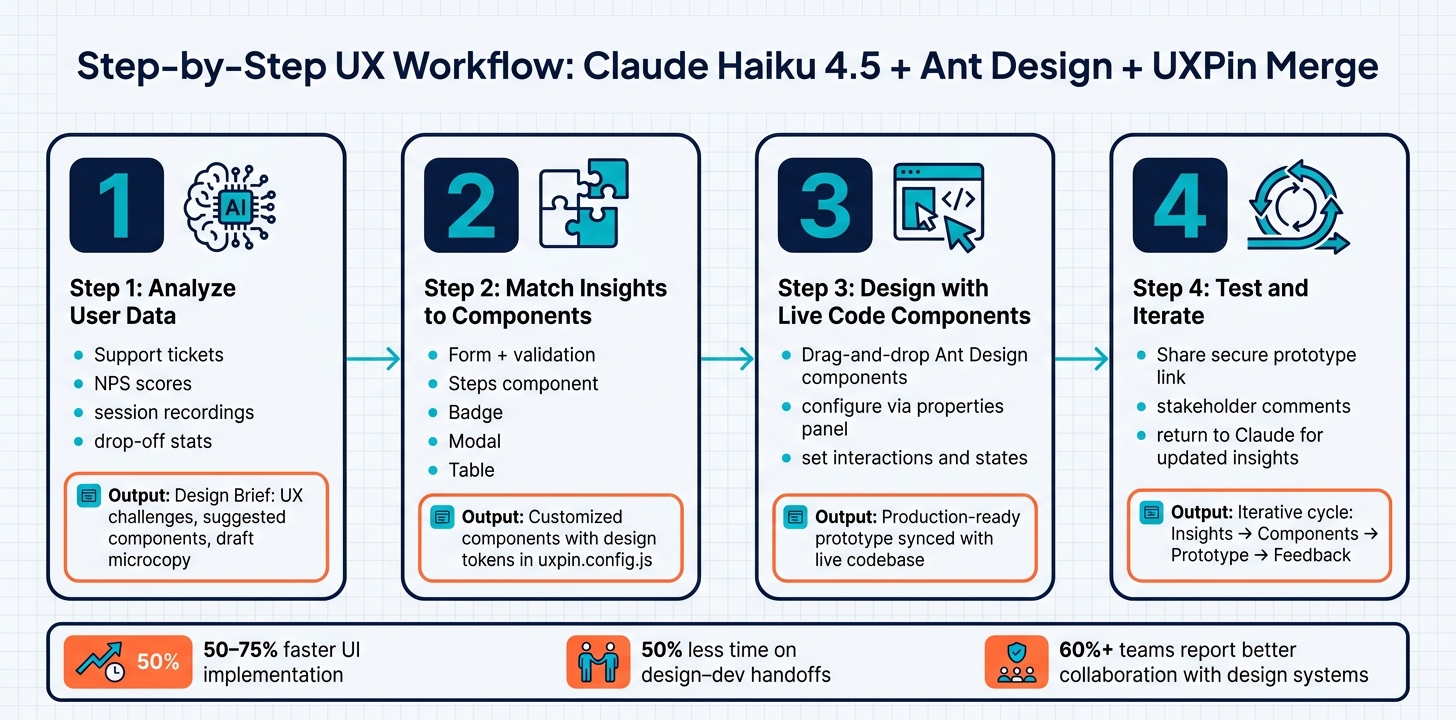
UX Workflow: Claude Haiku 4.5 + Ant Design + UXPin Merge
Here’s a streamlined process to take your UX project from raw data to a production-ready prototype. Below is a breakdown of each step.
Step 1: Use Claude Haiku 4.5 for AI-Driven Insights
Start by tapping into Claude Haiku 4.5 to analyze user data – such as support tickets, session recordings, NPS scores, and drop-off statistics. Ask targeted questions like, "What are the top three friction points in our onboarding flow?" or "Which UI patterns could reduce confusion at this step?" The tool will help you create a structured design brief that outlines:
- Key UX challenges.
- Suggested components (e.g., inline validation, progress indicators, contextual tooltips).
- Draft microcopy for error messages.
This brief will act as your roadmap for the prototyping process.
Step 2: Match Insights to Ant Design Components
Using your design brief, map each recommendation to an appropriate Ant Design component. For example, if users often miss required fields in a multi-step form, you could use Ant Design’s Form component with built-in validation and pair it with the Steps component for better progress tracking.
Next, customize these components at the code level. In your ant-merge repository, you can:
- Add custom props in the
srcdirectory (e.g., anIconPositionprop to control icon placement). - Update
uxpin.config.jswith design tokens to ensure consistent styling. - When introducing new components like
BadgeorRibbon, updateall-exported-props.jsso they appear correctly in UXPin’s library.
Step 3: Design Using Code-Integrated Components in UXPin Merge
Open UXPin and access the Ant Design component library directly from the canvas without needing to import files. Drag and drop the components you selected in Step 2, then configure them using the properties panel. This panel reflects the actual API of each component, ensuring that your configurations will match the final implementation.
Set up interactions and states – like form validation flows, modal triggers, or conditional visibility – directly in UXPin. Any updates made by your engineering team to the shared repository will automatically sync to your UXPin canvas, keeping your prototype aligned with the production codebase.
Step 4: Test and Iterate on Your Design
Share a secure prototype link to gather feedback on live interactions. UXPin’s commenting tools allow stakeholders to leave precise feedback on specific elements.
If further adjustments are needed, return to Claude Haiku 4.5 for updated insights and refine your Ant Design configurations in UXPin Merge. This iterative cycle – insights → components → prototype → feedback – streamlines the process, cutting down on the back-and-forth and allowing for quick, focused improvements.
Best Practices for Aligning Design and Development Teams
To keep design and development teams working smoothly together during UX development, it’s essential to focus on collaboration and alignment. Without this, prototypes can get stuck at the handoff stage, delaying progress. These practices can help both teams stay on the same page.
Establish a Single Source of Truth
When designers and developers rely on different resources – like static mockups for one team and local component files for another – it leads to inconsistencies. Nielsen Norman Group highlights that such mismatches and missing shared patterns can increase effort by 20–30% due to duplicated work and the need for refactoring.
A tool like UXPin Merge solves this issue by linking your Ant Design React library directly to the design canvas. This means designers can use the exact components developers are coding with. Any updates made in the repository are automatically reflected in UXPin, eliminating manual syncing and version conflicts.
To ensure accuracy over time, it’s crucial to define clear rules. Decide who is responsible for component updates, how new variants are requested, and how breaking changes are communicated. A shared changelog between teams can also help avoid confusion and maintain alignment.
Collaborate Early and Often
Consistency in tools is just one part of the equation – early collaboration prevents costly misunderstandings. The most expensive design issues are often the ones discovered after development has already started. By involving developers early in the process, such as during problem framing, feasibility concerns can be addressed before they become major roadblocks.
Agile teams can benefit from brief but focused sessions, such as a 30–45 minute design–dev kickoff at the start of each feature. This helps align goals and confirm which Ant Design components will be used. Adding a mid-sprint sync and a post-release retrospective can further minimize issues. For distributed teams across the U.S., tools like UXPin’s commenting features enable asynchronous collaboration, making it easier to stay connected despite different time zones.
According to a 2023 design systems survey by Sparkbox, over 60% of respondents identified improved collaboration with engineering as a key advantage of adopting a design system.
Use AI to Cut Down Manual Work
AI tools like Claude Haiku 4.5 are game-changers, not just at the beginning of a project but throughout its lifecycle. As your prototype evolves in UXPin Merge, Claude can generate interaction specs, edge case checklists, and acceptance criteria directly from the prototype’s flows. This gives developers clear, detailed briefs without requiring designers to spend hours on documentation.
Claude Haiku 4.5 also keeps your design system up to date by automating tasks like updating prop tables, usage guidelines, and changelogs. This ensures documentation stays current as the system evolves, without creating extra work for the team.
Conclusion: Accelerate UX Delivery with Claude Haiku 4.5, Ant Design, and UXPin Merge
Great UX bridges the gap between design and the final product. By combining Claude Haiku 4.5, Ant Design, and UXPin Merge, teams can streamline the entire process. Claude Haiku 4.5 generates user flows and copy, Ant Design provides a consistent component library, and UXPin Merge transforms prototypes into production-ready code. Together, these tools ensure that designs align perfectly with the final product, as highlighted in the workflow and best practices.
Key Takeaways
This integrated workflow delivers clear benefits for teams and enterprises:
- Speed: Claude Haiku 4.5 accelerates the creation of user flows, UX copy, and edge-case scenarios, enabling designers to work directly with real Ant Design components.
- Consistency: Every element in your prototype – from buttons to forms – uses the exact tokens and interaction patterns that developers implement in production.
- Less Rework: Teams using UXPin Merge have reported up to 50% less time spent on design–development handoffs, as prototypes are built using the same React components developers rely on.
- Unified Reference: Design, product, and engineering teams all work from the same Ant Design library, reducing miscommunication, post-release fixes, and sprint unpredictability.
Next Steps
To implement this system in your organization, start with a pilot project. Choose a specific flow, such as user onboarding or a billing dashboard, and run it through the pipeline: use Claude Haiku 4.5 for requirements and UX copy, Ant Design for UI components, and UXPin Merge for interactive prototypes.
Once the pilot is complete, track metrics like prototype delivery time, handoff-related queries, and UI issues to measure improvements. Document your process, including prompt templates, component guidelines, and review checklists, so other teams can replicate it. This is how a single pilot can evolve into a company-wide standard, enabling faster, more consistent UX delivery with minimal manual coordination.
Explore plans and features at uxpin.com/pricing to find the right fit for your team.
FAQs
What data should I give Claude Haiku 4.5 for UX insights?
For the best UX insights when working with Claude Haiku 4.5, structure your request using the Context + Task + Constraints + Example format. Be sure to specify the Ant Design version (v5), along with the exact component names and any necessary props, such as type or size. Include critical details like validation rules, hover or focus states, and the expected React JSX output. If possible, upload wireframes or mockups to provide visual context. For more complex interfaces, consider breaking your request into smaller, manageable sections to ensure precision and clarity.
How do I connect Ant Design components to UXPin Merge?
Ant Design comes pre-integrated with UXPin, which means you can start using it right away – no setup required. Simply navigate to the Design System Libraries tab in the bottom-left sidebar, select Ant Design, and drag the components you need directly onto your canvas. It’s that simple!
If you’re working with a custom or forked version of Ant Design, here’s how to get started:
- Install the Merge CLI tool by running:
npm install @uxpin/merge-cli - Create a
uxpin.config.jsfile for configuration. - Use the Merge Component Manager to sync your components.
Alternatively, you can import the npm package and configure the CSS path before publishing any updates. This flexibility ensures you can tailor the setup to your specific needs.
How do we manage updates without breaking prototypes?
To keep prototypes intact during updates, connect UXPin Merge to your code repository using a CI/CD pipeline. Start by installing the Merge CLI tool and specifying component paths in the uxpin.config.js file. This setup ensures updates sync automatically with every code commit. For custom libraries, you can sync through Storybook or npm. Once updates are made, simply click Publish Library Changes and refresh your browser to apply the changes smoothly, maintaining consistent designs.