Want to design faster and deliver code that’s ready for production? Here’s the solution: Combine Claude Opus 4.5, shadcn/ui, and UXPin Merge. This workflow lets you create prototypes with live React components, ensuring your designs match production standards by switching to code-based design.
Why this matters:
- Designers and developers work with the same components, reducing errors and saving time.
- AI tools like Claude Opus 4.5 handle complex logic and coding tasks.
- UXPin Merge syncs directly with your Git or npm library, keeping designs up-to-date with development.
How it works:
- Claude Opus 4.5 acts as your AI engineer, managing code architecture and logic.
- shadcn/ui offers pre-built, customizable React components with Tailwind CSS.
- UXPin Merge ties it all together, allowing you to drag-and-drop components and export production-ready JSX.
The result? Teams can move from prototype to production up to 10x faster, cutting out the usual back-and-forth between design and development.
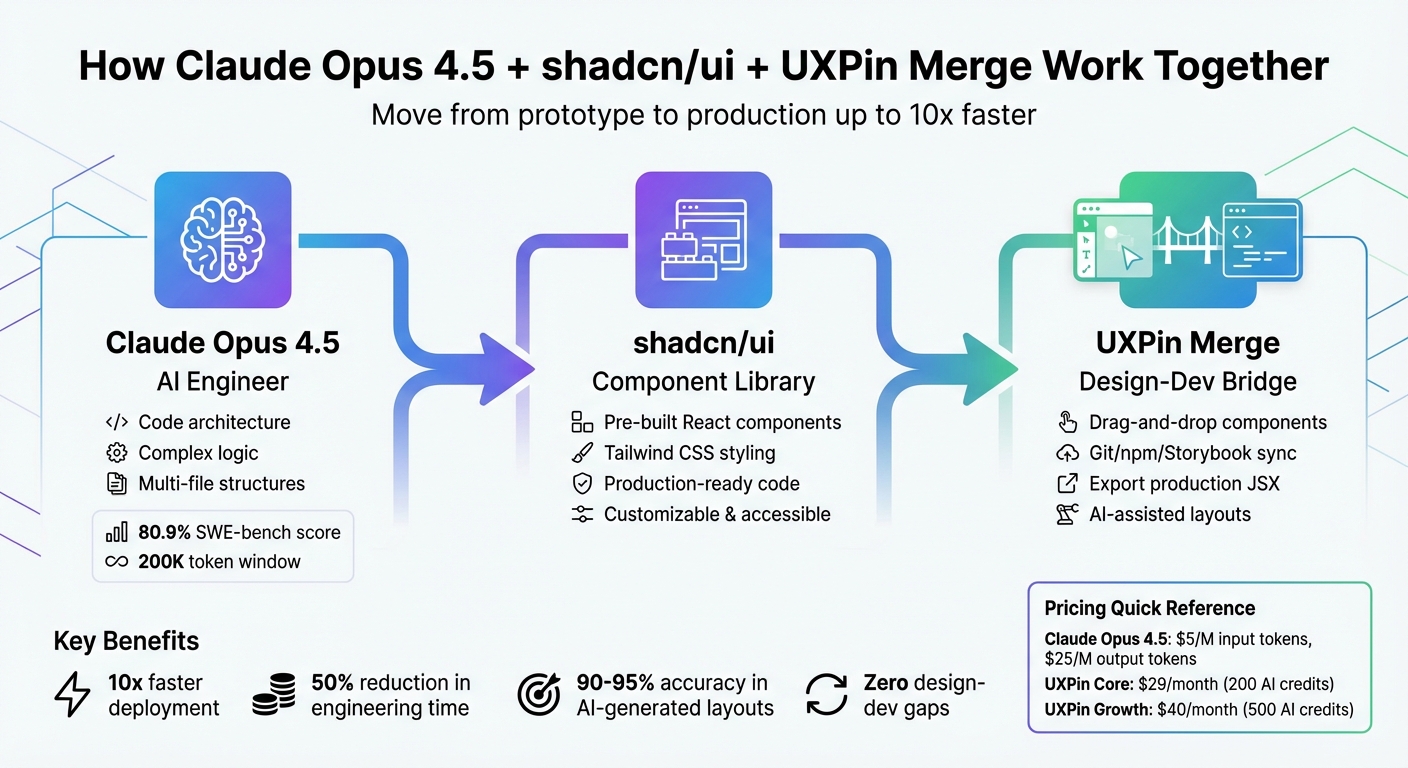
Claude Opus 4.5 + shadcn/ui + UXPin Merge Workflow for Rapid Prototyping
UXPin Merge Tutorial: Intro (1/5)
sbb-itb-f6354c6
Setting Up Your Environment
Getting started involves three main steps: configuring Claude Opus 4.5, accessing shadcn/ui components, and integrating UXPin Merge into your workflow.
Setting Up Claude Opus 4.5
Head over to the Anthropic Developer Platform and create an account. Once logged in, generate a unique API key from your dashboard. Keep in mind that using Claude Opus 4.5 requires paid credits. The pricing is $5 per million input tokens and $25 per million output tokens, with options like prompt caching and batch processing to help reduce costs.
Store your API key securely, and make sure to use separate keys for development, staging, and production environments. One standout feature of Claude Opus 4.5 is its 200K token context window, which allows it to process large codebases and documentation without losing track of context.
To integrate, paste your API key into the Merge AI Component Creator’s Settings tab and select "Claude Opus 4.5". This will enable you to generate layouts that are consistent and aligned with your design style.
Accessing shadcn/ui Components in UXPin Merge
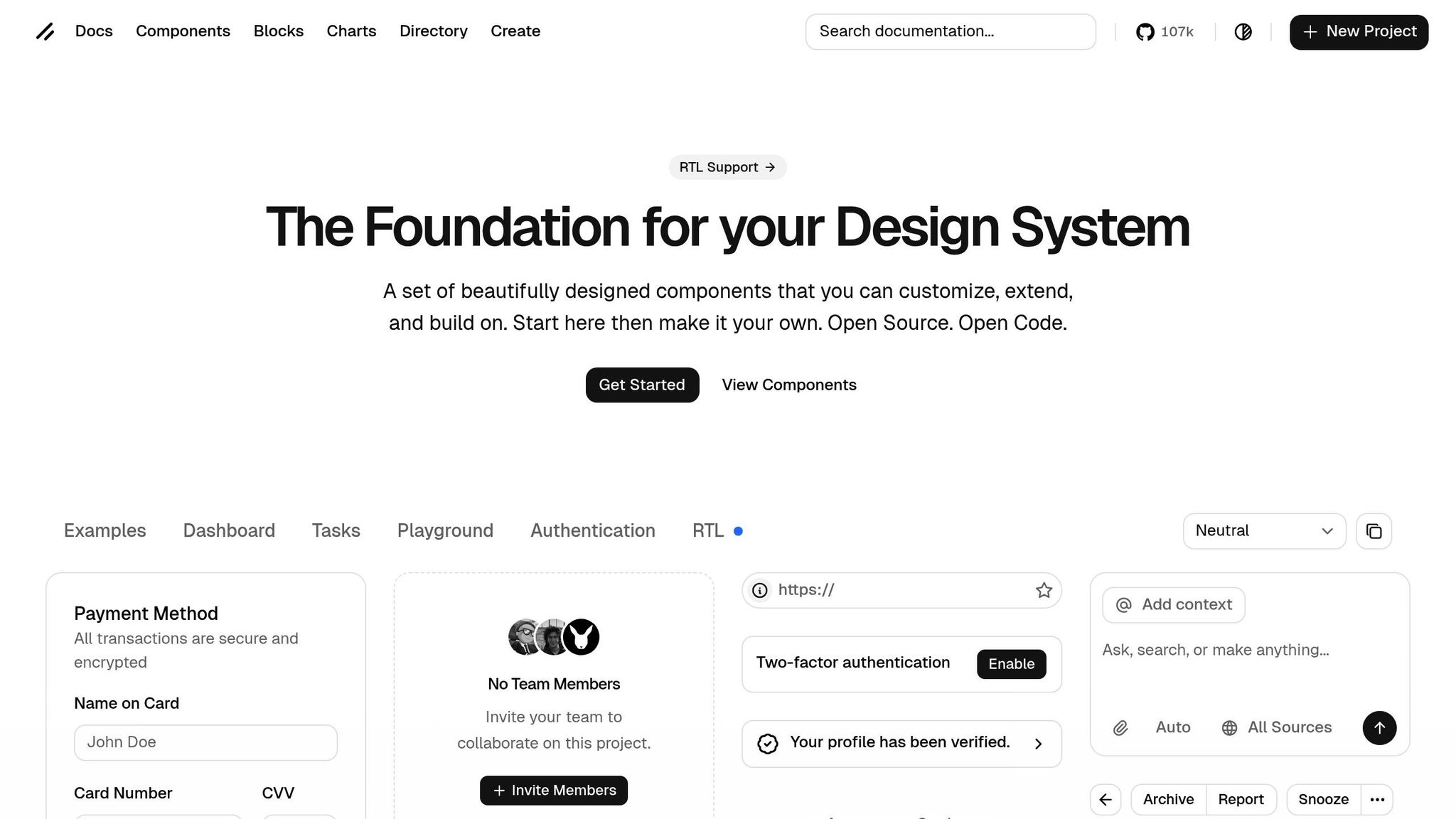
With your API key set up, the next step is to tap into shadcn/ui components within Merge.
Merge comes pre-integrated with shadcn/ui, so you can start designing immediately. Open the UXPin Editor to access React components that are built with Tailwind CSS and ready for production.
If you’re using a custom or modified version of the shadcn/ui library, you can connect it through Git integration, Storybook, or npm. For those working with Claude outside of UXPin – like in VS Code – the free Model Context Protocol (MCP) server can link AI tools directly to the shadcn/ui registry. This helps avoid errors or "hallucinations" related to TypeScript props.
Configuring UXPin Merge
Once your API access is ready and your components are confirmed, it’s time to configure Merge to finalize your environment setup.
Visit uxpin.com/pricing to select the plan that works best for your team. The Core plan starts at $29/month, offering basic AI models, 200 AI credits per month, and access to built-in coded libraries. The Growth plan, priced at $40/month, adds advanced AI models, 500 AI credits, and integrates with Storybook. For larger teams needing custom library integration or unlimited AI credits, reach out to sales@uxpin.com for tailored pricing.
After choosing a plan, connect Merge to your design system. If you’re using the built-in shadcn/ui library, you’re ready to go. For custom libraries, select a connection method that fits your workflow: Git integration for seamless syncing, Storybook to use existing documentation, or npm for quick imports.
Once your environment is set up, you can dive into designing and customizing with shadcn/ui components.
Building Designs with shadcn/ui Components
Once your environment is set up, you can begin crafting production-ready designs using shadcn/ui components directly on the UXPin canvas. Open the UXPin editor to dive into these pre-built components.
Adding and Customizing Components
To get started, drag components like buttons, form inputs, or navigation menus from the library panel onto your canvas. These components are built with Tailwind CSS and are ready for immediate use. You can easily tweak their properties using the UXPin Properties Panel, allowing you to adjust colors, spacing, typography, and more – all without touching a single line of code.
For an even smoother experience, try the "AI Helper" tool. This feature lets you modify components using natural language commands. Simply type instructions like "change the button color to blue" or "add 8px padding", and the component updates in real time. It’s a quick and intuitive way to refine your designs.
When working on complex interfaces, focus on designing smaller sections first instead of tackling entire layouts at once. For example, design the navigation bar separately from the main content area. This method – breaking designs into manageable pieces – helps ensure precision and keeps your designs clean and easy to maintain. It’s a practical way to lay the groundwork for seamless design-code alignment.
Maintaining Design-Code Consistency
One of the biggest advantages of using shadcn/ui components is the elimination of design-development gaps. What you see in the UXPin canvas is exactly what developers will implement – no need for translation or guesswork. Adjusting properties in the editor directly maps to the component’s React props, ensuring clarity around values like spacing, colors, and interaction states.
If your project uses a customized version of shadcn/ui, you can integrate your custom libraries effortlessly through Git, Storybook integration, or npm. This flexibility ensures your unique components work seamlessly alongside the standard library, keeping everything consistent and efficient.
Using Merge AI and Claude Opus 4.5 for AI-Assisted Prototypes
With your shadcn/ui components prepped, it’s time to supercharge your prototyping process. By combining AI-driven design and advanced coding logic, you can transform ideas into production-ready code faster than ever. Merge AI streamlines layout creation using pre-approved components, while Claude Opus 4.5 takes care of intricate logic and multi-file code structures.
These tools build on your existing setup, making the leap from prototype to production smoother and more efficient.
Creating AI-Generated Layouts with Merge AI
In the UXPin editor, the AI Component Creator lets you generate layouts from simple text prompts or even uploaded images. For example, you could type, "Create a user profile card with an avatar, name, and bio field," and Merge AI will assemble it using real, coded shadcn/ui components from your library. Every suggestion is production-ready, tested, and aligned with your design system.
This eliminates the usual back-and-forth and ensures consistency by sticking to pre-approved components. For instance, in November 2025, Palo Alto Networks reported a 20–30% boost in development speed by incorporating Claude models into their workflows. According to Gunjan Patel, their Director of Engineering, the key was using AI that respected their existing architecture. Merge AI offers the same advantage by maintaining your design system’s integrity.
For best results, focus on generating smaller sections of your layout at a time. This approach keeps your prototypes clean and achieves an impressive 90–95% accuracy rate.
Building Complex Layouts with Claude Opus 4.5
When dealing with enterprise-level layouts that require sophisticated logic, Claude Opus 4.5 steps in as your "senior engineer." Scoring 80.9% on the SWE-bench Verified coding benchmark, this AI model excels at handling multi-file architectures and creating production-ready code.
"Opus 4.5 isn’t just incrementally better. It demonstrates a fundamentally improved understanding of complex codebases, multi-file architectures, and the subtle nuances that separate working code from production-ready code." – LaunchKit Team
Before diving into complex layouts, use the /plan command to detect architectural issues early on. This proactive step can help you identify race conditions, component dependencies, or other potential pitfalls before they escalate. For example, in December 2025, developer Anurag Kurmi used Claude Opus 4.5 and the Antigravity IDE to prototype a full-featured document signing system in just 1.5 hours. The project included rich text editing, digital signatures, and PDF generation, spanning approximately 3,500 lines of code.
To ensure consistency with your shadcn/ui design system, consider creating a CLAUDE.md file. This document acts as an "Agent Operating Manual", outlining workflows, UI/UX guidelines, and component usage rules. In February 2026, a solo developer built OnboardingHub, a multi-tenant SaaS with 38,632 lines of code, in just eight weeks using Claude Opus 4.5 and a CLAUDE.md manual. The AI handled 95% of the coding while adhering to the pre-defined architecture, compressing what would typically take six months into two.
This approach ensures that even the most complex layouts remain aligned with your design standards.
| Feature | Merge AI (UXPin) | Claude Opus 4.5 (Anthropic) |
|---|---|---|
| Primary Role | Visual assembly and layout generation | Complex reasoning and code architecture |
| Component Source | Real shadcn/ui code from Git/npm | Generates/refactors underlying logic |
| Best For | Rapid UI exploration and prototyping | System-wide implications and debugging |
| Output | Interactive, production-ready prototypes | High-fidelity React code and architecture plans |
For an efficient workflow, use Claude Opus 4.5 for architecture and debugging while reserving faster models for smaller tasks like component tweaks and documentation. This balance ensures you maintain both speed and quality where it matters most.
With AI handling layouts and architectural planning, you’re set to deliver production-ready code with ease.
Moving Prototypes to Production
Once your prototype is polished, moving it into production becomes a smooth process. With UXPin Merge, the usual design-to-development hurdles disappear. Developers gain direct access to production-ready code, thanks to the use of real shadcn/ui components. This approach ensures a direct and efficient path from design to deployment, highlighting the benefit of working with components that are already aligned with production standards.
Exporting Production-Ready Code
Developers receive a single link containing detailed specs and production-ready React code, eliminating the need for time-consuming rebuilds. This link includes JSX that perfectly matches the components from your prototype, ensuring consistency between design and implementation. For quick visual adjustments, the AI Helper can make rule-compliant tweaks before the handoff. If a more thorough review is required, Claude Opus 4.5’s Plan Mode (/plan) can analyze the exported code, identifying potential issues like race conditions or logic errors before deployment. This streamlined process significantly speeds up the transition from design to production.
"When I used UXPin Merge, our engineering time was reduced by around 50%. Imagine how much money that saves across an enterprise-level organization."
– Larry Sawyer, Lead UX Designer
Faster Deployment with Code-Based Prototypes
The benefits don’t stop at export. Taking a code-based approach to design with components accelerates deployment even further. This method is reported to be up to 10x faster than traditional workflows, allowing teams to move from design to delivery in days rather than months.
"It used to take us two to three months just to do the design. Now, with UXPin Merge, teams can design, test, and deliver products in the same timeframe."
– Erica Rider, UX Architect and Design Leader
Take Microsoft as an example: a small team of just three designers used Merge technology to support 60 internal products and over 1,000 developers. By syncing their Fluent design system directly with UXPin, they eliminated handoff issues, reduced unnecessary rebuilds, and avoided design inconsistencies. This kind of scalability is possible when design and development work seamlessly from the same source of truth.
Conclusion
Prototyping with Claude Opus 4.5, shadcn/ui, and UXPin Merge tackles common bottlenecks and ensures alignment across teams. By using real React components, these tools maintain design-code consistency from initial sketches to final production, eliminating the usual gaps between design and development.
Released in November 2025, Claude Opus 4.5 excels at handling complex tasks like multi-file refactoring, architectural decisions, and system-wide logic. It operates with the expertise of a senior engineer, keeping your codebase both scalable and resilient. At the same time, Merge AI empowers designers to create and refine layouts using your team’s actual component library, ensuring every AI-generated element is ready for production.
"Upgrading to Opus 4.5 for complex tasks will feel like the difference between having a helpful junior developer and a seasoned senior engineer looking over your shoulder." – LaunchKit Team
This workflow, from environment setup to leveraging AI for complex layouts, creates a single source of truth for your team. The result? Teams can ship products up to 10 times faster than traditional methods, cutting the timeline from months to just days. Developers get production-ready JSX, designers stay synced with live codebases, and the entire team moves forward seamlessly without compromising on quality or consistency.
With this streamlined process, your team can deliver cohesive, high-quality products at lightning speed.
FAQs
Do I need to know React to use shadcn/ui in UXPin Merge?
No, you don’t need to know React to work with shadcn/ui in UXPin Merge. You can design effortlessly using production-ready React components, even if you don’t have a development background. This makes it a great option for designers who aren’t familiar with coding.
How do I connect my custom shadcn/ui components to UXPin Merge?
To integrate custom shadcn/ui components with UXPin Merge, start by installing the components via npm or Git. Next, import them into UXPin using the platform’s npm integration. You’ll need to define the components in the uxpin.config.js file to establish the connection. Once imported, you can tweak props, styles, and behaviors directly within UXPin. This setup allows you to work with production-ready React components effortlessly during prototyping.
What’s the best way to control Claude Opus 4.5 to follow my design system?
To make sure Claude Opus 4.5 aligns perfectly with your design system, you can rely on UXPin’s AI tools. These tools help generate layouts and fine-tune designs while sticking to your style guidelines. You can also integrate your custom components – such as shadcn/ui – using Git, npm, or Storybook. This setup ensures that AI-generated layouts remain consistent with your design system by utilizing your components and enforcing your style rules directly within UXPin.

