Programming Languages for UX Designers: What You Need to Know in 2026
With hundreds of programming languages in use today, it can be overwhelming for UX and product designers to decide which ones are worth learning. The good news: you don’t need to become a developer. But understanding the languages and frameworks your engineering team uses will make you a better designer and a stronger collaborator.
This guide covers the six programming languages UX designers encounter most often, the front-end frameworks that power modern applications, and how code-aware design tools are removing the barrier between design and development entirely.
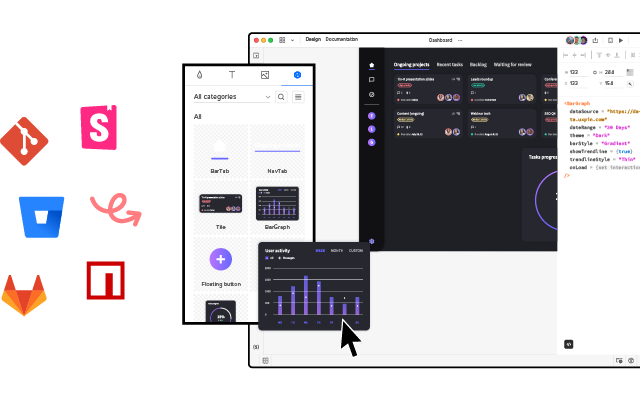
UXPin’s Merge technology lets designers build prototypes using real, code-backed components from their team’s design system — no coding required. Learn how Merge works.
What Are Programming Languages?
Programming languages are formal systems of rules and syntax that developers use to write instructions for computers. Each language has its own structure, package manager, and ecosystem. Think of them as the raw materials — the bricks and mortar — that engineers use to construct digital products.
There are hundreds of programming languages, but most product teams use a small handful. As a UX designer, you don’t need to master any of them. You need to understand what they do and how they shape the products you design.
How Do Programming Languages Impact Product Design?
The programming language a team uses directly affects design constraints. A language dictates what is technically feasible, how quickly features can be built, and what interactive patterns are practical to implement.
If you design a feature that the tech stack can’t support — or that would take disproportionate engineering time — you’re creating unnecessary friction. Understanding the basics helps you avoid this and make informed trade-offs.
Specific areas where programming languages influence UX decisions include:
- Performance: Some languages are faster at rendering complex animations or handling real-time data.
- Time-to-market: Frameworks and libraries built on certain languages speed up development significantly.
- Cross-platform reach: Languages like JavaScript (via React Native) enable cross-platform mobile apps from a single codebase.
- Talent availability: The language choice affects who can be hired to build and maintain the product.
Programming Languages vs. Front-End Frameworks
This distinction is critical and often misunderstood. A programming language (like JavaScript) defines the core syntax. A front-end framework (like React, Angular, or Vue) is built on top of a language and provides pre-made structures and tools to build applications faster.
Analogy: JavaScript is the language; React is the toolkit built in that language. You speak English (the language), but you use specific tools — email, Slack, a phone — to communicate (the frameworks).
What Is a Component Library?
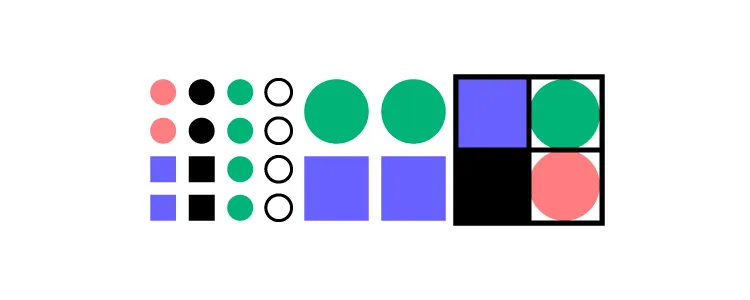
Component libraries sit on top of frameworks and provide ready-made UI elements — buttons, form fields, modals, navigation bars — that developers use to assemble interfaces quickly.
Popular examples include:
- MUI (Material UI): A React component library based on Google’s Material Design system.
- shadcn/ui: A modern collection of accessible, customizable React components.
- Bootstrap: One of the most widely-used front-end UI toolkits.
- Ant Design: A React component library popular for enterprise and data-heavy applications.
The designer’s equivalent is a UI kit or design system containing visual elements. The difference? Traditional UI kits are static graphics. Code component libraries contain functional, interactive elements with built-in states, animations, and behaviors.
This gap between static design assets and functional code components is exactly what UXPin Merge bridges — designers work with the same real components that developers use in production.
6 Programming Languages UX Designers Should Know
You don’t need to write production code in any of these. But understanding what each one does — and when your engineering team uses it — will make you a more effective designer.
1. HTML (HyperText Markup Language)
HTML provides the structural foundation of every web page. It defines headings, paragraphs, lists, images, links, and form elements. Every website you’ve ever visited is built on HTML — regardless of what other technologies are layered on top.
Why it matters for UX designers: Understanding HTML structure helps you design accessible interfaces. Semantic HTML (using the correct tags for headings, navigation, lists, and landmarks) directly impacts screen reader usability and SEO.
2. CSS (Cascading Style Sheets)
CSS controls the visual presentation of HTML content — colors, typography, spacing, layouts, and responsive behavior. Without CSS, every website would render as plain text with default browser styling.
Why it matters for UX designers: CSS governs the visual language of every digital product. Understanding concepts like flexbox, grid layouts, and media queries helps you design layouts that translate cleanly to code. It also helps you understand why certain design decisions are easy or difficult for developers to implement.
3. JavaScript
JavaScript is the programming language that powers interactivity on the web. It handles everything from form validation to complex animations, real-time data updates, and single-page application routing.
Why it matters for UX designers: JavaScript drives the interactive behaviors you design — dropdown menus, modal dialogs, infinite scroll, search-as-you-type, and virtually every micro-interaction. It’s also the foundation of the most popular front-end frameworks (React, Vue, Angular).
4. TypeScript
TypeScript is a superset of JavaScript that adds static type checking. It’s become the industry standard for large-scale applications because it catches errors before code runs, improving reliability.
Why it matters for UX designers: Many enterprise design systems and component libraries are built with TypeScript. If your team’s components are written in TypeScript, it means they have explicit, documented interfaces (props) — making it easier for designers to understand what a component can and can’t do.
5. Python
Python is a versatile language used heavily in data science, machine learning, backend development, and automation. Companies like Instagram, Spotify, and Netflix use Python in their stacks.
Why it matters for UX designers: If your product involves AI, data visualization, or machine learning features, the engineers building those capabilities are likely using Python. Understanding its role helps you collaborate on AI-powered UX features and anticipate technical possibilities and constraints.
6. PHP
PHP is a server-side scripting language that powers roughly 77% of websites with a known server-side language, including WordPress. While less trendy than JavaScript or Python, it remains enormously influential in web development.
Why it matters for UX designers: If you’re working on WordPress-based products, content management systems, or e-commerce platforms (like WooCommerce), the backend is almost certainly PHP. Understanding this helps set realistic expectations for dynamic content and server-side rendering.
4 Front-End Frameworks UX Designers Encounter
As a UX designer, you’ll hear about frameworks more than raw programming languages. Here are the four you’re most likely to encounter:
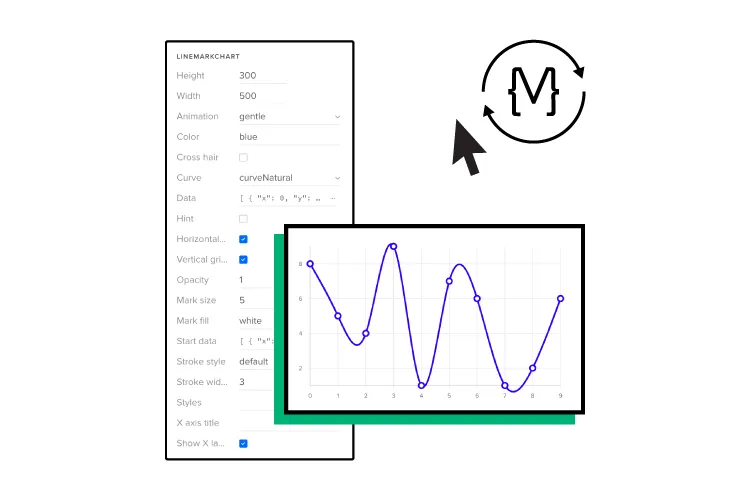
All four of these frameworks are compatible with UXPin Merge, which lets designers drag and drop real, code-backed components into prototypes.
1. React
React is the most widely adopted front-end framework, maintained by Meta. Its component-based architecture makes it ideal for building reusable UI elements, and React Native extends it to mobile platforms (iOS and Android).
React’s dominance in the industry means many design systems and component libraries — including MUI, shadcn/ui, and Ant Design — are built with React components. UXPin Forge generates production-ready JSX using these same components.
2. Angular
Angular, maintained by Google, is popular for complex enterprise applications. PayPal, Gmail, and Upwork are among the platforms built with Angular. Its opinionated structure and built-in features make it a strong choice for large teams.
3. Vue
Vue is known for its gentle learning curve and excellent performance. It’s popular for single-page applications and is the default front-end framework in many Laravel-based projects.
4. Svelte
Svelte is a newer framework that compiles components into optimized vanilla JavaScript at build time, resulting in smaller bundle sizes and faster performance. It’s gaining traction for performance-critical applications.
The Benefits of Code-Aware Design
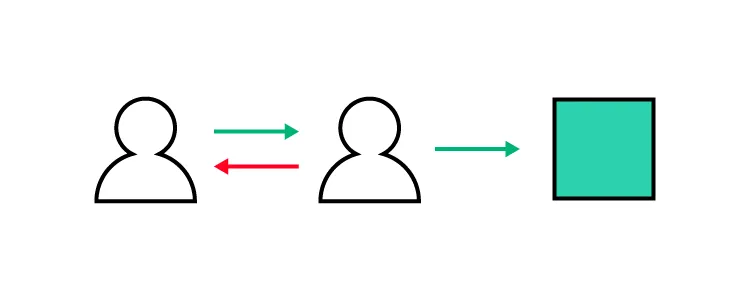
Using real code components during the design process — rather than static graphic approximations — provides several concrete advantages:
- Higher-fidelity testing: Prototypes behave like the final product, producing more accurate usability test results.
- Faster design-to-development handoff: When designers and developers share the same component library, handoff friction virtually disappears.
- Reduced engineering rework: Designs built with production components don’t need to be rebuilt from scratch. Enterprise teams using UXPin Merge have reported a 50% reduction in engineering time.
- Design system consistency: Every prototype automatically adheres to the design system, preventing visual drift.
UXPin Merge and Forge: Design with Code, No Coding Required
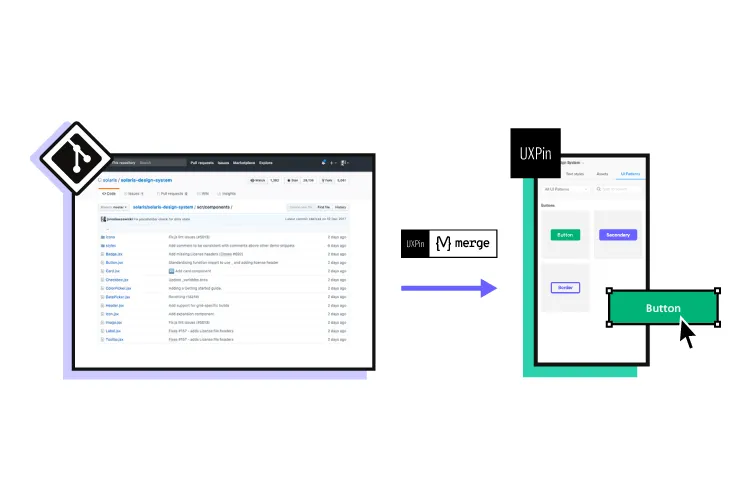
UXPin Merge syncs your team’s code component library — from a Git repository — directly into UXPin’s design editor. Designers drag and drop real React, Angular, or Vue components to build prototypes that render actual code under the hood.
The result: prototypes that look, feel, and behave like the final product — without designers writing a single line of code.
UXPin Forge, the platform’s AI design assistant, goes further. Forge generates, edits, and iterates on layouts using your production component library. You can describe what you need in a text prompt, upload a screenshot, or paste a URL — and Forge produces a layout built entirely from your real components. The output is exportable as production-ready JSX.
PayPal’s 5-person UX team uses UXPin Merge to support over 60 products and 1,000+ developers — proof that code-aware design scales for the largest organizations.
Frequently Asked Questions
Do UX designers need to learn programming?
Learning to code is not a requirement for UX designers, but understanding the basics of HTML, CSS, and JavaScript helps you collaborate more effectively with developers, understand technical constraints, and make better design decisions. Code-aware design tools like UXPin Merge also let designers work with real code components without writing code themselves.
What is the best programming language for UX designers to learn first?
HTML and CSS are the best starting point. They’re the foundational languages of the web, relatively simple to learn, and directly influence how your designs are rendered in browsers. JavaScript is the logical next step for understanding interactivity.
If you’re starting from scratch or want to help a young learner build these foundations early, platforms like CodaKid offer coding courses for kids covering exactly these languages in a beginner-friendly environment.
What is the difference between a programming language and a framework?
A programming language (like JavaScript) provides the core syntax and rules for writing code. A framework (like React or Vue) is built on top of a programming language and provides pre-built structures, components, and tools to speed up development.
Should UX designers learn React?
While UX designers don’t need to become proficient React developers, understanding React’s component-based architecture is highly valuable. React is the most widely used front-end framework, and many design systems are built with React components. Tools like UXPin Merge let designers drag and drop real React components to build prototypes without writing code.
What programming languages are used in AI and UX?
Python is the dominant language for AI and machine learning development. On the front-end, JavaScript (and TypeScript) remain the primary languages for building AI interface components and interactive experiences.
Can designers build prototypes without coding?
Yes. UXPin Merge syncs real code components from a Git repository into the design editor, giving designers code fidelity with the speed of visual design. UXPin Forge can also generate layouts from text prompts using production components — output is exportable as production-ready JSX.
Bridge the Gap Between Design and Code
Understanding programming languages and frameworks makes you a more effective UX designer. But you don’t have to become a developer to work with real code. UXPin Merge and Forge bring production components into your design workflow, eliminating the handoff gap and giving you the power of code without the complexity.
Explore UXPin Merge to see how code-backed design transforms your prototyping process.