Corporate Website Design: 10 Inspiring Examples & Best Practices (2026)
Corporate website design is the practice of creating an online presence that communicates a company’s brand, values, products, and services in a professional, user-friendly way. A well-designed corporate website builds credibility with stakeholders, supports marketing and recruitment, and provides customers, investors, and partners with the information they need to engage with the business.
In 2026, the bar for corporate web design is higher than ever. Users expect fast load times, mobile-first layouts, accessibility compliance, and seamless navigation. AI-powered design tools are making it possible to prototype and iterate on corporate websites faster, while design systems ensure brand consistency at scale.
In this guide, we explore 10 standout corporate website examples, break down the design best practices that make them effective, and show how modern prototyping tools can help your team design, test, and ship corporate websites faster.
What Is a Corporate Website?
A corporate website is the official online presence of a company or organization. Unlike e-commerce stores or SaaS product marketing sites, corporate websites primarily serve multiple audiences simultaneously:
- Brand communication — Presenting the company’s identity, mission, and values
- Stakeholder engagement — Serving customers, investors, job seekers, partners, and media
- Trust building — Establishing credibility through professional design, social proof, and transparency
- Information delivery — Making products, services, news, and company information easily accessible
The best corporate websites balance these goals while maintaining usability, accessibility, and visual appeal across all devices.
10 Corporate Website Design Examples Worth Studying
These corporate websites demonstrate design principles worth emulating — from minimalist product showcases to complex multi-brand architectures.
1. Apple — Minimalism and Product-Led Design
Apple’s corporate site exemplifies minimalism done right. Clean typography, generous whitespace, and hero-scale product imagery create a premium feel. Navigation is simple and flat — users can reach any product or support page within two clicks. The site’s responsive design maintains its visual impact from 4K displays down to mobile screens.
Key takeaway: Let your product visuals do the heavy lifting. Reduce interface clutter so the brand experience takes center stage.
2. Microsoft — Scalable Navigation for Complex Product Portfolios
Microsoft’s site manages extraordinary content complexity — dozens of products across enterprise, consumer, and developer audiences — with a clear mega-menu navigation system and audience-segmented pathways. Each product vertical has a consistent template structure that feels unified despite the diversity of content.
Key takeaway: For large organizations, invest in scalable navigation patterns and templated page structures maintained through a design system.
3. Salesforce — Visual Hierarchy That Drives Action
Salesforce balances enterprise credibility with an approachable, colorful aesthetic. The homepage uses a clear visual hierarchy: headline value proposition → social proof (customer logos) → product category cards → featured content. CTAs are prominent without being aggressive.
Key takeaway: Use visual hierarchy deliberately to guide corporate visitors from awareness to action.
4. UBS — Trust and Clarity in Financial Services
UBS demonstrates how financial institutions can feel modern and accessible. The site uses a restrained color palette, authoritative typography, and a content-first layout that puts market insights and client services front and center. Accessibility is prioritized throughout.
Key takeaway: In regulated industries, clarity and trust signals (credentials, awards, regulatory information) matter more than visual flair.
5. Johnson & Johnson — Purpose-Driven Corporate Storytelling
J&J’s corporate site leads with purpose — health innovation and social responsibility are foregrounded over product promotion. Engaging photography, editorial-quality content, and a clear information architecture help navigate a brand portfolio spanning pharmaceuticals, medical devices, and consumer health.
Key takeaway: Corporate sites for conglomerates should lead with the corporate narrative (mission, values, impact), with clear paths to subsidiary and product content.
6. Stripe — Interactive Product Demonstrations
Stripe proves that developer-focused companies can have beautiful corporate sites. Animated code snippets, gradient backgrounds, and product demos are embedded directly into the page. The site functions as both a marketing asset and a product experience.
Key takeaway: Embed interactive product demonstrations into your corporate site to let visitors experience your offering without signing up.
7. Meta — Separating Product and Corporate Narratives
Meta’s corporate site separates its product ecosystem (Facebook, Instagram, WhatsApp) from its corporate narrative about innovation and responsibility. Clean segmentation, editorial-style content, and a dedicated newsroom create transparency at scale.
Key takeaway: Large tech companies should decouple product marketing from corporate communications — each audience needs a dedicated experience.
8. The Volkswagen Group — Multi-Brand Architecture
VW Group showcases how an automotive conglomerate presents multiple brands (Porsche, Audi, Lamborghini) under a unified corporate umbrella. The site uses a consistent design language while allowing each brand’s personality to shine through on its dedicated section.
Key takeaway: Multi-brand companies need a corporate design system flexible enough to accommodate brand variations while maintaining structural consistency.
9. IBM — Design System-Driven Consistency
IBM’s site balances thought leadership content (research, case studies, whitepapers) with product marketing. IBM’s Carbon Design System ensures every page follows consistent patterns. The site is a masterclass in scaling enterprise web design through systematic component usage.
Key takeaway: A mature design system is the backbone of consistent corporate web design at scale. IBM’s Carbon system demonstrates how organizations can maintain quality across thousands of pages.
10. Patagonia — Values-Driven Brand Integration
Patagonia demonstrates that corporate sites can reflect strong values without compromising usability. Environmental activism content is seamlessly integrated with product commerce. Rich storytelling, full-bleed imagery, and an authentic tone of voice differentiate it from typical retail sites.
Key takeaway: If your brand has a strong mission, weave it into every page — not just an isolated “About” section.
Corporate Website Design Best Practices for 2026
Create a Clean, Professional Layout
Corporate audiences — investors, partners, job seekers — form trust impressions in milliseconds. A clean layout with deliberate whitespace, consistent grid structure, and clear content hierarchy signals professionalism and attention to detail.
- Use a 12-column grid system for consistent alignment
- Maintain generous padding between sections (48–96px minimum)
- Limit your color palette to 2–3 primary colors plus neutrals
- Ensure consistent spacing using an 8px base grid system
Prioritize User-Centric Navigation
Corporate websites serve diverse audiences — each with different goals. Your navigation must make it easy for any visitor type to find what they need within 2–3 clicks.
- Use audience-segmented pathways (“For Investors,” “For Job Seekers,” “For Partners”)
- Implement a well-organized mega-menu for complex sites with deep hierarchies
- Include a prominent, functional search bar for quick access
- Add breadcrumbs for deep content hierarchies to support wayfinding
- Ensure navigation is keyboard-accessible and works with screen readers
Design Responsively and Mobile-First
Over 60% of web traffic is mobile, and Google uses mobile-first indexing. Your corporate site must perform flawlessly on every device.
- Design for mobile first, then scale up to tablet and desktop
- Test touch targets (minimum 44×44px for interactive elements)
- Ensure navigation works on touch devices — avoid hover-dependent menus
- Optimize images and media for mobile bandwidth with responsive srcset
- Test on real devices, not just browser resize
Maintain Strong Visual and Brand Consistency
Every page should feel like it belongs to the same brand. Inconsistent typography, color usage, or component styles erode stakeholder trust.
The most effective approach is a design system with documented guidelines for every visual element. Tools like UXPin Merge take this further — your design system components are backed by real production code, so the components you use in prototyping are identical to those on the live site. This eliminates the “design drift” that occurs when developers rebuild components from static mockups.
Establish Clear Visual Hierarchy
Guide visitors’ eyes to the most important information first. Use size, weight, color, and positioning to create a deliberate reading path through each page.
- Headings should follow a clear H1 → H2 → H3 hierarchy
- Primary CTAs should be visually distinct through size, color, and positioning
- Use cards and content blocks to group related information
- Deploy whitespace strategically to draw attention to key elements
Prioritize Accessibility (WCAG 2.2 Compliance)
Accessibility is both a legal requirement and a business imperative. Corporate websites should meet WCAG 2.2 AA standards at minimum.
- Ensure color contrast ratios meet AA standards (4.5:1 for normal text, 3:1 for large text)
- Provide alt text for all meaningful images
- Make all functionality keyboard-accessible with visible focus indicators
- Use semantic HTML and ARIA labels correctly
- Test with screen readers (NVDA, VoiceOver) and keyboard-only navigation
Highlight the Brand’s Mission and Values
Modern stakeholders — especially job seekers and investors — evaluate companies on their values, ESG commitments, and social responsibility. Don’t bury these on an obscure “About” subpage.
- Feature mission-related content prominently on the homepage
- Dedicate pages to sustainability, diversity, and community initiatives
- Use authentic storytelling (employee voices, impact data) rather than generic corporate statements
Include Interactive and Engaging Elements
Static pages struggle to hold attention in 2026. Incorporate interactive elements that add value without distracting from content:
- Product demos and interactive feature tours
- Data visualizations and animated infographics
- Video content (company culture, product explanations, leadership messages)
- Interactive timelines for company history or product roadmaps
- ROI calculators or self-service assessment tools
Optimize for Search Engines (SEO)
Corporate websites compete for visibility across hundreds of branded and non-branded search queries. Solid technical SEO and content optimization ensure your site is discoverable.
- Optimize page titles, meta descriptions, and heading structure for target keywords
- Implement structured data (Organization, WebSite, BreadcrumbList, FAQPage schemas)
- Maintain fast Core Web Vitals (LCP < 2.5s, INP < 200ms, CLS < 0.1)
- Create a logical internal linking structure across sections
- Publish fresh, authoritative content through a blog or newsroom
Feature Social Proof and Trust Elements
Corporate credibility is built through evidence, not claims. Include throughout your site:
- Client logos and partnership badges
- Customer testimonials and detailed case studies
- Awards, certifications, and industry recognition
- Press mentions and media coverage
- Key metrics (customers served, revenue, global presence)
How UXPin Helps Teams Design Corporate Websites
Designing a corporate website involves multiple stakeholders, complex navigation structures, and strict brand guidelines. UXPin provides the tools to manage this complexity efficiently.
Real Code Components for High-Fidelity Prototypes
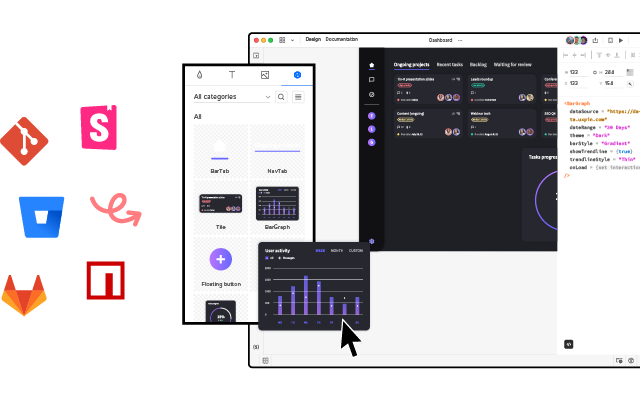
With UXPin Merge, design teams use the same production components developers build with — React, Angular, or web components from libraries like MUI, shadcn/ui, or Bootstrap. Prototypes look and behave exactly like the final product, which means stakeholder reviews are based on reality — not approximation.
AI-Accelerated Page Design with Forge
UXPin Forge can generate corporate page layouts from text prompts, image uploads, or URL references — using your actual component library. Describe a “hero section with company value proposition, three service cards, and a client logo strip,” and Forge produces a working layout with real components in seconds. Designers then refine the last 20% with professional design tools.
This approach delivers 8.6x faster design-to-prototype cycles compared to building every layout from scratch — critical when a corporate website redesign may involve dozens of unique page templates.
Design Consistency Through Shared Systems
Connect your corporate design system via Git integration and every designer on your team works with the same up-to-date components. Design System Guidelines in UXPin ensure that even AI-generated layouts follow your brand rules — typography, color, spacing, and component usage stay consistent across every page.
Efficient Design-to-Development Handoff
Because UXPin prototypes are built with production code, the handoff gap effectively disappears. Developers inspect and copy JSX directly from Spec Mode. Enterprise teams using Merge report up to a 50% reduction in engineering time for UI implementation — a significant advantage for corporate website projects with tight launch deadlines.
Responsive Design Testing
Preview corporate website designs across breakpoints directly in UXPin. Responsive layouts adapt in real time, so you can validate the mobile, tablet, and desktop experience before any development begins.
Ready to prototype your next corporate website? Try UXPin free and design with real, production-grade components from day one.
Frequently Asked Questions About Corporate Website Design
What makes a good corporate website design?
A good corporate website combines a clean professional layout, intuitive navigation, strong brand consistency, responsive design, clear visual hierarchy, accessibility compliance, and social proof elements. It should communicate the company’s mission, products, and values quickly while guiding visitors toward key actions like contacting sales, exploring products, or applying for jobs.
How much does a corporate website redesign cost?
Costs vary widely by scope. A template-based refresh may cost $5,000–$25,000, while a fully custom enterprise website with complex integrations and content migration can range from $50,000 to $500,000+. Using design systems and code-backed prototyping tools like UXPin Merge can reduce costs by compressing the design-to-development timeline.
What are the essential pages for a corporate website?
Essential pages include: Homepage, About/Mission page, Products or Services pages, Contact page, Careers page, News/Blog section, Leadership/Team page, and Legal pages (Privacy Policy, Terms of Service). Many corporate sites also benefit from Investor Relations, Sustainability/ESG, and Partner/Integration ecosystem pages.
How do you maintain brand consistency across a corporate website?
Use a design system with documented guidelines for typography, color, spacing, component usage, and tone of voice. Tools like UXPin Merge enforce consistency by letting design teams work with the same production code components used on the live site — eliminating visual drift between design files and deployed pages.
Should a corporate website be designed mobile-first?
Yes. Over 60% of web traffic comes from mobile devices, and Google uses mobile-first indexing. Design responsively with mobile as the baseline, then enhance for larger screens. This ensures strong SEO performance, accessibility, and a good experience for all visitors regardless of device.
How can I prototype a corporate website before development?
Use a code-backed prototyping tool like UXPin Merge to build high-fidelity prototypes with real production components. For faster iteration, UXPin Forge generates page layouts from text prompts using your component library. This lets you test navigation, responsive layouts, and interactive elements with stakeholders before engineering begins — reducing rework and accelerating launch timelines.