Top 5 Prototyping Tools in 2026: AI, Code Components & Comparison
A prototyping tool is software that helps designers create interactive replicas of a digital product — used for usability testing, stakeholder reviews, and developer handoff. In 2026, the best prototyping tools go beyond simple click-through mockups: they incorporate AI generation, code-backed components, and production-ready output.
This guide compares the top 5 prototyping tools available today, covering their strengths, limitations, AI capabilities, and ideal use cases — so you can choose the right tool for your team’s workflow.
Key takeaways:
- UXPin leads in production-fidelity prototyping with code-backed components (Merge) and AI generation (Forge) that uses your real design system.
- Figma is the most popular design tool with solid basic prototyping and a massive community.
- Framer excels at web-focused design with AI-powered site generation and direct publishing.
- Axure RP handles complex conditional logic and data-driven prototypes for enterprise workflows.
- ProtoPie specializes in advanced animations, sensor-based interactions, and multi-device prototyping.
1. UXPin — Best for Production-Fidelity Prototyping
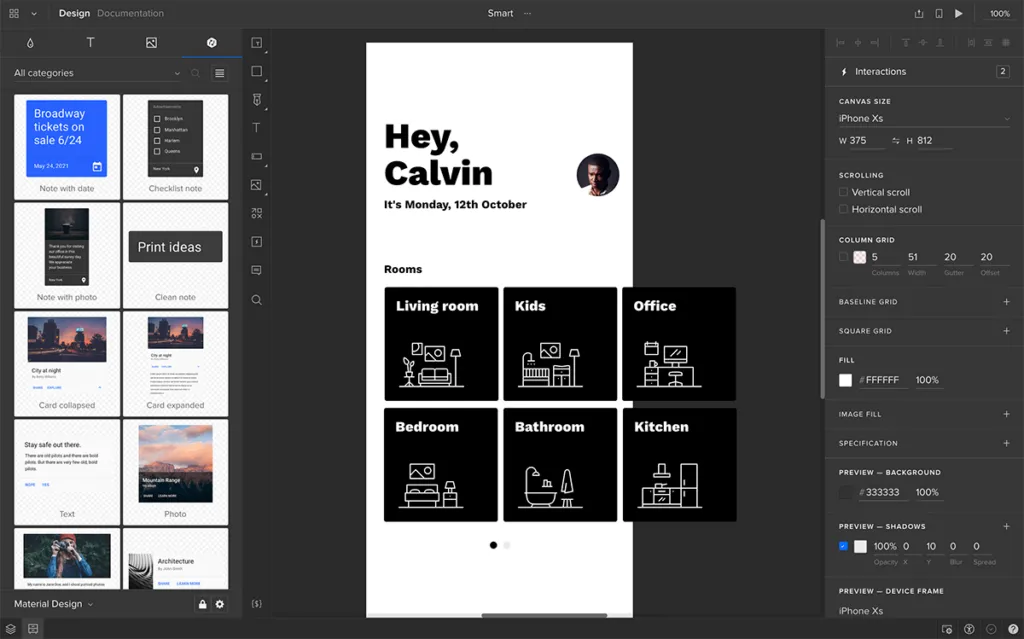
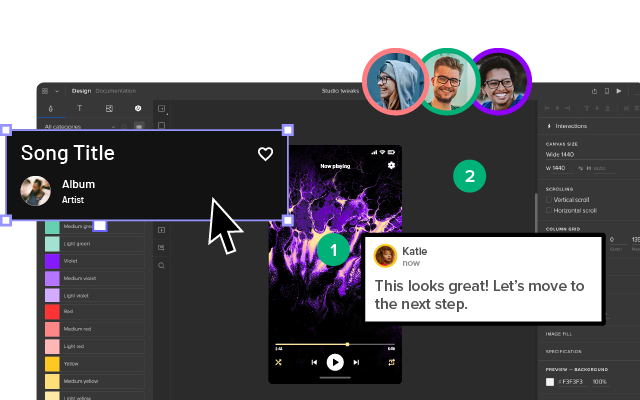
UXPin is a code-based design and prototyping tool where AI generation, professional design capabilities, and production code output all operate from the same source of truth — your actual component library. Unlike image-based tools, UXPin prototypes are fully interactive: forms accept input, states change dynamically, and conditional logic drives real user flows.
AI-Powered Design with Forge
UXPin Forge is an AI design assistant that generates, edits, and iterates on UI layouts using real React components from your production design system — not generic pixels. You can prompt Forge with text descriptions, upload a reference image, or paste a URL, and it produces a working layout that you can refine with professional design tools.
Because Forge is constrained to your team’s actual component library, every AI-generated screen is automatically on-brand and technically implementable. The output is exportable as production-ready JSX. Teams report 8.6x faster design-to-prototype cycles when combining Forge with Merge.
Code-Backed Components with Merge
UXPin Merge lets designers build prototypes using the exact same React, Angular, or web components that developers use in production. Sync your component library via Git integration, npm, or the Storybook integration.
Pre-built libraries are available for popular frameworks including MUI (Material UI), shadcn/ui, Bootstrap, and Ant Design.
The result: prototypes that look and behave exactly like the final product. Developers can copy clean JSX directly from Spec Mode — enterprise teams using Merge report up to a 50% reduction in engineering time for UI implementation.
Advanced Prototyping Features
Beyond AI and code-backed components, UXPin includes built-in features that most tools need plugins for:
- States — Create multi-state components (tabs, toggles, accordions) without separate frames
- Variables — Store and reuse values across a prototype to simulate real data flow
- Conditional Interactions — Build “if/then” logic that adapts the prototype to user input
- Expressions — Use JavaScript-like expressions for calculations and dynamic content
- Auto Layout — Flexbox-based layout that mirrors production CSS behavior
- Built-in Accessibility Checker — Validate contrast ratios and accessibility during design
UXPin is available as a desktop app (Mac & Windows) and in the browser. Prototypes can be tested on any device using shareable links or the UXPin Mirror mobile app.
Best for: Teams that need high-fidelity, interactive prototypes with real code output — especially enterprise design teams managing complex design systems.
Start a free trial of UXPin to explore Forge, Merge, and advanced prototyping.
2. Figma — Best for Collaborative Design and Basic Prototyping
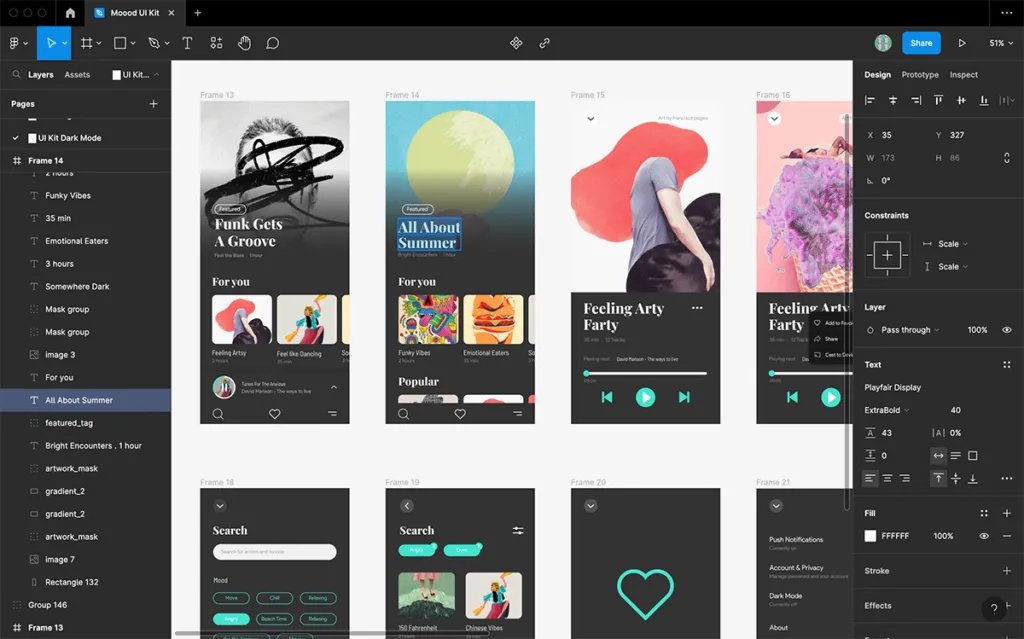
Figma is the most widely adopted design tool globally, known for its real-time collaboration, extensive community resources, and robust plugin ecosystem. Figma’s prototyping features let you create click-through prototypes with transitions, animations, and basic interactive components.
Prototyping Strengths
- Real-time multiplayer editing for team collaboration
- Component variants and interactive components for basic state changes
- Smart Animate for smooth transitions between frames
- Massive community with free templates, plugins, and UI kits
- Browser-based with desktop apps for Mac and Windows
Prototyping Limitations
While Figma is excellent for visual design, its prototyping has notable gaps for advanced workflows. Form inputs remain limited — you cannot test flows that require users to type information. Conditional logic, dynamic data, and multi-state interactions require workarounds with multiple frames rather than built-in functionality.
Figma prototypes are image-based, meaning they approximate the final product visually but don’t replicate production behavior. This can lead to usability testing results that miss issues only visible with real component behavior.
Best for: Design teams focused on visual design and collaboration who need basic prototyping for early-stage concept validation.
For a detailed breakdown, see our UXPin vs Figma comparison. You can also import Figma designs into UXPin for interactive prototyping.
3. Flowstep: Best for AI-Generated Multi-Screen Prototypes and Code Export

Flowstep is an AI-powered UI design and prototyping tool built for turning product ideas into connected, editable screens quickly. Instead of creating each screen manually, teams can describe a product and generate multiple screens together, then refine the designs on the same canvas.
Flowstep also connects the prototyping stage more closely with design and development. Generated screens can be copied directly into Figma, exported as React, TypeScript, and Tailwind CSS, or carried into coding workflows through MCP integrations with tools like Cursor and Claude Code.
Prototyping Strengths
- AI-powered multi-screen generation from a single prompt
- Generate additional screens, states, and variations from an existing design
- Copy and paste designs directly into Figma with editable structure preserved
- Export prototypes as React, TypeScript, and Tailwind CSS
- MCP integration with Cursor, Claude Code, and other supported AI coding tools
- Add PRDs, images, websites, and other references to guide generated designs
- Free tier available for testing the workflow
Prototyping Limitations
Flowstep is geared toward structured, higher-fidelity UI generation rather than traditional low-fidelity prototyping. Teams that specifically want rough sketches, simple grayscale boxes, or highly manual early-stage wireframing may find dedicated wireframing tools more suitable.
Its AI-first workflow also makes it a better fit for product interfaces and connected screen flows than prototypes centered primarily on complex sensor interactions or highly specialized animation.
Best for: Product teams, designers, founders, and developers who want to generate multi-screen prototypes quickly and move from an initial product idea to Figma or code without rebuilding the interface at every stage.
4. Axure RP — Best for Complex Enterprise Prototyping
Axure RP has been an industry standard for enterprise UX prototyping for over a decade. It offers deep conditional logic, data-driven content, and comprehensive documentation capabilities that make it popular with UX teams working on complex enterprise applications.
Prototyping Strengths
- Conditional logic and dynamic panels for complex interaction flows
- Repeaters for data-driven prototypes (tables, lists, feeds)
- Built-in documentation and specification features
- Robust support for form validation and multi-step workflows
- Team projects with version control
Prototyping Limitations
Axure’s visual design capabilities feel dated compared to modern tools. The learning curve is steep, and prototypes don’t produce reusable production code. Collaboration is less fluid than browser-native tools, and the community and ecosystem are smaller than Figma’s or UXPin’s.
Best for: Enterprise UX teams that need to prototype complex, logic-heavy workflows with detailed documentation — especially in regulated industries like healthcare and finance.
5. ProtoPie — Best for Advanced Animations and Multi-Device Prototyping
ProtoPie specializes in creating sophisticated interaction prototypes with realistic animations, gesture support, and sensor-based triggers. It’s the tool of choice when you need to prototype experiences that go beyond screen taps — including voice, tilt, proximity, and multi-device communication.
Prototyping Strengths
- Advanced animation and micro-interaction design
- Sensor-based interactions (gyroscope, sound, camera)
- Multi-device prototyping — screens communicate with each other
- Import designs from Figma, Sketch, or Adobe XD
- ProtoPie Connect for in-venue demos and kiosk prototypes
Prototyping Limitations
ProtoPie is a prototyping-only tool — you cannot do visual design work inside it. Designs must be imported from other tools, adding a step to the workflow. It doesn’t generate production code, and its strengths are most relevant for mobile and IoT experiences rather than standard web application design.
Best for: Teams prototyping mobile apps, IoT interfaces, automotive dashboards, or any experience that requires realistic animations and sensor-based interactions.
Prototyping Tool Comparison Table (2026)
| Feature | UXPin | Figma | Framer | Axure RP | ProtoPie |
|---|---|---|---|---|---|
| AI generation | Forge (uses real components) | Limited (plugins) | AI site builder | No | No |
| Code-backed components | Yes (Merge) | No | Partial | No | No |
| Production code output | JSX | CSS only | Framer code | No | No |
| Conditional logic | Yes | Limited | Limited | Yes (advanced) | Yes |
| Real form inputs | Yes | No | Partial | Yes | Yes |
| States/Variables | Yes | Basic variants | Variants | Yes | Yes |
| Multi-device testing | Yes (Mirror app) | Yes | Yes | Yes | Yes (multi-device sync) |
| Design system support | Git sync, npm, Storybook | Libraries | Components | Libraries | Import only |
| Direct web publishing | No | No | Yes | No | No |
| Free plan | Free trial | Yes | Yes (limited) | Free trial | Free tier |
How to Choose the Right Prototyping Tool
The right prototyping tool depends on your team’s priorities:
- You need production-fidelity prototypes and code output → UXPin with Merge and Forge
- You prioritize real-time visual collaboration → Figma
- You’re building marketing websites and want to publish directly → Framer
- You need complex conditional logic and detailed specs → Axure RP
- You’re prototyping advanced animations and sensor experiences → ProtoPie
For enterprise teams managing design systems at scale, the ability to prototype with real production components is a game-changer. PayPal’s 5-person UX team, for example, supports 60+ products and 1,000+ developers using UXPin Merge — because prototypes built with production code eliminate the handoff gap entirely.
What Happened to Adobe XD and InVision?
If you’ve used prototyping tools in the past, you may remember Adobe XD and InVision. Both have been discontinued:
- Adobe XD was sunset in 2023. Adobe shifted its focus toward Figma after the acquisition attempt and has encouraged users to migrate.
- InVision shut down its services in late 2024 after years of declining market share. It was once the leading prototyping platform but couldn’t compete with more capable tools.
If you’re migrating from either tool, UXPin offers a significant upgrade — especially for teams that need advanced interactivity and code-backed components. Learn more about UXPin Merge.
More Design Tool Comparisons
Explore how other prototyping tools compare to UXPin:
Start Prototyping with UXPin
If your team needs prototypes that produce real results — accurate usability testing, clean developer handoff, and consistent design system usage — UXPin is built for you.
With Forge, you can generate your first interactive layout from a text prompt in minutes. With Merge, every prototype you ship is built with production components. And with UXPin’s advanced features — States, Variables, Expressions, and Conditional Interactions — you can create prototypes that behave exactly like coded products.
Sign up for a free trial and discover what production-fidelity prototyping can do for your team.
Frequently Asked Questions About Prototyping Tools
What is the best prototyping tool in 2026?
The best prototyping tool depends on your workflow. UXPin is the strongest choice for teams that need production-fidelity prototypes — it uses real code components and its AI assistant (Forge) generates layouts from your actual design system. Figma is best for collaborative design with basic prototyping. Framer excels at web publishing. Axure RP handles complex enterprise logic. ProtoPie is ideal for advanced animations.
What is the difference between image-based and code-based prototyping?
Image-based prototyping tools create visual representations using vector shapes that mimic UI elements. Code-based prototyping tools like UXPin let you design with actual coded components — buttons click, inputs accept text, and states change dynamically. Code-based prototypes produce more accurate usability testing results and generate production-ready code output.
Can AI generate prototypes automatically?
Yes. UXPin Forge generates full-page layouts from text prompts, image uploads, or URL references using real React components from your design system. The output is production-ready JSX that you can refine with professional design tools. Framer also offers AI-powered generation for web layouts.
Which prototyping tool produces production-ready code?
UXPin produces clean, production-ready JSX output. Because prototypes are built with real React components via UXPin Merge, developers can copy component code directly from Spec Mode — eliminating the traditional design-to-code handoff gap.
Is Figma or UXPin better for prototyping?
Figma is excellent for collaborative visual design with basic prototyping. UXPin is stronger for interactive prototyping — supporting states, variables, conditional logic, expressions, and real form inputs. UXPin also offers code-backed components (Merge) and AI generation (Forge). See our detailed UXPin vs Figma comparison.
What happened to Adobe XD and InVision?
Both tools have been discontinued. Adobe XD was sunset in 2023, and InVision shut down in late 2024. Teams have migrated to Figma, UXPin, or Framer. For teams that need advanced prototyping, UXPin offers the most capable upgrade path with Merge and Forge.

