Generate production-ready MUI React components with GPT-4.1 in UXPin Merge to speed design and eliminate handoff friction.
How to build UX using GPT-4.1 + MUI – Use UXPin Merge!

Generate production-ready MUI React components with GPT-4.1 in UXPin Merge to speed design and eliminate handoff friction.

What’s the biggest benefit of exceptional UX design? It’s not just its ability to help web users achieve their web browsing goals (regardless of their position in the buyer’s journey). Nor is it its capacity to drive conversions and boost profits. Instead, next-level UX design directly influences brand perception, a key component of any brand’s
(…)
Learn paper prototyping techniques for UX design. Step-by-step methods, tips for better prototypes, and how to transition from paper to digital tools like UXPin. Updated for 2026.
UXPin is a product design platform used by the best designers on the planet. Let your team easily design, collaborate, and present from low-fidelity wireframes to fully-interactive prototypes.
Start your free trial
A complete guide to chat UI design. Covers essential elements, AI chatbot patterns, accessibility standards, development frameworks, and a step-by-step design process for 2026.
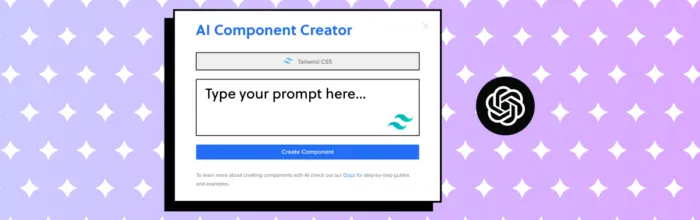
Learn how designers use ChatGPT and AI tools like UXPin Forge for UI design. Generate production-ready React components from text prompts. A practical guide updated for 2026.
A complete comparison of Next.js and React in 2026. Understand the key differences in rendering, routing, SEO, and performance — plus when to use each for your project.

Master the web design process with this 8-step guide. From ideation and wireframing to development, testing, and launch — updated for modern AI-assisted workflows in 2026.

Create production-ready UI components from prompts using GPT-5 Mini and UXPin Merge; sync design tokens and export React/Vue code.

Combine GPT-5 Mini, Bootstrap, and UXPin Merge to generate responsive, code-aligned prototypes faster and reduce handoff errors.
Which programming languages and frameworks should UX designers learn in 2026? This guide covers HTML, CSS, JavaScript, Python, key frameworks like React, and how code-aware design tools bridge the design-development gap.
Learn how to design effective progress trackers that reduce drop-off and manage user expectations. Covers types, design tips, real examples, and how to prototype interactive progress trackers.

Explore 8 types of mobile navigation menus, real-world examples from Spotify, Google Maps, and more, plus 10 best practices for designing intuitive mobile navigation in 2026.

Learn how to build a web app from scratch in 2026. This step-by-step guide covers research, planning, UI design, front-end and back-end development, testing, deployment, and AI-assisted workflows.

Google’s Gemini AI platform received a major UX redesign including a native macOS app and developer tools. Here’s what the overhaul means for AI interface design and how to apply these lessons to your own products.

Use GPT-5 Mini, Ant Design, and UXPin Merge to create production-ready React prototypes faster while keeping designs and code aligned.