If I had to sum it up in one line: Balsamiq is for early wireframes, Axure is for deep interaction logic, and UXPin is for code-linked prototyping.
If you’re choosing between these three tools, I’d look at four things first:
- fidelity
- interaction depth
- team workflow
- design-to-dev fit
The short answer is simple:
- Balsamiq works best when I want fast low-fidelity screens and early feedback
- Axure fits projects with heavy logic, state changes, and detailed specs
- UXPin makes the most sense when I want prototypes to stay close to shipped UI through shared components
Price also splits them pretty clearly:
- Balsamiq: from $9/editor/month
- Axure: from $25/editor/month
- UXPin: from $29/month
That means the lowest entry price is $9, while the highest starting point here is $29 for UXPin’s base plan and $42/editor/month for Axure Team.
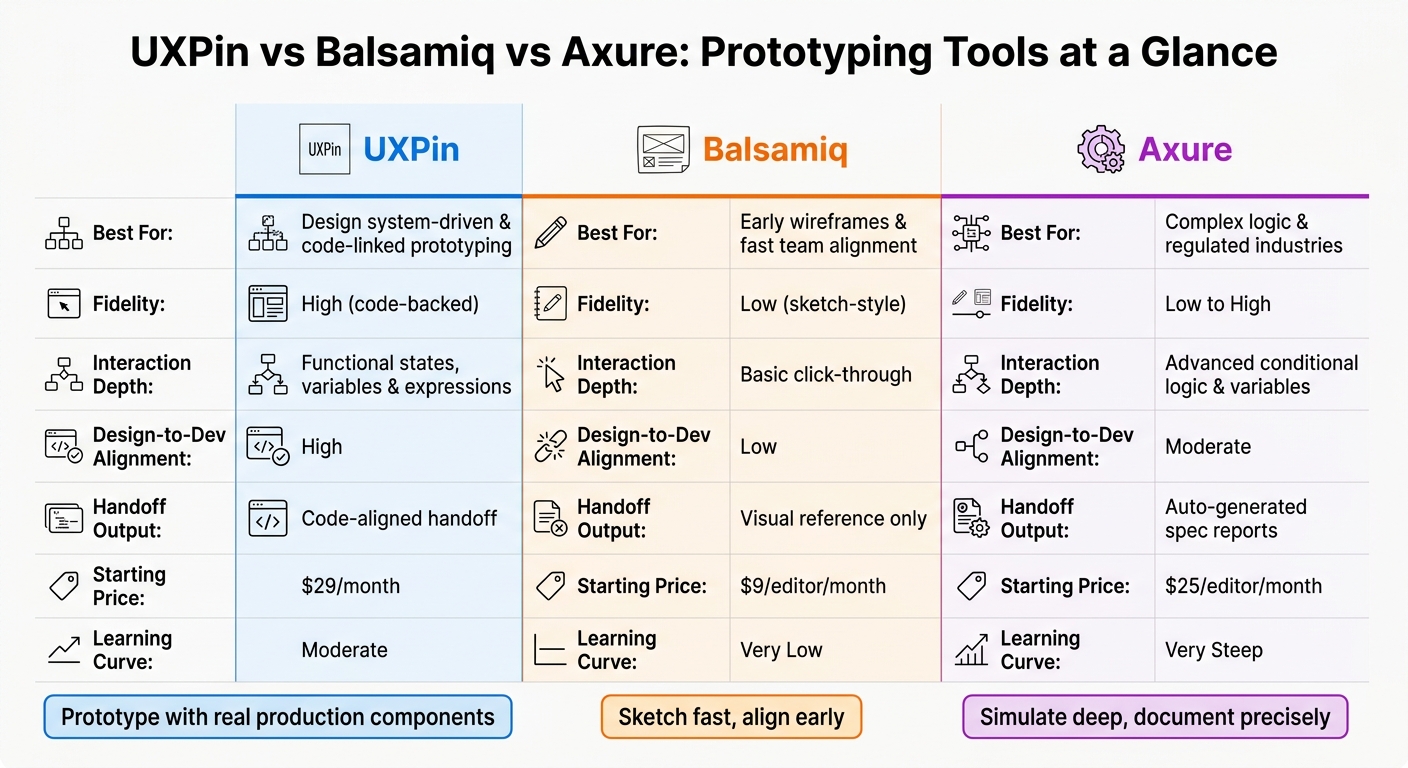
UXPin vs Balsamiq vs Axure: Prototyping Tools Compared
Quick Comparison
| Tool | Main use | Fidelity | Interaction depth | Handoff |
|---|---|---|---|---|
| Balsamiq | Early ideas and flow mapping | Low | Basic click-through | Visual reference |
| Axure | Logic-heavy simulations | Low to high | Deep conditional logic | Spec reports |
| UXPin | Component-based product prototyping | High | States, variables, expressions | Code-linked handoff |
Here’s my plain-English take: if you need to sketch, pick Balsamiq. If you need logic, pick Axure. If you need design and engineering to stay closer together, pick UXPin.
That’s the core decision this article helps you make.
sbb-itb-f6354c6
How We Evaluated UXPin, Balsamiq, and Axure
We compared these tools across five areas: fidelity, interaction depth, component model, collaboration workflow, and design-to-development alignment.
Fidelity, interaction depth, and realism
Fidelity is the degree to which a prototype shows the intended experience – how it looks, how it behaves, and how it’s put together.
Sketch-style wireframes keep attention on structure and layout. Code-backed prototypes get much closer to the finished product.
Here’s where each tool sits across the main fidelity dimensions:
| Dimension | Balsamiq | Axure RP | UXPin |
|---|---|---|---|
| Visual fidelity | Low (sketch-style) | High (functional simulation) | High (code-backed) |
| Interaction logic | Basic click-through | Advanced conditional logic | Variables, states, expressions |
| Component model | Static shapes | Dynamic panels | Real production components |
| Handoff output | Visual reference only | Detailed spec reports | Code-aligned handoff |
| Learning curve | Very low | Very steep | Moderate |
That gives you the baseline. The next sections look at how each tool works in day-to-day use.
Team workflow and design-to-development alignment
This is where the gap between tools starts to matter.
A prototype only helps if it cuts down on rework. For enterprise teams, that’s often the hidden cost: the prototype says one thing, and the shipped product does another.
Each tool fits a different kind of team workflow. Balsamiq works well in early discovery, when the goal is to sort ideas out and get stakeholder buy-in. Axure RP fits teams that need a living spec for complex business logic. UXPin is built to keep design and code aligned by using real production components right on the canvas.
For teams that need to ship faster, that last point matters a lot. When a prototype uses real production components, engineers spend less time decoding mockups and more time building.
UXPin: Code-Backed, Component-Driven Prototyping
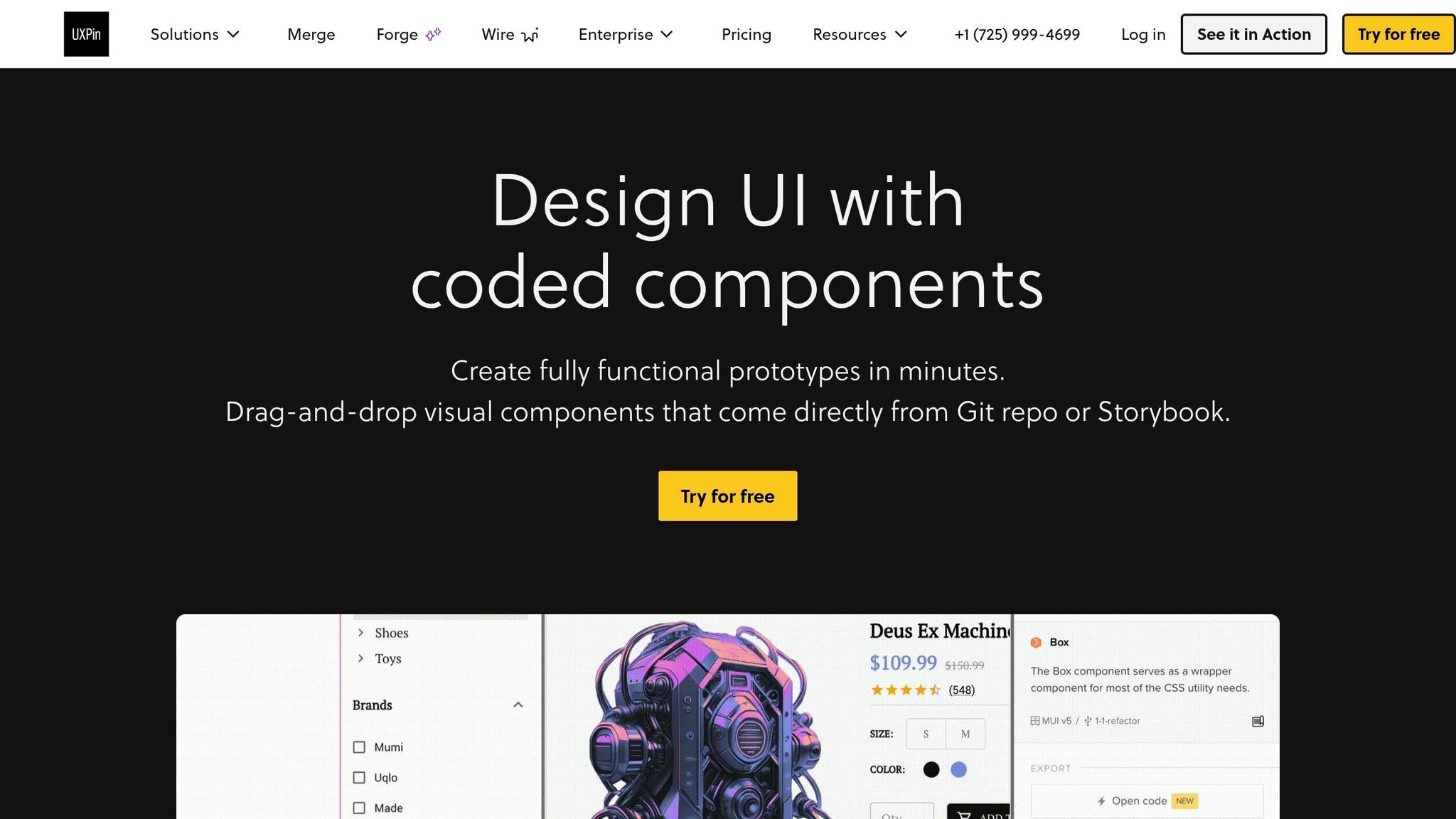
UXPin is a code-backed prototyping tool built on HTML, CSS, and JavaScript. That means prototypes act much more like real products than static mockups. Form fields take real input, states change on the fly, and interactions match what users would see in an actual product. When the focus is fidelity and handoff, UXPin is the code-backed choice.
Merge: designing with real production components
Merge is the core feature. UXPin comes with native libraries for MUI, Ant Design, Bootstrap, and shadcn/ui, so there’s no import step to deal with. If your team uses a custom component library, you can connect it through Git, npm, or Storybook.
That setup matters. The components on your canvas are the same ones your engineers ship, so prototypes stay consistent and handoff is much cleaner. Instead of drawing something that looks right, you’re working with the building blocks that already exist in production.
Conditional logic, variables, and AI constrained by your design system
UXPin also supports variables, states, and expressions for simple conditional logic. So you can build a prototype that validates an email field or shows different screens based on a user’s role, all without writing code by hand.
Forge adds another layer. It generates layouts from your approved design-system components, which helps keep AI output implementable. In plain English: the AI isn’t making things up from scratch. It stays inside the rules of your system.
Best fit and pricing
UXPin is the strongest fit for DesignOps leaders, front-end engineers, and enterprise design teams that need prototypes to stay in sync with production code. The tradeoff is pretty clear: you gain tighter alignment with engineering, but you also need to put time into connecting your component library and setting governance.
Pricing starts at $29/month for Core and $40/month for Growth, with custom pricing for Enterprise. All paid plans include Merge. You can find the latest details at uxpin.com/pricing.
The next section shows how this approach differs from low-fidelity wireframes and logic-heavy simulations.
Balsamiq vs Axure: Two Different Prototyping Approaches
If UXPin sits close to implementation, Balsamiq and Axure tackle two very different jobs: fast sketching and logic-heavy simulation. Knowing where each tool fits can save your team from forcing the wrong tool into the wrong phase.
Balsamiq: low-fidelity wireframes and annotated flows
Balsamiq uses a sketch-style look that tells everyone, right away, that the work is still being explored. That matters. It keeps feedback centered on flow and structure instead of colors, spacing, or other visual details.
A moderately complex layout takes about 15–20 minutes to wireframe, which makes 20+ screens in a single workshop day a fair target. Interactions aren’t simulated in depth. Instead, teams describe behavior with notes and annotations rather than building it into logic.
At $9/editor/month or $99/year, it’s also the lowest-cost option in this group.
So Balsamiq is the faster pick for early alignment. It’s less suited for mapping detailed behavior.
Axure: conditional logic, dynamic panels, and functional simulations
Axure is built for teams that need more than static wireframes. It supports conditional logic, variables, dynamic panels, and repeaters for app-like simulations. Dynamic panels let one container hold several states, such as tabs or modals, and switch between them based on user actions.
Axure also generates spec reports, which helps in documentation-heavy workflows. That’s a big reason it still shows up so often in complex enterprise apps in banking, healthcare, and government, where prototypes need to hold up during legal reviews and support exact developer handoffs.
The downside is pretty clear: Axure takes time to set up, time to learn, and its collaboration features can feel older than those in newer tools. Pricing starts at $25/editor/month for the Pro plan ($195/year), while the Team plan starts at $42/editor/month.
That makes Axure a better fit for complex flows, but a slower one for simple early-stage work. Use it when simulation depth matters more than speed. This is especially true when preparing for prototype testing with stakeholders.
The next question is which of these strengths lines up with your team’s workflow.
Side-by-Side Verdict: Which Tool Fits Your Team
Use the table below to line up fidelity, interaction depth, design handoff needs, and day-to-day workflow with the tool that makes the most sense. It turns the earlier comparison into a fast decision guide.
| Feature | Balsamiq | Axure | UXPin |
|---|---|---|---|
| Prototype Foundation | Low-fidelity wireframes | Dynamic panels with conditional logic | Code-backed components (Merge) |
| Interaction Depth | Basic click-through | Advanced conditional logic & variables | Functional states and variables |
| Fidelity | Low (intentional) | Low to high | High, code-backed |
| Design-to-Dev Alignment | Low | Moderate | High |
| Documentation Strength | Basic annotations | Auto-generated spec reports | Code-aligned handoff |
| Best Fit | Early discovery and simple apps | Complex logic and regulated industries | Design system-driven teams |
Matching each tool to the right use case
Here’s the shortest path to the right choice.
Pick Balsamiq when you need fast team alignment and don’t need deep interaction.
Pick Axure when your project sits in a regulated space or depends on heavy logic.
Pick UXPin when your team already has a mature design system and wants prototypes that act more like the shipped product.
Key tradeoffs and final takeaway
The tradeoff is simple: Balsamiq is the fastest, Axure goes the deepest, and UXPin stays closest to production.
FAQs
How hard is UXPin to set up with our design system?
Setting up UXPin with your design system is pretty straightforward. You can connect your current component library through:
- Git integration
- Storybook integration
- npm integration
Once that connection is in place, your coded components show up as drag-and-drop elements in the editor. That means your team can build prototypes with the same components used in development.
No component library yet? UXPin also supports MUI, Ant Design, and Shadcn/ui.
Can UXPin work well if our team doesn’t have production components yet?
Yes. UXPin works well even if you don’t have production components yet.
It supports the full range of design work, from low-fidelity wireframes to high-fidelity interactive prototypes. So you can start rough, move fast, and add more detail as your system takes shape.
You also don’t have to build everything from scratch. UXPin comes with preloaded open-source libraries like MUI, Ant Design, Bootstrap, and shadcn/ui.
And if your design system is still coming together, Forge can generate layouts and components in the meantime. That gives your team something solid to work with while the system keeps taking form.
When does code-backed prototyping save more time than standard mockups?
Code-backed prototyping can save a lot of time, especially when your team works from a shared component library like components brought in through UXPin Merge.
Instead of drawing static UI pieces from scratch, designers can drag production-ready components right onto the canvas.
That speeds up high-fidelity prototyping, cuts the manual step between design and code, reduces handoff friction and back-and-forth from developers, and helps keep the shipped product in line with the design system.